
Ollny NYD050A
Ollny 110FT Solar String Lights (Model NYD050A) Instruction Manual
Падрабязнае кіраўніцтва па ўсталёўцы, эксплуатацыі і абслугоўванні.
1. Уводзіны
Thank you for choosing the Ollny 110FT Solar String Lights. This manual provides detailed instructions for the safe and efficient use of your new lighting system. Please read this manual thoroughly before installation and operation.
Змест пакета:
- 1x 110FT Solar String Lights with 50 G40 LED Bulbs
- 2x Spare Shatterproof G40 LED Bulbs
- 1x Solar Panel with Ground Stake
- 1x Remote Control (2 AAA batteries included)
- Mounting Hardware (clips, screws, wall anchors)
- 1x кабель для зарадкі USB
- 1x Кіраўніцтва карыстальніка (гэты дакумент)
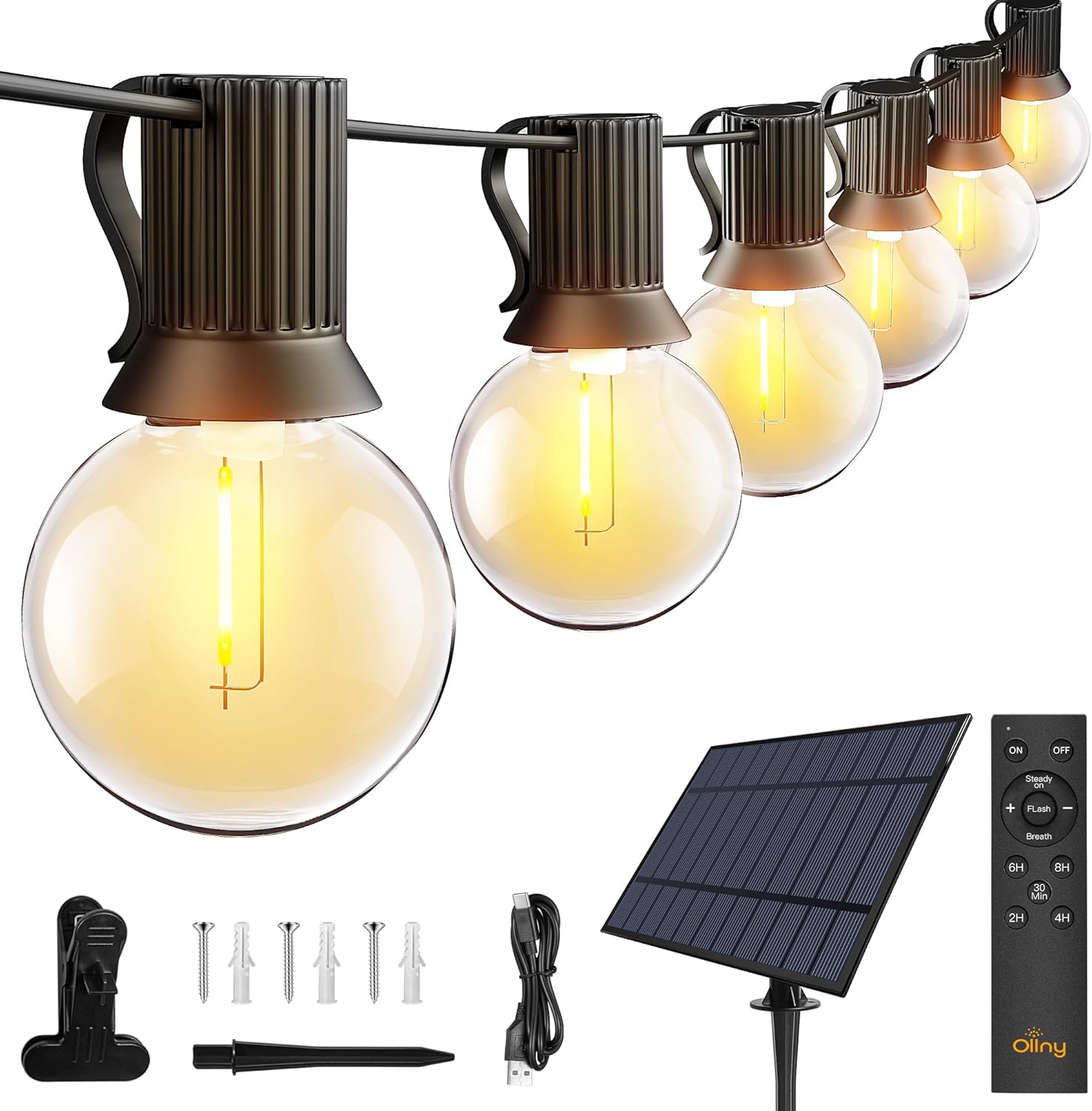
Выява: Зверхуview of the Ollny 110FT Solar String Lights package contents, showing the string lights, solar panel, remote control, and various installation accessories.
2. Інфармацыя па бяспецы
- Перад выкарыстаннем пераканайцеся, што ўсе кампаненты надзейна падключаны.
- Не спрабуйце мадыфікаваць або рамантаваць прадукт. Звярніцеся па дапамогу ў службу падтрымкі кліентаў.
- Keep the solar panel clean to ensure optimal charging efficiency.
- Avoid submerging the string lights or solar panel in water, despite their water-resistant rating (IP65 for solar panel, IP45 for bulbs).
- Shatterproof bulbs are designed for durability, but handle with care.
3. Настройка і ўстаноўка
3.1 Размяшчэнне сонечных панэляў
The solar panel is crucial for charging the lights. Choose a location that receives at least 6-8 hours of direct sunlight daily. Avoid shaded areas.

Image: Close-up of the solar panel, highlighting the USB charging port and the 'MODE' and 'ON/OFF' buttons. It also shows the 4000mAh battery capacity and 10 hours of light duration.
3.2 Метады ўстаноўкі
The solar panel offers multiple installation options:
- Наземная стаўка: Attach the stake to the solar panel and insert it firmly into the ground.
- Насценны мацаванне: Use the provided screws and anchors to secure the panel to a wall or fence.
- Кліп Мацаванне: Attach the clip to the panel and secure it to a suitable edge or railing.

Image: Depicts three ways to install the solar panel: inserting it into the ground with a stake, nailing it to a wall, or clamping it to a board.
3.3 String Light Placement
Uncoil the string lights carefully. Hang them using the integrated clips on each bulb socket or other suitable fasteners. Ensure the solar panel is connected to the string lights.

Image: A diagram illustrating the total length of the 110FT solar outdoor string lights, the 2-foot spacing between bulbs, and the 11.5-foot lead cable from the solar panel to the first bulb. It also notes that the lights are not connectable.
3.4 Пачатковая актывацыя
Before first use, press the ON button located behind the solar panel. Allow the solar panel to charge in direct sunlight for 4-6 hours, or use the USB cable for faster charging (approximately 4 hours).

Image: Illustrates two charging methods for the solar panel: solar power (6 hours charging) and USB charging (4 hours charging).
4. Інструкцыя па эксплуатацыі
4.1 Automatic ON/OFF Function
The solar panel has a built-in light sensor. The lights will automatically turn on at dusk and turn off at dawn, provided the ON button on the solar panel is activated.
Заўвага: If you wish to use the lights during daylight hours, ensure the solar panel is covered to simulate darkness.

Image: Demonstrates the light sensor function of the solar panel, with lights automatically turning on at night and off during the day. A note advises covering the solar panel for daytime use.
4.2 Функцыі дыстанцыйнага кіравання
The included remote control allows for convenient adjustment of light settings from up to 33 feet away.

Выява: Падрабязны view of the remote control, illustrating buttons for power (ON/OFF), brightness adjustment (+/-), three lighting modes (Steady ON, Flash, Breath), and timer settings (30 minutes, 2 hours, 4 hours, 6 hours, 8 hours).
- ВКЛ/ВЫКЛ: Уключыць або выключыць святло.
- Зацямненне: Выкарыстоўвайце + і - buttons to adjust brightness from 25% to 100% in Steady ON mode.
- Рэжымы: Select from three lighting modes:
- Пастаянна: Continuous illumination.
- Успышка: Flashing effect.
- Дыханне: Gradual dimming and brightening effect.
- Таймеры: Set the lights to turn off automatically after a specified duration: 30 minutes, 2 hours, 4 hours, 6 hours, or 8 hours.
Video: An official product video demonstrating the Ollny G40 solar outdoor lights in various settings, showcasing their aesthetic appeal and functionality. This video is provided by the seller, Ollny Decor Lights.
5. Тэхнічнае абслугоўванне
- Уборка: Перыядычна працірайце сонечную панэль мяккай анучайamp cloth to remove dust and debris, ensuring maximum charging efficiency.
- Замена лямпачкі: The string lights include 2 spare bulbs. To replace a bulb, gently unscrew the old bulb and screw in a new one. Ensure the power is off before replacing bulbs.
- захоўванне: Калі вы захоўваеце лямпы працяглы час, пераканайцеся, што сонечная панэль цалкам зараджана. Захоўвайце ў прахалодным, сухім месцы.

Выява: Падрабязны view of one of the G40 LED bulbs, showing its clear shatterproof casing and the E12 screw base.
6. Выпраўленне непаладак
| праблема | Магчымая прычына | Рашэнне |
|---|---|---|
| Lights do not turn on at night. |
|
|
| Lights are dim or flicker. |
|
|
| Не працуе пульт дыстанцыйнага кіравання. |
|
|
7. Тэхнічныя характарыстыкі прадукту
| Асаблівасць | Дэталь |
|---|---|
| Нумар мадэлі | NYD050A |
| Агульная даўжыня | 110 футаў |
| Колькасць цыбулін | 50 LED + 2 Spare |
| Тып лямпы | G40 Shatterproof LED |
| Падстава лямпачкі | E12 |
| Светлы колер | Цёплы белы (2700 Кельвінаў) |
| Крыніца харчавання | Solar Powered (with USB charging option) |
| Батарэя сонечнай батарэі | 4000 мАг |
| Час зарадкі сонечнай панэлі | 4-6 гадзін (прамое сонечнае святло) |
| Час зарадкі USB | Прыбл. 4 гадзіны |
| Час працы | Да 10 гадзін (цалкам зараджаны) |
| Рэйтынг воданепранікальнасці | Solar Panel: IP65, Bulbs: IP45 |
| Метад кантролю | Remote Control (RF, 33ft range) |
| Батарэі для пульта дыстанцыйнага кіравання | 2 AAA (у камплекце) |
| Асаблівасці | Dimmable (25%-100%), 3 Lighting Modes (Steady, Flash, Breath), Timers (30min/2H/4H/6H/8H), Auto ON/OFF Light Sensor |
| Матэрыял | Пластыкавыя |
| Вага прадмета | 3.85 фунта (1.75 кілаграма) |
8. Гарантыя і падтрымка
Ollny products are designed for quality and durability. For any questions, concerns, or technical support, please contact Ollny customer service via Amazon. Our support team is available to assist you within 24 hours.
Калі ласка, звярніцеся да дакументацыі па куплі, каб атрымаць падрабязную інфармацыю аб гарантыі.
Ask a question about this manual
Ask about setup, troubleshooting, compatibility, parts, safety, or missing instructions. Manuals+ will review the question and use this page’s manual context to help answer it.