
Уводзіны
This manual provides detailed instructions for the installation, operation, and maintenance of your GeekTale Fingerprint Deadbolt with Passage Door Knob (Model F08). Please read this manual thoroughly before installation and use to ensure proper function and safety. Keep this manual for future reference.
Настройка і ўстаноўка
The GeekTale Fingerprint Deadbolt is designed for easy installation on standard doors. Follow these steps for a successful setup.
1. Check Door Compatibility and Dimensions
Before installation, verify that your door dimensions are compatible with the lock. The deadbolt is designed to fit standard door preparations.

Image: Diagram illustrating the dimensions of the deadbolt and passage door knob components, along with the required door bore holes. Ensure your door matches these specifications for proper fit.
2. Этапы ўстаноўкі
The installation process is designed to be quick and hassle-free. Refer to the included installation guide for detailed diagrams and step-by-step instructions.

Image: Visual representation of the easy installation process for the GeekTale Fingerprint Deadbolt, highlighting the simplicity of assembly.
3. Пачатковая зарадка акумулятара
The lock features a built-in rechargeable battery. Before first use, ensure the lock is fully charged. A full charge typically lasts up to 6-8 months.

Image: The GeekTale deadbolt connected to a USB-C charging cable, illustrating the built-in rechargeable battery feature.
4. App Download and Fingerprint Registration
Download the dedicated mobile application to manage your lock. Follow the in-app instructions to register fingerprints (up to 20) and set up other access methods.

Image: A hand placing a finger on the deadbolt's sensor, demonstrating the quick fingerprint unlock feature with a 0.3-second recognition speed.
Інструкцыя па эксплуатацыі
Your GeekTale Smart Lock offers multiple convenient ways to access your property.
1. Метады доступу
- адбіткаў пальцаў: Place your registered finger on the sensor for quick unlocking. The lock recognizes fingerprints in approximately 0.3 seconds.
- Мабільнае прыкладанне: Use the dedicated mobile application to unlock the door via Bluetooth.
- Фізічны ключ: In case of battery depletion or other issues, use the provided physical keys as a backup.

Image: A visual guide showing the three primary methods to unlock the deadbolt: fingerprint recognition (up to 20 fingerprints), Bluetooth control via the app, and traditional physical keys.
2. Twist to Lock & Unlock Mechanism
After unlocking via fingerprint or app, twist the exterior knob to open the door. To lock the door, twist the interior panel.

Image: A split image showing the exterior knob being twisted to unlock and the interior panel being twisted to lock the door, highlighting the intuitive mechanism.
3. Smart App Control Features
The mobile application provides comprehensive control and monitoring capabilities for your lock.
- Кіраванне карыстальнікамі: Add or remove authorized users and their fingerprints.
- View Журнал доступу: Review a history of who accessed the lock and when.
- Абвестка аб нізкім зарадзе батарэі: Receive timely notifications when the battery level is low, typically around 20%.
- Налады гуку: Adjust or mute the lock's operational sounds.
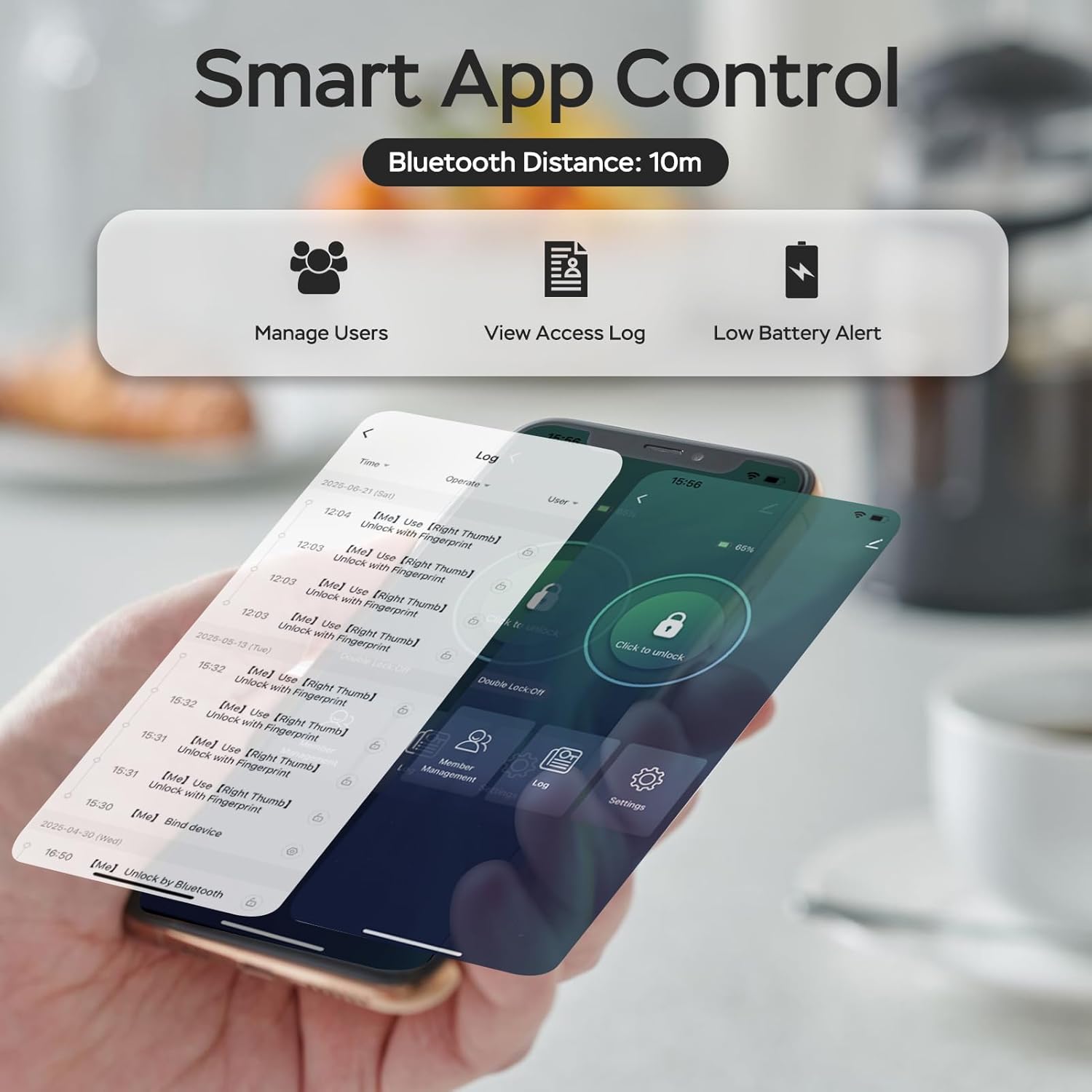
Image: A smartphone displaying the lock's mobile app interface, which allows users to manage access, view historical logs, and receive low battery alerts.
4. Remote Unlock with Gateway (Sold Separately)
For remote unlocking and voice control features, a compatible gateway device (sold separately) is required. This gateway connects the lock to your home Wi-Fi network, enabling remote management and real-time notifications.
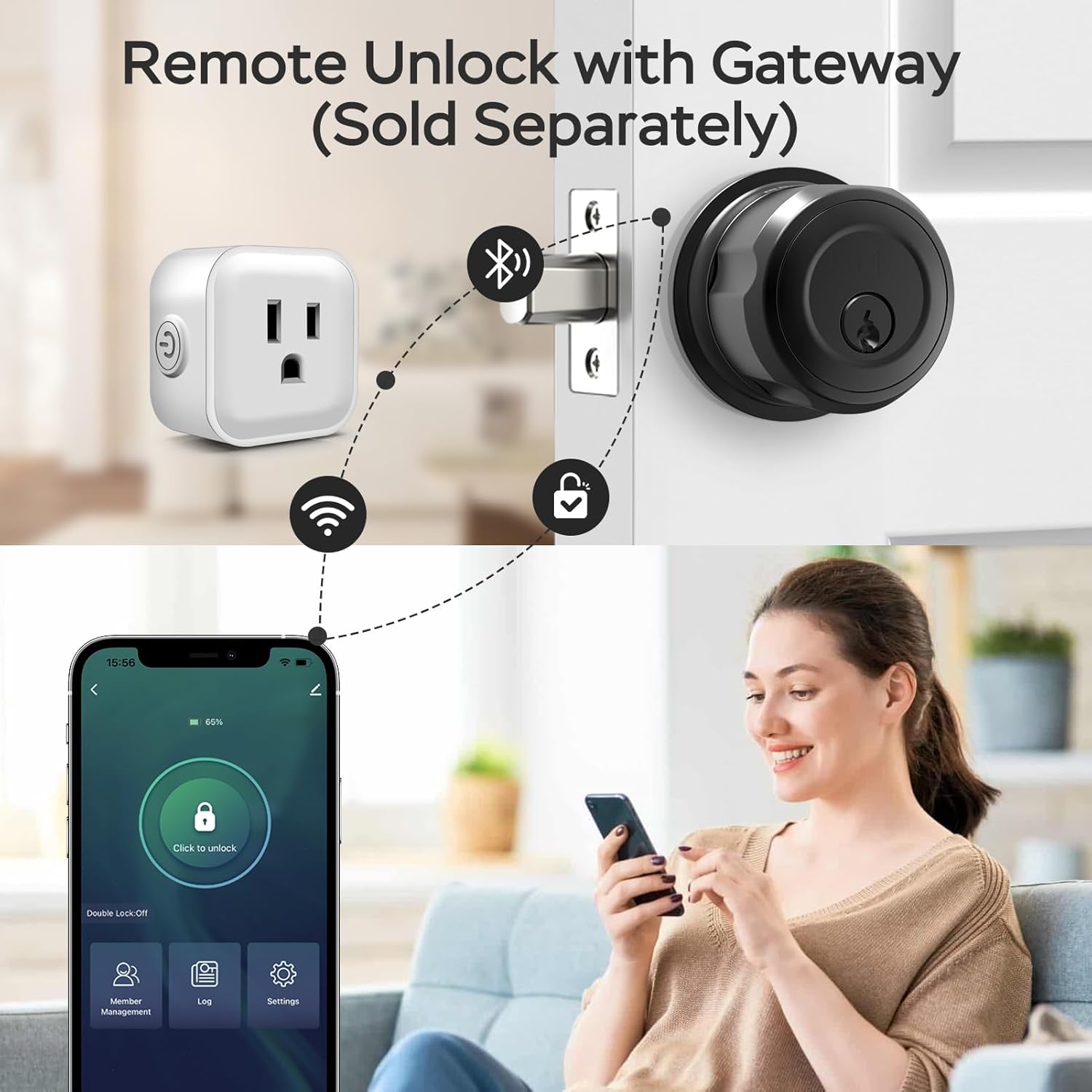
Image: A diagram illustrating the connection between the smart deadbolt, a gateway device (plugged into an outlet), and a smartphone, enabling remote unlocking and control.
Тэхнічнае абслугоўванне
Proper maintenance ensures the longevity and optimal performance of your smart lock.
1. Зарадка акумулятара
The built-in rechargeable battery provides power for up to 6-8 months on a single charge. When the low battery alert is received, charge the lock using a USB-C cable. A full charge takes approximately 3 hours.
2. Уборка
Clean the lock's exterior with a soft, dry cloth. Avoid using abrasive cleaners or solvents, as these can damage the finish and electronic components. Keep the fingerprint sensor clean for accurate recognition.
3. Physical Key Storage
Store the two unique physical keys in a secure location outside your home, accessible only to trusted individuals, for emergency backup access.
Ліквідацыю непаладак
If you encounter issues with your GeekTale Fingerprint Deadbolt, refer to the following common solutions.
- Замак не рэагуе: Check the battery level. If low, recharge the lock. If fully charged, try using a physical key.
- Адбітак пальца не распазнаны: Ensure your finger is clean and dry. Try re-registering your fingerprint through the app. Ensure the sensor is clean.
- Праблемы з падключэннем да праграмы: Ensure Bluetooth is enabled on your smartphone and you are within range (approximately 10 meters). Try restarting the app or your phone. If using a gateway, ensure it is powered on and connected to Wi-Fi.
- Lock not charging: Verify the USB-C cable and power adapter are functioning correctly. Ensure the charging port on the lock is free of debris.
- Lock not operating in cold weather: Extreme cold can affect electronic devices. If experiencing issues in low temperatures, consider using the physical key.
If problems persist after attempting these solutions, please contact GeekTale customer support for further assistance.
Тэхнічныя характарыстыкі
| Марка | GeekTale |
| Нумар мадэлі | F08 |
| Тып замка | Тупік |
| Матэрыял | Алюміній |
| Колер | Чорны |
| Памеры прадмета (Д х Ш х У) | 2.56 х 2.56 х 3.03 цалі |
| Асаблівасці | Store 20 Fingerprints, App Control, Twist to Unlock & Lock, Rechargeable Battery, Easy Install |
| Метад кантролю | Дадатак, дотык |
| Пратакол злучэння | Bluetooth |
| Тэрмін службы батарэі | Up to 6-8 months on a single charge |
Інфармацыя аб гарантыі
GeekTale products typically come with a limited manufacturer's warranty. For specific details regarding your product's warranty period and terms, please refer to the warranty card included in your product packaging or visit the official GeekTale webсайт.
Падтрымка кліентаў
If you require further assistance, have questions about your product, or need to report an issue, please contact GeekTale customer support. Contact information can typically be found on the official GeekTale webна сайце або ва ўпакоўцы вашага прадукту.
Інтэрнэт-падтрымка: Visit the GeekTale official webсайт з часта задаванымі пытаннямі, кіраўніцтвамі па ліквідацыі непаладак і кантактнымі формамі.
Падтрымка па электроннай пошце: Звярніцеся да дакументацыі да прадукту, каб даведацца пра адрас электроннай пошты службы падтрымкі кліентаў.