
1. Уводзіны
Thank you for choosing the GGSTOPWATER AI Translate True Wireless OWS Headset JM13. This innovative headset combines open-ear audio with advanced AI translation capabilities, allowing you to enjoy music and calls while remaining aware of your surroundings, and facilitating communication across 150 languages. This manual provides detailed instructions for setup, operation, and maintenance to ensure optimal performance and longevity of your device.
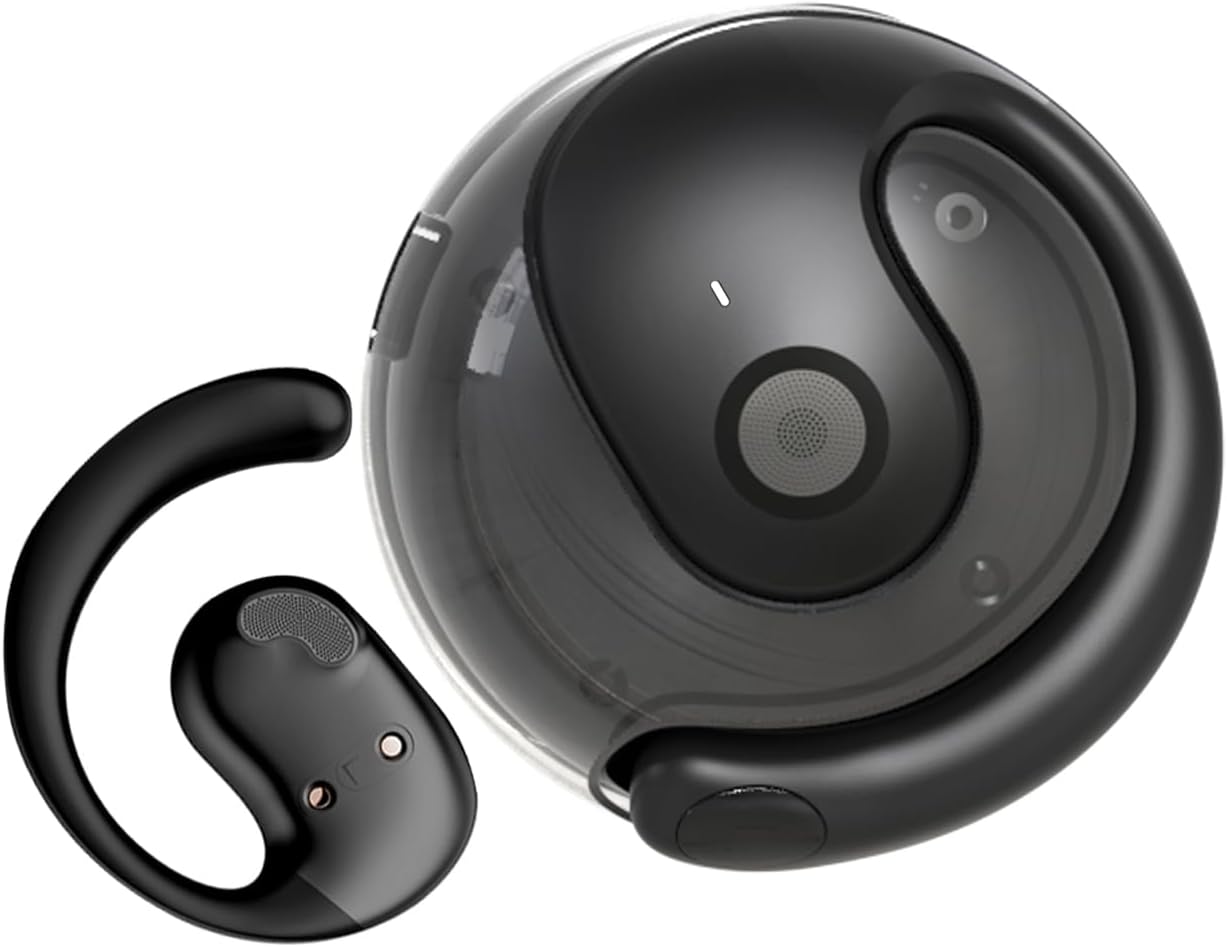
Image: The JM13 AI Translate True Wireless OWS Headset, showing one earbud and its compact charging case.
2. Асноўныя магчымасці
- AI Translation Technology: Supports real-time online translation in 150 languages via the EarJoy Intelligence APP, enabling binaural translation, headphone + mobile phone translation, and AI chat functions.
- Open-Ear Design (OWS): Allows you to listen to audio while maintaining awareness of your surroundings, providing a comfortable and secure fit without entering the ear canal.
- Кампактны і партатыўны: Lightweight and round design, easily fits into backpacks or pockets, includes a silicone lanyard for convenience.
- Аўдыё высокай дакладнасці: Built-in 16mm dynamic speaker delivers 360° Hi-Fi stereo sound.
- IPX5 Water and Dust Resistance: Nano waterproof coating protects against daily sweat and rain, ideal for sports and outdoor activities.
- Падключэнне Bluetooth 5.4: Ensures lower power consumption, lower latency, longer battery life, and enhanced sound quality.

Image: Individuals wearing the OWS open-ear earbuds while exercising, working, and relaxing, demonstrating the ability to hear surroundings.
3. Што ў скрынцы
Пасля адкрыцця ўпакоўкі пераканайцеся, што ўсе наступныя кампаненты ў камплекце:
- True Wireless Bluetooth Headphones (2 units)
- Battery Compartment (Charging Case) (1 unit)
- Зарадны кабель Type-C (1 шт.)
- Instructions Manual (1 unit)
- Silicone Lanyard (1 unit)

Image: A visual representation of the items included in the JM13 product package, such as the earbuds, charging case, and accessories.
4. Кіраўніцтва па наладцы
4.1 Зарадка гарнітуры
Before first use, fully charge the headset and charging case. The charging case has a 300mAh battery capacity.
- Змесціце навушнікі-ўкладышы ў зарадны футляр.
- Падключыце зарадны кабель Type-C да порта зарадкі на корпусе і да крыніцы харчавання USB.
- Charging time for the case is approximately 1.5 hours. The earbuds provide approximately 4 hours of usage time on a full charge, with a standby time of 120 hours.
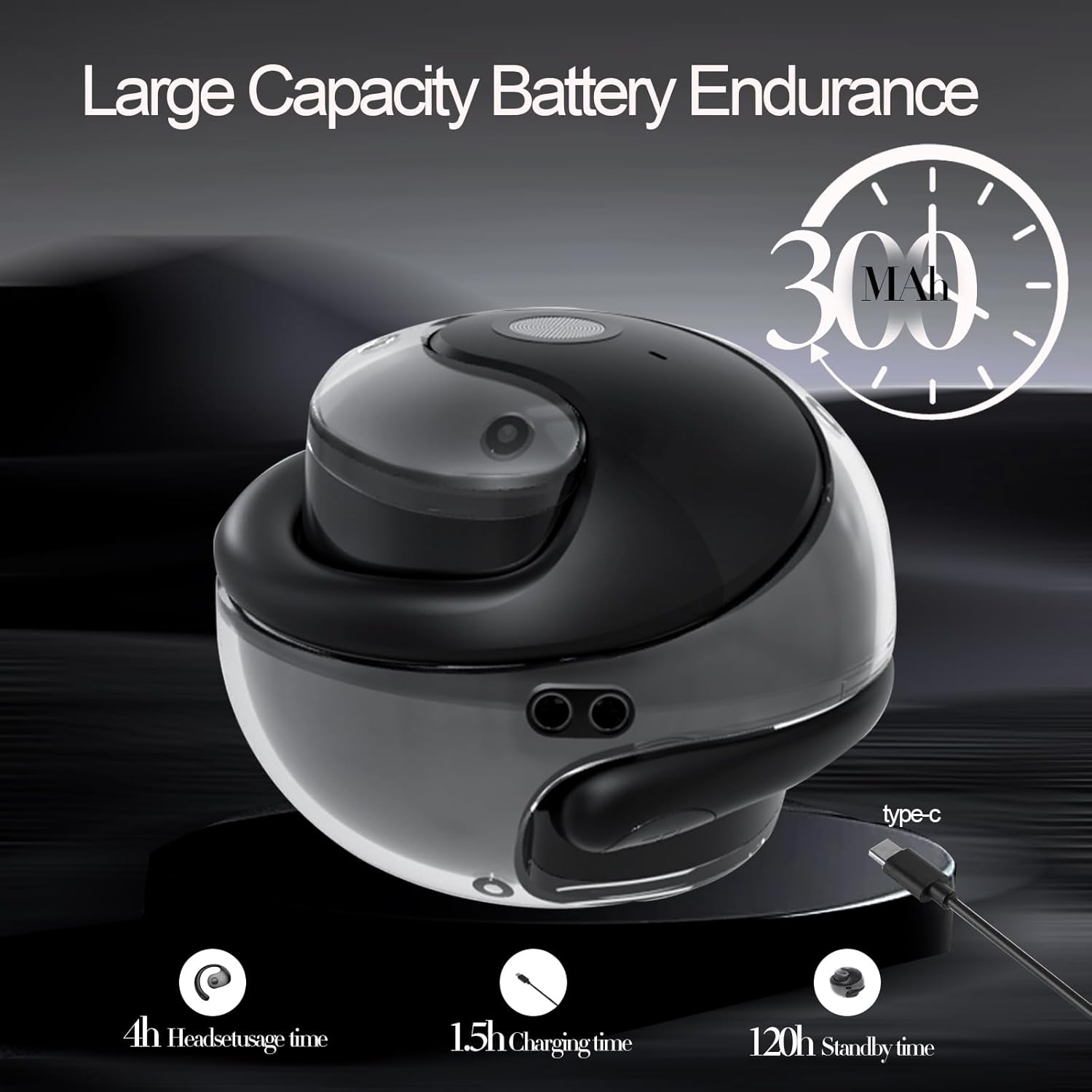
Image: An illustration detailing the battery capacity (300mAh), headset usage time (4h), charging time (1.5h), and standby time (120h) of the JM13 headset and case.
4.2 Нашэнне гарнітуры
The JM13 headset is ergonomically designed for comfort and stability.
- крок 1: Pick up the headset and wear it along the back of the ear, ensuring the speaker portion is positioned near your ear canal without entering it.
- крок 2: Gently adjust the headphones to a comfortable and secure position on your ear.
- крок 3: Once adjusted, the headphones are ready for use.

Image: A visual guide demonstrating the correct way to wear the JM13 headset, from picking it up to adjusting it for a comfortable fit.
4.3 Спалучэнне па Bluetooth
To connect your JM13 headset to your device:
- Пераканайцеся, што гарнітура зараджана і ўключана.
- Open the Bluetooth settings on your smartphone, tablet, or other compatible device.
- Пошук available devices. The headset will appear as "JM13" or similar.
- Select "JM13" to pair. Once connected, you will hear an audible confirmation.

Image: A graphic highlighting the benefits of Bluetooth 5.4 technology in the JM13 headset, including lower power consumption, lower latency, longer battery life, and improved sound quality.
4.4 EarJoy Intelligence APP Installation
For full access to AI translation and other smart features, download the "EarJoy Intelligence" application from your device's app store (available for iOS and Android).
- Scan the QR code provided in the quick start guide (if applicable) or search for "EarJoy Intelligence" in your app store.
- Install the application and follow the on-screen instructions to connect your JM13 headset.
5. Інструкцыя па эксплуатацыі
5.1 Асноўныя сэнсарныя элементы кіравання
The JM13 headset features intuitive touch controls on each earbud. Refer to the diagram below for specific commands:

Image: A detailed chart illustrating the touch commands for the JM13 earbuds, covering functions for telephone mode (reject call, answer call, hang up, volume control) and music mode (play/pause, previous/next song, power on/off).
Тэлефонны рэжым:
- Адхіліць выклік: Доўгі націск 2 секунды.
- Incoming Call (Answer): Single click to answer.
- Тэлефонны званок: Single click during a call.
- Паменшыць гучнасць: Three touch (L) (Left earbud).
- Павялічыць гучнасць: Three touch (R) (Right earbud).
Рэжым музыкі:
- Прайграванне/Паўза: Адзін дотык.
- Папярэдняя песня: Double touch (L) (Left earbud).
- Наступная песня: Double touch (R) (Right earbud).
Binaural Mode (Power):
- Уключэнне: Доўгі націск 3 секунды.
- Выключэнне: Доўгі націск 3 секунды.
5.2 Функцыі перакладу з дапамогай штучнага інтэлекту
The JM13 headset leverages AI technology through the EarJoy Intelligence APP for various translation functions:
- Бінаўральны пераклад са штучным інтэлектам: This mode allows for real-time translation during conversations. One person speaks into their phone/headset, and the translation is heard by the other person through their headset or phone. This requires both parties to be using the app or a compatible setup.
- Пераклад навушнікаў + мабільнага тэлефона: Use your headset for listening to translations while speaking into your phone's microphone, or vice-versa. This is ideal for one-on-one conversations where you can pass the phone to the other person.
- Чат са штучным інтэлектам: Engage in translated text or voice chats within the EarJoy Intelligence APP, facilitating communication across language barriers.
Note: The translation feature relies on an active internet connection and the EarJoy Intelligence APP. It is designed for assisted communication, not always instantaneous, direct ear-to-ear real-time translation without app interaction.
6. Тэхнічнае абслугоўванне і догляд
To ensure the longevity and optimal performance of your JM13 headset, follow these maintenance guidelines:
- Уборка: Рэгулярна працірайце навушнікі і зарадны футляр мяккай, сухой тканінай без ворса. Пазбягайце выкарыстання абразіўных матэрыялаў або агрэсіўных хімічных рэчываў.
- Воданепранікальнасць: The headset is IPX5 water and dust resistant, meaning it can withstand splashes of water and sweat. Do not submerge the headset in water or expose it to heavy rain. Ensure the charging port is dry before charging.
- захоўванне: Калі гарнітура не выкарыстоўваецца, захоўвайце яе ў зарадным чахле, каб абараніць ад пылу і пашкоджанняў. Захоўвайце ў прахалодным, сухім месцы, удалечыні ад экстрэмальных тэмператур.
- Сыход за батарэяй: Avoid fully draining the battery frequently. Charge the headset regularly, even if not in constant use, to maintain battery health.

Image: The JM13 headset being splashed with water, illustrating its IPX5 water and dust resistance, suitable for various environments.
7. Выпраўленне непаладак
If you encounter issues with your JM13 headset, please refer to the following common solutions:
| праблема | Магчымая прычына | Рашэнне |
|---|---|---|
| Гарнітура не ўключаецца | Low battery; Earbuds not properly seated in case | Charge the headset and charging case fully. Ensure earbuds are correctly placed in the charging case. |
| Немагчыма спалучыць прыладу | Bluetooth is off; Headset not in pairing mode; Device list full | Ensure Bluetooth is enabled on your device. Power off and on the headset to re-enter pairing mode. Forget previous Bluetooth connections on your device and try again. |
| Няма гуку або дрэнная якасць | Volume too low; Headset out of range; Obstructions; Earbuds dirty | Increase volume on both headset and connected device. Move closer to your device. Clear any obstructions between headset and device. Clean the speaker mesh gently. |
| Translation feature not working as expected (e.g., not real-time in ear) | No internet connection; App not running; Misunderstanding of feature | Ensure your phone has a stable internet connection. Confirm the EarJoy Intelligence APP is open and properly connected to the headset. Understand that translation requires app interaction and may not be instantaneous direct ear-to-ear without phone involvement. Refer to section 5.2 for details on translation modes. |
| Сэнсарныя элементы кіравання не рэагуюць | Temporary software glitch; Dirty touch sensor | Power off and restart the headset. Clean the touch sensor area on the earbuds. |
8. Тэхнічныя характарыстыкі
Detailed technical specifications for the GGSTOPWATER AI Translate True Wireless OWS Headset JM13:
| Асаблівасць | Дэталь |
|---|---|
| Назва мадэлі | JM13 |
| Марка | GGSTOPWATER |
| Тэхналогія падлучэння | Бесправадная сувязь (Bluetooth) |
| Тэхналогія бесправадной сувязі | Bluetooth 5.4 |
| Форма навушніка | Адкрытае вуха |
| Тып аўдыё драйвера | Дынамічны драйвер (16 мм) |
| Дыяпазон частот | 20 Гц - 20 000 Гц |
| Імпеданс | 20 Ом |
| Метад кантролю | Дадатак, дотык |
| Узровень воданепранікальнасці | IPX5 (воданепранікальны) |
| Матэрыял | Сілікон |
| Колер | Чорны |
| Памеры прадукту | 0.5 х 1 х 0.5 цалі |
| Вага прадмета | 3.84 унцыі |
| Батарэі | Патрабуецца 1 батарэя CR5 (у камплекце) |
| Уключаныя кампаненты | Чахол для бесправадной зарадкі |
| Сумяшчальныя прылады | Смартфоны, планшэты, ноўтбукі, настольныя кампутары, разумныя калонкі |
9. Гарантыя і падтрымка
GGSTOPWATER products are manufactured to the highest quality standards. For warranty information and customer support, please refer to the warranty card included in your product packaging or visit the official GGSTOPWATER webсайт. Калі ў вас узнікнуць якія-небудзь праблемы, не апісаныя ў гэтым кіраўніцтве, звярніцеся па дапамогу ў нашу службу падтрымкі кліентаў.