
1. Прадукт скончыўсяview
The GOWENIC 1080P Home Security Camera is designed for indoor and outdoor surveillance, offering high-definition video, advanced detection features, and two-way communication. This manual provides instructions for setup, operation, and maintenance.

Image 1.1: GOWENIC 1080P Home Security Camera highlighting its key features.
Асноўныя характарыстыкі:
- 1080P HD Resolution for clear video.
- Enhanced Night Vision up to 4 meters.
- Built-in AP Hotspot for local recording without network.
- Two-Way Talk with integrated microphone and speaker.
- Motion Detection, Human/Pet/Sound Detection with real-time alerts.
- Supports Micro SD card (up to 32GB, not included) and Cloud Storage.
- Easy installation with adhesive mounting.
2. Змесціва ўпакоўкі
Праверце наяўнасць усіх прадметаў у камплекце:
- 1 x GOWENIC 1080P Indoor Security Camera
- 1 х падстаўка
- 1 х Клей
- 1 х кантактны штыфт
- 1 х USB-кабель
- 1 х Кіраўніцтва карыстальніка (гэты дакумент)
3. Настройка і ўстаноўка
3.1 Пачатковыя этапы налады
- Уключэнне: Падключыце камеру да крыніцы харчавання з дапамогай USB-кабеля, які ўваходзіць у камплект.
- Спампаваць прыкладанне: Download the "iWFCam" application from your smartphone's app store.
- Connect Camera: Follow the in-app instructions to connect the camera to your home's 2.4GHz Wi-Fi network. Note: 5GHz Wi-Fi networks are not supported.
- Дыстанцыйнае ViewING: Once connected, you can set up remote viewing through the app.

Image 3.1: Visual guide for the initial setup process.
3.2 Варыянты мантажу
The camera offers flexible mounting options to suit various environments:
- Вертыкальнае размяшчэнне: Use the stand for upright placement on flat surfaces.
- Насценны мацаванне: Secure the camera to a wall using the provided adhesive or appropriate hardware.
- Потолочное мацаванне: Attach the camera to the ceiling for an overhead view.

Image 3.2: Various mounting configurations for optimal coverage.
4. Інструкцыя па эксплуатацыі
4.1 У прамым эфіры View і запіс
Access the live video feed through the iWFCam app. You can initiate manual recordings or configure continuous recording settings within the app.

Image 4.1: Remote live viewing of the camera feed via the mobile application.
4.2 Начное бачанне
The camera automatically switches to enhanced night vision mode in low-light conditions, providing clear visibility up to 4 meters (13.12 feet).
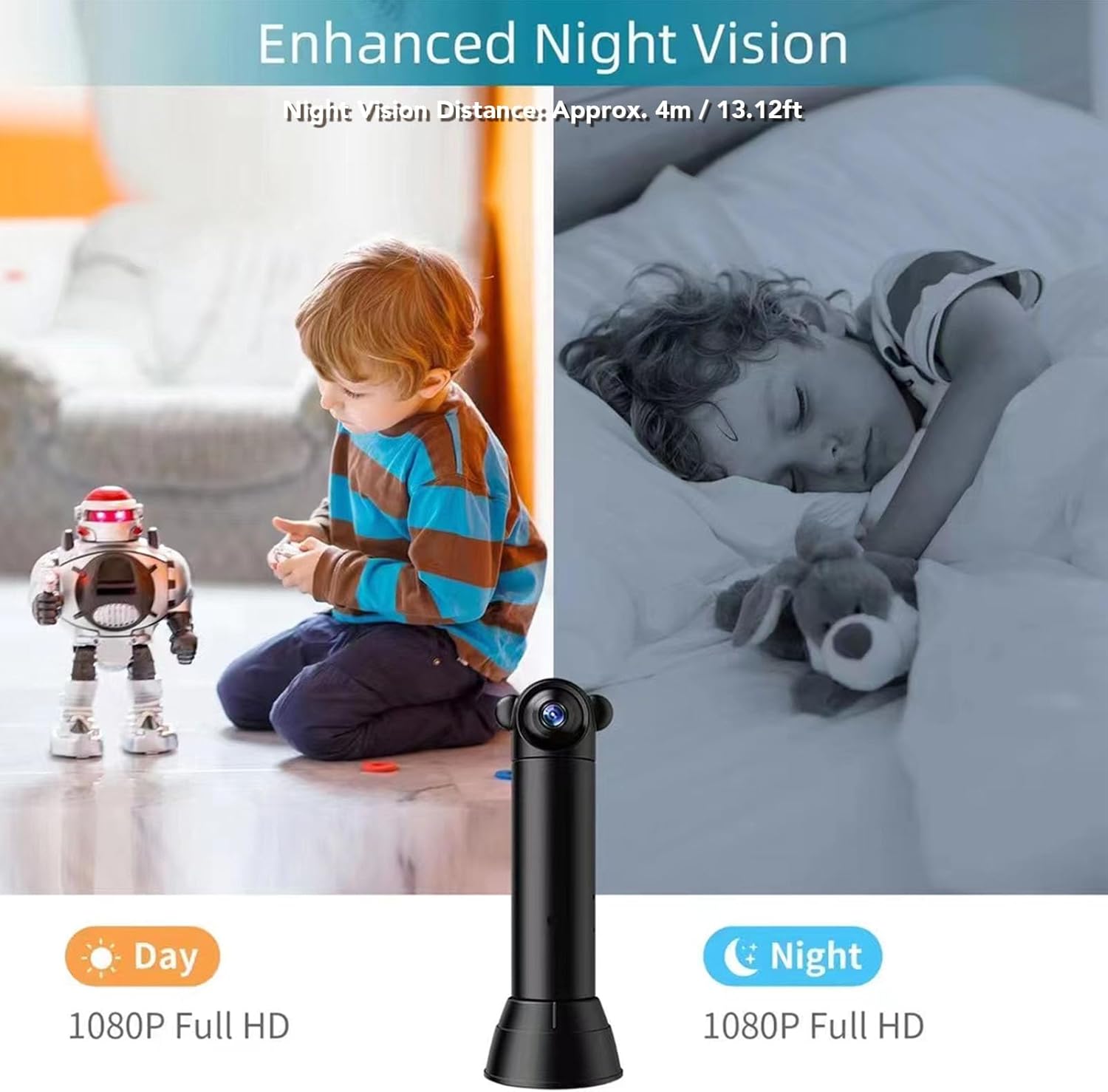
Image 4.2: Comparison of day and night vision capabilities.
4.3 Выяўленне руху і абвесткі
Configure motion detection settings within the iWFCam app. When motion, human, pet, or sound is detected, the camera will send real-time push alerts to your smartphone.

Image 4.3: Motion detection triggering a real-time alert notification on a smartphone.
4.4 Двухбаковая размова
Use the two-way talk feature in the app to communicate with individuals near the camera. The built-in microphone and speaker allow for clear audio transmission.
4.5 Варыянты захоўвання
Камера падтрымлівае два метады захоўвання:
- Лакальнае сховішча: Insert a Micro SD card (up to 32GB, not included) into the camera for local recording.
- Воблачнае сховішча: Subscribe to the cloud storage service (encrypted by AWS) for secure, remote storage of your recordings.

Image 4.4: Illustrating local Micro SD card storage and cloud storage options.
5. Тэхнічнае абслугоўванне
To ensure optimal performance and longevity of your GOWENIC security camera, follow these maintenance guidelines:
- Уборка: Акуратна працярыце аб'ектыў і корпус камеры мяккай сухой тканінай. Пазбягайце выкарыстання агрэсіўных хімічных рэчываў або абразіўных матэрыялаў.
- Абнаўленні прашыўкі: Regularly check the iWFCam app for available firmware updates to ensure your camera has the latest features and security enhancements.
- Умовы навакольнага асяроддзя: While designed for indoor/outdoor use, avoid exposing the camera to extreme temperatures or direct, prolonged water immersion. Ensure proper ventilation if used in enclosed spaces.
- крыніца харчавання: Use only the provided USB cable and a compatible power adapter to prevent damage.
6. Выпраўленне непаладак
If you encounter issues with your GOWENIC security camera, refer to the following common troubleshooting steps:
- Камера не падключаецца да Wi-Fi:
- Пераканайцеся, што ваша сетка Wi-Fi працуе на частаце 2.4 ГГц. Камера не падтрымлівае сеткі 5 ГГц.
- Check that the camera is within range of your Wi-Fi router.
- Перазагрузіце маршрутызатар і камеру.
- Verify the Wi-Fi password entered in the iWFCam app is correct.
- No Video Feed:
- Confirm the camera is powered on and connected to Wi-Fi.
- Праверце падключэнне да Інтэрнэту на вашым смартфоне.
- Restart the iWFCam app.
- Выяўленне руху не працуе:
- Ensure motion detection is enabled in the iWFCam app settings.
- Adjust the motion sensitivity settings.
- Праверце наяўнасць перашкод у полі зроку камеры view.
- Карта Micro SD не запісвае:
- Ensure the Micro SD card is correctly inserted.
- Format the Micro SD card through the iWFCam app.
- Verify the card is not full or corrupted. Use a card up to 32GB.
If these steps do not resolve the issue, please contact GOWENIC customer support.
7. Тэхнічныя характарыстыкі
| Асаблівасць | Дэталь |
|---|---|
| Нумар мадэлі | GOWENICn295maet4d |
| дазвол | 1080P HD |
| Ракурс аб'ектыва | 100 градусаў |
| Паварот лінзы | 180 градусаў |
| Дыстанцыя начнога бачання | Прыбл. 4 м / 13.12 фута |
| Сувязь | 2.4GHz Wi-Fi, Built-in AP Hotspot |
| Сумяшчальнасць прыкладанняў | iWFCam (Android/iOS) |
| Захоўванне | Micro SD Card (up to 32GB, not included), Cloud Storage (AWS encrypted) |
| Крыніца харчавання | AC/DC |
| Рэкамендуемае выкарыстанне | У памяшканні/на вуліцы |
| Колер | Чорны |
| Матэрыял | АБС |
8. Гарантыя і падтрымка
8.1 Інфармацыя аб гарантыі
GOWENIC products are typically covered by a limited warranty against defects in materials and workmanship. Please refer to the product packaging or the official GOWENIC website for specific warranty terms and duration. Keep your proof of purchase for warranty claims.
8.2 Падтрымка кліентаў
For technical assistance, troubleshooting not covered in this manual, or warranty inquiries, please contact GOWENIC customer support. Contact information can usually be found on the product packaging, the official GOWENIC webсайце або праз вашага прадаўца.
When contacting support, please have your product model number (GOWENICn295maet4d) and purchase details ready.