
1. Уводзіны
The MSXTTLY Wireless CarPlay Adapter converts your vehicle's existing wired CarPlay system into a wireless one, offering enhanced convenience and a clutter-free driving experience. This adapter supports fast and stable connections, allowing seamless access to your iPhone's CarPlay features without the need for cables.
2. Змесціва ўпакоўкі
- CarPlay Adapter (U2AC-AIR Pro) x1
- USB A to C Cable x1
- USB A to A Cable x1
- Кіраўніцтва карыстальніка x1
- Клейкая стужка 3M x1

Image: Contents of the MSXTTLY Wireless CarPlay Adapter box, including the adapter, two USB cables, user manual, and adhesive tape.
3. Сумяшчальнасць
This adapter is designed for vehicles that come with factory-installed wired CarPlay. Your iPhone must be running iOS 11 or above.
- Сумяшчальнасць з аўтамабілем: Compatible with vehicles featuring wired CarPlay (OEM or aftermarket head unit) from model year 2017 onwards.
- Сумяшчальнасць з тэлефонамі: iPhone running iOS 11 or later.
- Заўвага: Not compatible with BMW or electric vehicles. Video apps are not supported through CarPlay.

Image: A graphic illustrating the compatibility requirements, showing a car with wired CarPlay and an iPhone with iOS 11+.

Image: A comprehensive list of car brands and models compatible with the adapter, indicating support for over 1000 vehicles.
4. Настройка
4.1 Пачатковае падключэнне
- Падключыце адаптар: Connect the MSXTTLY Wireless CarPlay Adapter to your car's USB port (USB-A or USB-C, using the provided cables if necessary). The adapter will power on, indicated by a blinking light.
- Уключыць Bluetooth і Wi-Fi: On your iPhone, ensure both Bluetooth and Wi-Fi are turned on. Do not connect to any Wi-Fi network manually at this stage.
- Спалучэнне з Bluetooth: Go to your iPhone's Bluetooth settings. Find the device named "smartBox-XXXX" (where XXXX is a unique identifier) and tap to pair. Confirm any pairing requests on your iPhone and car display.
- Confirm CarPlay Connection: Once paired, your iPhone will prompt you to "Use CarPlay with 'AutoLink-XXXX'?" or similar. Tap "Turn on Wi-Fi & Use CarPlay" or "Allow" to establish the wireless CarPlay connection.

Image: Visual guide showing the three steps for connecting the adapter: Plug, Pair, and Use CarPlay.
4.2 Метады падключэння
The adapter supports various USB port types found in cars. Use the appropriate cable provided:
- Direct Plug: If your car has a standard USB-A port, you can plug the adapter directly.
- USB A to C Cable: For cars with a USB-C port, use the provided USB A to C cable to connect the adapter.
- USB A Extension Cable: If the USB port is in an awkward location, use the USB A to A extension cable for easier access.

Image: Illustration of three ways to connect the adapter: directly into a built-in USB port, using a USB-A to USB-C data cable, or using a USB-A extension cable.
4.3 Аўтаматычнае падключэнне
After the initial setup, the adapter will automatically connect to your iPhone when you start your car, provided Bluetooth and Wi-Fi are enabled on your phone. This ensures a fast and stable connection with low latency.

Image: A person getting into a car, with their iPhone automatically connecting to the CarPlay display via the wireless adapter.
Савет: For optimal performance, ensure your iPhone's Wi-Fi and Bluetooth remain active when entering the vehicle.
5. Інструкцыя па эксплуатацыі
Once connected, your car's display will mirror your iPhone's CarPlay interface, allowing you to access various functions safely while driving.
5.1 Core CarPlay Features
- Галасавое кіраванне: Use Siri for navigation, calls, messages, and music playback.
- GPS-навігацыя: Access your preferred navigation apps like Apple Maps, Google Maps, or Waze directly on your car's screen.
- Музыка і аўдыё: Stream music from Spotify, Apple Music, podcasts, and other audio apps.
- Абмен паведамленнямі: Send and receive messages using voice commands or the car's display.
- Тэлефонныя званкі: Здзяйсняйце і прымайце званкі без выкарыстання рук.
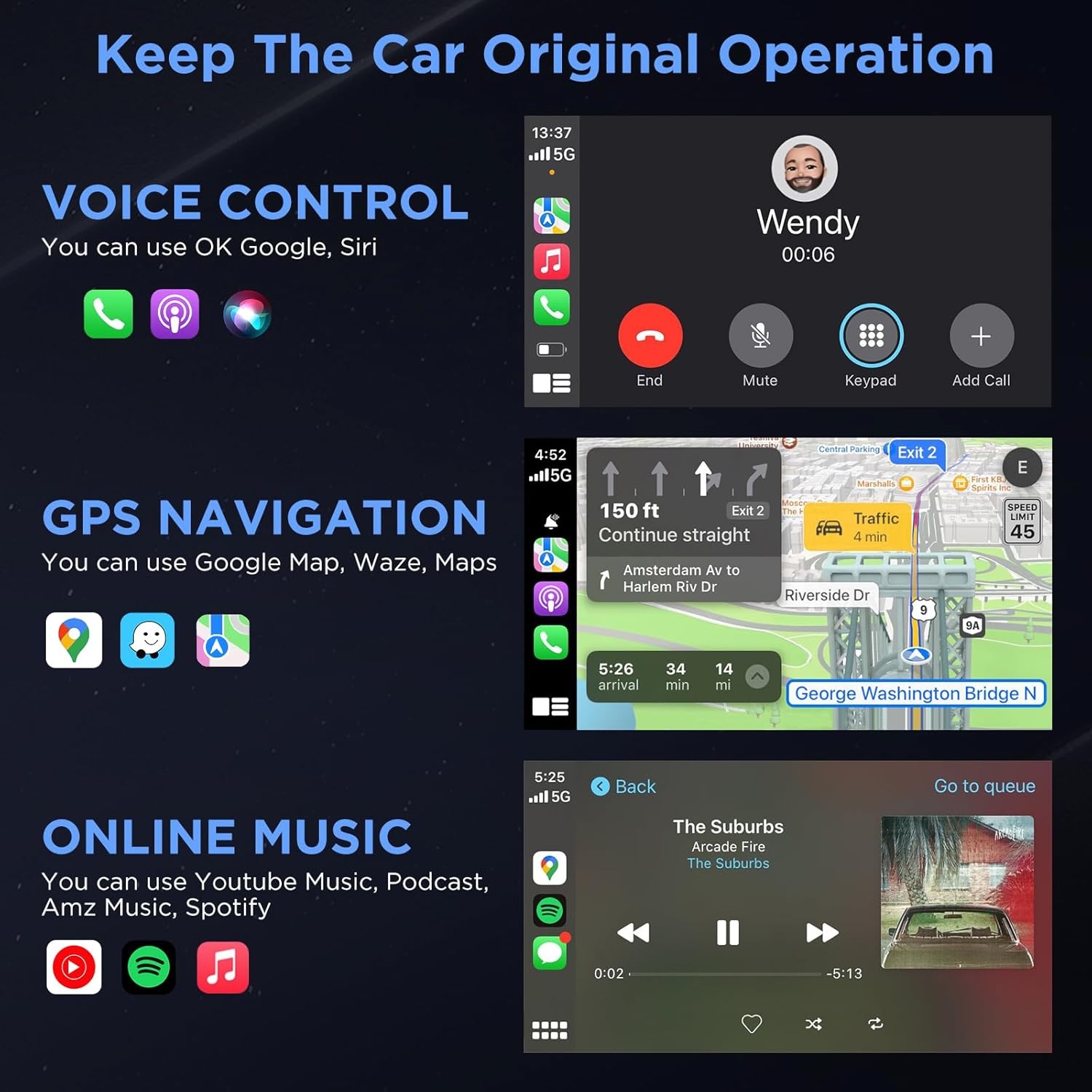
Image: The CarPlay display showing icons for voice control (Siri), GPS navigation (Google Maps, Waze), and various music streaming services (Spotify, Apple Music).
5.2 Vehicle Control Integration
The adapter supports 100% integration with your automobile's control system, including:
- Сэнсарны экран
- Ручка кіравання
- Кіраванне рулявым колам

Image: A driver interacting with the CarPlay system using the car's touch screen, control knob, and steering wheel buttons.
6. Тэхнічнае абслугоўванне
- Абнаўленні праграмнага забеспячэння (OTA): The adapter supports online reporting and Over-The-Air (OTA) updates to ensure optimal performance and compatibility with the latest iOS versions and car systems. Regularly check for and install available updates.
- Уборка: Трымайце адаптар чыстым і без пылу. Выкарыстоўвайце для чысткі мяккую сухую тканіну.
- захоўванне: If not in use for an extended period, you may unplug the adapter from the car's USB port.
7. Выпраўленне непаладак
- Праблемы з падключэннем: If the adapter fails to connect, ensure your iPhone's Bluetooth and Wi-Fi are on and not connected to other devices. Try restarting both your iPhone and the car's infotainment system.
- Audio Delay/Quality: For any audio issues, ensure a strong Bluetooth connection. Check for any obstructions or interference.
- CarPlay Not Launching: Verify that your car supports wired CarPlay. Ensure the adapter is properly plugged into the USB port.
- Праграмныя збоі: Perform an OTA update if available. If issues persist, contact customer support.
Важна: If you encounter persistent issues, please refer to the support contact information in Section 9.
8. Тэхнічныя характарыстыкі
| Асаблівасць | Дэталь |
|---|---|
| Памеры прадукту | 2.61 х 1.06 х 0.49 цалі |
| Вага прадмета | 2.08 унцыі |
| Бесправадныя тэхналогіі | 5G Chip, 5.8 GHz Wi-Fi, Bluetooth 5.3 |
| Тып раздыма | USB Type-C, USB Type-A |
| Матэрыял | Gold-plated USB for enhanced conductivity and oxidation resistance |
9. Гарантыя і падтрымка
MSXTTLY offers comprehensive support for your Wireless CarPlay Adapter.
- Гарантыя: 12-месячная гарантыя.
- Тэхнічная падтрымка: 24/7 professional technical support is available.
- Кантакты: For any questions or problems, please refer to the contact information provided in your user manual or visit the official MSXTTLY webсайт.
Заўвага: When contacting support, please provide your order number, vehicle model and year, and mobile model. Screenshots or videos can help accelerate troubleshooting.
10. Афіцыйнае відэа прадукту
Video: An official product video from MSXTTLY global demonstrating the U2AC-AIR Pro Wireless CarPlay Adapter in use.