
Уводзіны
Оurlife AI Translation Earbuds A38 are designed to facilitate real-time communication across language barriers. These earbuds offer advanced features including 144 language support, offline translation capabilities, Bluetooth 5.4 connectivity, and extended battery life. They function as a 3-in-1 device, combining translation, music playback, and call functionality. This manual provides essential information for setting up, operating, maintaining, and troubleshooting your earbuds.
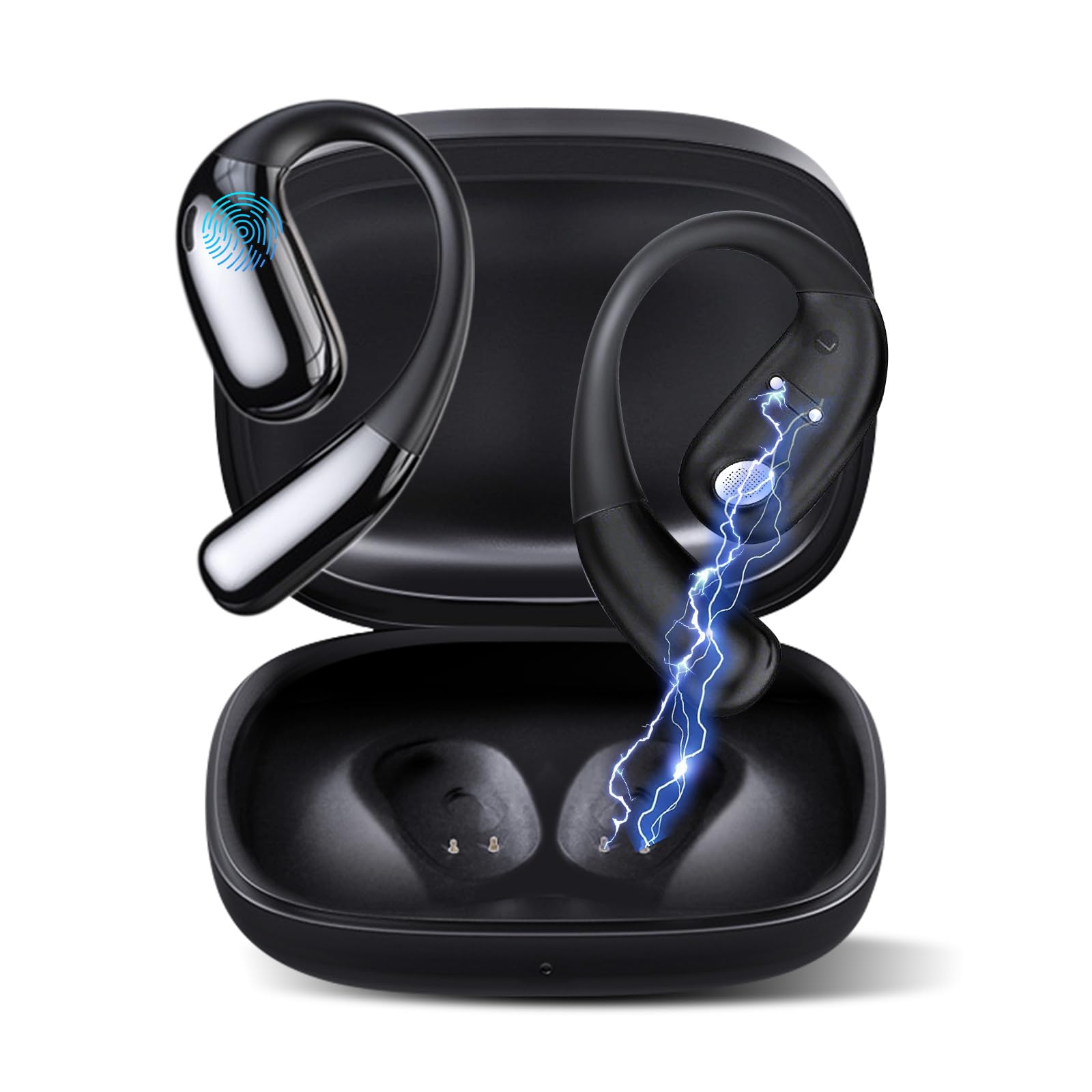
Figure 1: Ourlife AI Translation Earbuds A38 in use, highlighting key features.
Што ў скрынцы
Калі ласка, пераканайцеся, што ўсе прадметы прысутнічаюць у вашай упакоўцы:
- 2 x Translation Earbuds (Left and Right)
- 1 х чахол для зарадкі
- 1 х зарадны кабель USB Type-C
- 1 х Кіраўніцтва карыстальніка
Прадукт скончаныview

Figure 2: Earbuds and charging case, illustrating 144 language support.

Figure 3: Offline translation in action, showing two users communicating.

Figure 4: Technical features and design elements of the earbuds.

Figure 5: The 'One Click' app interface and 3-in-1 functionality.

Figure 6: Ergonomic clip-on-ear design for comfort and stability.

Figure 7: Real-time translation capabilities with high accuracy.
Настройка
1. Зарадка навушнікаў і чахла
- Змесціце навушнікі-ўкладышы ў зарадны футляр.
- Падключыце зарадны кабель USB Type-C да порта зарадкі на корпусе і крыніцы харчавання.
- The indicator lights on the case will show charging status. A full charge typically takes 1.5 hours.
2. Downloading the 'One Click' App
- Scan the QR code provided in the quick start guide or search for "One Click" in your device's app store (iOS or Android).
- Усталюйце праграму на свой смартфон.
3. Спалучэнне са смартфонам
- Пераканайцеся, што навушнікі зараджаныя і знаходзяцца ўнутры зараднага футляра.
- Open the charging case lid. The earbuds will enter pairing mode.
- Уключыце Bluetooth на вашым смартфоне.
- In your phone's Bluetooth settings, select "Ourlife A38" from the list of available devices.
- Once paired, open the "One Click" app. The app will guide you through connecting the earbuds within the application.
4. Першапачатковая налада праграмы
- Follow the on-screen instructions in the "One Click" app to select your native language and the target language for translation.
- Familiarize yourself with the different translation modes available.
Інструкцыя па эксплуатацыі
Рэжымы перакладу
Оurlife A38 earbuds support various translation modes via the "One Click" app:
- Рэжым свабоднай размовы: Allows for natural, continuous conversation where the app automatically detects and translates spoken languages.
- Сэнсарны рэжым: Tap an earbud to speak, and the app translates. Tap again to end your turn. This is ideal for turn-based conversations.
- Рэжым дынаміка: One person wears an earbud, and the other speaks into the phone's microphone. Translations are played through the earbud and the phone's speaker.
- Аўдыятранскрыпцыя: Transcribes and translates spoken audio in real-time, useful for meetings or lectures.
- Пераклад фота: Use your phone's camera through the app to translate text from images.
- Аўтаномны рэжым: For supported languages (Chinese, English, Japanese, Korean, Russian, German, French, Spanish), offline translation packages can be purchased within the app for use without an internet connection.
Прайграванне музыкі і званкі
The earbuds also function as standard Bluetooth headphones:
- Прайграванне музыкі: Once paired, open your music application on your smartphone. Audio will play through the earbuds.
- Здзяйсненне/прыём званкоў: When a call comes in, the earbuds will ring. Tap the touchpad on either earbud to answer or end a call.
- Элементы кіравання сэнсарнай панэллю: The earbuds feature touchpad controls for functions such as play/pause, skip tracks, answer/end calls, and activate voice assistant. Refer to the app or quick start guide for specific gestures.
Тэхнічнае абслугоўванне
Уборка
- Акуратна працярыце навушнікі і зарадны футляр мяккай, сухой тканінай без ворса.
- Не выкарыстоўвайце абразіўныя ачышчальнікі, спірт або хімічныя растваральнікі.
- Пазбягайце траплення вільгаці ў любыя адтуліны.
Сыход за батарэяй і захоўванне
- Рэгулярна зараджайце навушнікі і кейс, нават калі яны выкарыстоўваюцца рэдка, каб падтрымліваць тэрмін службы батарэі.
- Захоўвайце прыладу ў прахалодным, сухім месцы, удалечыні ад прамых сонечных прамянёў і экстрэмальных тэмператур.
- Пазбягайце поўнай разрадкі акумулятара на працягу доўгага часу.
Ліквідацыю непаладак
| выпуск | Магчымая прычына | Рашэнне |
|---|---|---|
| Навушнікі не спалучаюцца | Bluetooth выключаны, навушнікі не ў рэжыме спалучэння, нізкі зарад батарэі | Ensure Bluetooth is on. Place earbuds in case, close, then open lid to re-enter pairing mode. Charge earbuds and case. |
| No sound during translation/music | Volume too low, not connected to app, incorrect language settings | Increase phone volume. Verify earbuds are connected in the 'One Click' app. Check language settings in the app. |
| Translation inaccuracy or delay | Poor internet connection, background noise, speaking too fast | Ensure stable internet connection. Speak clearly and at a moderate pace. Reduce background noise. |
| App not recognizing earbuds | App glitch, Bluetooth connection issue | Close and restart the 'One Click' app. Disconnect and re-pair Bluetooth. Restart your smartphone. |
| Навушнікі не зараджаюцца | Cable issue, dirty charging contacts, faulty power source | Try a different USB-C cable and power adapter. Clean charging contacts on earbuds and case with a dry cotton swab. |
Тэхнічныя характарыстыкі
| Асаблівасць | Дэталь |
|---|---|
| Марка | Ourlкалі |
| Назва мадэлі | A38 |
| Тэхналогія падлучэння | Bluetooth 5.4 |
| Сумяшчальныя прылады | Смартфон (Android, iOS) |
| Асаблівасці | AI-Powered Real-Time Translation, 144 Languages (74 languages + 70 accents), Offline Mode (8 languages available for purchase), Intelligent Noise Cancellation, 3D Spatial Audio, Quick Charge, Ergonomic Clip-on Design |
| Тэрмін службы батарэі (навушнікі) | Да 7 гадзін зарадкі |
| Агульны час прайгравання (з зарадным чахлом) | Да 60 гадзін |
| Час зарадкі | Прыбл. 1.5 гадзіны |
| Порт для зарадкі | USB Type-C |
| Тып кантролера | Упраўленне сэнсарнай панэллю |
| Sensor Technology | Шумапрыглушэнне |
| Матэрыял | High-Grade ABS+PC |
Гарантыя і падтрымка
Інфармацыя аб гарантыі
Оurlife AI Translation Earbuds A38 come with a limited warranty. Please refer to the warranty card included in your product packaging or visit the official Ourlкалі webсайт для падрабязных умоў.
Падтрымка кліентаў
For technical assistance, troubleshooting, or further inquiries, please visit the official Ourlкалі website or contact their customer support team. You can find more information and contact details at the Ourlife Store on Amazon.