
1. Уводзіны
This manual provides essential instructions for the setup, operation, and maintenance of your TMY Projector. Please read this manual thoroughly before using the product to ensure proper functionality and to maximize your viewвопыту. Захоўвайце гэта кіраўніцтва для выкарыстання ў будучыні.
2. Прадукт скончыўсяview
2.1 Змест пакета
Праверце наяўнасць усіх прадметаў у камплекце:
- TMY Projector Unit
- Пульт дыстанцыйнага кіравання
- Кабель HDMI
- Шнур харчавання
- Гарантыйны талон
2.2 Асноўныя магчымасці
- Netflix Officially Licensed: Access streaming services directly without external devices.
- Разрозненне 1080P: Забяспечвае выразныя і дэталізаваныя выявы.
- Electric Focus & Auto Keystone: Automatic image adjustment for optimal clarity and shape.
- Паваротная на 270° падстаўка: Flexible projection angles, including ceiling projection.
- Upgraded WiFi 6 Connectivity: Забяспечвае стабільную і хуткую бесправадную струменевую перадачу.
- Dual-Mode Bluetooth 5.2: Connects to external speakers or functions as a standalone Bluetooth speaker.
- Некалькі варыянтаў падключэння: HDMI, USB, Phone/PC mirroring.
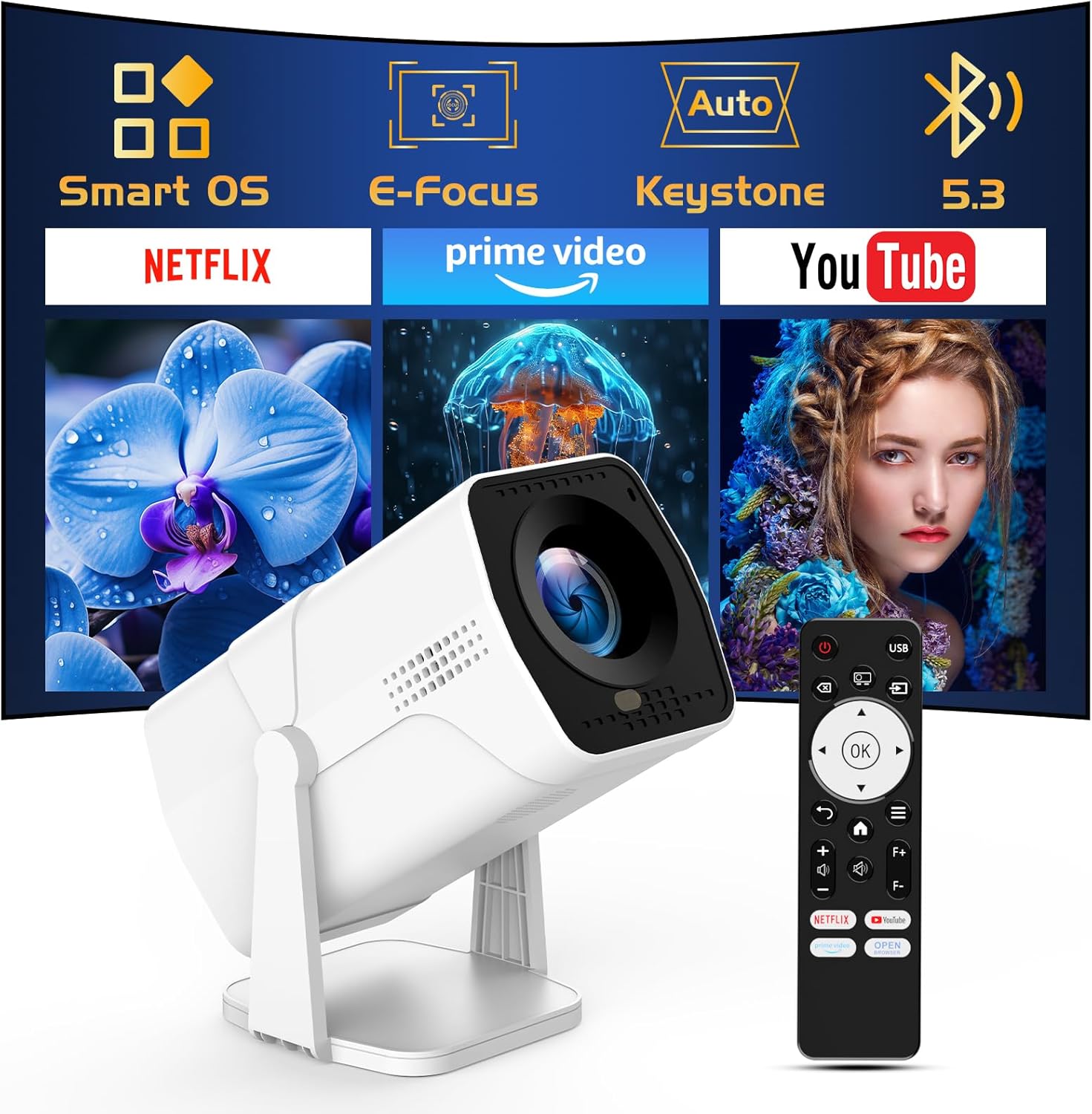
Image: The TMY Projector unit, its remote control, and a projected screen displaying logos for Smart OS, E-Focus, Auto Keystone, Bluetooth 5.3, Netflix, Prime Video, and YouTube.
3. Настройка
3.1 Размяшчэнне
Position the projector on a stable, flat surface. The 270° rotatable stand allows for versatile placement, including projecting onto walls or ceilings. Ensure adequate ventilation around the projector.

Image: A TMY Projector positioned on a bedside table, projecting an image onto the ceiling, demonstrating its 270° rotatable stand for multi-angle viewінж.
3.2 Падключэнне харчавання
- Падключыце шнур харчавання да ўваходнага порта харчавання праектара.
- Падключыце другі канец шнура харчавання да звычайнай электрычнай разеткі.
3.3 Initial Power On and Focus Adjustment
- Націсніце кнопку харчавання на праектары або пульце дыстанцыйнага кіравання, каб уключыць прыладу.
- Асаблівасці праектара Электрычны фокус і Аўтамабільны камень correction. The image will automatically adjust for clarity and a rectangular shape within approximately 2 seconds.
- If further adjustment is needed, use the remote control to fine-tune the focus.

Image: A TMY Projector projecting a vibrant image onto a screen, with an overlay illustrating the 'FOCUS' function and icons for Auto Keystone and 50%-100% Zoom.
3.4 Network Connection (WiFi)
The projector supports WiFi 6 for a fast and stable internet connection.
- Navigate to the 'Settings' menu using the remote control.
- Выберыце «Сетка» або «Налады Wi-Fi».
- Choose your desired WiFi network from the list and enter the password.
- Пацвердзіце злучэнне.

Image: A TMY Projector wirelessly connected to a tablet, smartphone, and laptop, illustrating its WiFi 6 connectivity for faster streaming with no lagging.
3.5 Злучэнне Bluetooth
The projector features Dual-Mode Bluetooth 5.2 for audio connectivity.
- Projector Mode (Output): To connect to external Bluetooth speakers or soundbars: Navigate to 'Bluetooth Settings', enable Bluetooth, and pair with your audio device.
- Speaker Mode (Input): To use the projector's built-in speakers as a standalone Bluetooth speaker: Select 'Speaker Mode' in the Bluetooth settings. Your phone or other device can then connect to the projector to play audio.

Image: A TMY Projector illustrating its two-way Bluetooth 5.2 functionality, showing connections to a soundbar (Projector Mode) and a smartphone (Speaker Mode).
4. Аперацыя
4.1 Navigating the Smart OS
The projector runs on a smart TV operating system. Use the provided remote control to navigate menus, select applications, and control playback.

Image: The TMY Projector unit with a projected screen showing a grid of built-in smart OS applications, including Netflix, YouTube, Prime Video, TikTok, and others.
4.2 Accessing Built-in Apps
The projector comes with pre-installed and officially licensed applications such as Netflix, Prime Video, and YouTube. Access these directly from the home screen or through the 'App Store' for additional content.

Image: A TMY Projector projecting a screen filled with content from officially licensed apps like Netflix, Prime Video, and YouTube, with the remote control in the foreground.
4.3 Падключэнне знешніх прылад
The projector offers multiple ports for connecting external devices:
- HDMI: Connect TV sticks, TV boxes, PCs/Laptops, or gaming consoles (e.g., PS).
- USB: Прайграванне медыя files directly from USB drives or connect other USB accessories.
- Phone/PC Mirroring: Wirelessly mirror content from your smartphone or PC (refer to the on-screen instructions for specific mirroring protocols).
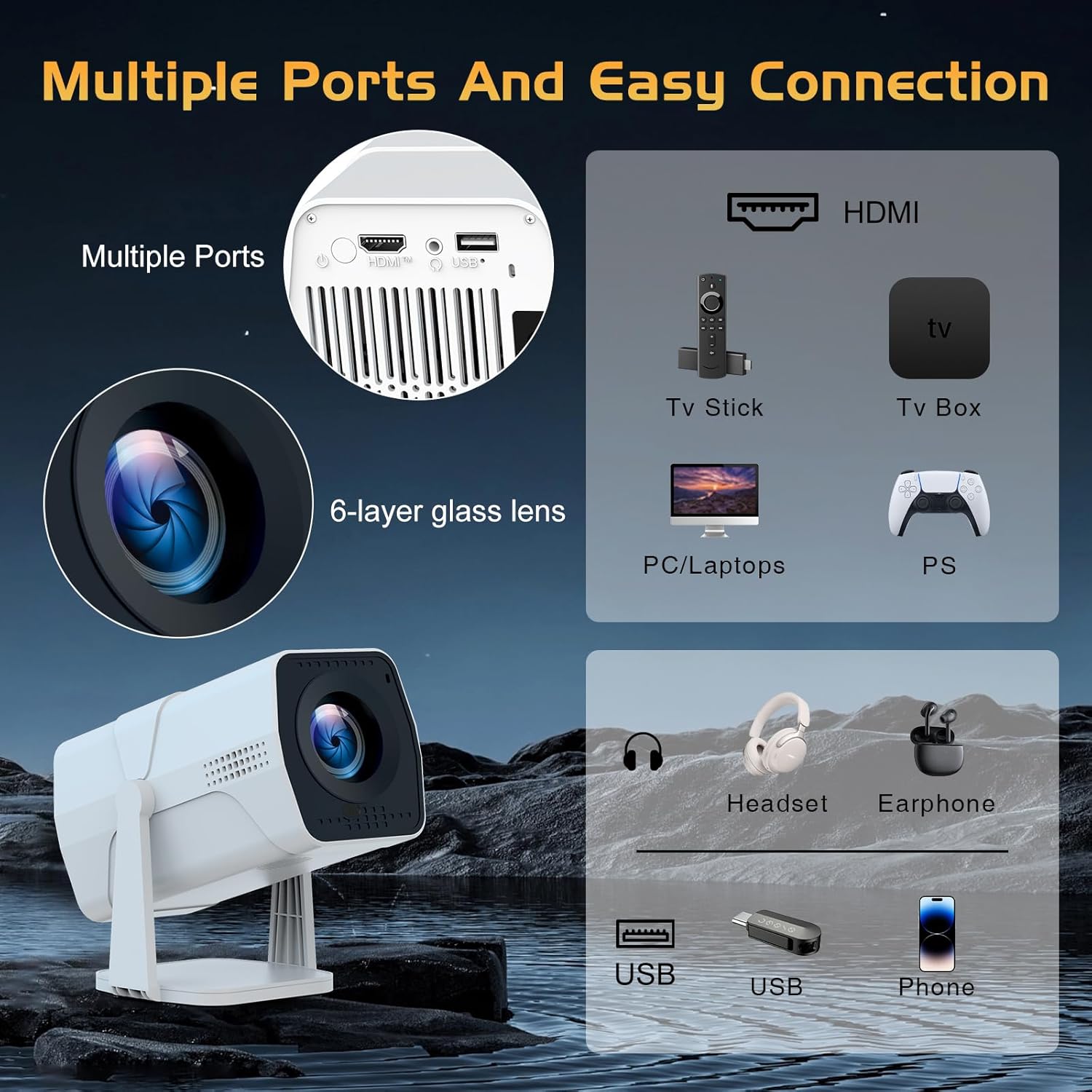
Image: A detailed diagram showing the multiple ports on the TMY Projector (HDMI, USB) and various connection possibilities, including TV sticks, PCs, gaming consoles, headsets, and phones.
4.4 Screen Zoom Function
The projector includes a 50%-100% zoom function, allowing you to adjust the screen size without moving the projector. This feature can be accessed via the remote control or settings menu.
5. Тэхнічнае абслугоўванне
To ensure the longevity and optimal performance of your TMY Projector, follow these maintenance guidelines:
- Ачыстка аб'ектыва: Выкарыстоўвайце мяккую тканіну без ворса, спецыяльна прызначаную для аптычных лінзаў. Пазбягайце абразіўных матэрыялаў або агрэсіўных хімічных рэчываў.
- Ачыстка вонкавага выгляду: Працірайце знешнія паверхні праектара мяккай сухой тканінай. Не выкарыстоўвайце вадкія ачышчальнікі непасрэдна на прыладзе.
- Вентыляцыя: Пераканайцеся, што вентыляцыйныя адтуліны не заблакіраваны, каб прадухіліць перагрэў.
- захоўванне: When not in use for extended periods, store the projector in a cool, dry place, away from direct sunlight and dust.
6. Выпраўленне непаладак
If you encounter issues with your TMY Projector, refer to the following common problems and solutions:
- Няма харчавання:
- Ensure the power cord is securely connected to both the projector and a working electrical outlet.
- Праверце, ці працуе разетка.
- No Image / Blurry Image:
- Verify the projector is powered on and the lens cap is removed.
- Allow the automatic focus and keystone correction to complete. If still blurry, manually adjust focus using the remote.
- Ensure the projection surface is suitable and the projector is within the recommended distance.
- If using an external source (HDMI), ensure the correct input source is selected.
- Няма гуку:
- Праверце ўзровень гучнасці на праектары і ўсіх падлучаных знешніх аўдыёпрыладах.
- If using Bluetooth speakers, ensure they are properly paired and connected.
- If using internal speakers, ensure external Bluetooth output is not selected.
- Пульт дыстанцыйнага кіравання не адказвае:
- Ensure the batteries are correctly inserted and not depleted.
- Накіруйце пульт непасрэдна на ІЧ-прыёмнік праектара.
- Праблемы з падключэннем WiFi:
- Ensure your WiFi network is active and within range.
- Двойчы праверце пароль Wi-Fi.
- Перазагрузіце праектар і ваш Wi-Fi маршрутызатар.
- If the connection times out, try moving the projector closer to the router or reducing interference.
7. Тэхнічныя характарыстыкі
| Асаблівасць | Спецыфікацыя |
|---|---|
| Марка | TMY |
| мадэль | B0DRFF5KMF |
| Вага прадмета | 2.79 фунта |
| Памеры прадукту | 5.35 х 4.84 х 7.09 цалі |
| Колер | Белы |
| Асаблівасці | Speakers, Electric Focus, Auto Keystone, 270° Rotatable Stand |
| Тэхналогія падлучэння | HDMI, USB, Wi-Fi 6, Bluetooth 5.2 |
| Дазвол дысплея | 1920 x 1080 (1080P Full HD) |
| Рэкамендуемае выкарыстанне | У памяшканні |

Image: A visual comparison showing the TMY Projector's 1080P Full HD image quality, emphasizing that it is recommended for use in dark environments for optimal viewing, contrasted with daytime or light-on conditions.
8. Гарантыя і падтрымка
TMY is committed to providing excellent customer service and product support.
- Гарантыя: На гэты прадукт даецца 3-гадовая гарантыя.
- Палітыка вяртання: Enjoy a 30-day return period.
- Тэхнічная падтрымка: Lifetime after-sale service and technical support are available.
- Час водгуку: Expect a quick reply within 24 hours for support inquiries.
Каб атрымаць дадатковую дапамогу, звярніцеся на афіцыйны сайт TMY Store on Amazon or contact customer support through the provided channels in your warranty card.