
1. Уводзіны
This manual provides instructions for the SEUNKWANG GX710S Wired Backlit Computer Keyboard. This keyboard features a simple white backlight, upgraded water drop pudding keycaps, an ergonomic design, and a durable metal panel. It is designed for use with various operating systems and devices.

Image 1: The SEUNKWANG GX710S Wired Backlit Computer Keyboard.
2. Змесціва ўпакоўкі
- SEUNKWANG GX710S Wired Backlit Computer Keyboard
- Кіраўніцтва карыстальніка (гэты дакумент)
3. Інструкцыі па ўсталёўцы
The SEUNKWANG GX710S keyboard is a plug-and-play device, requiring no additional driver installation for basic functionality.
- Locate an available USB-A port on your computer (PC, laptop, etc.).
- Insert the USB connector of the keyboard into the USB-A port.
- Аперацыйная сістэма аўтаматычна выявіць і ўсталюе неабходныя драйверы.
- The keyboard is ready for use once detected.

Image 2: The keyboard is compatible with various operating systems including Windows, Mac OS, Android, Google, and Linux, and devices such as PCs, laptops, tablets, and gaming consoles.
4. Інструкцыя па эксплуатацыі
4.1 Кантроль падсветкі
The GX710S keyboard features a simple white backlight with adjustable brightness.
- Наладзіць яркасць: Прэса Fn + PU каб павялічыць яркасць (5 узроўні).
- Наладзіць яркасць: Прэса Fn + PD каб паменшыць яркасць (5 узроўні).
- Уключэнне/выключэнне падсветкі: Прэса Fn + Menu key (usually the key next to the right Ctrl key) to toggle the backlight.

Image 3: Illustration of Fn key combinations for backlight adjustment and on/off.
4.2 Ergonomic Design and Stability
Клавіятура распрацавана для камфортнага набору тэксту.
- Рэгуляваныя падстаўкі для ног: Two foldable footrests on the bottom allow for a 7° tilt, enhancing typing comfort.
- Anti-slip Stickers: Four anti-slip stickers ensure stability during use.
- Concave & Convex Keycaps: The keycap surface is shaped to fit fingertips, promoting smoother typing.
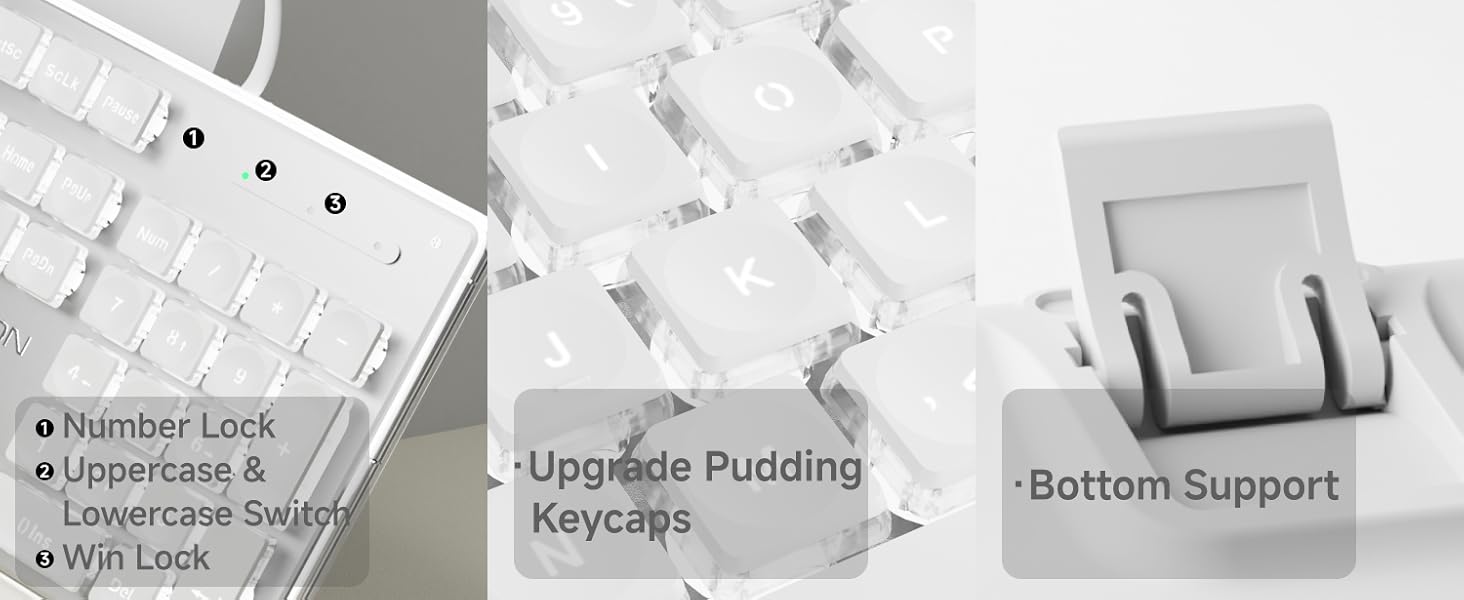
Image 4: Details of the keyboard's ergonomic design, including foldable stands and anti-slip feet.
4.3 Анты-гостынг
The keyboard supports 26-key anti-ghosting, allowing multiple keys to be pressed simultaneously without conflict. This feature is beneficial for fast typing and gaming.

Image 5: Close-up showing indicator lights for Number Lock, Caps Lock, and Win Lock, along with the pudding keycap design and bottom support.
5. Тэхнічнае абслугоўванне
To ensure the longevity and optimal performance of your SEUNKWANG GX710S keyboard, follow these maintenance guidelines:
- Уборка: Use a soft, dry cloth to wipe the surface of the keyboard. For dust and debris between keys, use compressed air. The suspended keycap design facilitates easier cleaning.
- Клавішы: The dual-color injection-molded pudding keycaps are designed to resist fading and remain non-greasy. Avoid using harsh chemicals or abrasive materials on the keycaps.
- Разлівы: In case of liquid spills, immediately disconnect the keyboard from your computer. Gently blot away excess liquid and allow the keyboard to air dry completely before reconnecting.
- захоўванне: Захоўвайце клавіятуру ў чыстым, сухім месцы, удалечыні ад экстрэмальных тэмператур і прамых сонечных прамянёў.
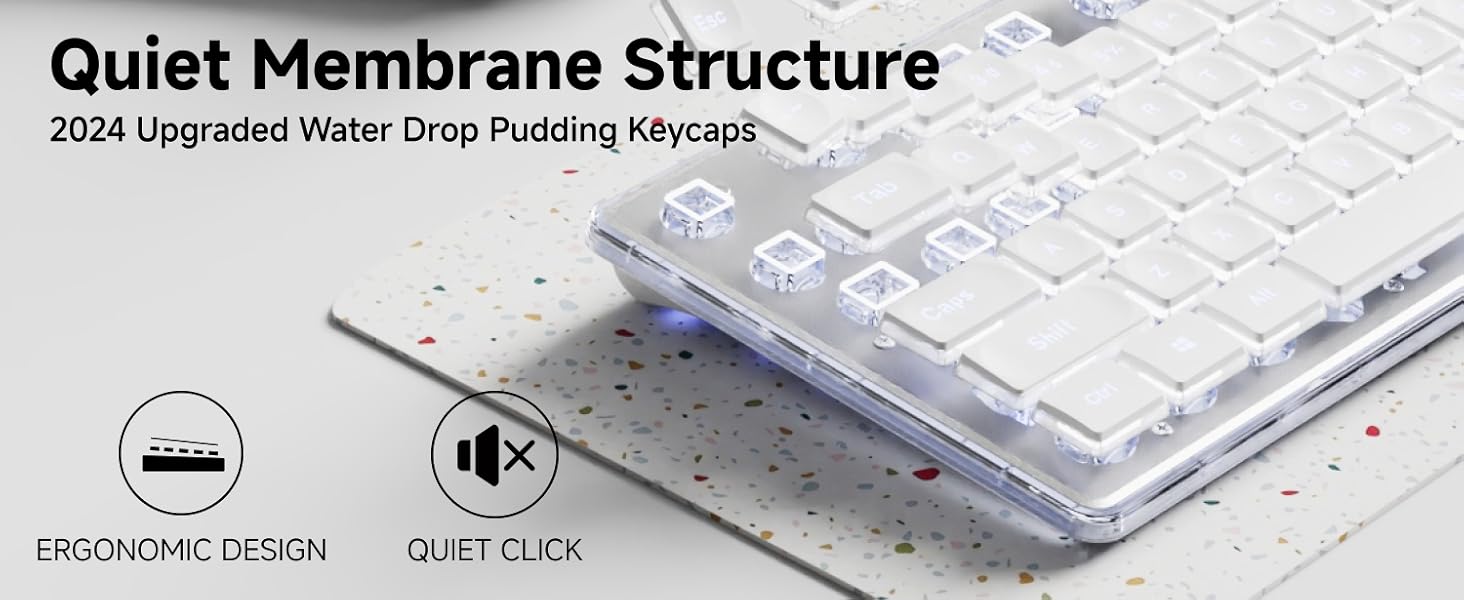
Image 6: Illustration highlighting the durability and non-fading properties of the dual-color injection-molded keycaps compared to standard keycaps.
6. Выпраўленне непаладак
If you encounter issues with your SEUNKWANG GX710S keyboard, please refer to the following common solutions:
| праблема | Магчымая прычына | Рашэнне |
|---|---|---|
| Клавіятура не адказвае | Слабае падключэнне USB, няспраўны порт USB, праблема з драйверам сістэмы. |
|
| Падсветка не працуе або цьмяная | Backlight turned off, brightness set to lowest level. |
|
| Ключы не рэгіструюцца належным чынам (фантом) | Software conflict, extreme number of simultaneous key presses. |
|
Калі праблема не знікне, звярніцеся ў службу падтрымкі кліентаў.
7. Тэхнічныя характарыстыкі
| Асаблівасць | Дэталь |
|---|---|
| Нумар мадэлі | GX710S |
| Тэхналогія падлучэння | USB-A (правадны) |
| Тып клавіятуры | Quiet Wired Membrane Keyboard |
| Падсвятленне | Simple White Backlight (5 adjustable levels) |
| Клавішы | Upgraded Water Drop Pudding Keycaps, Dual-color Injection-molded |
| Анты-прывіды | 26-key Anti-ghosting |
| Матэрыял панэлі | Thickened Metal Panel with Frosted Matte Finish |
| Эрганоміка | Concave & Convex keys, 7° adjustable tilt with footrests |
| Сумяшчальныя прылады | PC, Laptop, Notebook, Gaming Console, Projector, Smart TV, Smartphone, Tablet |
| Сумяшчальныя аперацыйныя сістэмы | Windows, Linux, Chrome, Mac, Android |
| Памеры прадукту | 17.32" Д х 5.11" Ш х 0.78" В (44 х 13 х 2 см) |
| Вага прадмета | 1.61 фунта (0.73 кг) |
8. Гарантыя і падтрымка
SEUNKWANG provides comprehensive support for its products.
- Гарантыя: The SEUNKWANG GX710S keyboard comes with 48-month brand support.
- Абслугоўванне кліентаў: For any questions, troubleshooting assistance, or support regarding your product, please contact our expert team.
- Кантактная інфармацыя: Падтрымка па электроннай пошце: eweadnkeyboard@outlook.com

Выява 7: Канецview of after-sales support, including pre-sales Q&A, troubleshooting, accessories reissue, and returns/exchanges.