
Уводзіны
This manual provides detailed instructions for the installation, operation, and maintenance of your Mio MiVue 935W 4K UHD Dashcam. Please read this manual thoroughly before using the device to ensure proper functionality and safety.
Асноўныя характарыстыкі
- 4K 2160P Ultra High Definition Recording: Captures video with four times the resolution of Full HD for exceptional detail.
- Sony STARVIS CMOS Sensor: Ensures clear, high-contrast videos with rich colors, even in low-light conditions.
- Шырокі дынамічны дыяпазон (HDR): Automatically combines multiple exposures to produce clearer, sharper images with reduced noise, especially in challenging lighting.
- Integrated High-Speed Wi-Fi: Enables fast video transfers and easy connection to the MiVue Pro app via QR code.
- Убудаваны GPS: Provides location data, speed camera alerts (where permitted), and lane departure warnings.
- G-сэнсар: Detects sudden movements or impacts and automatically protects the current recording.
- Кампактны дызайн: Discreetly fits into your vehicle's interior.
Змест пакета
Праверце, ці ўсе пералічаныя ніжэй прадметы ўваходзяць у вашу ўпакоўку:
- Mio MiVue 935W Dashcam
- Аўтамабільная зарадная прылада
- Клейкае мацаванне 3M
- Static Window Sticker
- Кіраўніцтва карыстальніка (гэты дакумент)
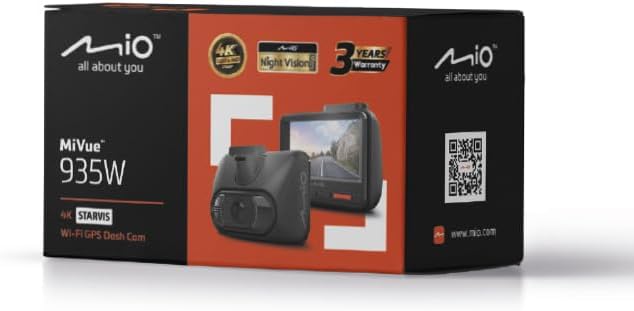
Image: Retail packaging of the Mio MiVue 935W Dashcam, showing the box contents and key features.
Прадукт скончаныview
Familiarize yourself with the components of your MiVue 935W dashcam.
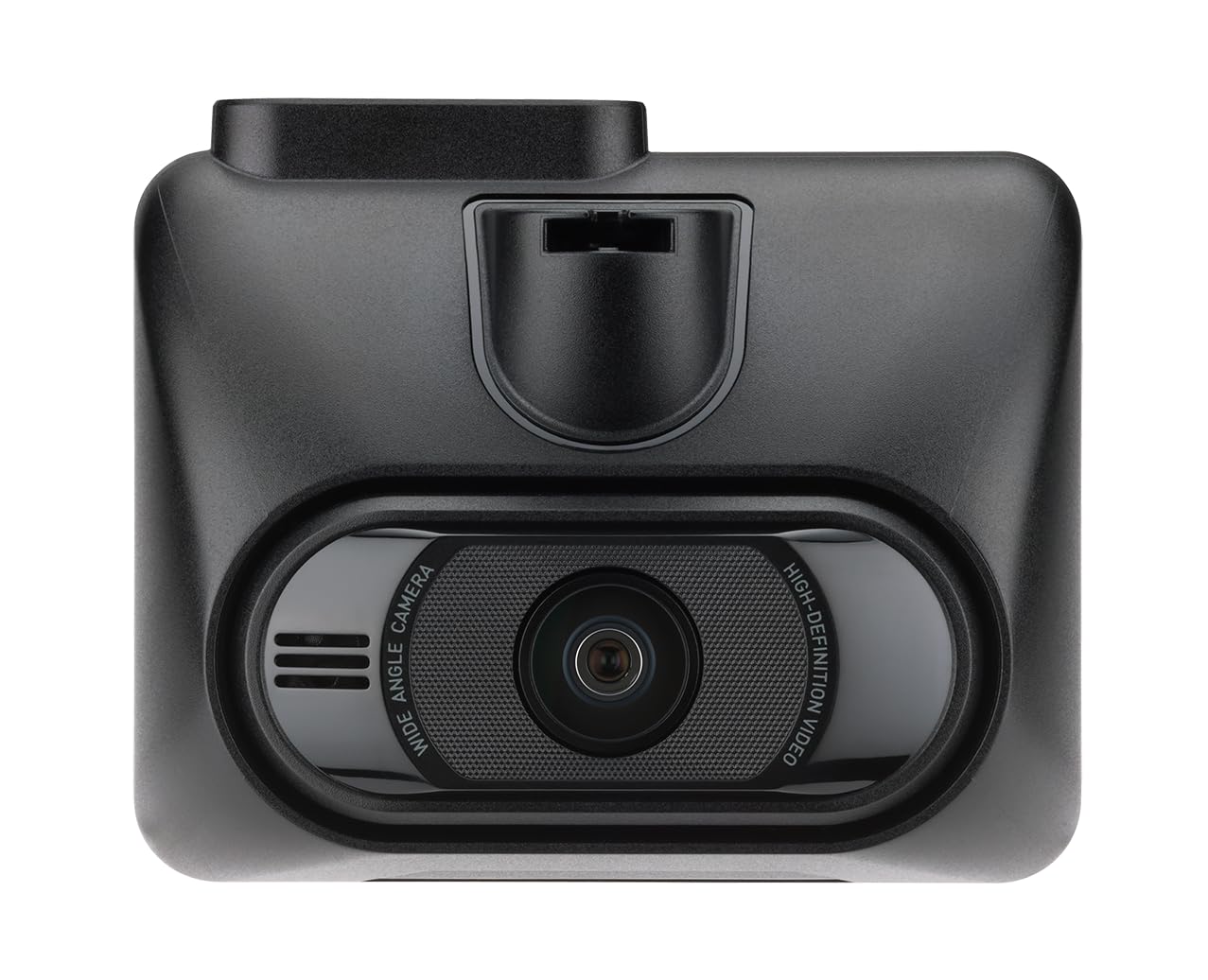
Выява: спераду view of the MiVue 935W dashcam, displaying the screen and control buttons below it.

Выява: Уверсе view of the MiVue 935W dashcam, highlighting the power input and rear camera connection ports.

Image: The 3M adhesive mount for securing the dashcam to the windshield.
Настройка
1. Installing the Dashcam
- Clean the area on your windshield where you intend to mount the dashcam. Ensure it does not obstruct your view.
- Apply the static window sticker to the chosen area on the windshield. This helps protect your windshield and allows for easier repositioning.
- Attach the 3M adhesive mount to the static sticker. Press firmly for secure adhesion.
- Slide the MiVue 935W dashcam onto the mount until it clicks into place.
- Адрэгулюйце кут камеры, каб яна выразна адлюстроўвала дарогу наперадзе.
2. Устаўка карты MicroSD
A MicroSD card (not included) is required for recording. The device supports cards up to 256GB. Ensure the card is formatted before first use.
- With the dashcam powered off, locate the MicroSD card slot.
- Insert the MicroSD card with the contacts facing the screen until it clicks into place.
- Каб выняць, акуратна націсніце на карту, пакуль яна не выскочыць.
3. Падключэнне сілкавання
- Connect the car charger to the dashcam's power input port (usually located on top).
- Падключыце другі канец аўтамабільнай зараднай прылады да разеткі 12 В вашага аўтамабіля (гняздо прыпальвальніка).
- The dashcam will automatically power on and begin recording when your vehicle starts.
Інструкцыя па эксплуатацыі
Базавая аперацыя
- Уключэнне/выключэнне харчавання: The dashcam powers on automatically with vehicle ignition and powers off shortly after the engine is turned off. You can also manually power it on/off using the power button.
- Запіс: The dashcam automatically starts continuous loop recording when powered on.
- Экстраны запіс: The built-in G-sensor detects sudden impacts or harsh braking and automatically saves the current recording to a protected folder, preventing it from being overwritten.
Падключэнне да Wi-Fi
The integrated high-speed Wi-Fi allows for quick video transfers and easy management via the MiVue Pro app.
- Спампаваць MiVue Pro праграму з крамы праграм вашага смартфона.
- On the MiVue 935W, navigate to the Wi-Fi settings and enable it. A QR code will be displayed on the dashcam screen.
- Open the MiVue Pro app on your smartphone and use the app to scan the QR code displayed on the dashcam.
- Пасля падключэння вы можаце view жывы footage, transfer recordings, and adjust settings directly from your smartphone.
Функцыі GPS
The integrated GPS module provides accurate location and speed data, enhancing your driving records.
- Speed Camera Alerts: The MiVue 935W provides alerts for speed cameras, displaying the distance, time, speed limit, and your average speed. Note: Speed camera alerts are not active in France, Germany, Switzerland, and Turkey due to local regulations.
- Папярэджанне аб выездзе з паласы руху: This feature helps monitor your lane position and provides alerts if you unintentionally drift from your lane.
HDR (шырокі дынамічны дыяпазон)
The HDR function improves video clarity in challenging lighting conditions.
- The dashcam automatically captures multiple images at different exposure levels and combines them into a single, optimized image.
- The 2.5K 1440P/Auto HDR mode automatically switches the image sensor between day and night settings for optimal video quality.
Рэжым назірання за паркоўкай
When properly configured and with a continuous power supply (e.g., via a hardwire kit, sold separately), the dashcam can monitor your vehicle while parked.
- The dashcam will automatically record if it detects motion or an impact while your vehicle is stationary.
Тэхнічнае абслугоўванне
Ачыстка прылады
- Выкарыстоўвайце мяккую сухую тканіну для чысткі вонкавага боку відэарэгістратара.
- For the lens, use a specialized lens cleaning cloth to avoid scratches.
- Do not use chemical cleaners or solvents, as they may damage the device.
MicroSD Card Care
- Regularly format your MicroSD card (at least once a month) to maintain optimal recording performance and prevent data corruption.
- Replace the MicroSD card periodically, especially if you notice recording errors or reduced performance, as memory cards have a limited lifespan.
Абнаўленне прашыўкі
Check the official Mio webсайт (www.mio.com) for available firmware updates. Keeping your dashcam's firmware up-to-date ensures optimal performance and access to new features.
Ліквідацыю непаладак
| праблема | Магчымая прычына | Рашэнне |
|---|---|---|
| Відэарэгістратар не ўключаецца. | Няма харчавання або няспраўнае падключэнне. | Check car charger connection to both the dashcam and the vehicle's 12V outlet. Ensure the vehicle's ignition is on. |
| Запіс нечакана спыняецца. | MicroSD card error or full. | Format the MicroSD card. Replace the card if the issue persists. Ensure the card is Class 10 or higher. |
| Дрэнная якасць відэа. | Dirty lens or incorrect settings. | Clean the camera lens. Check video resolution settings in the menu. Ensure HDR is enabled for challenging light. |
| Праблемы з падключэннем да Wi-Fi. | Incorrect password or app issue. | Ensure Wi-Fi is enabled on the dashcam and you are scanning the correct QR code. Restart both the dashcam and your smartphone. |
| GPS не працуе. | Poor satellite signal. | Пераканайцеся, што відэарэгістратар мае чысты view of the sky. Avoid mounting near metallic objects that might block the signal. |
Тэхнічныя характарыстыкі
| Асаблівасць | Дэталь |
|---|---|
| Назва мадэлі | Mio MiVue 935W |
| Памер экрана | 2.7 цалі IPS |
| Дазвол запісу | 4K (2160P) / 30fps |
| Датчык відэа | CMOS-матрыца Sony STARVIS |
| Дыяфрагма | F1.8 |
| Фармат запісу | SuperMP4 (H.265) |
| Шырокавугольны аб'ектыў | 140 градусаў |
| Сувязь | Integrated Wi-Fi, GPS |
| Асаблівасці | Compact Design, G-Sensor, Speed Camera Alerts, Lane Departure Warning, HDR |
| Крыніца харчавання | 1 Lithium-polymer battery (included) |
| Памеры (Ш х У х Г) | 63 х 76.5 х 41.2 мм |
| Вага | 99.94 г |
| Сумяшчальны тып аўтамабіля | Car, Truck, Motorcycle |
| Тып мацавання | Self-adhesive mount |
| Колер | Чорны |
Гарантыя і падтрымка
Інфармацыя аб гарантыі
The Mio MiVue 935W Dashcam comes with a Гарантыя 3 годКалі ласка, захавайце пацвярджэнне пакупкі для прэтэнзій па гарантыі.
Падтрымка кліентаў
For technical assistance, firmware updates, or further information, please visit the official Mio webсайт:
Mio products are tested in a TAF-accredited laboratory by MITAC, ensuring high quality and reliability.