
WOOPKER KC-906
WOOPKER Portable DVD Player User Manual
Мадэль: KC-906
1. Прадукт скончыўсяview
The WOOPKER KC-906 Portable DVD Player is a versatile entertainment device featuring a 7-inch HD (1024x600) digital screen and Hi-Fi stereo speakers. Designed for portability, it includes a 4000mAh rechargeable battery providing up to 7 hours of playback. This player supports multiple media formats including DVD, CD, USB, and offers Bluetooth, AUX, and AV connectivity. It is equipped with user-friendly functions such as memory playback, a sleep timer, and a remote control for convenient operation.
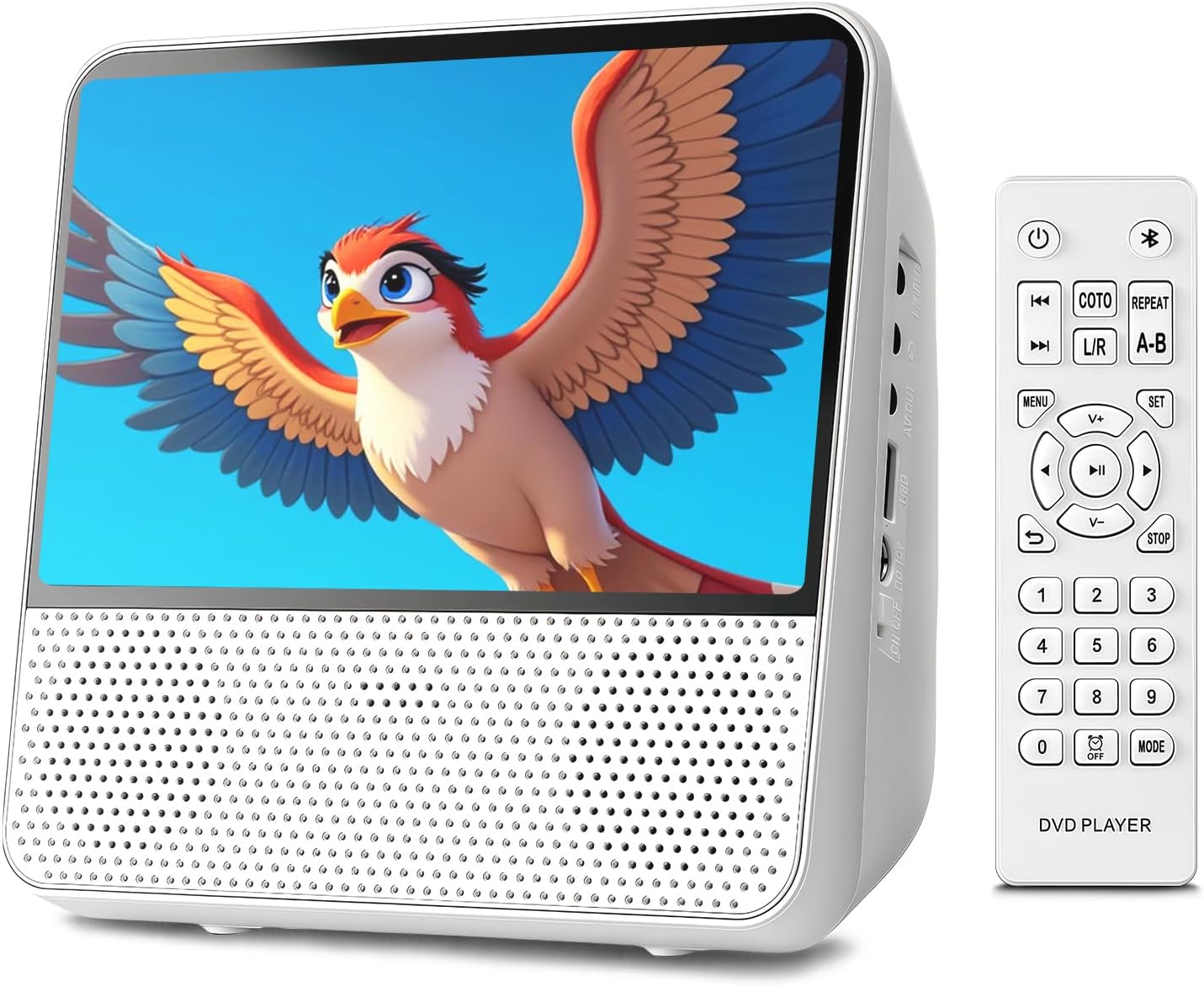
Выява 1.1: Спераду view of the WOOPKER Portable DVD Player with its remote control, displaying a vibrant image on screen.

Выява 1.2: Канецview of key features including All Region support, Memory Playback, Built-in Speaker, No Internet Required, Bluetooth Playback, 4000mAh Battery, and AUX Mode.
2. Што ў скрынцы
Пасля адкрыцця ўпакоўкі пераканайцеся, што ўсе наступныя прадметы наяўныя і ў добрым стане:
- WOOPKER Portable DVD Player (KC-906)
- Кіраўніцтва карыстальніка
- Пульт дыстанцыйнага кіравання
- Адаптар сілкавання 12 В/1.5 А
- AV-кабель
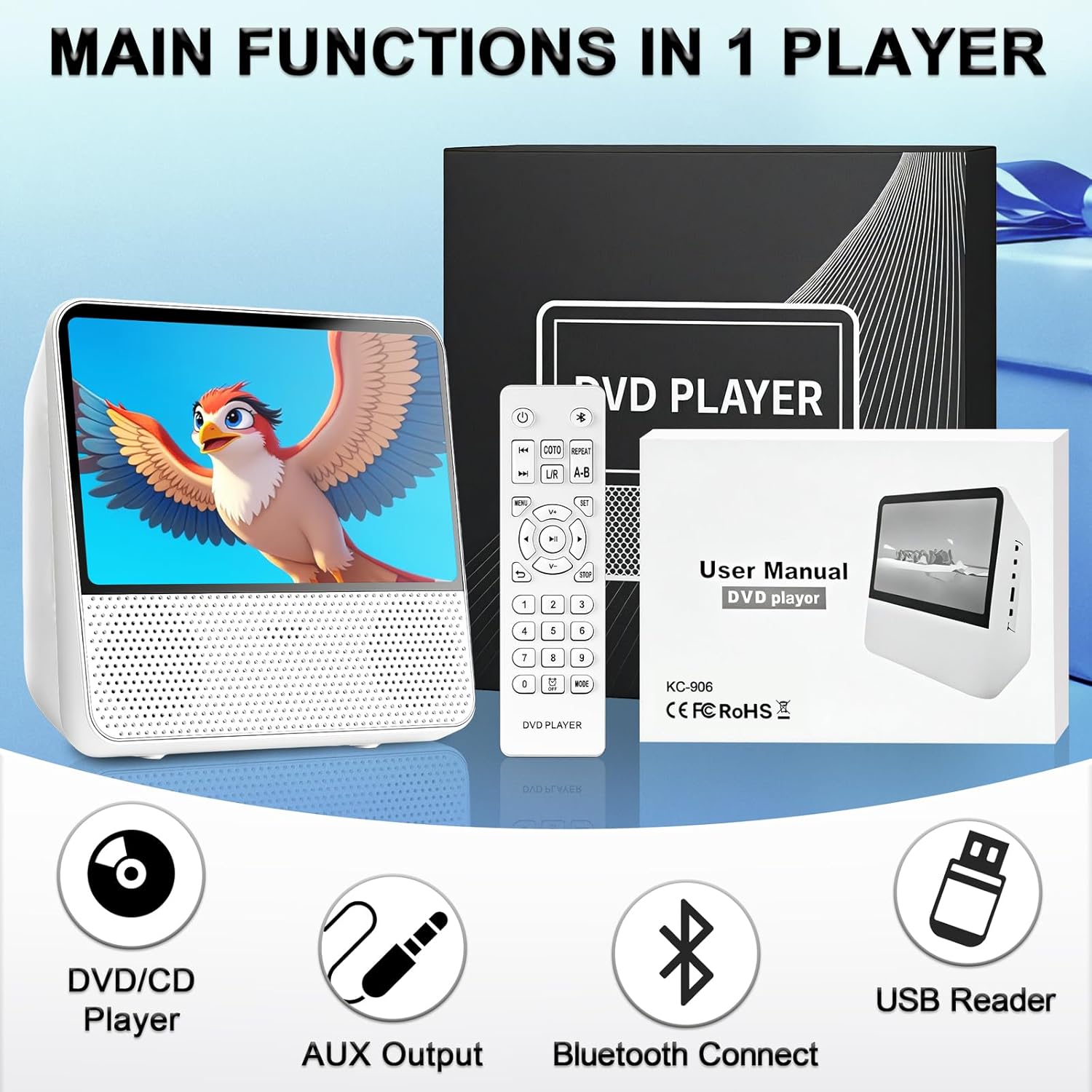
Image 2.1: The portable DVD player, remote control, user manual, and power adapter, illustrating the main components included in the package.
3. Усталёўка і падключэнне
3.1 Уключэнне і зарадка
Before first use, fully charge the built-in 4000mAh battery. Connect the 12V/1.5A power adapter to the DC-12V Power Interface on the side of the player and plug it into a wall outlet. The charging indicator will show the charging status. A full charge provides up to 7 hours of playback.
3.2 Identifying Ports and Controls
Familiarize yourself with the various ports and controls located on the device:

Малюнак 3.1: Падрабязны view of the player's side, showing the 3.5mm AUX Out, AV Output, USB Port, DC-12V Power Interface, Power Switch, and top panel controls including Brightness Adjustment, Button Lock, Previous/Next, Volume-/+, Repeat, Play/Pause, and Mode buttons.
- Выключальнік сілкавання: Уключае або выключае прыладу.
- DC-12V Power Interface: Connects the power adapter for charging and operation.
- Порт USB: Для падключэння USB-назапашвальнікаў для прайгравання медыяфайлаў files.
- Аўдыёвыход: Connects to a TV or larger display using the provided AV cable.
- 3.5mm AUX Out: Для падлучэння навушнікаў або знешніх дынамікаў.
- Элементы кіравання верхняй панэлі: Buttons for brightness, button lock, track navigation, volume, repeat, play/pause, and mode selection.
3.3 Connecting to a TV (AV Output)
каб view content on a larger screen, connect the portable DVD player to your TV using the AV output cable:
- Падключыце адзін канец AV-кабеля да АВ выхад port on the portable DVD player.
- Connect the other end of the AV cable (red, white, yellow plugs) to the corresponding AV-ўваход ports on your television.
- Выберыце правільную крыніцу ўваходнага AV-сігналу на вашым тэлевізары.

Image 3.2: Illustration of the portable DVD player connected to a television using an AV cable, demonstrating how to share content on a larger display.
3.4 Connecting External Audio (AUX Output)
For private listening or enhanced audio, connect headphones or external speakers:
- Plug your headphones or external speakers into the 3.5mm AUX Out порт на плэеры.
- Adjust the volume on the player or connected audio device.

Image 3.3: Visual representation of AUX output to speakers/headphones and AUX input from a smartphone/laptop, highlighting the versatility of audio connections.
4. Інструкцыя па эксплуатацыі
4.1 Прайграванне дыскаў (DVD/CD)
The player supports DVD/DVD+R/DVD+RW/DVD-R/DVD-RW/VCD/SVCD/CD/CD-R/CD-RW/CD-G/WMA/MP3 discs (excluding Blu-ray/MP4). It is region-free.
- Адкрыйце адсек для дыска.
- Insert a compatible disc with the label facing up.
- Close the disc compartment. The player will automatically begin reading the disc.
- Use the remote control or top panel buttons for playback control (Play/Pause, Stop, Next/Previous, Volume).
4.2 Прайграванне з USB
Insert a USB flash drive into the USB port. The player will detect the drive and display its contents. Navigate through folders and select your desired media file (WMA/MP3 for audio, JPG/PNG/JPEG/VOB/MPG/AVI/MPEG/MOV/VOB for video/images).
4.3 Функцыянальнасць Bluetooth
The player features a built-in Bluetooth receiver, allowing it to function as a Bluetooth speaker.
- Turn on the player and switch to Bluetooth mode using the "Mode" button.
- Уключыце Bluetooth на вашым смартфоне, планшэце або камп'ютары.
- Пошук "WOOPKER KC-906" (or similar device name) in your device's Bluetooth settings and pair.
- Once connected, audio from your paired device will play through the portable DVD player's speakers.

Image 4.1: A user enjoying music from the portable DVD player, demonstrating its wireless Bluetooth capability.
4.4 Memory Playback (Breakpoint Resume)
The intelligent Break-Point Memory feature allows the player to remember where you left off in a movie or audio track. When you power the device back on, it will resume playback from the last stopped point, eliminating the need to start from the beginning.
4.5 Repeat Functions
The player offers various repeat modes for continuous playback:
- РЭП 1: Repeats the current track/chapter.
- РЭП УСІХ: Repeats all tracks/chapters on the disc/USB.
- Выпадкова: Plays tracks in a shuffled order.
- REPEAT A-B: Repeats a specific segment between point A and point B.

Image 4.2: Display of the repeat function options: Repeat One, Repeat All, Shuffle Play, and A-B Repeat.
4.6 Функцыя таймера сну
The sleep timer allows you to set a specific time after which the player will automatically turn off. This is useful for bedtime listening or viewінж.
5. Тэхнічнае абслугоўванне і догляд
Proper maintenance ensures the longevity and optimal performance of your portable DVD player.
- Уборка: Use a soft, dry cloth to clean the exterior of the player. For the screen, use a microfiber cloth specifically designed for electronics. Do not use liquid cleaners or abrasive materials.
- Сыход за дыскамі: Handle discs by their edges. Keep them clean and free of scratches, dust, and fingerprints. Store discs in their cases when not in use.
- захоўванне: Калі плэер не выкарыстоўваецца працяглы час, захоўвайце яго ў прахалодным, сухім месцы, удалечыні ад прамых сонечных прамянёў і экстрэмальных тэмператур.
- акумулятар: To maintain battery health, avoid fully discharging the battery frequently. If storing for a long time, charge the battery to about 50% every few months.
- Пазбягайце ўздзеяння: Protect the device from drops and impacts, which can damage internal components or the screen.
6. Выпраўленне непаладак
If you encounter issues with your WOOPKER Portable DVD Player, refer to the following common problems and solutions:
| праблема | Магчымая прычына | Рашэнне |
|---|---|---|
| Плэер не ўключаецца. | Low battery or power adapter not connected properly. | Connect the power adapter and ensure it's plugged into a working outlet. Allow time for charging if the battery is depleted. |
| Няма прайгравання дыска. | Дыск брудны, падрапаны або несумяшчальны з фарматам. | Clean the disc with a soft cloth. Try a different, known-good disc. Ensure the disc format is supported (not Blu-ray/MP4). |
| Няма гуку. | Volume too low, mute enabled, or external audio device not connected correctly. | Increase volume. Check if mute is active. Ensure headphones/speakers are properly plugged into the AUX Out port. |
| Збой спалучэння Bluetooth. | Player not in Bluetooth mode, or device too far. | Ensure the player is in Bluetooth mode. Move the pairing device closer to the player. Restart both devices and try pairing again. |
| Image not displayed on TV. | AV cable not connected properly or incorrect TV input selected. | Check AV cable connections on both the player and TV. Select the correct AV input source on your TV. |
7. Тэхнічныя характарыстыкі
Detailed technical specifications for the WOOPKER KC-906 Portable DVD Player:
- Нумар мадэлі: KC-906
- Памер экрана: 9.8 Inches (diagonal), 7-inch HD Digital Screen (1024 x 600 resolution)
- Тып дысплея: святлодыёд
- Памеры прадукту: 7.09 х 6.69 х 3.35 цалі
- Вага прадмета: 2.2 фунта
- акумулятар: Акумулятар 4000 мАг
- Тэрмін службы батарэі: Да 7 гадзін (прыблізна)
- Падтрымліваюцца фарматы дыскаў: DVD, DVD+R, DVD+RW, DVD-R, DVD-RW, VCD, SVCD, CD, CD-R, CD-RW, CD-G, WMA, MP3 (Note: Does not support Blu-ray or MP4 files)
- Supported USB Media Formats: WMA, MP3 (audio); JPG, PNG, JPEG, VOB, MPG, AVI, MPEG, MOV (video/images)
- Падключэнне: Bluetooth (Receiver), USB, 3.5mm AUX Out, AV Output
- колер: Белы
- вытворца: ВУПКЕР

Image 7.1: The portable DVD player with its dimensions (7.08 inches width, 3.34 inches depth) and battery capacity (4000mAh) highlighted.
8. Гарантыя і падтрымка
WOOPKER is committed to providing excellent customer service. If you have any questions, require assistance, or encounter issues with your product, please contact our dedicated customer support team.
- Падтрымка кліентаў: Our team is available to respond to inquiries within 24 hours.
- Пасляпродажнае абслугоўванне: We are dedicated to ensuring your satisfaction with the product.
Please refer to your purchase documentation or the WOOPKER official webсайт для атрымання канкрэтных гарантыйных умоў і кантактнай інфармацыі.
Ask a question about this manual
Ask about setup, troubleshooting, compatibility, parts, safety, or missing instructions. Manuals+ will review the question and use this page’s manual context to help answer it.