
Уводзіны
This manual provides essential information for the safe and effective use of your Minolta MNB5Z 56MP Dual Lens Point & Shoot Digital Camera. Please read this manual thoroughly before using the camera and keep it for future reference. The Minolta MNB5Z is designed to capture high-quality photos at 56MP and record videos in 5K Ultra HD, featuring a 5x optical zoom and a user-friendly 2.8-inch IPS touchscreen.
Інфармацыя па бяспецы
- Не падвяргайце камеру ўздзеянню вады або вільгаці. Гэтая камера не воданепранікальная.
- Пазбягайце падзення камеры або моцных удараў.
- Keep the camera away from direct sunlight, high temperatures, and dusty environments.
- Выкарыстоўвайце толькі прызначаныя батарэйкі і аксэсуары.
- Не спрабуйце разбіраць або мадыфікаваць камеру. Звяртайцеся па ўсё абслугоўванне да кваліфікаванага персаналу.
- Захоўваць у месцах, недаступных дзецям.
Змест пакета
Праверце, ці ёсць усе прадметы ў вашай упакоўцы:
- Minolta MNB5Z 56MP Digital Camera
- USB-кабель для зарадкі
- Акумулятарная літый-іённая батарэя
- MicroSDHC Ultra 64GB Memory Card
- Гнуткі штатыў для відэаблогераў
- Кашалёк для карт памяці
- USB-прылада для чытання карт памяці (SD/microSD)
- Сумка для камеры
- Набор для ачысткі
- Corel Photo, Video, & Art Suite Deluxe Software (Download information may be included)
Настройка
1. Устаноўка батарэі
- Знайдзіце вечка адсека для батарэй на ніжняй частцы камеры.
- Зрушыце зашчапку вечка, каб адкрыць адсек.
- Insert the Lithium-Ion battery according to the polarity indicators (+/-).
- Шчыльна зачыніце вечка батарэйнага адсека, пакуль яно не зафіксуецца пачуйце пстрычку.
2. Усталёўка карты памяці
The Minolta MNB5Z supports microSD and microSDHC cards up to 256GB.
- Open the battery compartment cover. The microSD card slot is usually located near the battery.
- Insert the microSD card with the gold contacts facing down, gently pushing until it clicks into place.
- Каб выняць, зноў націсніце на карту, пакуль яна не выскочыць.
- Зачыніце крышку батарэйнага адсека.
3. Зарадка акумулятара
- Connect the small end of the USB charging cable to the camera's USB port.
- Падключыце другі канец USB-кабеля да адаптара харчавання USB (не ўваходзіць у камплект) або да USB-порта кампутара.
- The charging indicator light (CHG) will illuminate during charging and turn off when fully charged.
4. Пачатковае ўключэнне
- Націсніце і ўтрымлівайце ВКЛ/ВЫКЛ кнопка, размешчаная ў верхняй частцы камеры.
- The camera will power on, and the display screen will activate.
- Выконвайце падказкі на экране для пачатковай налады, напрыклад, для ўстаноўкі даты і часу.
Кіраванне камерай
1. Размяшчэнне і кіраванне камерай
Familiarize yourself with the camera's buttons and touchscreen interface.

Выява: Задняя частка view of the Minolta MNB5Z camera, highlighting the touchscreen display and physical control buttons for navigation and function selection.
- Кнопка ON/OFF: Уключае або выключае камеру.
- Кнопка засаўкі: Press halfway to focus, fully to take a photo.
- Рычаг маштабавання: Controls the 5x optical zoom.
- Кнопка рэжыму: Switches between different shooting modes (Photo, Video, Playback, etc.).
- Directional Pad (DISP/OK): Навігацыя па меню і пацвярджэнне выбару.
- Кнопка прайгравання: Пераходзіць у рэжым прайгравання, каб view фота і відэа.
- Кнопка меню: Доступ да налад і опцый камеры.
- 2.8-цалевы сэнсарны IPS-экран: For intuitive navigation and reviewзмесціва.
2. Фатаграфаванне
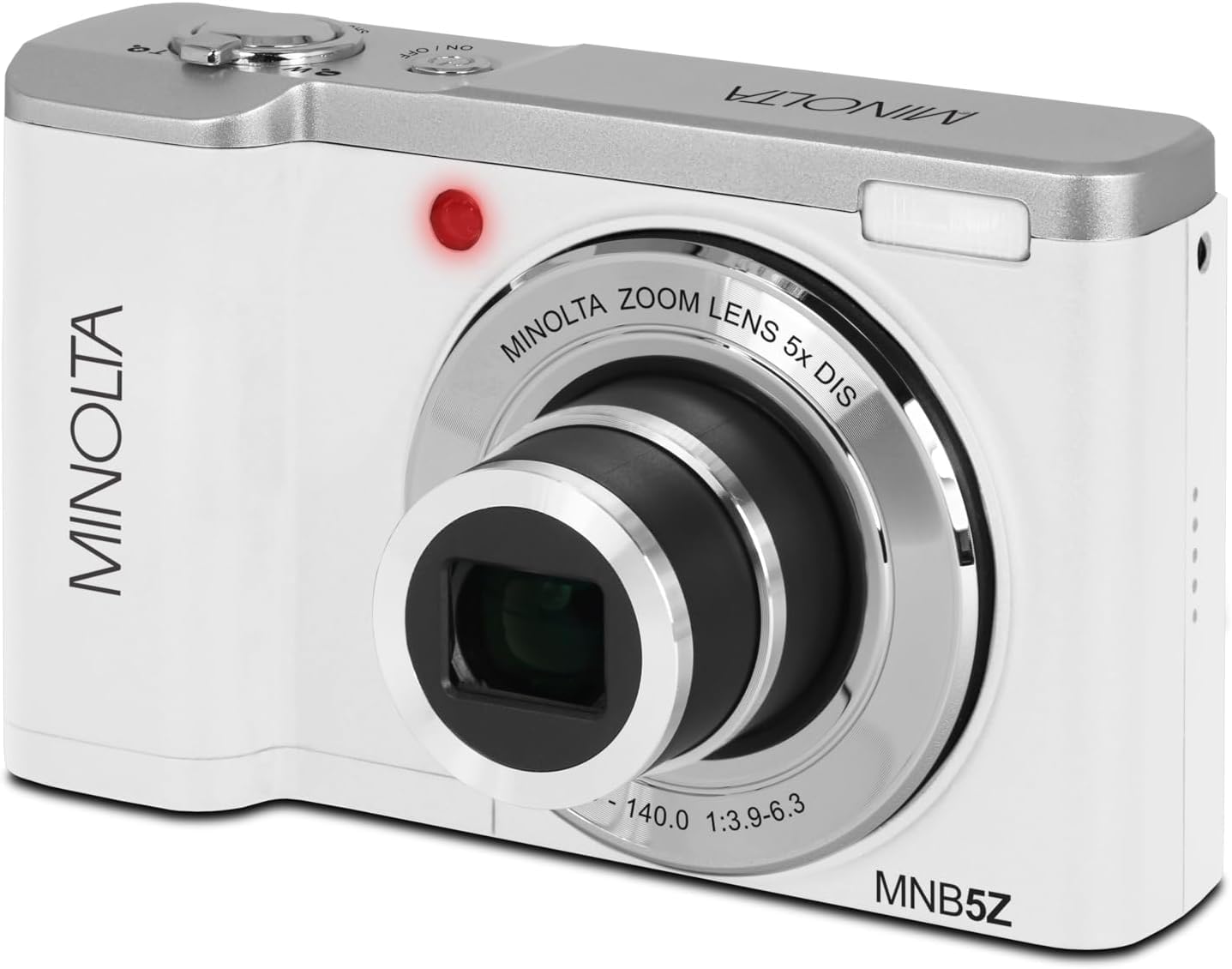
Выява: спераду view of the Minolta MNB5Z camera, showing the lens extended for capturing images, with the Minolta branding visible.
- Turn on the camera and ensure it is in Photo mode.
- Frame your shot using the 2.8-inch IPS touchscreen.
- Выкарыстоўвайце рычаг маштабавання, каб адрэгуляваць 5-кратны аптычны зум.
- Націсніце кнопку спуску засаўкі напалову, каб камера сфакусавалася. Індыкатар факусоўкі пацвердзіць факусоўку.
- Press the shutter button fully to capture the photo.
- Успышка: The built-in flash can be set to Auto, On/Fill, or Off via the menu.
- Рэжымы здымкі: Access various modes like Photo Burst, Time-Lapse, and Slow Motion via the Mode button or touchscreen menu.
3. Запіс відэа
- Turn on the camera and switch to Video mode using the Mode button.
- Frame your subject on the touchscreen.
- Press the shutter button to start recording. A recording indicator will appear on the screen.
- Націсніце кнопку спуску затвора яшчэ раз, каб спыніць запіс.
- The camera records in 5K Ultra HD resolution and includes a built-in microphone for audio capture.
4. Прайграванне
- Націсніце кнопку прайгравання, каб перайсці ў рэжым прайгравання.
- Use the directional pad or swipe on the touchscreen to browse through your photos and videos.
- Націсніце кнопку OK, каб view відэа або павялічыць фота.
- Каб выйсці з рэжыму прайгравання, зноў націсніце кнопку прайгравання.
5. Налады камеры
- Press the Menu button to access camera settings.
- Use the directional pad or touchscreen to navigate through options such as resolution, white balance, ISO, exposure compensation, and color filters.
- Select an option and press OK to confirm or adjust.
- Націсніце кнопку «Меню» яшчэ раз, каб выйсці з меню.
6. Connecting to a Computer (USB)
- Пераканайцеся, што камера выключана.
- Падключыце камеру да кампутара з дапамогай USB-кабеля, які ўваходзіць у камплект.
- Turn on the camera. It should be recognized as a removable disk or media device.
- You can now transfer photos and videos to your computer.
7. Падключэнне да Wi-Fi
The Minolta MNB5Z features Wi-Fi connectivity for wireless transfer of images and remote control via a compatible smartphone application (if available). Refer to the camera's on-screen menu for Wi-Fi setup instructions and pairing with your device.
Тэхнічнае абслугоўванне
1. Чыстка камеры
- Для чысткі корпуса камеры выкарыстоўвайце мяккую тканіну без ворса.
- For the lens and screen, use a specialized lens cleaning cloth and solution. Avoid harsh chemicals.
- Gently blow away dust from the lens surface before wiping.
2. Захоўванне

Выява: спераду view of the Minolta MNB5Z camera with its lens retracted, demonstrating its compact form factor for easy storage in the included camera bag.
- When not in use, store the camera in the provided camera bag to protect it from dust and scratches.
- Выміце батарэю, калі камера не будзе выкарыстоўвацца на працягу доўгага часу.
- Store in a cool, dry place, away from extreme temperatures and humidity.
Ліквідацыю непаладак
| праблема | Рашэнне |
|---|---|
| Камера не ўключаецца. | Ensure the battery is correctly inserted and fully charged. Try charging the battery for at least 2 hours. |
| Немагчыма рабіць фота/відэа. | Check if the memory card is inserted correctly and has sufficient free space. Ensure the camera is in the correct mode (Photo/Video). |
| Выявы размытыя. | Ensure the lens is clean. Press the shutter button halfway to allow the camera to focus before fully pressing. Use digital image stabilization in shaky conditions. |
| Flash is not working. | Check flash settings in the menu to ensure it is not set to 'Off'. |
| Камера завісае або перастае рэагаваць. | Remove the battery, wait a few seconds, and reinsert it to reset the camera. |
Тэхнічныя характарыстыкі
| Асаблівасць | Дэталь |
|---|---|
| Назва мадэлі | MNB5Z |
| Дазвол фота | 56 мегапікселяў |
| Дазвол відэа | 5K Ultra HD (30 FPS) |
| Аптычны зум | 5x |
| Стабілізацыя выявы | Лічбавы |
| Памер экрана | 2.8-цалевы сэнсарны IPS-экран |
| Падтрымка карты памяці | microSD, microSDHC (up to 256GB) |
| Сувязь | USB, Wi-Fi |
| Тып батарэі | Літый-іённы |
| Успышка | Built-In (Auto, On/Fill) |
| Тып датчыка | CMOS |
| Мінімальная вытрымка | 1/4000 сек |
| Падтрымліваецца File Фарматы | JPEG (Photos), MP4 (Videos) |
| Вага прадмета | 2.37 фунта |
Гарантыя і падтрымка
Minolta products are manufactured to the highest quality standards. For information regarding your product's warranty, please refer to the warranty card included in your package or visit the official Minolta support website. For technical assistance, troubleshooting, or service inquiries, please contact Minolta customer support.
Інтэрнэт-падтрымка: Visit the official Minolta webсайт з часта задаванымі пытаннямі, загрузкай драйвераў і кантактнай інфармацыяй.
Абслугоўванне кліентаў: Refer to your product packaging or the Minolta webсайт для кантактнай інфармацыі службы падтрымкі кліентаў.