
Уводзіны
The SEUNKWANG GX710S is a full-size wired USB computer keyboard designed for comfortable and efficient typing. It features a simple white backlight, upgraded water drop pudding keycaps for enhanced light transmittance and reduced noise, and an ergonomic design for extended use. This manual provides detailed instructions for setting up, operating, and maintaining your keyboard.
Настройка
Падключэнне клавіятуры
Locate the USB-A cable attached to your GX710S keyboard.
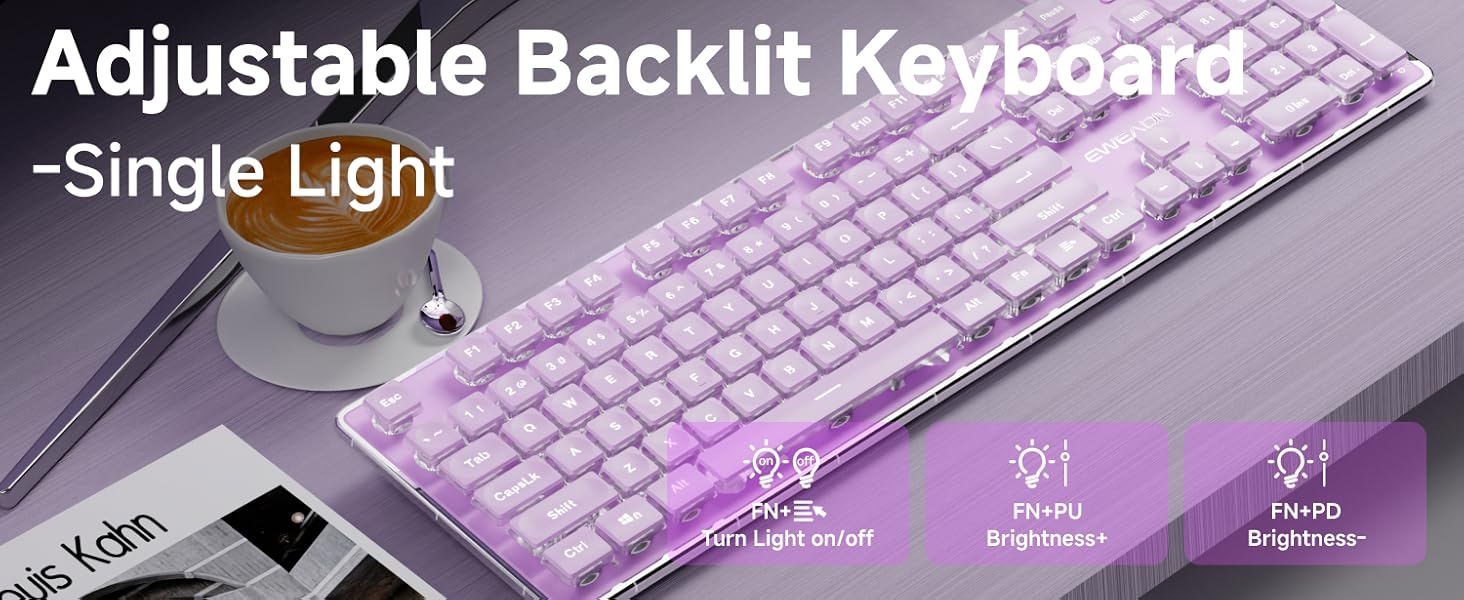
Image: The GX710S keyboard with its wired USB-A cable, illustrating the 'Plug and Play' functionality.
Plug the USB-A connector into an available USB port on your computer (PC, desktop, laptop, or notebook).
The keyboard is plug-and-play, meaning it should be recognized automatically by your operating system without requiring additional driver installation.
Інструкцыя па эксплуатацыі
Кіраванне падсветкай
The GX710S keyboard features a simple white backlight with adjustable brightness levels and a breathing light mode.
- Рэгуляванне яркасці: Прэса FN + PU to increase the backlight brightness. Press FN + PD to decrease the backlight brightness. There are 5 levels of brightness adjustment.
- Turning On/Off Backlight: Прэса FN + Light Mode Key (often indicated by a light bulb icon) to toggle the backlight on or off.
- Рэжым дыхальнага святла: The keyboard supports a breathing light mode, which can be activated or adjusted using the FN key combinations.
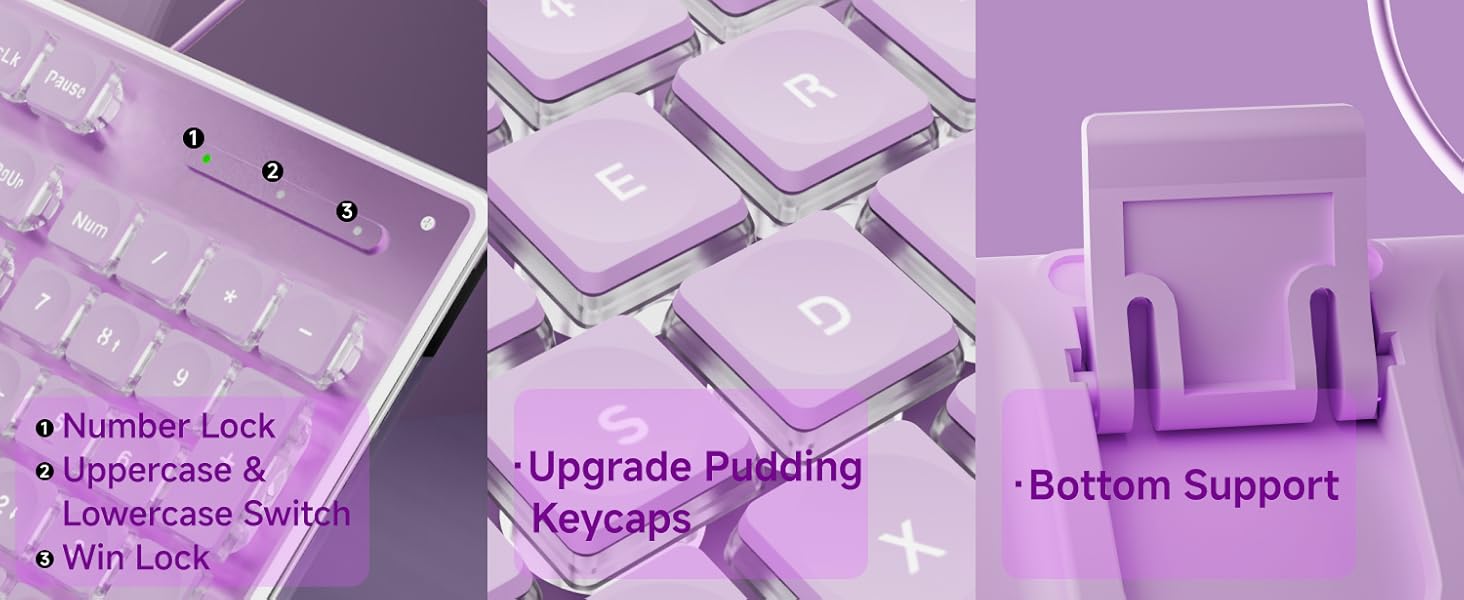
Image: Close-up of the keyboard showing the FN key and dedicated keys for adjusting backlight brightness and toggling the light mode.
Мультымедыйныя функцыі
Utilize the FN key in combination with the F1-F12 keys for various multimedia and system shortcuts:
| Камбінацыя клавіш | Функцыя |
|---|---|
| FN+F1 | Open Multimedia Player |
| FN+F2 | Памяншэнне гучнасці |
| FN+F3 | Павелічэнне гучнасці |
| FN+F4 | Адключыць гук |
| FN+F5 | Спыніць прайграванне |
| FN+F6 | Прайграць папярэднюю песню |
| FN+F7 | Прайграванне/Паўза |
| FN+F8 | Прайграць наступную песню |
| FN+F9 | Адкрыць электронную пошту |
| FN+F10 | Open My Home Page |
| FN+F11 | Блакаванне клавіятуры |
| FN+F12 | Калькулятар |
| FN+WIN | Win Lock |
| FN+W/A/S/D | Interchange arrow keys with W/A/S/D |
Асноўныя характарыстыкі
- Water Drop Pudding Keycaps: The upgraded suspended water drop keycaps feature a transparent pudding structure, enhancing light transmission. Their concave and convex surface is designed for comfortable typing and gaming.
- Ціхі вопыт набору тэксту: The silent membrane keyboard design, combined with the water drop keycaps, reduces typing noise by up to 95%, making it suitable for quiet environments.
- 26-клавішная абарона ад прывідаў: This feature allows up to 26 keys to be pressed simultaneously without conflict, ensuring accurate and fast responses during typing or gaming.
- Эрганамічны дызайн: The keyboard features concave and convex keys that fit your fingertips, promoting smoother typing. It includes two adjustable footrests and four anti-slip bottom stickers, allowing for a 7° tilt to enhance typing comfort and reduce hand fatigue.
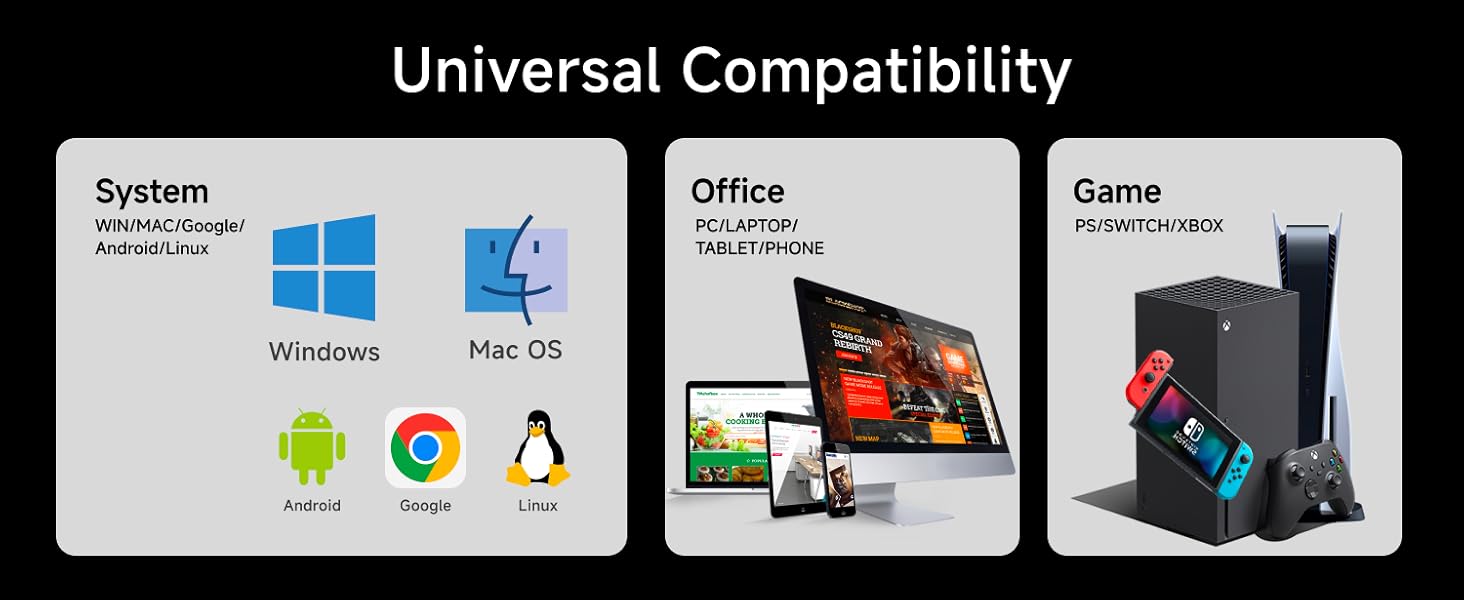
Image: A user typing on the GX710S keyboard, highlighting its comfortable ergonomic design.
Сумяшчальнасць
The SEUNKWANG GX710S keyboard offers broad compatibility with various operating systems and devices:
- Аперацыйныя сістэмы: Windows, Linux, Chrome, Mac OS.
- прылады: PC, desktop, laptop, notebook, gaming consoles, smart TVs, smartphones, tablets.

Image: A visual representation of the keyboard's universal compatibility across different systems and devices.
Тэхнічнае абслугоўванне
Каб забяспечыць даўгавечнасць і аптымальную прадукцыйнасць вашай клавіятуры, выконвайце наступныя рэкамендацыі па абслугоўванні:
- Уборка: Regularly wipe the keyboard surface with a soft, damp cloth. For deeper cleaning, use compressed air to remove dust and debris from between the keys. Avoid using harsh chemicals or abrasive materials.
- Прадухіленне разліву: Keep liquids away from the keyboard to prevent damage. In case of a spill, immediately unplug the keyboard and allow it to dry completely before reconnecting.
- захоўванне: Калі клавіятура не выкарыстоўваецца, захоўвайце яе ў чыстым, сухім месцы, удалечыні ад экстрэмальных тэмператур.
Ліквідацыю непаладак
If you encounter any issues with your GX710S keyboard, try the following steps:
- Клавіятура не адказвае:
- Пераканайцеся, што USB-кабель надзейна падключаны як да клавіятуры, так і да кампутара.
- Паспрабуйце падключыць клавіятуру да іншага USB-порта на вашым кампутары.
- Перазагрузіце кампутар.
- Падсвятленне не працуе:
- Ensure the backlight is turned on using the FN + Light Mode Key спалучэнне.
- Adjust the brightness using FN + PU/PD.
- Keys Not Registering Correctly:
- Clean the affected keys to ensure no debris is obstructing their movement.
- Праверце клавіятуру на іншым камп'ютары, каб вызначыць, ці праблема ў самой клавіятуры, ці ў праграмным забеспячэнні/драйверах камп'ютара.
Тэхнічныя характарыстыкі
| Асаблівасць | Дэталь |
|---|---|
| Нумар мадэлі | GX710S |
| Марка | SEUNKWANG (Manufactured by EWEADN) |
| Тэхналогія падлучэння | USB-A (правадны) |
| Апісанне клавіятуры | Quiet Wired Membrane Keyboard |
| Асаблівасці | Backlit, Ergonomic, Foldable (via footrests), Lightweight, Quiet |
| Колер падсветкі | Single White Color |
| Матэрыял | Метал, пластык |
| Вага прадмета | 1.57 фунта |
| Памеры ўпакоўкі | 17.76 х 6.85 х 1.5 цалі |
| Color (Current Product) | Фіялетавы |
Гарантыя і падтрымка
The SEUNKWANG GX710S keyboard comes with 48-month brand support. For any questions, troubleshooting, accessory reissues, or returns and exchanges, please contact the seller directly.
You can typically find seller contact information on the product's purchase page or through your order history.

Image: A guide illustrating how to contact customer support for inquiries before or after placing an order.
Відэа аб прадуктах
Taro Purple Silent Keyboard Overview
Video: A short demonstration of the Taro Purple Silent Keyboard, showcasing its design and quiet operation.
Aesthetic & Effective Keyboard Preview
Відэа: Кароткая падрыхтоўкаview highlighting the aesthetic appeal and effective functionality of the keyboard, including its backlighting.