
1. Уводзіны
This manual provides detailed instructions for the safe and efficient use of your BNCF Bpad Mini Android 14 Tablet. Please read this manual thoroughly before operating the device and retain it for future reference.
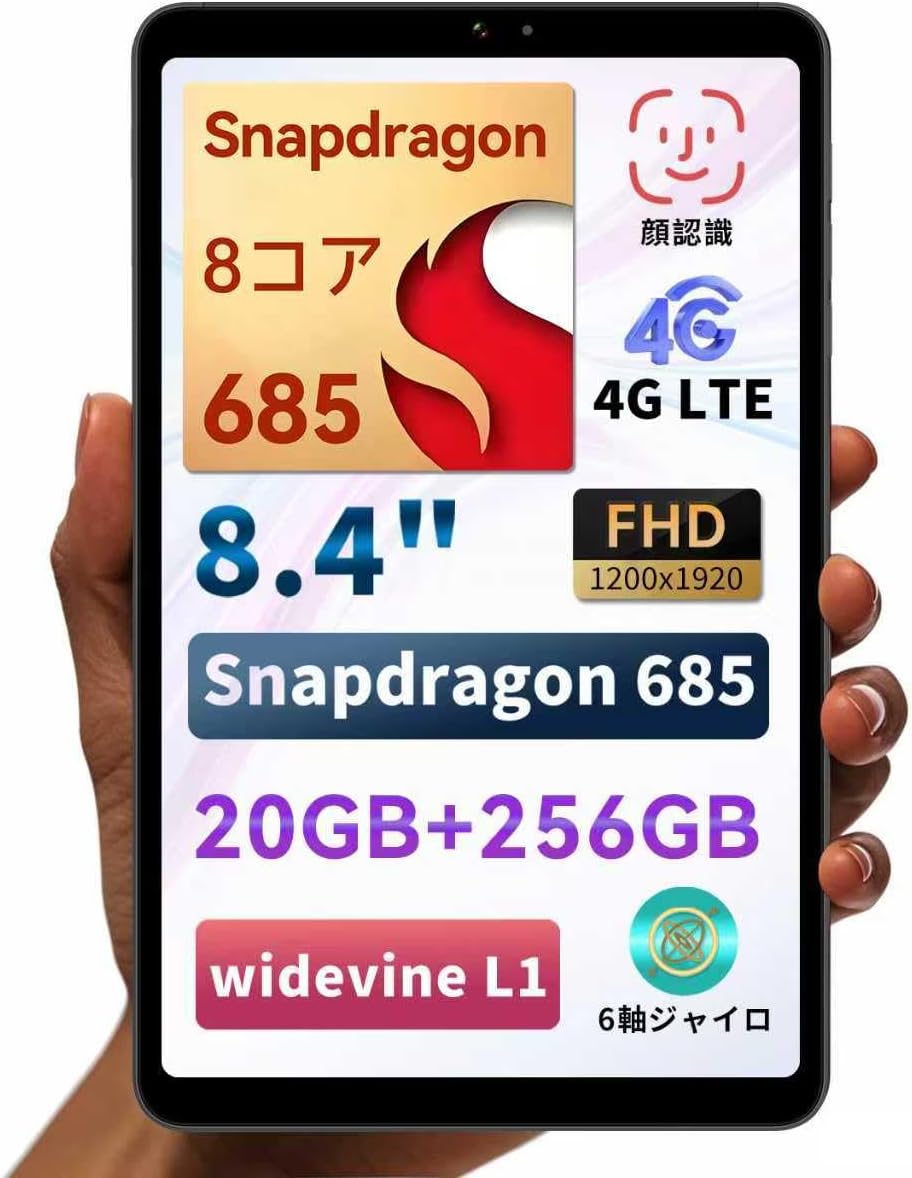
Figure 1: BNCF Bpad Mini Android 14 Tablet
2. Прадукт скончыўсяview
2.1 Змест пакета
Пераканайцеся, што ўсе прадметы прысутнічаюць у пасылцы:
- Міні-планшэт BNCF Bpad
- Кіраўніцтва карыстальніка
- Charging Adapter (5V/2A)
- Type-C Cable (5V/2A)
- Штыфт для вымання SIM-карты

Малюнак 2: Змест пакета
2.2 Кампаненты прылады
Familiarize yourself with the physical layout of your Bpad Mini:
- Пярэдняя камера: Для сэлфі і відэазванкоў.
- Rear Camera & Flashlight: Для фатаграфій і відэа высокай раздзяляльнасці.
- Кнопка харчавання: To turn the device on/off or wake/sleep the screen.
- Кнопкі гучнасці: Каб рэгуляваць гучнасць гуку.
- Дакладчыкі: Інтэграваны для вываду гуку.
- Порт тыпу C: Для зарадкі і перадачы дадзеных.
- Мікрафон: Для ўводу гуку.
- SIM/Micro SD Card Slot: For cellular connectivity and expandable storage.
- Датчык святла: Automatically adjusts screen brightness.
- Датчык набліжэння: Turns off the screen during calls.
Figure 3: Device Components and Ports
3. Настройка
3.1 Першапачатковая зарадка
Before first use, fully charge your tablet using the provided charging adapter and Type-C cable. The tablet supports 18W PD fast charging, but a standard charger is included. A fast charger must be purchased separately if desired.

Figure 4: Charging the Bpad Mini
3.2 Уключэнне/выключэнне
- Каб уключыць: Націсніце і ўтрымлівайце кнопку харчавання, пакуль не загарыцца экран.
- Каб выключыць: Націсніце і ўтрымлівайце кнопку харчавання, затым абярыце з прапанаваных опцый «Выключыць харчаванне».
- Каб перазапусціць: Націсніце і ўтрымлівайце кнопку харчавання, затым абярыце «Перазагрузка» з прапанаваных варыянтаў.
3.3 Усталёўка SIM-карты і карты Micro SD
The Bpad Mini supports 4G LTE connectivity and expandable storage via a Micro SD card.
- Locate the SIM/Micro SD card slot on the side of the tablet.
- Insert the SIM eject pin into the small hole next to the tray to open it.
- Place your Nano-SIM card(s) and/or Micro SD card into the tray, ensuring correct orientation.
- Акуратна ўстаўце латок назад у слот, пакуль ён не зафіксуецца пачуўшы пстрычку.

Figure 5: SIM/Micro SD Card Installation
Important Note for 4G Connectivity:
- After inserting the SIM card, APN settings may be required for certain carriers (e.g., Rakuten Mobile, IIJmio, BIGLOBE Mobile, OCN Mobile ONE, UQ mobile). Please search for "APN manual settings" on your carrier's official webсайт з інструкцыямі.
- For carriers like docomo, au, SoftBank, and Y!mobile, APN settings may be automatically configured.
- If experiencing connection issues, restart the device in an area with good signal. Verify APN settings under Settings > Network > Mobile Network. If the APN field is blank, manual entry is required.
3.4 Майстар пачатковай налады
Upon first power-on, follow the on-screen instructions to complete the initial setup, including language selection, Wi-Fi connection, Google account login, and security settings.
4. Інструкцыя па эксплуатацыі
4.1 Функцыі Android 14
Your Bpad Mini runs on Android 14, offering enhanced multitasking, improved privacy and security features, efficient battery management, and a smoother user interface.
- Раздзелены экран: Easily use two apps simultaneously.
- Smart Screen Cast: Project your tablet screen wirelessly to a larger display.
- Здымак экрана трыма пальцамі: Capture screenshots quickly with a simple gesture.
- Бацькоўскі кантроль: Manage device usage for children.

Малюнак 6: Інтэрфейс Android 14

Figure 7: Split Screen Multitasking

Figure 8: Wireless Screen Casting
4.2 Падключэнне
- Wi-Fi: Supports 2.4G and 5G dual-band Wi-Fi for fast and stable internet browsing and online gaming.
- 4G LTE: Stay connected even without Wi-Fi. The tablet can also function as a phone.
- Bluetooth 5.0: Connect wirelessly to headphones, speakers, and other Bluetooth devices for enhanced entertainment.
- GPS: Provides accurate navigation services.

Figure 9: Connectivity Features

Figure 10: Dual-band Wi-Fi

Малюнак 11: Падключэнне Bluetooth 5.0

Малюнак 12: GPS-навігацыя
4.3 Выкарыстанне камеры
The tablet features a 32MP rear camera and a 5MP front camera. Open the Camera app to capture photos and videos. The 32MP rear camera supports high-resolution video recording, including 4K.
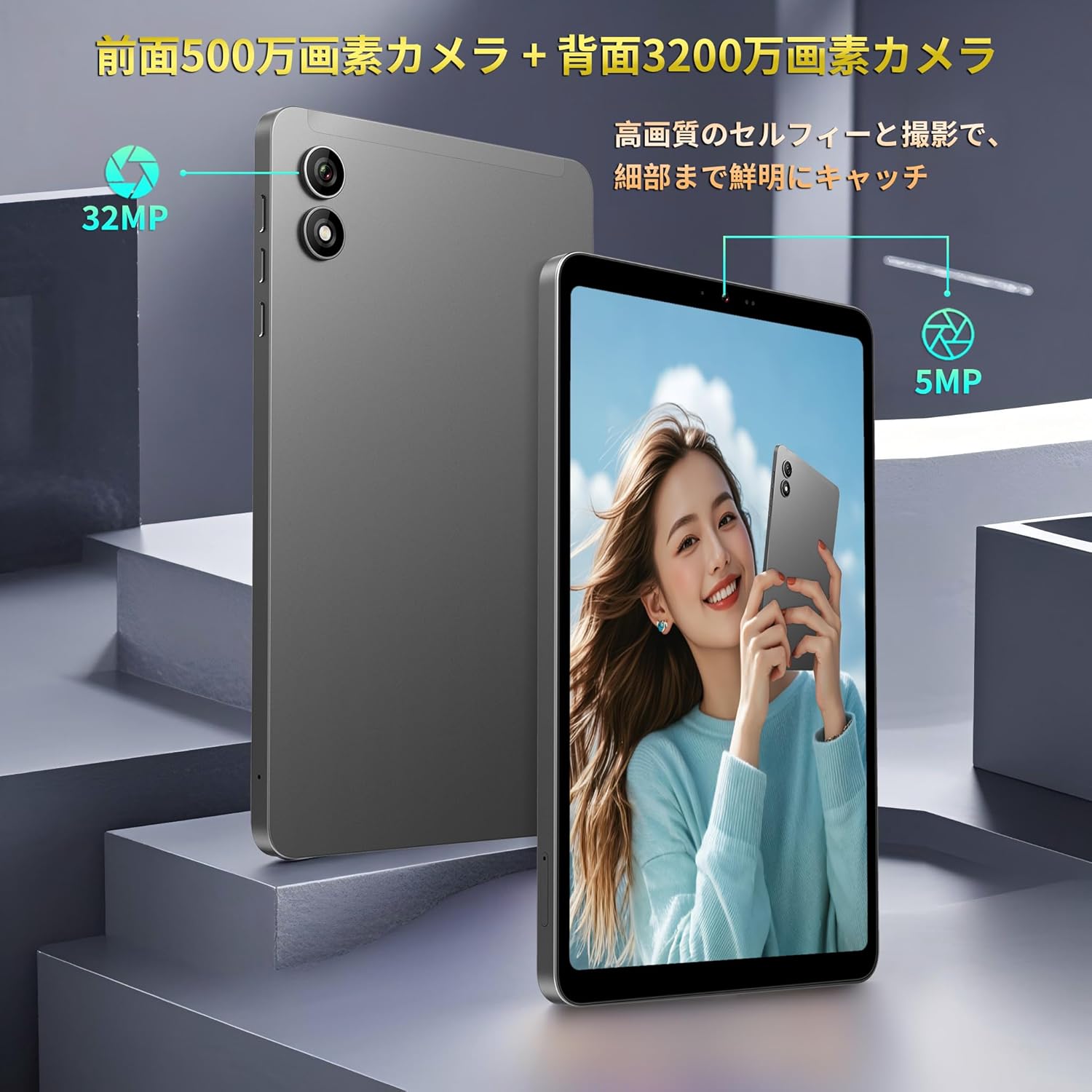
Figure 13: Front and Rear Cameras
4.4 Спажыванне медыя
The 8.4-inch FHD IPS display (1920x1200) with in-cell full lamination technology provides clear and vibrant visuals. Widevine L1 support allows for high-definition streaming from services like Netflix, Amazon Prime Video, and Disney+.

Figure 14: FHD IPS Display with Widevine L1
4.5 Sensors and Performance
The Bpad Mini is equipped with a Gyro sensor for automatic screen orientation adjustment and enhanced gaming, a Light sensor for automatic brightness control, and a Proximity sensor for power saving during calls.
Powered by a Snapdragon 685 Octa-core processor (up to 2.8GHz) and Adreno 610 GPU, the tablet ensures smooth performance for various tasks, including gaming and video playback.
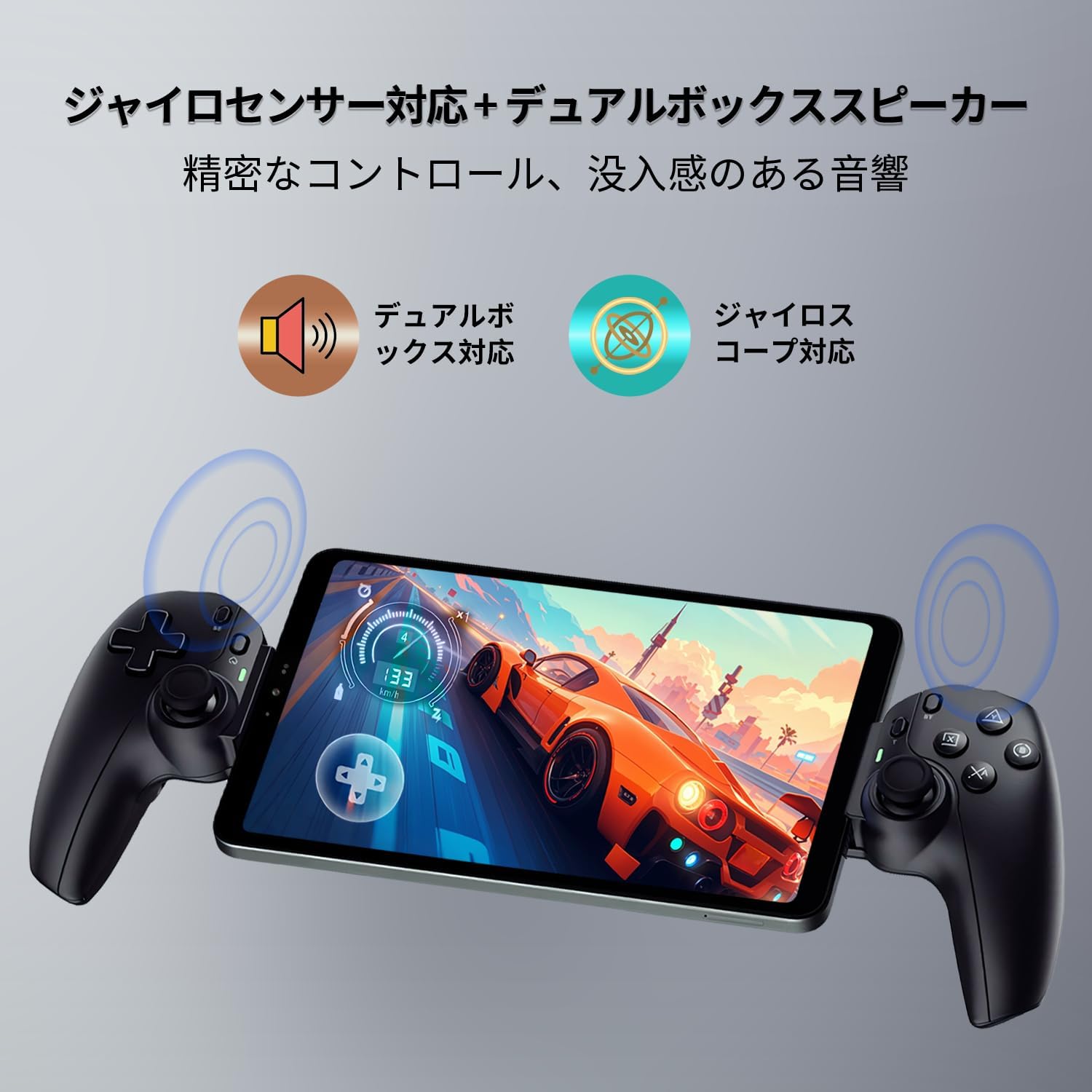
Figure 15: Gyro Sensor for Gaming

Figure 16: Snapdragon 685 Processor and Adreno 610 GPU
4.6 Распазнаванне твараў
Unlock your device quickly and securely using face recognition. Set up this feature in the security settings.

Figure 17: Face Recognition Security
5. Тэхнічнае абслугоўванне
5.1 Сыход за акумулятарам
- Пазбягайце экстрэмальных тэмператур, бо яны могуць пагоршыць тэрмін службы батарэі.
- Не дапускайце частай поўнай разрадкі акумулятара.
- Выкарыстоўвайце толькі прадастаўленыя або сертыфікаваныя зарадныя прылады і кабелі.
5.2 Ачыстка прылады
Выкарыстоўвайце мяккую тканіну без ворса для чысткі экрана і корпуса планшэта. Пазбягайце выкарыстання агрэсіўных хімічных рэчываў або абразіўных матэрыялаў.
5.3 Абнаўленне праграмнага забеспячэння
Рэгулярна правярайце наяўнасць абнаўленняў сістэмы і ўсталёўвайце іх, каб забяспечыць аптымальную прадукцыйнасць, бяспеку і доступ да новых функцый. Перайдзіце па спасылцы Налады > Сістэма > Абнаўленне сістэмы.
5.4 Кіраванне сховішчам
The tablet comes with 256GB of UFS storage and supports up to 1TB Micro SD card expansion. Regularly manage your fileі праграмы, каб вызваліць месца і падтрымліваць прадукцыйнасць.
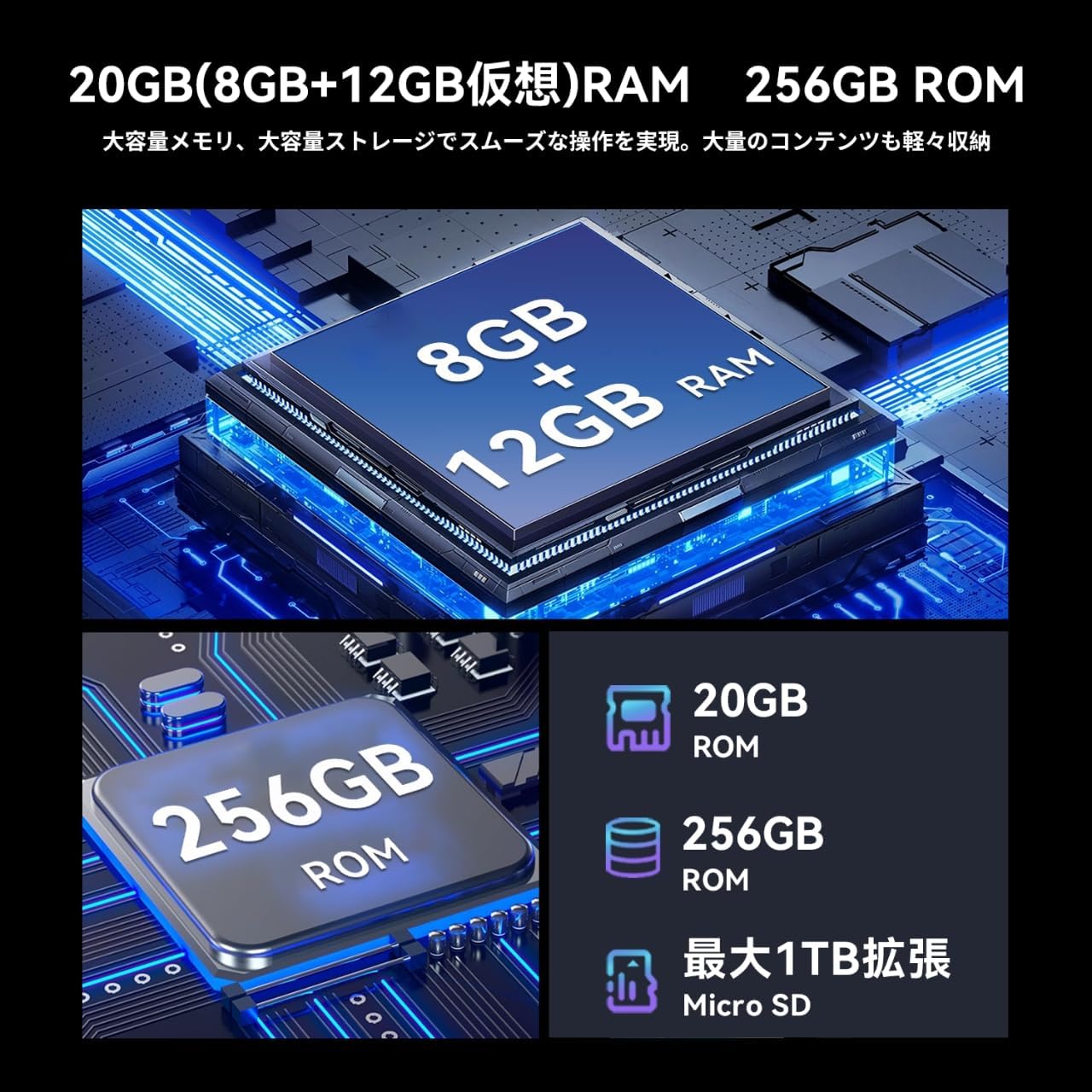
Малюнак 18: Памяць і сховішча
6. Выпраўленне непаладак
If you encounter issues with your Bpad Mini, refer to the following common solutions:
- Прылада не ўключаецца: Пераканайцеся, што акумулятар зараджаны. Падключыце планшэт да зараднай прылады як мінімум на 30 хвілін, перш чым спрабаваць зноў уключыць яго.
- Сэнсарны экран не рэагуе: A small number of devices from specific manufacturing batches may experience touch screen issues due to faulty FPC (flexible printed circuit) boards. If you experience this, please contact customer service for a free replacement. For general unresponsiveness, try restarting the device.
- Праблемы з падключэннем (Wi-Fi/4G):
- For Wi-Fi, ensure you are within range of a known network and the password is correct.
- For 4G, ensure the SIM card is correctly inserted and activated. Check APN settings as described in Section 3.3. Restart the device in an area with good signal strength.
- Збоі або завісанні праграм: Close background applications. Clear the cache of the problematic app (Settings > Apps > [App Name] > Storage > Clear cache). If the issue persists, uninstall and reinstall the app.
- Павольная прадукцыйнасць: Зачыніце невыкарыстоўваныя праграмы, ачысціце кэш і забяспечыце дастаткова месца для захоўвання. У крайнім выпадку разгледзьце магчымасць скіду да заводскіх налад (Заўвага: This will erase all data on the device. Back up important data first).
7. Тэхнічныя характарыстыкі
| Асаблівасць | Спецыфікацыя |
|---|---|
| Марка | БНКФ |
| Назва мадэлі | Bpad Mini |
| Аперацыйная сістэма | Android 14 |
| працэсар | Snapdragon 685 Octa-core (up to 2.8 GHz) |
| графічны працэсар | Адрено 610 |
| Памер дысплея | 8.4 цаляў |
| Дазвол дысплея | 1920x1200 FHD IPS |
| АЗП | 20 ГБ (8 ГБ + 12 ГБ віртуальнай памяці) |
| Унутраная памяць | 256 ГБ UFS |
| Сховішча з магчымасцю пашырэння | Да 1 ТБ праз карту Micro SD |
| Задняя камера | 32 МП |
| Пярэдняя камера | 5 МП |
| Ёмістасць батарэі | 6050 мАг |
| Зарадка | Хуткая зарадка PD магутнасцю 18 Вт (Type-C) |
| Сувязь | 4G LTE, 2.4G/5G Wi-Fi, Bluetooth 5.0, GPS |
| Памеры | 200.8 х 124.2 х 7.6 мм |
| Вага | 310 г |
| Датчыкі | Gyro Sensor, Light Sensor, Proximity Sensor |
| Іншыя асаблівасці | Widevine L1, Face Recognition, Dual Box Speakers |
8. Гарантыя і падтрымка
8.1 Гарантыя на выраб
The BNCF Bpad Mini comes with a 12-месячная гарантыя на прадукцыю з даты пакупкі. Гэтая гарантыя распаўсюджваецца на вытворчыя дэфекты і праблемы, якія ўзніклі ў выніку нармальнага выкарыстання.
8.2 Падтрымка кліентаў
For any questions, technical assistance, or warranty claims, please contact BNCF customer service through Amazon:
- Увайдзіце ў свой уліковы запіс Amazon.
- Go to 'Order History'.
- Locate the relevant order for your Bpad Mini.
- Click on 'Contact Seller'.
Our customer service team typically responds within 6 hours.