
1. Уводзіны
This manual provides essential information for setting up, operating, and maintaining your GenMachine Mini PC AMD Ryzen 7 3750H. This high-performance mini computer is designed for both home and office use, offering powerful processing, ample memory, and versatile connectivity in a compact and quiet design.
Апісанне відэа: Чыноўнік надview of the GenMachine Mini PC AMD Ryzen, highlighting its compact size and suitability for home and office environments.
2. Упаковачны ліст
Пераканайцеся, што ўсе пералічаныя ніжэй элементы прысутнічаюць у камплекце з вашым прадуктам:
- GenMachine Mini PC
- Кіраўніцтва карыстальніка
- Адаптар сілкавання
- HD Line (HDMI Cable)

Апісанне малюнка: The image displays the GenMachine Mini PC, user manual, power adapter, and HDMI cable neatly arranged beside the product's white packaging box, illustrating the contents of the package.
3. Прадукт скончыўсяview
3.1. Physical Design and Dimensions
The GenMachine Mini PC features a sleek, compact build designed to fit seamlessly into any workspace. Its small footprint allows for flexible placement options.
- Памеры: 5 х 5 х 1.45 цалі (12.9 х 12.9 х 3.7 см)
- Вага прадмета: 1.7 фунта
- колер: Чорны
Апісанне малюнка: A human hand holds the GenMachine Mini PC, emphasizing its compact dimensions of 12.9x12.9x3.7 cm, making it suitable for small spaces.
3.2. Парты і інтэрфейсы
The Mini PC is equipped with a variety of ports for comprehensive connectivity:
- Пярэднія порты: Power Button, Audio Jack (3.5mm), 2x USB 3.0 Ports
- Заднія парты: Power Adapter Input, 2x USB 2.0 Ports, 2x HDMI Ports, DisplayPort (DP), LAN (Ethernet) Port

Апісанне малюнка: A detailed diagram illustrating the various ports on the front and rear of the GenMachine Mini PC, including USB, HDMI, DisplayPort, LAN, and the power adapter input.
4. Настройка
4.1. Падключэнне адаптара харчавання
- Connect the power adapter cable to the DC-in port on the rear of the Mini PC.
- Падключыце адаптар сілкавання да насценнай разеткі.
4.2. Connecting Display(s)
- Connect your monitor(s) to the HDMI or DisplayPort (DP) outputs on the rear of the Mini PC using appropriate cables.
- The Mini PC supports dual display output for enhanced productivity.
4.3. Падключэнне перыферыйных прылад
- Connect your USB keyboard and mouse to the available USB ports (USB 3.0 on the front, USB 2.0 on the rear).
- For wired network access, connect an Ethernet cable to the LAN port.
- For audio output, connect headphones or speakers to the 3.5mm audio jack on the front.
4.4. Уключэнне
- Націсніце кнопку харчавання, размешчаную на пярэдняй панэлі міні-ПК.
- The system will boot up, and you will be guided through the initial setup of the pre-installed Operating System (OS).
5. Operating the GenMachine Mini PC
5.1. Прадукцыйнасць
The GenMachine Mini PC is powered by an AMD Ryzen 7 3750H processor, offering robust performance for multitasking, creative tasks, and gaming. Coupled with 8GB of high-speed DDR4 RAM і а 256GB 2280 SSD, it ensures rapid boot times and efficient application handling.
5.2. Магчымасці адлюстравання
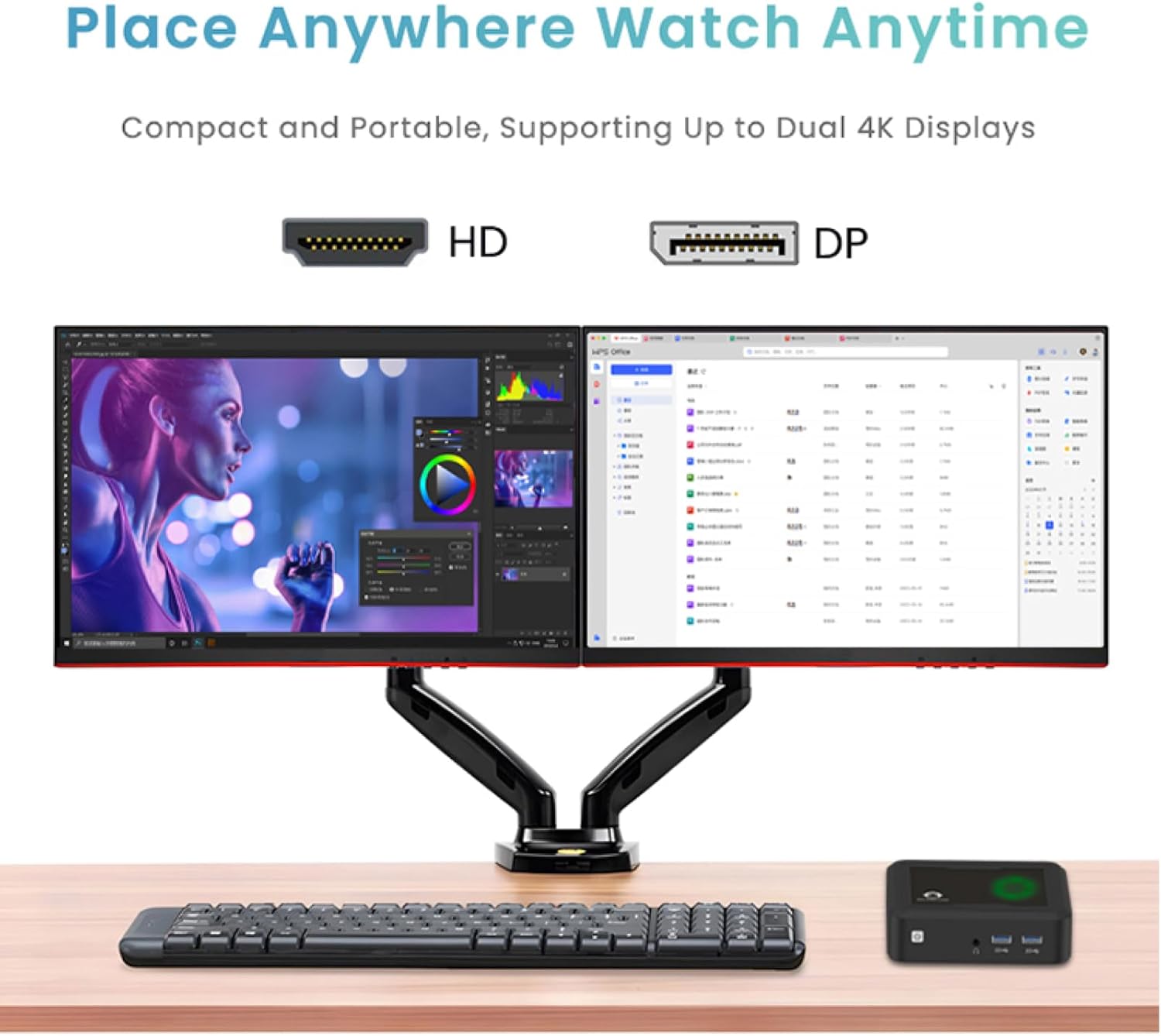
Enjoy stunning visuals with 4K HDMI support. The Mini PC supports dual display output via HDMI and DisplayPort, allowing for extended workspaces and improved productivity.

Апісанне малюнка: The GenMachine Mini PC is shown connected to two monitors, demonstrating its dual 4K display support for an expanded and efficient workspace.
5.3. Сувязь
Stay connected with advanced wireless technologies:
- Wi-Fi 6: For faster and more stable wireless internet performance.
- Bluetooth 5.2: For seamless pairing with wireless peripherals like keyboards, mice, speakers, and headphones.

Апісанне малюнка: A desktop setup featuring the GenMachine Mini PC, a monitor, keyboard, and mouse, with graphics emphasizing its Wi-Fi 6 and Bluetooth 5.2 connectivity for wireless freedom.
5.4. Quiet and Energy-Efficient Operation
The Mini PC features an ultra-quiet cooling system, ensuring silent operation even under load. Its energy-efficient design helps reduce power consumption without compromising performance.

Апісанне малюнка: The GenMachine Mini PC is depicted alongside a bar graph illustrating its low noise output of 35dB, positioning it as a quiet device compared to typical city, office, and library noise levels.
6. Тэхнічнае абслугоўванне і мадэрнізацыя
The GenMachine Mini PC is designed for easy maintenance and upgrades, allowing you to enhance its capabilities over time.
6.1. Upgrading RAM
The Mini PC comes with 8GB of DDR4 RAM. You can upgrade the RAM by replacing the existing modules with higher capacity DDR4 SODIMM modules, up to the maximum supported by the motherboard.
6.2. Upgrading Storage
The device includes a 256GB 2280 SSD. You can upgrade to a larger capacity NVMe SSD to expand your storage. When upgrading, ensure proper heat management for the NVMe drive, as inadequate cooling can affect its lifespan.

Апісанне малюнка: Унутраны view of the GenMachine Mini PC, revealing the RAM modules and the NVMe SSD slot, indicating areas for potential upgrades.
7. Выпраўленне непаладак
If you encounter issues with your Mini PC, consider the following common troubleshooting steps:
- Няма харчавання: Ensure the power adapter is securely connected to both the Mini PC and a working wall outlet.
- Няма дысплея: Verify that your HDMI or DisplayPort cables are correctly connected to both the Mini PC and the monitor. Try using a different cable or monitor to rule out faulty equipment.
- Перагрэў: Ensure the Mini PC's ventilation vents are clear and not obstructed. If you've upgraded the NVMe SSD, confirm it has adequate cooling to prevent thermal throttling and potential drive failure.
- Праблемы з перыферыйнымі прыладамі: Check that USB devices are properly connected. For wireless devices, ensure Bluetooth is enabled and devices are paired correctly.
- BIOS/CMOS Reset: If experiencing boot issues, locate the BIOS/CMOS reset pinhole (refer to product overview image for location) and use a thin object to press the reset button.
8. Тэхнічныя характарыстыкі
| Асаблівасць | Спецыфікацыя |
|---|---|
| Працэсар | AMD Ryzen 7 3750H (2.3 GHz) |
| АЗП | 8 ГБ DDR4 |
| Жорсткі дыск | 256GB 2280 SSD |
| Графічны супрацэсар | Integrated Graphics (AMD Radeon Vega 10) |
| Максімальны дазвол экрана | 3840x2160 пікселяў (4K) |
| Аперацыйная сістэма | OS (Pre-installed) |
| Wi-Fi | Wi-Fi 6 |
| Bluetooth | Bluetooth 5.2 |
| Парты USB 3.0 | 2 |
| Парты USB 2.0 | 2 |
| Парты HDMI | 2 |
| Порт дысплея (DP) | 1 |
| Ethernet (LAN) | 1 |
| Аўдыёраз'ём | 3.5mm (Headphone/Microphone) |
| Памеры (ДхШхВ) | 5 х 5 х 1.45 цалі |
| Вага прадмета | 1.7 фунта |
9. Гарантыя і падтрымка
For warranty information, technical support, or service inquiries, please refer to the documentation included in your package or contact GenMachine customer service directly. Keep your proof of purchase for warranty claims.