
Уводзіны
Thank you for choosing the LIORQUE SM-01 White Noise Machine with Alarm Clock. This device is designed to enhance your sleep, relaxation, and wake-up experience with a variety of soothing sounds, an adjustable night light, and a customizable alarm clock. Please read this manual carefully to ensure proper use and to fully enjoy all its features.
Інфармацыя па бяспецы
- Увага: Use only with the provided power cable.
- Не выкарыстоўвайце ў вільготным асяроддзі.
- Не падвяргайце празмернаму цяплу.
- Гэта прылада не з'яўляецца цацкай.
- Risk of sunburn or electric shock if mishandled.
- Avoid prolonged exposure to high sound levels.
- Захоўваць у месцах, недаступных дзецям.
Змест пакета

The image displays the LIORQUE SM-01 White Noise Machine, a charging cable, a power adapter, and the user manual, all neatly arranged with the product packaging.
Пасля распакавання пераканайцеся, што ўсе наступныя рэчы наяўныя:
- LIORQUE SM-01 White Noise Machine with Alarm Clock (x1)
- Кабель для зарадкі (x1)
- Адаптар харчавання (x1)
- Кіраўніцтва карыстальніка (x1)
Прадукт скончаныview і элементы кіравання

This image illustrates the top panel of the device, highlighting the various buttons and their corresponding functions for easy identification and operation.
Familiarize yourself with the control buttons located on the top of the device:
- Пераключальнік сігналізацыі: Уключае або выключае сігналізацыю.
- Time Set / Dimmer: Long press to set the time; short press to adjust display brightness.
- Аб'ём -: Памяншае гучнасць.
- Snooze / Light Button: Activates snooze during an alarm; short press to turn on/off or adjust the night light.
- Аб'ём +: Павялічвае гучнасць.
- Гукавая кнопка: Selects soothing sounds.
- Кнопка таймера: Sets the sleep timer duration.
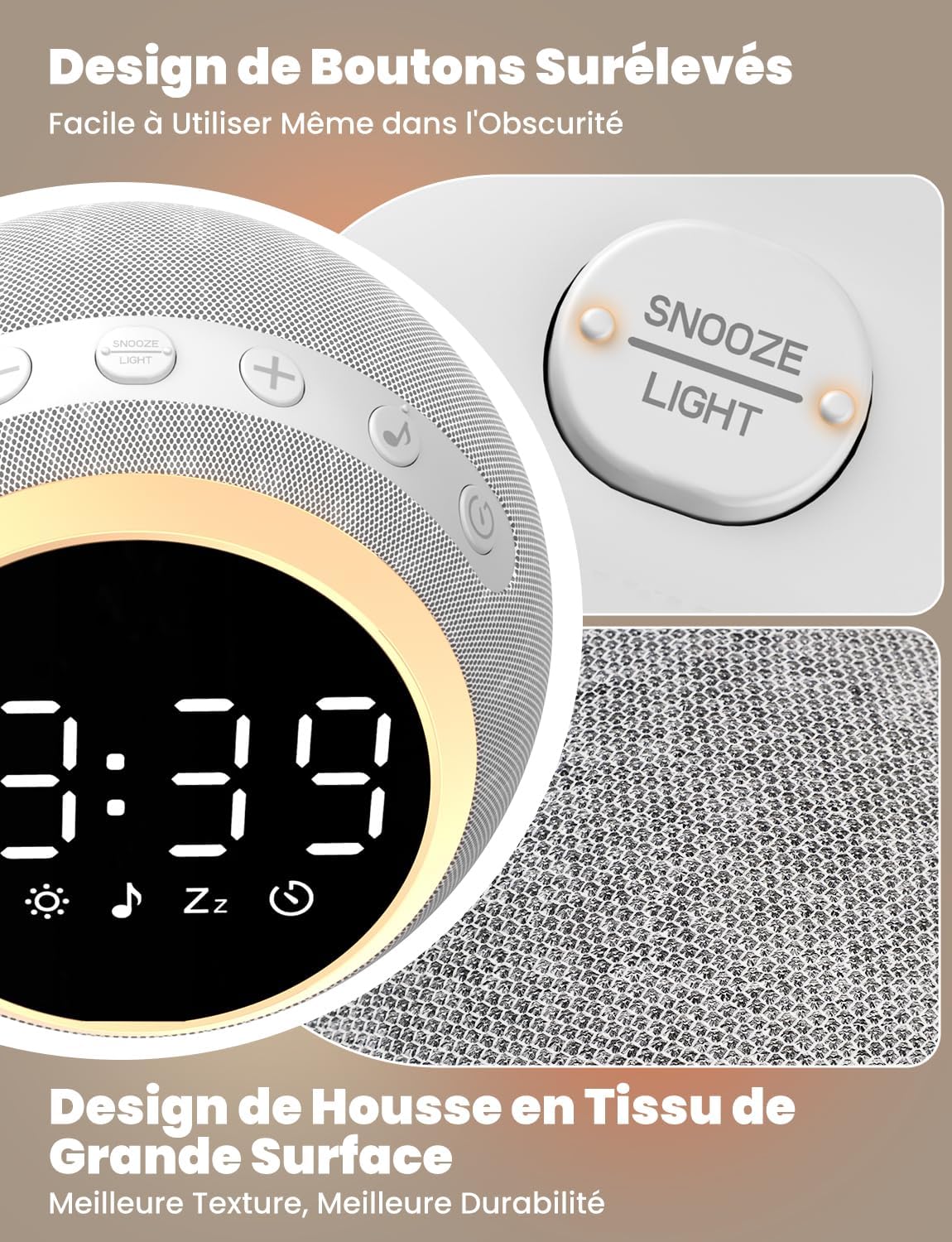
The device features raised buttons for intuitive operation, even in low light conditions, and a durable fabric-wrapped casing.
Настройка
- Падключэнне сілкавання: Connect the provided power cable to the device and plug the adapter into a standard electrical outlet. The device will power on automatically.
- Пачатковая ўстаноўка часу: Доўгі націск Усталяваны час button. Use the Volume +/- buttons to adjust the hour and minute. Press the Time Set button again to confirm each setting.
Інструкцыя па эксплуатацыі
1. White Noise and Soothing Sounds

The device offers 25 natural sounds, including various nature sounds and lullabies, to promote relaxation and sleep.
- Выбар гукаў: Націсніце Кнопка гуку to cycle through the 25 available natural sounds (e.g., thunderstorms, rain, lullabies).
- Рэгуляванне гучнасці: Выкарыстоўвайце Аб'ём + і гучнасць - buttons to set your desired sound level. The device offers 16 levels of volume adjustment.
2. Функцыя будзільніка
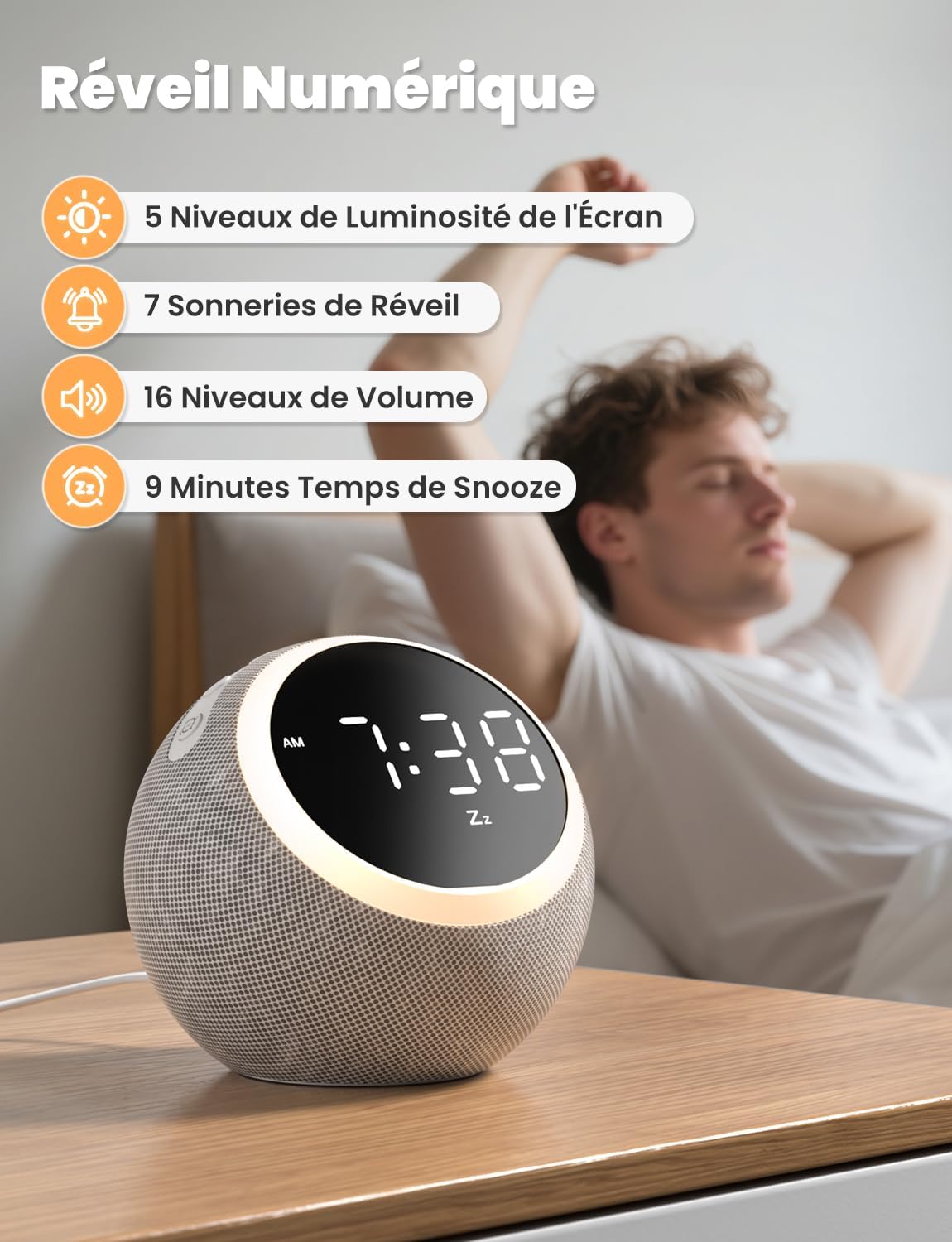
The digital alarm clock features 5 display brightness levels, 7 alarm tones, 16 volume levels, and a 9-minute snooze function.
- Ўстаноўка будзільніка: Доўгі націск Выключальнік сігналізацыі button. Use the Volume +/- buttons to set the alarm time. Press the Alarm Switch again to confirm.
- Choosing Alarm Tone: While setting the alarm, you can select from 7 pleasant alarm tones.
- Функцыя затрымкі: Калі прагучыць сігнал трывогі, націсніце Snooze / Light Button to get an additional 9 minutes of sleep.
- Адключэнне сігналізацыі: Націсніце Выключальнік сігналізацыі button to turn off the alarm for the day.
3. Начнік

The night light offers 10 adjustable levels of brightness and color temperature from 1500K to 6500K, allowing for personalized ambiance.
- Activating/Adjusting Light: Кароткае націсканне Snooze / Light Button to turn on the night light. Continue pressing to cycle through 10 levels of brightness and color temperature (1500K to 6500K).
- Turning Off Light: Націсніце Snooze / Light Button пакуль святло не выключыцца.
4. Яркасць дысплея

The display brightness can be adjusted across 5 levels, including a completely dark mode, suitable for light-sensitive sleepers.
- Налада дысплея: Кароткае націсканне Time Set / Dimmer button to cycle through 5 levels of display brightness, including a complete blackout mode.
5. Таймер сну

The sleep timer allows you to set the device to automatically turn off sounds and lights after a duration between 5 and 480 minutes.
- Налада таймера: Націсніце Кнопка таймера to select a desired sleep timer duration (e.g., 5, 15, 30, 60, 90, 120, 180, 240, 300, 360, 420, 480 minutes). The sound and light will automatically turn off after the set time.
- Disabling Timer: Continue pressing the Timer Button until the timer indicator disappears from the display.
Тэхнічнае абслугоўванне
- Уборка: Disconnect the power before cleaning. Wipe the device with a soft, dry cloth. Do not use liquid cleaners or abrasive materials.
- захоўванне: Захоўвайце прыладу ў прахалодным, сухім месцы, калі яна не выкарыстоўваецца працяглы час.
Ліквідацыю непаладак
- Прылада не ўключаецца: Ensure the power cable is securely connected to both the device and the power outlet. Verify the outlet is functional.
- Няма гуку: Check the volume level using the Volume +/- buttons. Ensure a sound is selected.
- Будзільнік не гучыць: Verify the alarm is set and activated (check the alarm icon on the display). Ensure the alarm volume is not set to zero.
- Display too bright/dark: Adjust the display brightness using the Time Set / Dimmer button.
Тэхнічныя характарыстыкі
| Асаблівасць | Спецыфікацыя |
|---|---|
| Нумар мадэлі | СМ-01 |
| Марка | ЛІОРК |
| Памеры | 14.7 х 13.6 х 13.5 см |
| Вага | 480 грамаў |
| Крыніца харчавання | Электрычны кабель |
| Number of Soothing Sounds | 25 |
| Display Brightness Levels | 5 (including off) |
| Night Light Levels | 10 |
| Каляровая тэмпература начнога святла | 1500K - 6500K |
| Мелодыі будзільніка | 7 |
| Працягласць адкладання | 9 хвілін |
| Sleep Timer Duration | Ад 5 да 480 хвілін |
Гарантыя і падтрымка
LIORQUE products are designed and manufactured to the highest quality standards. For any questions, technical support, or warranty claims, please refer to the contact information provided on the product packaging or visit the official LIORQUE webсайт.
Калі ласка, захавайце пацвярджэнне пакупкі для гарантыйных мэт.