BNCF Bpad Mini
BNCF Bpad Mini User Manual
Model: Bpad Mini
Уводзіны
Thank you for choosing the BNCF Bpad Mini. This compact and powerful tablet is designed to enhance your digital experience, offering seamless performance for entertainment, productivity, and communication. This manual provides essential information on setting up, operating, and maintaining your device.
Што ў скрынцы
- Міні-планшэт BNCF Bpad
- Кіраўніцтва карыстальніка
- Падарункавая скрынка
- Зарадка (5 В/2 А)
- Штыфт для выкіду SIM-карты
- Кабель тыпу C (5 В/2 А)

Настройка
1. Пачатковая зарадка
Before first use, fully charge your BNCF Bpad Mini. Connect the provided Type-C cable to the tablet's USB-C port and the other end to the included 5V/2A charger. The 6050mAh battery supports 18W PD fast charging for quick power-ups.

2. Усталёўка SIM-карты і карты MicroSD
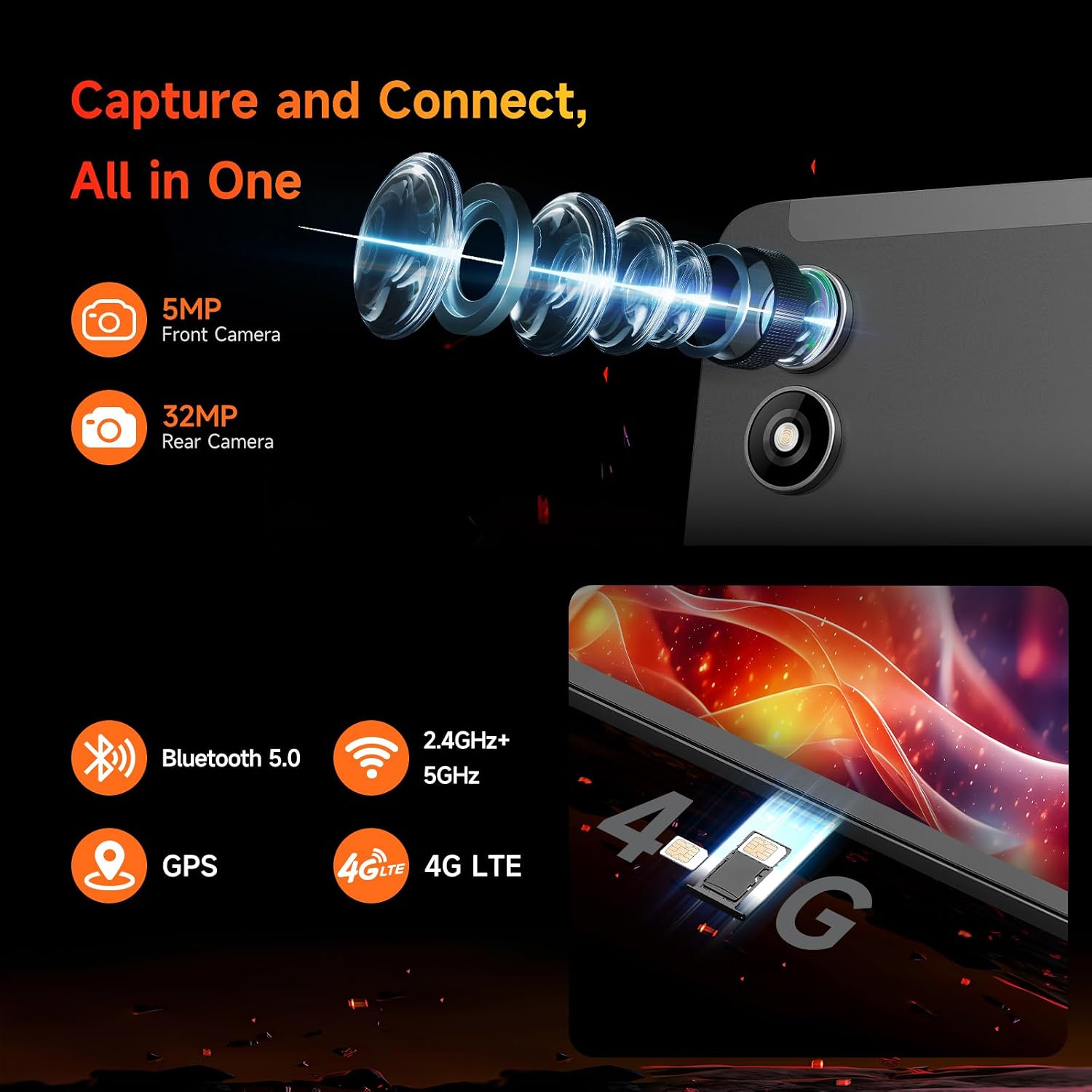
Locate the SIM/MicroSD card tray on the side of the tablet. Use the provided SIM ejector pin to open the tray. Insert your 4G LTE SIM card and/or a MicroSD card (up to 1TB expandable storage) into the designated slots. Ensure the tray is fully reinserted.
3. Уключэнне / выключэнне харчавання
Press and hold the power button (located on the side) until the BNCF logo appears to power on the tablet. To power off, press and hold the power button, then select "Power off" from the options.
4. Пачатковая налада
Upon first startup, follow the on-screen prompts to configure your Android 14 system. This includes selecting your language, connecting to Wi-Fi, signing in with your Google account, and setting up security features like facial recognition.
Кіраванне вашым планшэтам
Дысплей і візуальныя матэрыялы
The Bpad Mini features an 8.4-inch FHD IPS display with a 1920x1200 resolution and 60Hz refresh rate. It supports Widevine L1 for high-definition streaming on platforms like Netflix and Prime Video. The Incell screen technology provides improved touch accuracy and response.

Прадукцыйнасць
Powered by the 6nm Snapdragon 685 (2.8GHz) processor and Adreno 610 GPU, the tablet offers smooth performance for various tasks. With 16GB (8GB physical + 8GB virtual) RAM and 256GB UFS storage (expandable to 1TB via MicroSD), you have ample space and speed for apps, games, and media.

Асаблівасці камеры
The Bpad Mini is equipped with a 5MP front camera and a 32MP rear camera, capable of capturing high-quality photos and 4K videos. It's ideal for video calls, selfies, and content creation.
Сувязь
Stay connected with dual-band Wi-Fi (2.4G/5G), 4G LTE for mobile data, and Bluetooth 5.0 for seamless accessory pairing. Integrated GPS provides reliable navigation.
Аўдыё Вопыт
Enjoy immersive audio with the tablet's dual speakers, delivering a cinematic sound experience for movies, music, and games.
Гульні і забавы
The 6-Axis gyroscope sensor enhances gaming stability and precision. The tablet is compatible with Bluetooth game controllers and supports native Android games, game streaming, and emulators.
Тэхнічнае абслугоўванне
Сыход за батарэяй
- Пазбягайце экстрэмальных тэмператур, якія могуць пагоршыць тэрмін службы батарэі.
- Выкарыстоўвайце толькі зарадную прыладу, якая ўваходзіць у камплект, або сертыфікаваную сумяшчальную зарадную прыладу.
- Для працяглага захоўвання зарадзіце планшэт прыкладна да 50% і выключыце яго.
Уборка
- Для чысткі экрана і корпуса выкарыстоўвайце мяккую тканіну без ворса.
- Пазбягайце выкарыстання агрэсіўных хімікатаў або абразіўных матэрыялаў.
Абнаўлення праграмнага забеспячэння
Regularly check for system updates to ensure optimal performance, security, and access to the latest features. Navigate to Settings > System > System update.
Ліквідацыю непаладак
| праблема | Магчымая прычына / рашэнне |
|---|---|
| Планшэт не ўключаецца | Ensure the battery is charged. Press and hold the power button for at least 10 seconds to force a restart. |
| Slow performance / Lagging | Close unnecessary background apps. Clear cache. Restart the tablet. Ensure sufficient storage space. |
| Праблемы з падключэннем да Wi-Fi | Restart your Wi-Fi router. Forget and reconnect to the network on the tablet. Ensure the tablet is within Wi-Fi range. |
| Праграмы збочваюць або не загружаюцца | Clear the app's cache and data (Settings > Apps > [App Name] > Storage). Reinstall the app. Ensure the tablet's software is up to date. |
| Touch screen unresponsiveness | Перазагрузіце планшэт. Пераканайцеся, што экран чысты і сухі. |
Тэхнічныя характарыстыкі
| Асаблівасць | Дэталь |
|---|---|
| Назва мадэлі | Bpad Mini |
| Аперацыйная сістэма | Android 14 |
| Працэсар | Snapdragon 685 (2.8GHz) |
| Памер экрана | 8.4 цалі |
| Дазвол экрана | 1920 x 1200 пікселяў (FHD IPS) |
| АЗП | 16 ГБ (8 ГБ фізічнай + 8 ГБ віртуальнай) |
| Унутраная памяць | 256GB UFS (Expandable to 1TB) |
| Задняя камера | 32 МП |
| Пярэдняя камера | 5 МП |
| Ёмістасць батарэі | 6050mAh (18W PD Fast Charging) |
| Сувязь | 4G LTE, Dual-band Wi-Fi (802.11ax), Bluetooth 5.0, GPS |
| Памеры (ДхШхВ) | 7.9 х 4.9 х 0.3 цалі |
| Вага прадмета | 11.2 унцый (прыблізна 318 г) |
Гарантыя і падтрымка
BNCF is committed to providing high-quality products and excellent customer service. For tablets purchased from the BNCF Official Flagship Store, customers benefit from a 12-месячная гарантыя на бясплатны рамонт і пажыццёвая тэхнічная падтрымка.
If you encounter any issues or have questions, please contact BNCF Global customer service. You can expect a response within 24 hours. For more information, visit the Крама BNCF на Amazon.