
1. Уводзіны
Дзякуй за пакупкуasing the Promate Beamer-A250 4K UHD LCD Projector. This manual provides essential information for setting up, operating, and maintaining your device. Please read it thoroughly before use to ensure optimal performance and safety.
2. Асаблівасці прадукту
- Раздзяленне 4K UHD: Experience stunning visuals with 3840 x 2160 resolution, powered by advanced LCD technology for vibrant colors and sharp clarity.
- Яркасць 250 ANSI люменаў: Enjoy clear and vivid images even in well-lit environments, ideal for daytime presentations or movie nights.
- Integrated Telescopic Monopod Stand: The built-in adjustable stand allows for effortless setup and perfect alignment with any screen or wall.
- Automatic Keystone Correction & Manual Focus: Achieve a perfectly aligned and sharp image every time with automatic angle adjustment and precise manual focus.
- Аперацыйная сістэма Android 11: Access your favorite streaming platforms like Netflix, YouTube, and Prime Video directly from the projector without additional devices.
- Падключэнне HDMI: Connect laptops, gaming consoles, or Blu-ray players via the HDMI port, supporting up to 4K resolution at 30Hz for smooth visuals.
- USB & HDD Storage Support: Play content directly from external storage devices, supporting USB flash drives up to 64GB and hard drives up to 512GB.
- Built-in Speaker & Bluetooth Audio: Enjoy clear and immersive sound from the integrated speaker or connect Bluetooth speakers/headphones for a personalized audio experience.
- Mini and Portable Design: Compact and lightweight, featuring a lens cover that doubles as a comfortable carrying handle, making it ideal for on-the-go use.
3. Змесціва ўпакоўкі
Пераканайцеся, што ўсе прадметы прысутнічаюць у пасылцы:
- Promate Beamer-A250 Projector
- Пульт дыстанцыйнага кіравання
- Адаптар сілкавання
- Кіраўніцтва карыстальніка
Калі якія-небудзь элементы адсутнічаюць або пашкоджаныя, звярніцеся ў службу падтрымкі кліентаў.
4. Настройка
4.1. Уключэнне
- Падключыце адаптар сілкавання да ўваходнага порта сілкавання праектара.
- Падключыце адаптар сілкавання да насценнай разеткі.
- Націсніце кнопку харчавання на праектары або пульце дыстанцыйнага кіравання, каб уключыць прыладу.
4.2. Рэгуляванне падстаўкі
The Beamer-A250 features an integrated telescopic monopod stand. Gently pull the stand to extend it to your desired height for optimal projection angle. Ensure the projector is stable on a flat surface.
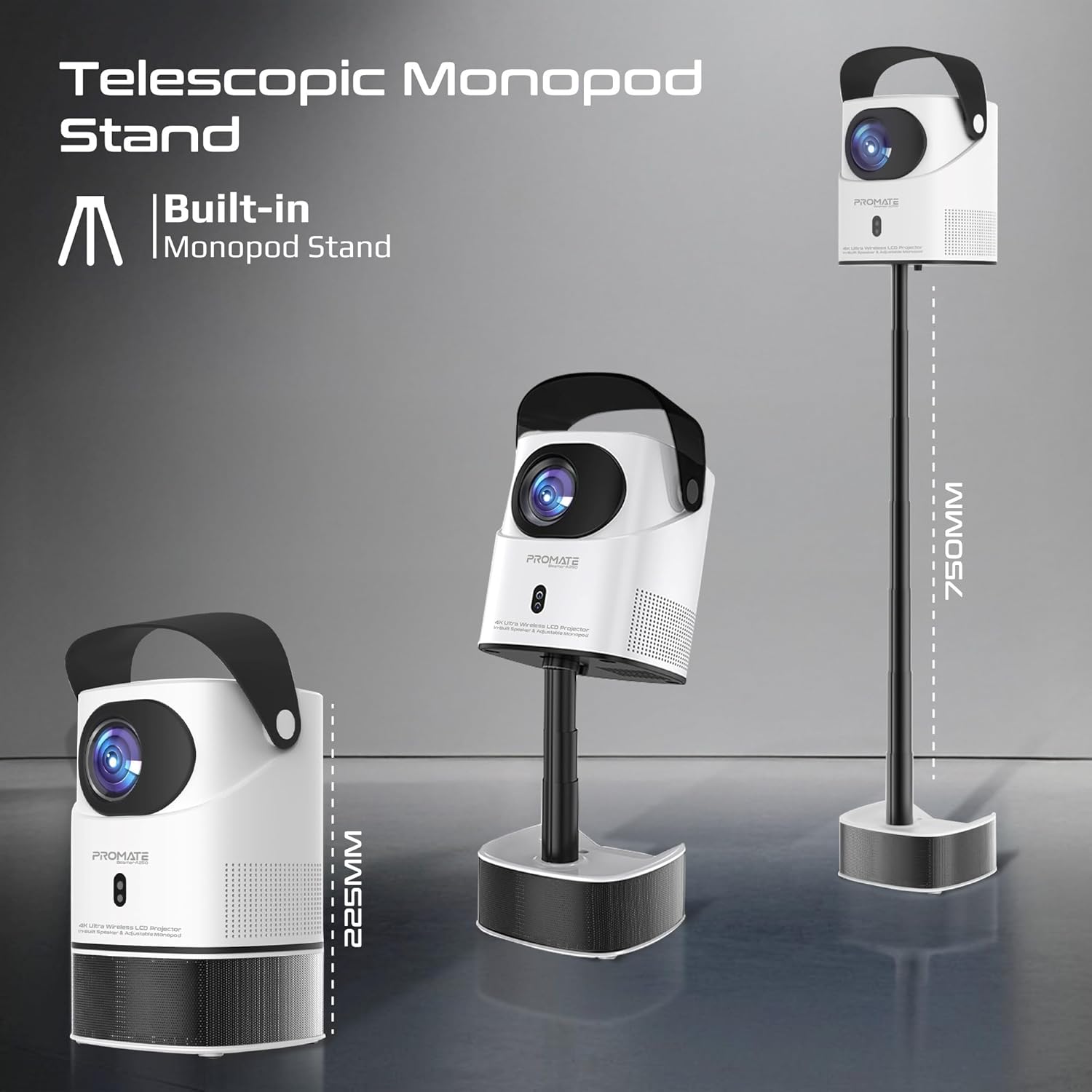
Image: The Promate Beamer-A250 projector demonstrating its adjustable telescopic monopod stand.
5. Інструкцыя па эксплуатацыі
5.1. Пачатковая налада (Android 11)
Пры першым уключэнні выканайце наступныя дзеянні, як паказана на экране:
- Выберыце сваю мову.
- Падключыцеся да сеткі Wi-Fi.
- Log in with your Google account (optional, for app access).
- Наладзьце параметры даты і часу.

Image: The projector's interface showing the Android 11 home screen with streaming applications.
5.2. Фокус і карэкцыя трапецападобнага скажэння
The projector features automatic keystone correction and manual focus for a clear, rectangular image.
- Аўтаматычная карэкцыя трапецічнага дыяметра: The projector will automatically adjust the image angle to correct for distortion when placed at an angle.
- Ручная факусоўка: Use the focus ring on the projector lens or the remote control to fine-tune the image sharpness until it is perfectly clear.

Image: Visual representation of auto keystone correction and manual focus adjustment.
5.3. Параметры падключэння
The Beamer-A250 offers multiple ways to connect your devices:
- HDMI: Connect external devices like laptops, gaming consoles, or Blu-ray players using an HDMI cable. The projector supports 4K@30Hz input.
- USB: Insert a USB flash drive (up to 64GB) or an external hard drive (up to 512GB) into the USB port to play media files непасрэдна.
- Bluetooth: Pair Bluetooth speakers or headphones for enhanced audio. Navigate to Settings > Bluetooth to connect.
- Wi-Fi: Падключыцеся да хатняй сеткі Wi-Fi, каб атрымаць доступ да онлайн-сэрвісаў струменевай перадачы і праграм.

Выява: Задняя частка view of the projector showing USB and HDMI ports.
5.4. Аўдыёвыхад
The projector has a built-in speaker. For external audio, use the Bluetooth connectivity feature to pair with your preferred audio devices.
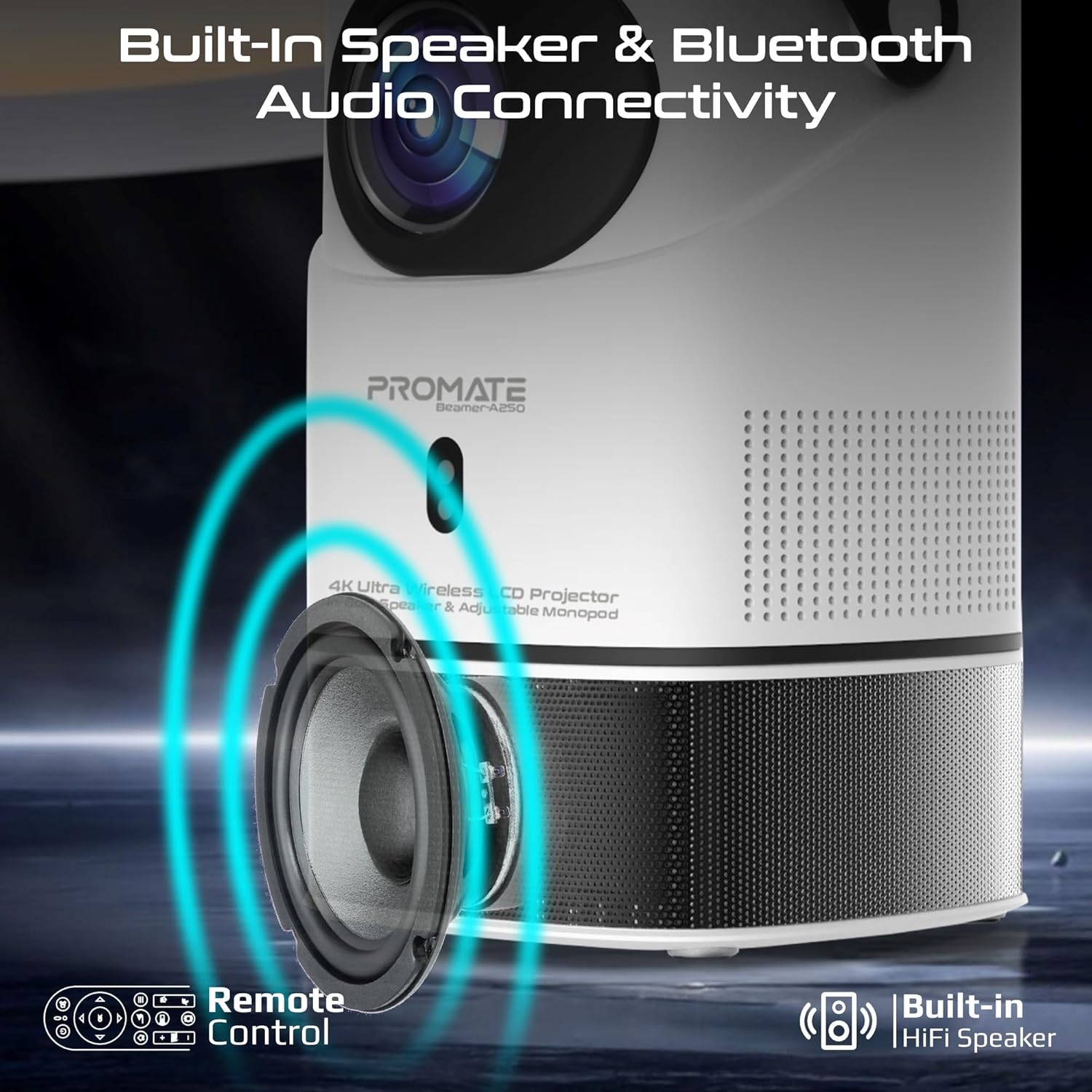
Image: Illustration of the projector's built-in speaker and Bluetooth audio capabilities.
6. Тэхнічнае абслугоўванне
6.1. Ачыстка аб'ектыва
Выкарыстоўвайце мяккую тканіну без ворса, спецыяльна распрацаваную для аптычных лінзаў, каб акуратна праціраць аб'ектыў праектара. Пазбягайце выкарыстання абразіўных ачышчальнікаў або тканін, якія могуць падрапаць аб'ектыў.
6.2. Генеральная ўборка
Працірайце знешнія паверхні праектара мяккай сухой тканінай. Не выкарыстоўвайце вадкія ачышчальнікі або растваральнікі.
6.3. Захоўванне
When not in use, store the projector in a cool, dry place away from direct sunlight and extreme temperatures. Use the integrated lens cover/handle for protection and easy transport.

Image: The projector's lens cover doubles as a handle for portability.
7. Выпраўленне непаладак
| праблема | Магчымая прычына | Рашэнне |
|---|---|---|
| Няма праецыравання выявы | Power not connected; Input source incorrect; Lens cap on | Check power connection; Select correct input source (HDMI, USB); Remove lens cap |
| Відарыс размыты | Focus not adjusted; Projector too close/far from screen | Adjust manual focus; Reposition projector within throw distance |
| Выява скажоная (трапецыяпадобная) | Трапецыя не выпраўлена | Ensure auto keystone correction is enabled or manually adjust in settings |
| Няма гуку | Volume too low; External audio device not connected/paired | Increase volume; Connect/pair Bluetooth audio device |
| Немагчыма падключыцца да Wi-Fi/Bluetooth | Incorrect password; Device out of range; Interference | Verify password; Move closer to router/device; Reduce interference |
8. Тэхнічныя характарыстыкі
| Асаблівасць | Дэталь |
|---|---|
| Марка | Прамаце |
| Назва мадэлі | Beamer-A250 |
| Тэхналогія адлюстравання | ВК |
| Роднае дазвол | 3840 x 2160 (4K UHD) |
| Яркасць | 250 прасветаў ANSI |
| Каэфіцыент кантраснасці | 2000:1 |
| Аперацыйная сістэма | Android 11 |
| Сувязь | Wi-Fi, Bluetooth 4.0, HDMI (4K@30Hz input), USB |
| USB Storage Support | Up to 64GB (Flash Drive), Up to 512GB (Hard Drive) |
| Памер выявы | 2 to 10 meters (throw distance), Up to 150 inches (image size) |
| Памеры | 18 Д x 18 Ш x 31 У см |
| Вага | 2.34 кг |
| Уключаныя кампаненты | User Manual, Power Adapter |
9. Гарантыя і падтрымка
The Promate Beamer-A250 projector comes with a two-year manufacturer's warranty. For warranty claims, technical support, or any inquiries, please contact Promate customer service through their official webсайт або прадаўца, дзе быў набыты тавар.
10. Відэа пра прадукты
10.1. Праектар надview
Відэа: Оверview of a 4K Android projector, showcasing features like auto-focus, keystone correction, and screen mirroring. This video provides a general demonstration of similar projector functionalities.