
1. Уводзіны
This manual provides essential information for the installation, operation, and maintenance of your ARENTI O3 4MP Wi-Fi IP65 Weatherproof Surveillance Camera. The ARENTI O3 camera is designed to offer a comprehensive security solution for both home and business environments. It features 2K 4MP resolution for clear and detailed imaging, innovative color night vision for visibility in low-light conditions, and two-way audio for real-time communication. The camera supports continuous 24/7 recording, zone intrusion detection, and offers flexible storage options including SD card and cloud services. Its IP65 weather resistance ensures reliable outdoor performance. Please read this manual thoroughly before using the product to ensure proper setup and functionality.
2. Змесціва ўпакоўкі
Праверце, ці ўсе пералічаныя ніжэй прадметы ўваходзяць у вашу ўпакоўку:
- ARENTI O3 Surveillance Camera
- Адаптар сілкавання
- Сілавы кабель
- Кароткае кіраўніцтва
- Mounting Material (screws, wall anchors)
- Сіліконавая вокладка
3. Прадукт скончыўсяview
Familiarize yourself with the components of your ARENTI O3 camera.
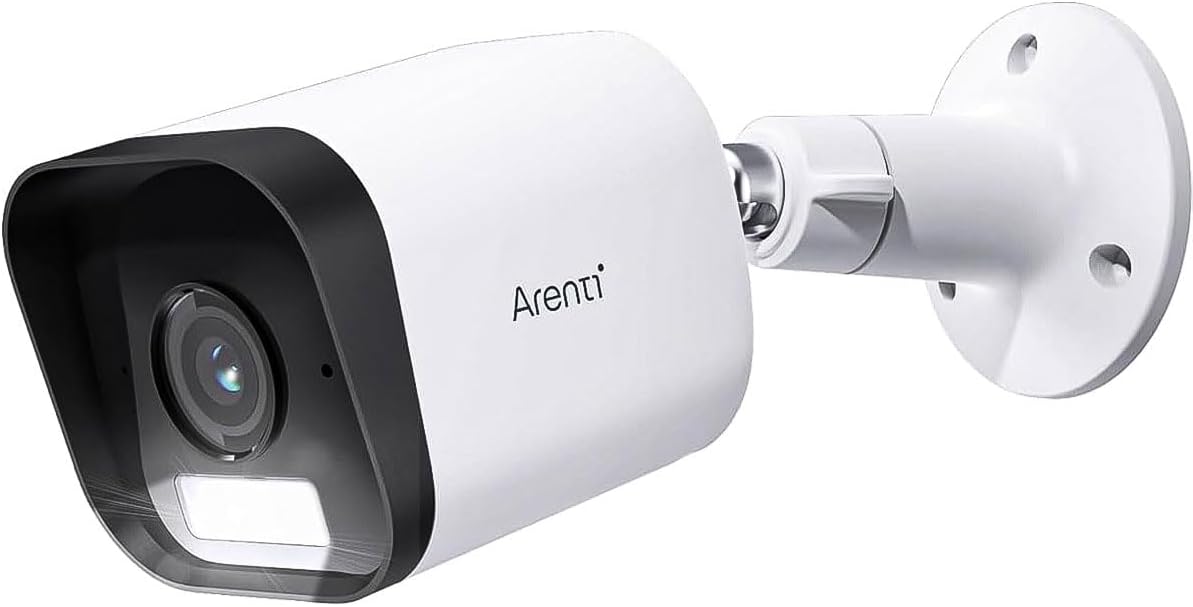
Figure 3.1: ARENTI O3 Surveillance Camera with Mounting Bracket

Малюнак 3.2: Спераду view of the ARENTI O3 camera, highlighting the lens, infrared LEDs, and light sensor.
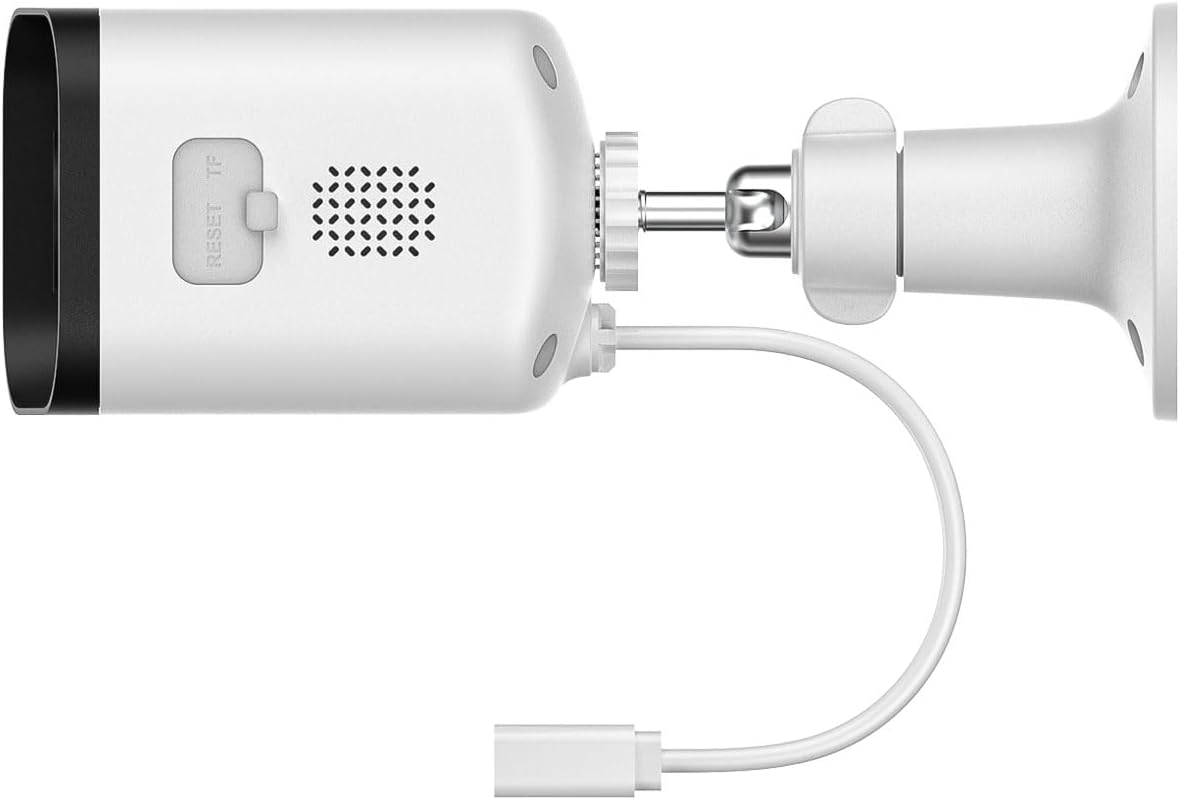
Малюнак 3.3: Задняя і бакавая часткі view of the ARENTI O3 camera, showing the reset button, TF (microSD) card slot, speaker, and power cable connection.
4. Настройка
Follow these steps to set up your ARENTI O3 camera:
- Спампаваць прыкладанне: Пошук the 'Arenti' app on your smartphone's app store (iOS or Android) and install it.
- Стварыць уліковы запіс: Open the Arenti app and follow the on-screen instructions to create a new user account or log in if you already have one.
- Уключыце камеру: Connect the power cable to the camera and plug the power adapter into an electrical outlet. The camera will power on, and an indicator light will show its status.
- Дадаць прыладу: In the Arenti app, tap the '+' icon to add a new device. Select the ARENTI O3 camera from the list of available devices.
- Падключыцеся да Wi-Fi: Follow the app's instructions to connect the camera to your 2.4 GHz Wi-Fi network. Ensure your Wi-Fi password is correct.
- Устанавіце камеру: Choose a suitable outdoor location for mounting. Use the provided mounting material to securely attach the camera to a wall or desired surface. Ensure the camera has a clear field of view and is within range of your Wi-Fi signal.
- Наладзіць кут: Адрэгулюйце параметры камеры viewing angle using the adjustable bracket to cover the desired surveillance area.

Figure 4.1: ARENTI O3 camera mounted on an outdoor wall, providing surveillance of a backyard area.
5. Інструкцыя па эксплуатацыі
Once your ARENTI O3 camera is set up, you can utilize its various features through the Arenti app.
- жыць View: Access the live video feed from your camera anytime, anywhere via the Arenti app.
- Бесперапынны запіс 24/7: The camera supports continuous recording. Footage can be stored on a microSD card (up to 256GB, not included) or via optional cloud storage services.
- Каляровы начны бачанне: The camera automatically switches to color night vision in low-light conditions, providing clear, detailed color images even in darkness.
- Двухбаковы аўдыё: Use the built-in microphone and speaker to communicate with individuals near the camera in real-time.
- Выяўленне руху і абвесткі: The camera detects people, pets, vehicles, and luggage. Configure motion detection zones and sensitivity settings in the app to receive relevant alerts.
- Гукавыя і візуальныя сігналы трывогі: When motion is detected, the camera can trigger integrated audible and visual alarms to deter intruders. These can be configured in the app.
- Прайграванне: Review запісана footage stored on your microSD card or cloud service through the app's playback feature.
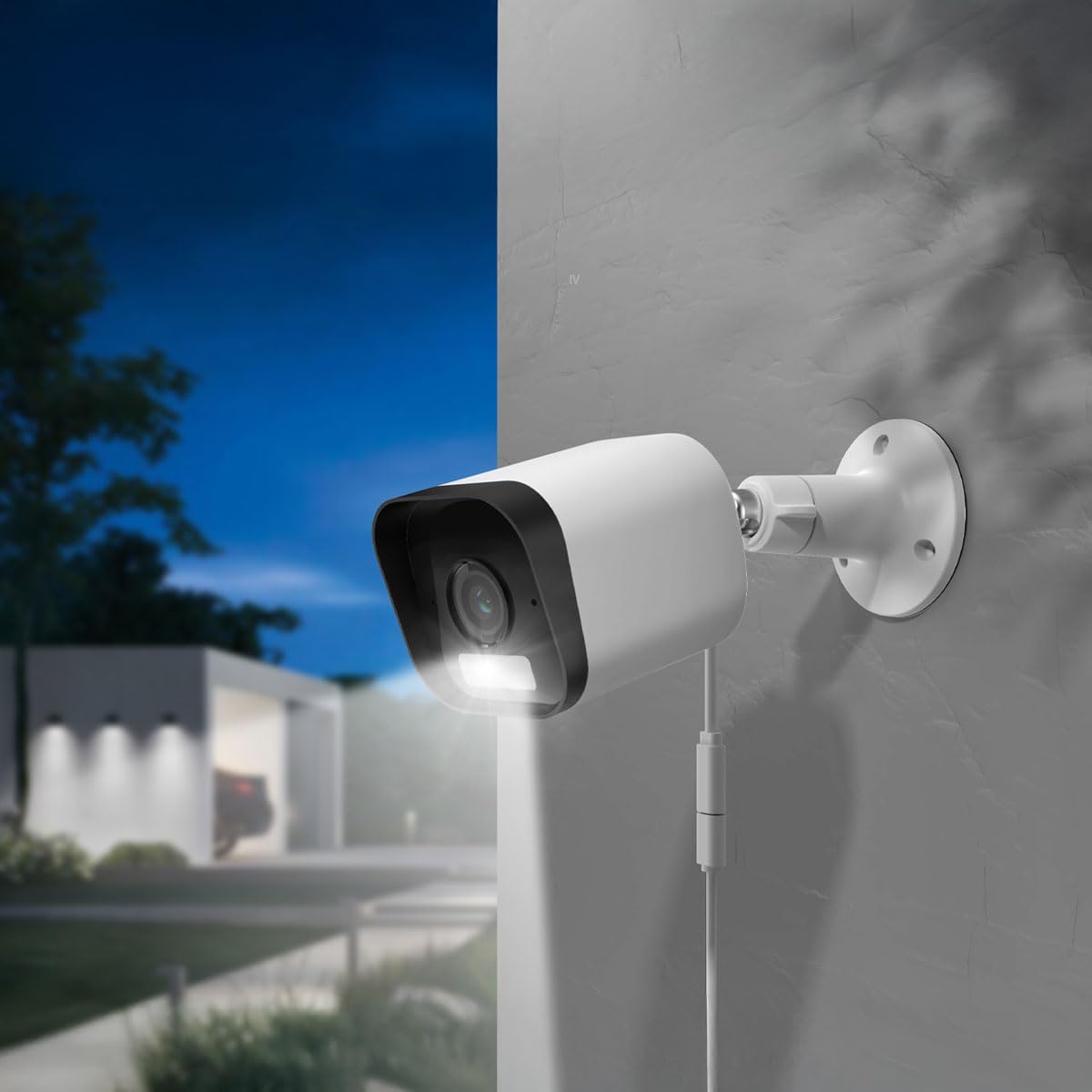
Figure 5.1: The ARENTI O3 camera installed outdoors, demonstrating its color night vision capability in a low-light environment.
6. Тэхнічнае абслугоўванне
Рэгулярнае тэхнічнае абслугоўванне забяспечвае аптымальную прадукцыйнасць і даўгавечнасць вашай камеры.
- Уборка: Перыядычна чысціце аб'ектыў і корпус камеры мяккай губкайamp тканінай. Пазбягайце абразіўных ачышчальнікаў або растваральнікаў.
- Абнаўленні прашыўкі: Check the Arenti app regularly for firmware updates. Keeping your camera's firmware updated ensures access to the latest features and security enhancements.
- крыніца харчавання: Ensure the power cable and adapter are free from damage and properly connected.
- Падключэнне Wi-Fi: Monitor your Wi-Fi signal strength in the app to ensure a stable connection.

Figure 6.1: The ARENTI O3 camera installed outdoors during rainfall, showcasing its IP65 weatherproof design.
7. Выпраўленне непаладак
If you encounter issues with your ARENTI O3 camera, refer to the following common problems and solutions:
- Камера не ўключаецца:
- Пераканайцеся, што адаптар сілкавання надзейна падключаны да спраўнай электрычнай разеткі.
- Праверце кабель сілкавання на наяўнасць пашкоджанняў.
- Немагчыма падключыцца да Wi-Fi:
- Confirm your Wi-Fi network is 2.4 GHz. The camera does not support 5 GHz Wi-Fi.
- Праверце правільны пароль Wi-Fi.
- Пераканайцеся, што камера знаходзіцца ў зоне дзеяння вашага Wi-Fi маршрутызатара.
- Паспрабуйце перазагрузіць маршрутызатар і камеру.
- Дрэнная якасць выявы:
- Ачысціце аб'ектыў камеры.
- Праверце хуткасць падключэння да Інтэрнэту. Павольнае падключэнне можа паўплываць на якасць трансляцыі.
- Пераканайцеся, што няма перашкод, якія блакавалі камеру view.
- Няма папярэджанняў аб выяўленні руху:
- Verify motion detection is enabled in the Arenti app.
- Adjust motion detection sensitivity and detection zones.
- Праверце налады апавяшчэнняў праграм на вашым смартфоне.
- Двухбаковы гук не працуе:
- Ensure microphone and speaker permissions are granted to the Arenti app on your smartphone.
- Праверце налады гучнасці як на тэлефоне, так і ў дадатку.
If these steps do not resolve the issue, please contact ARENTI customer support.
8. Тэхнічныя характарыстыкі
| Асаблівасць | Спецыфікацыя |
|---|---|
| Назва мадэлі | Arenti O3 |
| Нумар мадэлі | MS240702010 |
| Дазвол запісу відэа | 4 Megapixel (2K) |
| Колер | Белы |
| Тэхналогія бесправадной сувязі | Wi-Fi (2.4 GHz, Wi-Fi 6 support) |
| Формаў-фактар | Куля |
| Viewing кут | 85 градусаў |
| Дыяпазон начнога бачання | 10 метраў |
| тtage | 5 вольт |
| Энергаспажыванне | 2.5 ват |
| Памеры прадмета (Д х Ш х У) | 15.6 х 5.8 х 5.8 см |
| Вага | 124 грам |
| Узровень воданепранікальнасці | IP65 (атмасфератрывалы) |
| Выкарыстанне ў памяшканні/на вуліцы | На адкрытым паветры |
| Крыніца харчавання | Электрычны кабель |
| Тып мацавання | Насценнае мацаванне |
| Параметры захоўвання | Карта MicroSD (да 256 ГБ), воблачнае сховішча |
| Асаблівасці | Audible and Visual Alarms, Color Night Vision, Two-Way Audio, Zone Detection |
9. Гарантыя і падтрымка
For warranty information and technical support, please refer to the official ARENTI webсайт або звярніцеся непасрэдна ў службу падтрымкі кліентаў. Захоўвайце чэк аб куплі як пацвярджэнне пакупкі для любых гарантыйных прэтэнзій.