
1. Уводзіны
Thank you for choosing the SEUNKWANG EWEADN TK100 Wired Mechanical Keyboard. This keyboard combines a retro typewriter aesthetic with modern mechanical performance, designed for both office and gaming use. It features 104 keys, white backlighting, anti-ghosting technology, and durable blue mechanical switches for a tactile and clicky typing experience.

Image: The SEUNKWANG EWEADN TK100 keyboard showcasing its punk typewriter mechanical design and backlighting.
2. Інфармацыя па бяспецы
- Трымайце клавіятуру далей ад вадкасцей і празмернай вільгаці, каб пазбегнуць пашкоджанняў.
- Пазбягайце ўздзеяння экстрэмальных тэмператур або прамых сонечных прамянёў на клавіятуру.
- Не спрабуйце разбіраць або мадыфікаваць клавіятуру, бо гэта можа ануляваць гарантыю і прывесці да пашкоджанняў.
- Выкарыстоўвайце для падключэння толькі той USB-кабель, які ўваходзіць у камплект.
3. Змесціва ўпакоўкі
- SEUNKWANG EWEADN TK100 Wired Mechanical Keyboard
- USB-A Connection Cable
- Кіраўніцтва карыстальніка (гэты дакумент)
4. Настройка
4.1 Падключэнне клавіятуры
- Locate an available USB-A port on your computer (PC, Mac, laptop, tablet, or desktop).
- Plug the USB-A connector of the keyboard cable into the USB-A port on your device.
- The keyboard is plug-and-play and does not require additional drivers or software installation. It should be recognized automatically by your operating system.
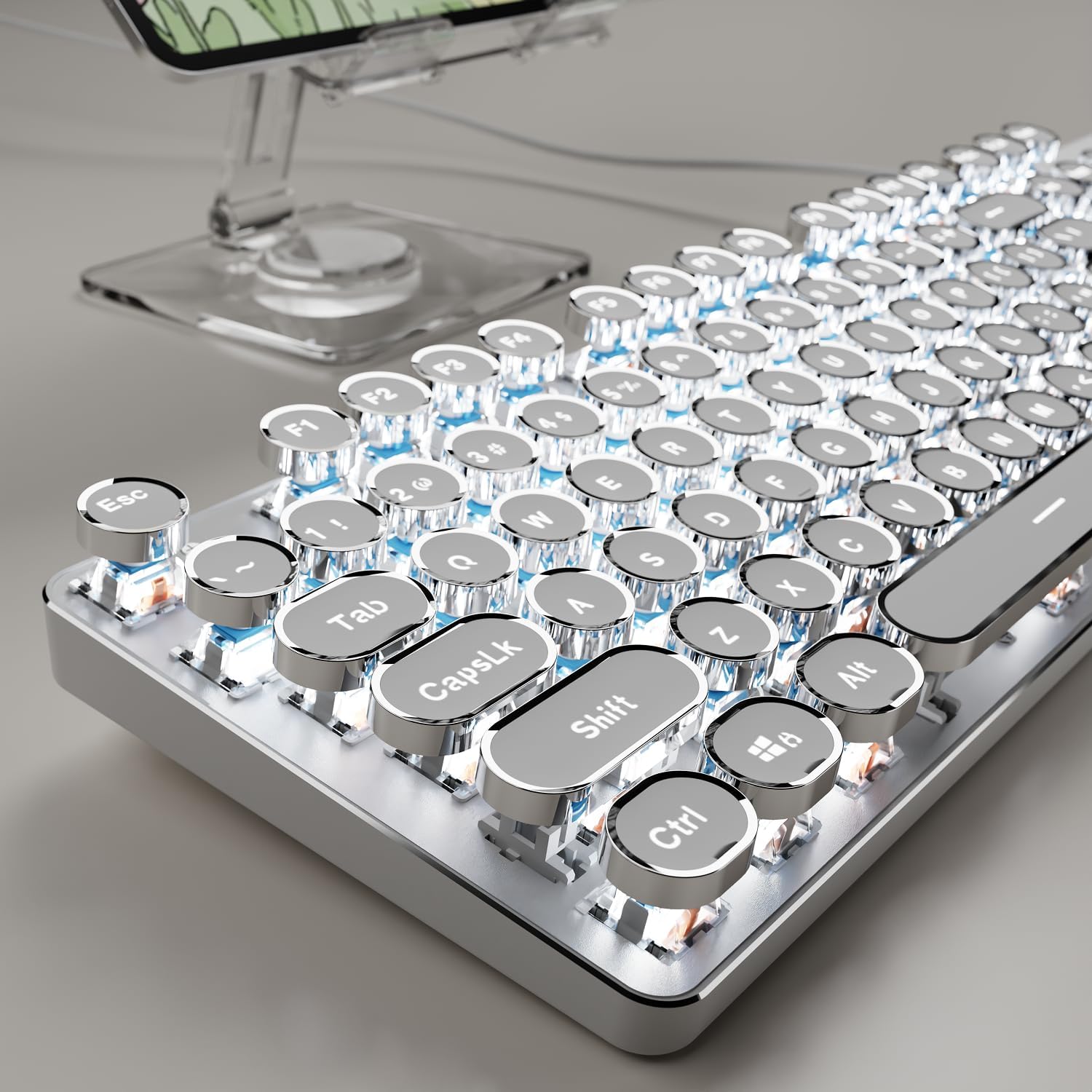
Image: The TK100 keyboard ready for use, highlighting its wired connection for reliable performance.
4.2 Adjusting Ergonomic Foot Support
The keyboard features adjustable feet on the underside to customize the typing angle for improved comfort and reduced fatigue during long sessions.

Image: The TK100 keyboard's two-level adjustable feet, designed for ergonomic typing.
Video: Demonstrates the ergonomic foot support of the TK100 keyboard, showing how it can be adjusted for a more comfortable typing experience.
5. Інструкцыя па эксплуатацыі
5.1 Кантроль падсветкі
The TK100 keyboard features a unique white backlight with 19 preset light effects and 5 brightness levels. You can also adjust the breathing speed of the backlight.
- Змяніць светлавыя эфекты: Прэса FN + INS to cycle through 19 basic lighting effects.
- Game Lighting Effects: Прэса FN + 6/7/8/9/0 to activate 4 specific game lighting effects.
- Адрэгулюйце яркасць/хуткасць: Прэса FN + Клавішы са стрэлкамі ўверх/уніз to adjust the backlight brightness (5 levels) or breathing speed.
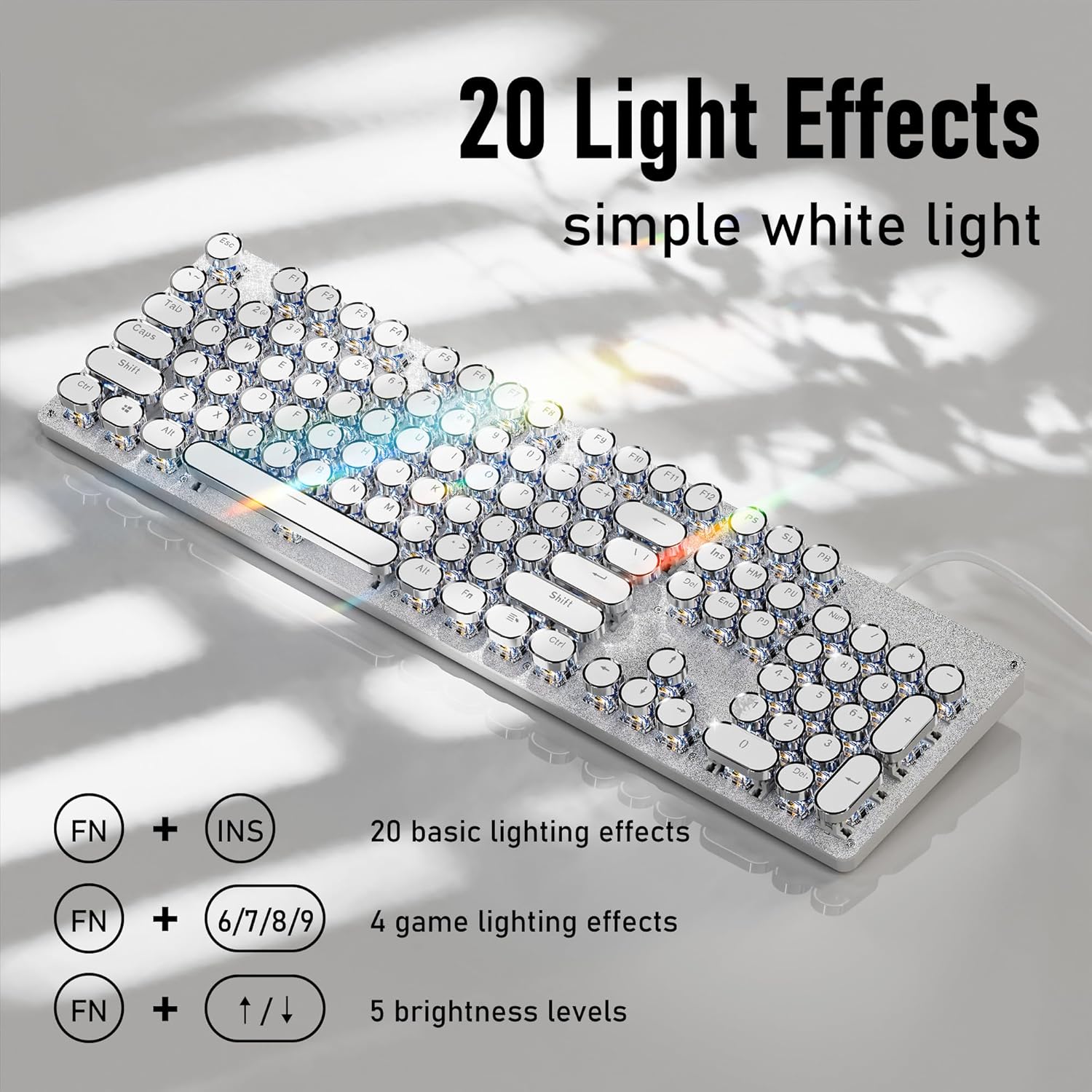
Image: Visual guide for controlling the 20 light effects, brightness, and speed of the white backlight.
Video: Shows the TK100 keyboard's metal panel and various white backlight effects in action.
5.2 Multimedia & Anti-Ghosting Features
The TK100 keyboard includes dedicated quick-access buttons for media control and features anti-ghosting technology for precise input.
- Кіраванне мультымедыя: Use the dedicated buttons for volume adjustment, play/pause, and track switching.
- 104-клавішная абарона ад прывідаў: Every keystroke is accurately registered, even during high-speed, multi-key commands, making it ideal for gaming and fast typing.

Image: The keyboard highlighting its full key rollover feature, ensuring smooth and conflict-free simultaneous key presses.
Video: Illustrates the 104-key anti-ghosting feature of the TK100 keyboard, ensuring all key presses are registered accurately.
6. Тэхнічнае абслугоўванне
- Уборка: Use a soft, dry cloth to wipe the keyboard surface. For deeper cleaning, use a can of compressed air to remove dust and debris from between the keys.
- Зняцце каўпачка клавіш: The retro round keycaps are designed for durability. If necessary, they can be carefully removed for cleaning or replacement using a keycap puller (not included).
- захоўванне: Захоўвайце клавіятуру ў прахалодным, сухім месцы, калі яна не выкарыстоўваецца.
7. Выпраўленне непаладак
- Клавіятура не адказвае: Ensure the USB cable is securely plugged into both the keyboard and the computer. Try plugging it into a different USB port.
- Backlight Not Working/Changing: Verify that the backlight is turned on using the FN key combinations. If issues persist, refer to the backlight control section or contact support.
- Ключы не рэгіструюцца: Check for any physical obstructions under the keycaps. If the issue is with specific keys, contact customer support.
8. Тэхнічныя характарыстыкі
| Асаблівасць | Дэталь |
|---|---|
| Нумар мадэлі | TK100 |
| Раскладка клавіш | 104 Ключы |
| Тып перамыкача | Сінія механічныя перамыкачы |
| Стыль клавіш | Retro Typewriter Style Round Keycaps (Double-shot injection) |
| Падсвятленне | White Backlit (19 preset effects, 5 brightness levels, adjustable breathing speed) |
| Анты-прывіды | Full 104-Key Anti-Ghosting |
| Сувязь | Правадной USB-A |
| Матэрыял панэлі | High-quality Aluminum Alloy |
| Эрганоміка | Эрганамічная апора для ног |
| Памеры | 17.91 х 6.38 х 1.81 цалі |
| Вага прадмета | 1.85 фунта |

Image: Detailed specifications of the blue mechanical switches, including operating force, trigger travel, and key strokes durability.
9. Гарантыя і падтрымка
The SEUNKWANG EWEADN TK100 keyboard comes with 48-month brand support. For any inquiries, technical assistance, or warranty claims, please contact our expert team via email:

Выява: Зверхуview of available after-sales support services.