
Уводзіны
The Trust Gaming GXT 498B Forta Gaming Headset is officially licensed for PlayStation 5 and PlayStation 4 consoles, designed to provide an immersive audio experience. This wired over-ear headset features 50mm drivers for powerful sound, a detachable microphone with a pop filter for clear communication, and comfortable ear pads for extended gaming sessions. This manual provides instructions for setup, operation, maintenance, and troubleshooting to ensure optimal performance of your headset.
Што ў скрынцы
- Trust Gaming GXT 498B Forta Gaming Headset
- Detachable Microphone with Pop Filter
- 1.2m Audio Cable (3.5mm jack)
- Кіраўніцтва карыстальніка

Image: The retail packaging for the Trust Gaming GXT 498B Forta Gaming Headset, showing the headset and included accessories.
Інструкцыя па наладзе
- Падключыце аўдыёкабель: Locate the 3.5mm audio jack on your PlayStation 5 DualSense wireless controller or PlayStation 4 DualShock 4 wireless controller. Insert the 3.5mm audio cable from the headset firmly into the controller's audio jack.
- Падключыце мікрафон: The microphone is detachable. Align the microphone's connector with the port on the left earcup of the headset and push it in until it clicks securely into place. Ensure the pop filter is correctly positioned over the microphone for optimal voice clarity.
- Адрэгуляваць памер гарнітуры: Extend or retract the adjustable padded headband to fit comfortably over your head. The earcups are moveable to ensure a snug fit over your ears.
- Configure Audio Settings (PlayStation):
- Для PS5: Перайсці да Налады > Гук > Аўдыёвыхад. Выберыце Навушнікі as the output device. Adjust the volume and microphone levels as needed.
- Для PS4: Перайсці да Налады > прылады > Аўдыё прылады. Выберыце Гарнітура падключана да кантролера as the input and output device. Adjust the volume and microphone levels.
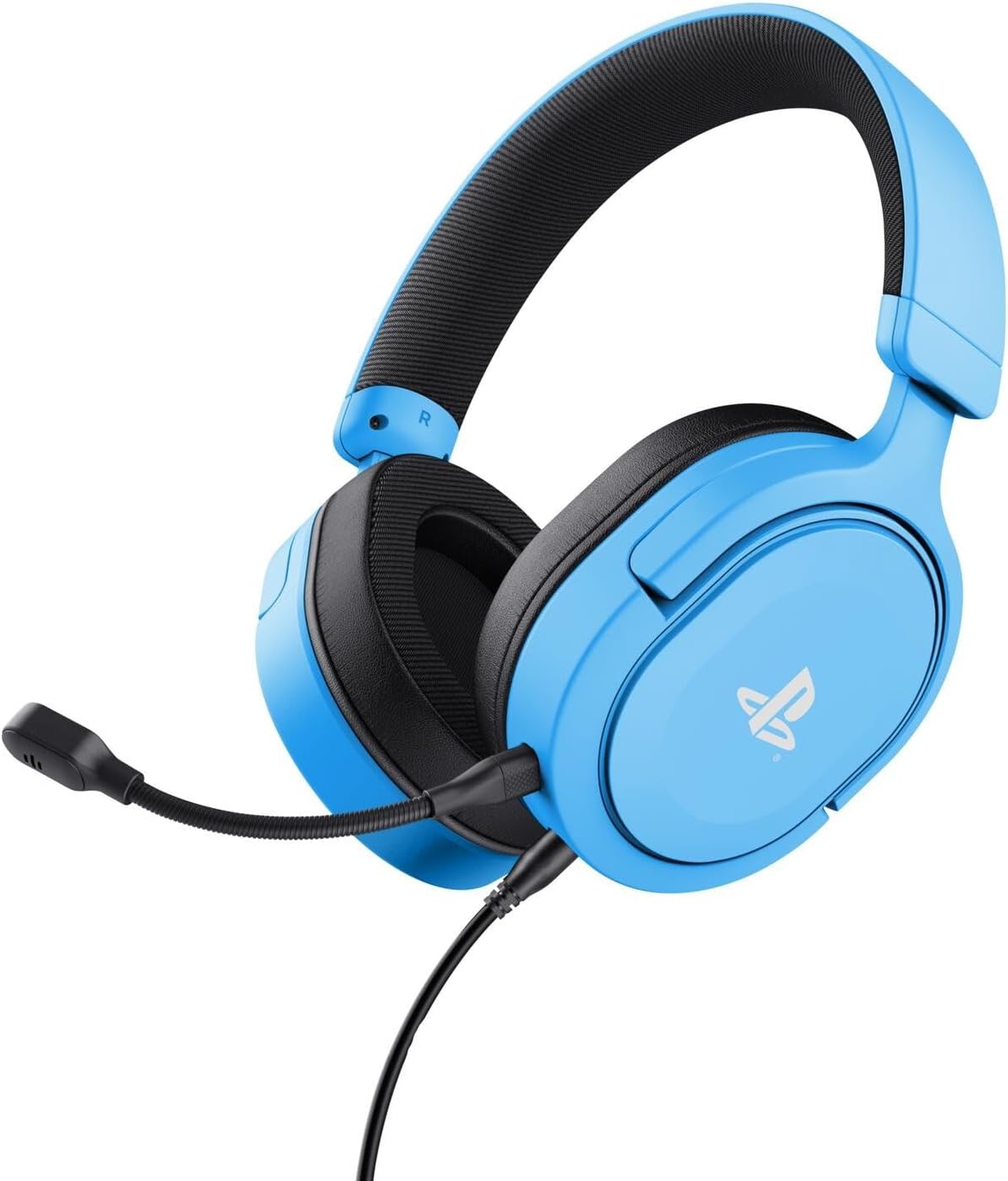
Image: The Trust Gaming GXT 498B Forta Gaming Headset, showcasinяго дызайн і здымны мікрафон.
Інструкцыя па эксплуатацыі
- Рэгулятар гучнасці: The headset features an in-line volume control wheel on the audio cable. Rotate the wheel up or down to adjust the audio output level.
- Адключэнне мікрафона: An in-line mute switch is located on the audio cable. Slide the switch to mute or unmute the microphone.
- 3D Audio: The headset supports 3D Audio on compatible PlayStation 5 games, providing an enhanced spatial sound experience. Ensure 3D Audio is enabled in your PS5 sound settings for optimal immersion.
- Здымны мікрафон: The microphone can be detached when not in use for a more streamlined headset profile. Store it safely to prevent loss or damage.

Выява: буйны план view of the Trust Gaming GXT 498B Forta headset, highlighting the earcups and the attached audio cable with controls.
Тэхнічнае абслугоўванне
- Уборка: Для чысткі гарнітуры выкарыстоўвайце мяккую сухую тканіну. Для амбушюр злёгкуamp можна выкарыстоўваць тканіну, але пераканайцеся, што вільгаць не трапляе ў рашоткі дынамікаў. Не выкарыстоўвайце агрэсіўныя хімікаты або абразіўныя ачышчальнікі.
- захоўванне: Захоўвайце гарнітуру ў прахалодным, сухім месцы, удалечыні ад прамых сонечных прамянёў і экстрэмальных тэмператур. Не кладзіце на гарнітуру цяжкія прадметы.
- Сыход за кабелем: Avoid sharp bends or kinks in the audio cable. Do not pull the cable forcefully when disconnecting.
- Сыход за мікрафонам: Handle the detachable microphone with care. When not in use, detach it and store it safely to prevent damage.
Ліквідацыю непаладак
- Няма гуку з гарнітуры:
- Ensure the 3.5mm audio cable is fully inserted into both the headset and the controller.
- Check the in-line volume control wheel on the cable and turn it up.
- Verify audio settings on your PlayStation console (refer to "Setup Instructions" section).
- Test the headset with another device (e.g., smartphone, PC) to determine if the issue is with the headset or the console.
- Мікрафон не працуе:
- Пераканайцеся, што здымны мікрафон надзейна прымацаваны да гарнітуры.
- Праверце перамыкач адключэння гуку мікрафона на кабелі і пераканайцеся, што ён знаходзіцца ў становішчы «уключыць гук».
- Verify microphone input settings on your PlayStation console (refer to "Setup Instructions" section).
- Ensure the pop filter is not obstructing the microphone's input.
- Sound Quality Issues (Distortion, Low Volume):
- Adjust the volume levels on both the headset's in-line control and your console's settings.
- Пераканайцеся, што аўдыёкабель не пашкоджаны і не перагнуты.
- Try connecting the headset to a different audio source to rule out console-specific issues.
Тэхнічныя характарыстыкі
| Назва мадэлі | GXT 498B Forta |
| Нумар мадэлі | 25556 |
| Сувязь | Правадны (раз'ём 3.5 мм) |
| Даўжыня кабеля | 1.2 метраў |
| Памер драйвера | 50 мм |
| Дыяпазон частот | 20 Гц - 20 000 Гц |
| Імпеданс | 32 Ом |
| Адчувальнасць | 90 дБ |
| Тып мікрафона | Detachable with Pop Filter |
| Размяшчэнне вушэй | Надвушная |
| Вага прадмета | 253 грам |
| Сумяшчальныя прылады | PlayStation 5, PlayStation 4, ПК |
| Матэрыял | Plastic (up to 65% recycled) |
Гарантыя і падтрымка
This Trust Gaming GXT 498B Forta Gaming Headset is covered by the manufacturer's standard warranty. For detailed warranty information, please refer to the documentation included with your purchase or visit the official GXTrust website. For technical support, troubleshooting assistance beyond this manual, or warranty claims, please contact GXTrust customer service through their official support channels.
Калі ласка, захавайце пацвярджэнне пакупкі для гарантыйных мэт.