
Уводзіны
This manual provides detailed instructions for the setup, operation, maintenance, and troubleshooting of your Beats Powerbeats Pro 2 Wireless Earbuds. Please read this guide thoroughly to ensure optimal performance and longevity of your device.
Настройка
1. Распакоўка і першапачатковая аплата
Пасля адкрыцця ўпакоўкі пераканайцеся ў наяўнасці ўсіх кампанентаў:
- Powerbeats Pro 2 earbuds
- Charging case with wireless charging capability
- Ear tips with five size options
- Гарантыйны талон
- Кароткае кіраўніцтва
The USB-C to USB-C charging cable and power adapter are sold separately.
Before first use, place the earbuds into the charging case and charge the case fully. The charging case supports wireless Qi charging.
2. Дасягненне надзейнай фіксацыі
A proper fit is crucial for sound quality and comfort. The Powerbeats Pro 2 feature secure-fit ear hooks designed to stay in place during physical activity.
- Select Ear Tip Size: Choose the ear tip size that provides the best seal for your ear canal. Five sizes (XS, S, M, L, XL) are included. Experiment to find the most comfortable and secure fit.
- Пазіцыя навушнікаў-ўкладышаў: Gently insert the earbud into your ear.
- Secure Earhook: Rotate the earhook towards the back of your ear until it sits comfortably and securely over your ear.
- Perform Fit Test: For Apple devices, use the Fit Test feature in iOS settings. For Android devices, use the Beats app to perform a fit test. This helps ensure optimal audio performance and noise cancellation.

This image illustrates the three steps for achieving a great fit: selecting the correct ear tip size, securing the earhook, and performing a fit test.

This image demonstrates the secure fit of the Powerbeats Pro 2 earbuds during a workout, emphasizing the earhook design.
3. Спалучэнне з прыладамі
The Powerbeats Pro 2 are compatible with both Apple and Android devices.
- Для прылад Apple: Open the charging case near your unlocked iPhone, iPad, or Mac. Follow the on-screen prompts for one-touch pairing. The H2 chip enables automatic switching between your iCloud-connected devices.
- Для прылад Android: Download the Beats app from the Google Play Store. Open the charging case, then open the Beats app on your Android device and follow the pairing instructions. The app also provides access to customizable controls, battery status widgets, and the "Locate My Beats" feature.
- General Bluetooth Pairing: With the earbuds in the case and the lid open, press and hold the system button on the charging case until the LED indicator begins to flash. Select "Powerbeats Pro 2" from your device's Bluetooth settings.
Інструкцыя па эксплуатацыі

Гэта выява дае большview of the main features of the Powerbeats Pro 2 earbuds.
1. Элементы кіравання
Each earbud features on-ear buttons and tactile volume rockers for easy control.
- Прайграванне/Паўза/Прапусціць: Use the 'b' button on either earbud. Single press to play/pause, double press to skip forward, triple press to skip backward.
- Рэгулятар гучнасці: Use the tactile volume rockers located on the top edge of each earbud.
- Кіраванне званкамі: Single press the 'b' button to answer or end a call. Double press to decline an incoming call.
- Галасавы памочнік: Press and hold the 'b' button to activate Siri (Apple devices) or your device's voice assistant (Android devices).
2. Noise Control Modes
The Powerbeats Pro 2 offer Active Noise Cancelling (ANC) and Transparency mode.
- Актыўнае шумапрыглушэнне (ANC): Блакуе знешні шум, забяспечваючы паўнавартаснае праслухоўванне.
- Рэжым празрыстасці: Дазваляе чуць наваколле, адначасова атрымліваючы асалоду ад аўдыё, паляпшаючы ўсведамленне сітуацыі.
Switch between modes using the 'b' button (customizable in settings) or through your device's audio settings.

This image visually represents the advanced audio features, including ANC, Transparency mode, adaptive EQ, and spatial audio.
3. Heart-Rate Monitoring
Integrated heart-rate monitoring sensors provide real-time pulse data, useful for tracking workouts.
- The sensors pulse over 100 times per second to measure your heart rate.
- Дадзеныя могуць быць viewed and tracked through compatible fitness apps on your connected device.
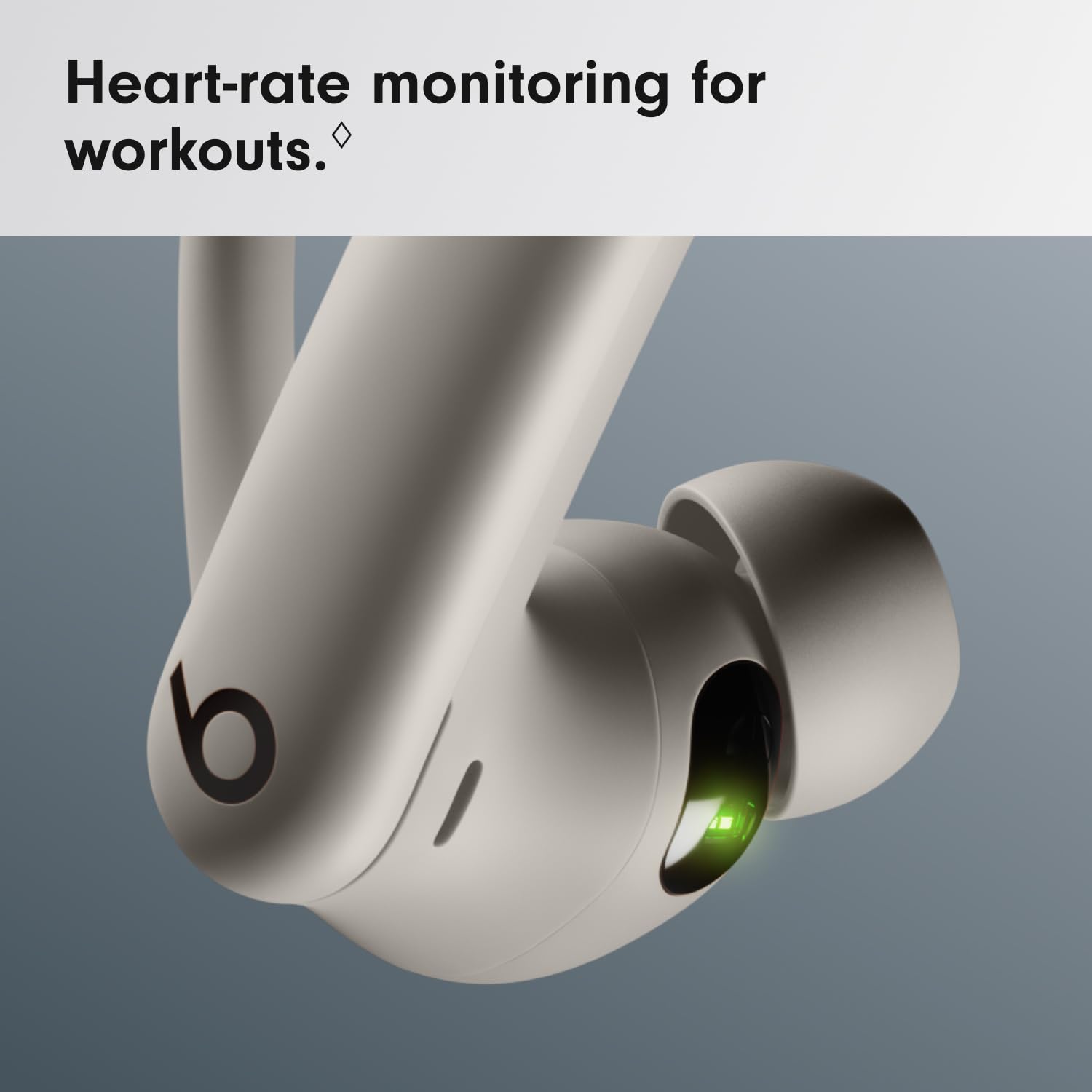
This close-up image highlights the heart-rate monitoring sensor on the earbud, indicated by a green light.
4. Зарадка навушнікаў і чахла
The Powerbeats Pro 2 offer up to 45 hours of battery life with the charging case.
- Зарадныя навушнікі: Змесціце навушнікі ў зарадны чахол. Яны пачнуць зараджацца аўтаматычна.
- Зарадны чахол (правадны): Connect a USB-C cable (sold separately) to the charging port on the case and to a power adapter.
- Зарадны чахол (бесправадны): Place the charging case on a Qi-certified wireless charging mat.
- Стан батарэі: The LED indicator on the case shows the charging status. On Apple devices, battery status is displayed on your device. On Android, use the Beats app.

This image shows the Powerbeats Pro 2 earbuds within their charging case, emphasizing the convenience of wireless charging and the extended battery life.
Тэхнічнае абслугоўванне
1. Уборка
- Regularly clean your earbuds and charging case with a soft, dry, lint-free cloth.
- Do not use abrasive materials, aerosols, solvents, or alcohol-based cleaners.
- Remove ear tips and clean them with water and mild soap if necessary, ensuring they are completely dry before reattaching.
- Пераканайцеся, што кантакты зарадкі на навушніках і ў чахле чыстыя і без смецця.
2. Water and Sweat Resistance
The Powerbeats Pro 2 are sweat and water resistant with an IPX4 rating, making them suitable for workouts and light rain.
- IPX4 rating means they are resistant to splashing water from any direction.
- They are not waterproof and should not be submerged in water.
- Пазбягайце падвяргання іх уздзеянню вады пад ціскам або хуткаснай вады, напрыклад, падчас прыняцця душа або плавання.
- Калі навушнікі намокнуць, старанна высушыце іх, перш чым змясціць назад у зарадны футляр, каб пазбегнуць пашкоджанняў.

This image shows the Powerbeats Pro 2 earbuds being used during a strenuous workout, highlighting their sweat and water-resistant design (IPX4 rating).
3. Захоўванне
Захоўвайце навушнікі-ўкладышы ў зарадным чахле, калі яны не выкарыстоўваюцца, каб абараніць іх і падтрымліваць зарад.
Ліквідацыю непаладак
| выпуск | Магчымае рашэнне |
|---|---|
| Навушнікі не спалучаюцца |
|
| Няма гуку альбо малая гучнасць |
|
| Праблемы з зарадкай |
|
| Heart-rate monitor not working |
|
Тэхнічныя характарыстыкі
| Марка | Удары |
| Назва мадэлі | Powerbeats Pro 2 |
| Нумар мадэлі | MX733ZM/A |
| UPC | 195949590962 |
| Размяшчэнне вушэй | У вуха |
| Формаў-фактар | In Ear, True Wireless |
| Кантроль шуму | Active Noise Cancellation, Sound Isolation |
| Рэйтынг воданепранікальнасці | IPX4 (ўстойлівы да поту і вады) |
| Тэхналогія падлучэння | Bluetooth, Wi-Fi (for certain features) |
| Тэрмін службы батарэі (з зарадным футлярам) | Да 45 гадзін |
| Чахол для зарадкі | Wireless Qi Charging Capable |
| Тып кіравання | Volume Control, App Control, Button Control, Siri, Touch Control, Voice Control |
| Сумяшчальныя прылады | Cellphones, Desktops, Laptops, Smart Watch, Tablets (Apple & Android) |
| Матэрыял | Plastic, Silicone, Nickel-Titanium Alloy |
| Вага прадмета | 0.15 кілаграма |
| Краіна паходжання | Кітай |
Гарантыя і падтрымка
1. Інфармацыя аб гарантыі
Your Beats Powerbeats Pro 2 Wireless Earbuds come with a 1-гадовая абмежаваная гарантыя from the date of purchase. This warranty covers manufacturing defects. Please refer to the included warranty card for full terms and conditions.
2. Падтрымка кліентаў
For further assistance, technical support, or warranty claims, please visit the official Beats support website or contact their customer service. Keep your proof of purchase handy.
Official Beats Support: www.beatsbydre.com/support