
IMIKI D2 GREEN
IMIKI XPLORER SCOUT D2 Smartwatch
Кіраўніцтва карыстальніка
Прадукт скончаныview
The IMIKI XPLORER SCOUT D2 is a versatile smartwatch designed for both men and women, featuring a vibrant 1.43-inch AMOLED display. It offers seamless Bluetooth connectivity for calls and smart assistant integration, comprehensive health monitoring capabilities including blood oxygen and heart rate tracking, and support for over 100 sports modes. Its robust design is IP68 waterproof, making it suitable for various activities, and it boasts exceptional battery life with fast charging.
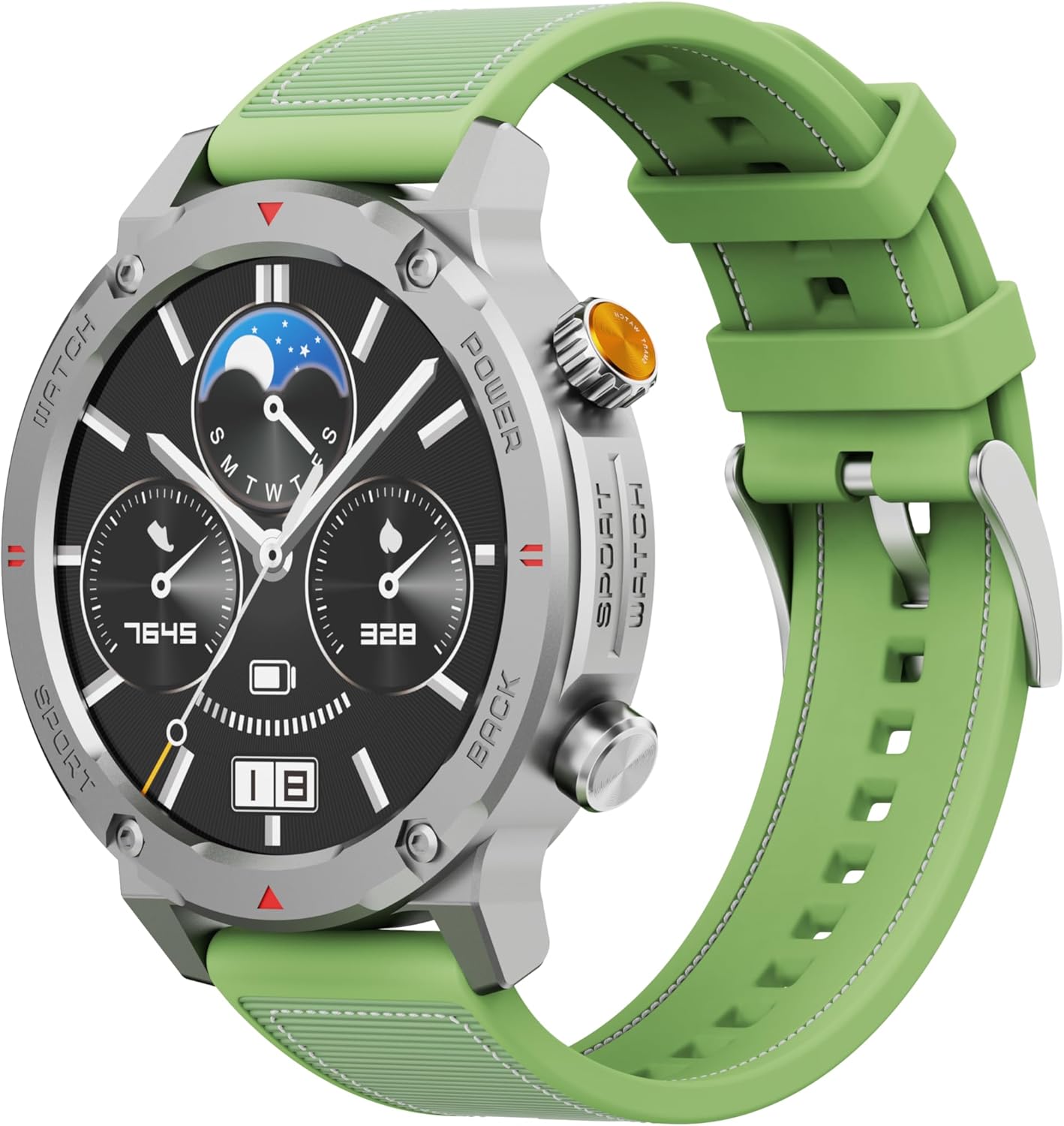
Малюнак 1: Спераду view of the IMIKI XPLORER SCOUT D2 Smartwatch with its green strap.
Кіраўніцтва па ўстаноўцы
1. Што ў скрынцы
Upon unboxing your IMIKI XPLORER SCOUT D2 Smartwatch, ensure all components are present:
- IMIKI XPLORER SCOUT D2 Smartwatch
- Зарадны кабель

Figure 2: The IMIKI XPLORER SCOUT D2 Smartwatch module separated from its bezel and strap, illustrating its modular design.
2. Зарадка разумнага гадзінніка
Before first use, fully charge your smartwatch. The 400 mAh battery provides up to 30 days of autonomy on a single charge, and it supports fast charging for quick power-ups.
- Connect the charging cable to the charging port on the back of the smartwatch.
- Падключыце другі канец кабеля да адаптара харчавання USB (не ўваходзіць у камплект) або да USB-порта кампутара.
- The watch display will indicate charging status. Allow sufficient time for a full charge.

Малюнак 3: Задняя частка view of the IMIKI XPLORER SCOUT D2 Smartwatch, highlighting the charging contacts and health sensors.
3. Пачатковая налада і спалучэнне
To unlock the full potential of your smartwatch, pair it with your smartphone via Bluetooth.
- Спампаваць прыкладанне: Пошук the official IMIKI companion app on the Apple App Store (for iOS) or Google Play Store (for Android) and install it on your smartphone.
- Уключыць Bluetooth: Пераканайцеся, што Bluetooth уключаны на вашым смартфоне.
- Power On Watch: Press and hold the power button on the smartwatch to turn it on.
- Адкрыць праграму: Launch the IMIKI app on your smartphone and follow the on-screen instructions to add a new device.
- Спалучэнне: Select "IMIKI XPLORER SCOUT D2" from the list of available devices in the app. Confirm the pairing request on both your phone and the smartwatch if prompted.
Once paired, you can customize settings, view health data, and receive notifications directly on your smartwatch.
Інструкцыя па эксплуатацыі
1. Дысплей і навігацыя
The IMIKI XPLORER SCOUT D2 features a 1.43-inch AMOLED display with a high resolution of 466x466 pixels, protected by tempered glass. Navigate the watch interface using touch gestures and the physical buttons.
- Правядзіце пальцам уверх/уніз: Пракручвайце меню і апавяшчэнні.
- Правядзіце пальцам улева/управа: Доступ да хуткіх віджэтаў або розных цыферблатаў гадзінніка.
- Націсніце: Выберыце элемент або адкрыйце праграму.
- Фізічныя кнопкі: Use the side buttons for power on/off, returning to the home screen, or quick access to sports modes.

Figure 4: Close-up of the smartwatch display, illustrating the clear AMOLED screen and various data points.
2. Маніторынг здароўя
The smartwatch is equipped with an optical sensor to monitor key health metrics:
- Частата сардэчных скарачэнняў (HR): Бесперапынна адсочвае частату сардэчных скарачэнняў на працягу дня.
- Кісларод крыві (SpO2): Вымярае ўзровень насычэння крыві кіслародам.
- Якасць сну: Monitors your sleep patterns and provides insights into sleep quality.
Access detailed health reports and historical data through the companion app.
3. Рэжымы трэніровак
With over 100 integrated sports modes, the XPLORER SCOUT D2 accurately records your exercise statistics. Select your desired activity from the watch's sports menu to begin tracking.

Figure 5: Visual representation of the smartwatch's diverse functionalities, including health tracking and sports modes.
4. Bluetooth Calling and Voice Assistant
The single-chipset Bluetooth 5.3 ensures stable and high-quality connectivity, allowing you to answer calls directly from your wrist. The integrated voice assistant enables hands-free control of your device with simple voice commands.
5. Апавяшчэнні
Receive real-time notifications for calls, SMS messages, and app alerts directly on your smartwatch. Manage notification settings through the companion app.
6. Воданепранікальнасць (IP68)
The IMIKI XPLORER SCOUT D2 is IP68 rated, meaning it is resistant to dust and water. This allows it to withstand splashes, rain, and brief immersion in shallow water. Заўвага: While IP68 rated, it is not recommended for swimming, diving, or high-pressure water activities.

Figure 6: Illustration of the smartwatch's IP68 water resistance and exceptional battery autonomy.
Тэхнічнае абслугоўванне
Proper care and maintenance will extend the lifespan of your IMIKI XPLORER SCOUT D2 Smartwatch.
- Уборка: Regularly wipe the watch and strap with a soft, dry, lint-free cloth. For stubborn dirt, slightly dampпрамыйце тканіну вадой. Пазбягайце выкарыстання агрэсіўных хімічных рэчываў або абразіўных матэрыялаў.
- Сыход за датчыкам: Keep the optical sensors on the back of the watch clean for accurate health monitoring.
- захоўванне: Store the smartwatch in a cool, dry place away from direct sunlight and extreme temperatures.
- Тэрмін службы батарэі: To maximize battery life, avoid fully discharging the battery frequently. Charge it before it completely runs out.
- Interchangeable Components: The watch features a removable central case and interchangeable straps (Oyster, Active, Scout styles). Handle these components with care when changing them.

Figure 7: The IMIKI XPLORER series showcasing interchangeable straps and case styles.
Ліквідацыю непаладак
If you encounter issues with your IMIKI XPLORER SCOUT D2 Smartwatch, try the following solutions:
| праблема | Магчымае рашэнне |
|---|---|
| Гадзіннік не ўключаецца. | Пераканайцеся, што гадзіннік цалкам зараджаны. Падключыце яго да зараднай прылады і пачакайце некалькі хвілін, перш чым спрабаваць зноў уключыць. |
| Немагчыма спалучыць са смартфонам. |
|
| Inaccurate health readings. |
|
| Апавяшчэнні не атрыманы. |
|
Тэхнічныя характарыстыкі
| Асаблівасць | Дэталь |
|---|---|
| Марка | ІМІКІ |
| Назва мадэлі | IMIKI SMART WATCH XPLORER SCOUT D2 GREEN |
| Нумар мадэлі тавару | D2 GREEN |
| Памер экрана | 1.43 цалі |
| Тып дысплея | AMOLED |
| Тэхналогія падлучэння | Bluetooth 5.3 |
| Ёмістасць батарэі | 400 мАг |
| Сярэдні тэрмін службы батарэі | Да 30 дзён |
| Воданепранікальнасць | IP68 |
| Маніторынг здароўя | Heart Rate, Blood Oxygen (SpO2), Sleep Quality |
| Рэжымы трэніровак | Over 100+ integrated modes |
| Асаблівасці | Bluetooth Calling, Voice Assistant, Fast Charging, Removable Central Case, Tempered Glass Screen |
| Сумяшчальныя прылады | Smartphones (Android and iOS) |
| Вага прадмета | 68 грамаў |
| Памеры ўпакоўкі | 10.5 х 10.5 х 6 см |
Гарантыя і падтрымка
For warranty information and customer support, please refer to the documentation included with your purchase or visit the official IMIKI webсайт. Захоўвайце пацвярджэнне пакупкі для любых гарантыйных прэтэнзій.
For further assistance, you may also contact the seller or Amazon customer service if purchased through Amazon.
Ask a question about this manual
Ask about setup, troubleshooting, compatibility, parts, safety, or missing instructions. Manuals+ will review the question and use this page’s manual context to help answer it.