
1. Прадукт скончыўсяview
The GOWENIC 48MP 1080P HD Compact Digital Camera is designed for ease of use, offering high-resolution photo and video capture in a portable form factor. It features a 2.0-inch TFT color screen, built-in fill light, 8X digital zoom, and additional functions like an MP3 player and games.

Выява: спераду view of the GOWENIC Compact Digital Camera in violet.
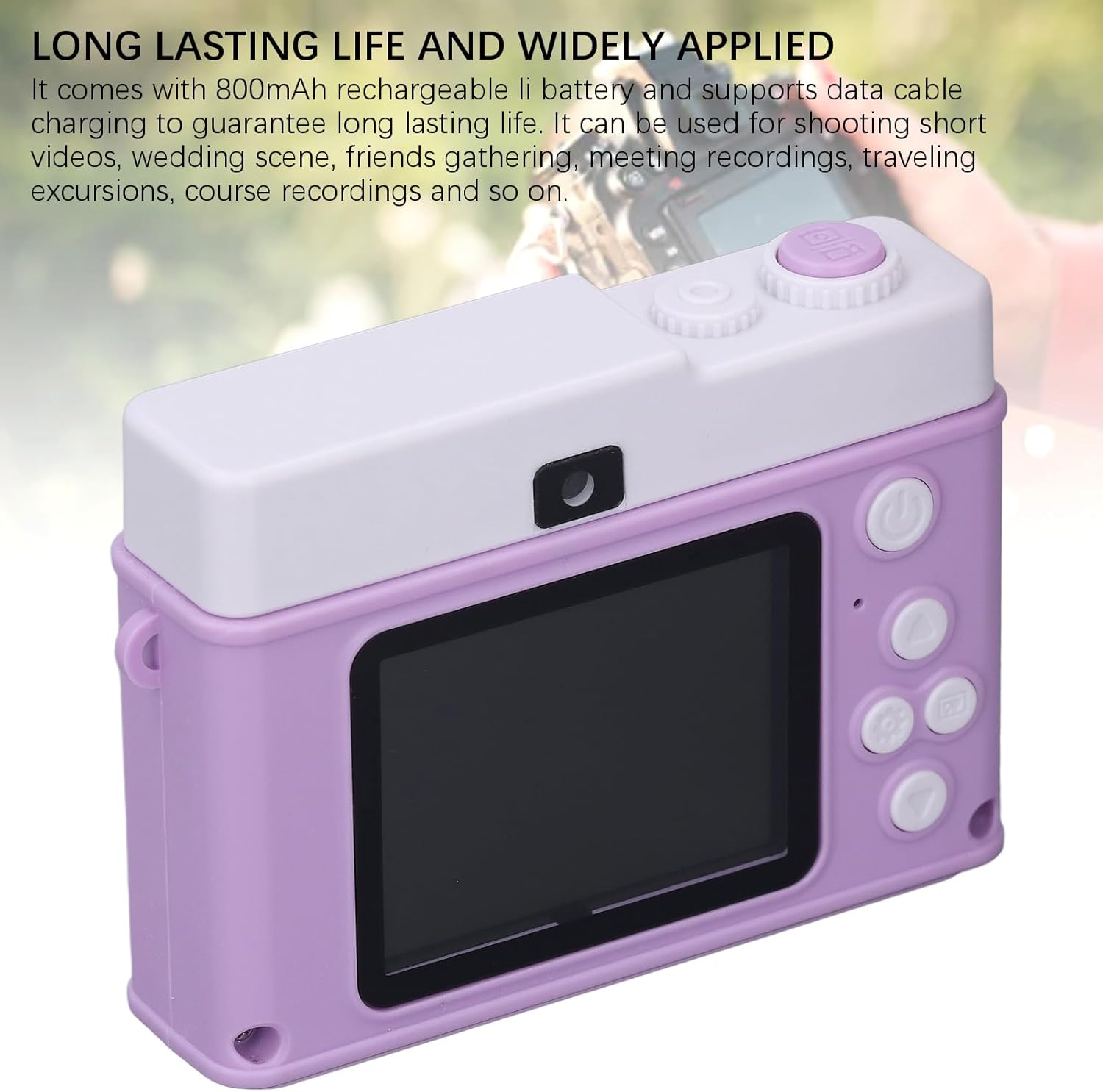
Выява: Задняя частка view of the GOWENIC Compact Digital Camera, highlighting the screen and control layout.
2. Настройка
2.1 Зарадка акумулятара
The camera is equipped with an 800mAh rechargeable lithium battery. Before first use, fully charge the battery.
- Connect the camera to a USB power source (e.g., computer, wall adapter) using the provided data cable.
- Індыкатар зарадкі загарыцца.
- Once fully charged, the indicator light will change or turn off. Charging typically takes 2-3 hours.
2.2 Устаўка карты памяці
A memory card (not included) is required to store photos and videos. The camera supports standard MicroSD cards.
- Locate the memory card slot on the side or bottom of the camera.
- Insert the MicroSD card with the metal contacts facing down until it clicks into place.
- Каб выняць, акуратна націсніце на карту, пакуль яна не выскочыць.
2.3 Першапачатковае ўключэнне
Press and hold the power button (usually located on the top or back of the camera) for a few seconds until the screen illuminates.
3. Інструкцыя па эксплуатацыі
3.1 Фотаздымка
- Уключыце камеру.
- Frame your shot using the 2.0-inch TFT HD color display.
- Press the Shutter button (typically on top) to capture the image.

Image: The camera's 2.0-inch TFT HD screen, which restores real colors for charming pictures.
3.2 Запіс відэа
- Уключыце камеру.
- Switch to video recording mode (refer to the camera's on-screen menu or mode button).
- Націсніце кнопку спуску засаўкі, каб пачаць запіс. Націсніце яшчэ раз, каб спыніць.

Image: The camera supports both 1080P video recording and 48MP photo capture.
3.3 Using the Fill Light
The built-in fill light improves scene lighting in low-light conditions.
- Activate the fill light via the camera's menu settings or a dedicated button (if available).
- The fill light helps record clearly even in low light environments and night scenes.

Image: The built-in fill light enhances visibility in dark environments.
3.4 8X Digital Zoom
The camera features an 8X digital zoom system to magnify distant subjects.
- While in photo or video mode, use the zoom buttons (often marked with 'W' for wide and 'T' for telephoto) to adjust the zoom level.
- The intelligent anti-shake function helps maintain image quality during zoomed shots.

Image: Visual representation of the 8X digital zoom capability.
3.5 MP3 Player and Games
The camera includes additional entertainment features.
- MP3-плэер: Перадача аўдыё ў фармаце MP3 files to the memory card. Access the MP3 player function through the camera's main menu to play music.
- гульні: Select the game function from the menu to access built-in games.

Image: The camera offers built-in games and MP3 playback functionality.
3.6 Creative Functions
Enhance your photos and videos with various creative options:
- Stickers and Filters: Apply various stickers and filters directly from the camera's editing menu.
- цыклічны запіс: For video, enable loop recording to continuously record, overwriting the oldest files, калі карта памяці поўная.
- Запіс па таймеры: Set a timer for photos or videos to allow time to get into position.
4. Тэхнічнае абслугоўванне
4.1 Чыстка камеры
- Выкарыстоўвайце мяккую, сухую тканіну для чысткі корпуса камеры.
- Для чысткі аб'ектыва і экрана выкарыстоўвайце спецыяльную сурвэтку і раствор для чысткі аб'ектыва, каб пазбегнуць драпін.
- Не выкарыстоўвайце агрэсіўныя хімікаты або абразіўныя матэрыялы.
4.2 Сыход за акумулятарам
- Пазбягайце ўздзеяння на батарэю экстрэмальных тэмператур.
- Charge the battery regularly, even if the camera is not in use, to maintain its lifespan.
- If the camera will not be used for an extended period, store it with a partially charged battery (around 50%).
4.3 Захоўванне
- Store the camera in a cool, dry place away from direct sunlight and moisture.
- Consider using a protective case to prevent dust and physical damage.
5. Выпраўленне непаладак
5.1 Камера не ўключаецца
- Пераканайцеся, што акумулятар цалкам зараджаны.
- Праверце, ці правільна ўстаўлена батарэя.
- Try connecting the camera to a power source to see if it powers on while charging.
5.2 Выявы размытыя
- Пераканайцеся, што лінза чыстая і на ёй няма плям.
- Check lighting conditions; use the fill light in dim environments.
- Hold the camera steady when taking photos.
5.3 Cannot Record or Save Files
- Пераканайцеся, што карта памяці ўстаўлена і мае дастаткова вольнага месца.
- Ensure the memory card is not locked (check for a small lock switch on the card itself).
- Try formatting the memory card (this will erase all data, so back up first).
5.4 Хуткая разрадка батарэі
- Паменшыць яркасць экрана.
- Disable unnecessary features like the fill light when not needed.
- Ensure the camera is fully powered off when not in use, not just in standby.
6. Тэхнічныя характарыстыкі
| Асаблівасць | Спецыфікацыя |
|---|---|
| Нумар мадэлі | GOWENICqgunb25txm-14 |
| Дазвол выявы | Да 48 Мп |
| Дазвол відэа | 1080P HD |
| Экран | 2.0-цалевы каляровы TFT-экран |
| Лічбавы зум | 8X |
| Ёмістасць батарэі | Літый-іённы 800 мАг |
| Асаблівасці | Fill Light, MP3 Player, Games, Stickers, Filters, Loop Recording, Timer Recording |
| Вага прадмета | 4.1 унцыі |
| Памеры ўпакоўкі | 4.33 х 3.54 х 2.36 цалі |
7. Гарантыя і падтрымка
For warranty information and technical support, please refer to the documentation included with your purchase or contact GOWENIC customer service through the retailer's platform where the product was purchased. Please have your model number (GOWENICqgunb25txm-14) and purchase details ready when contacting support.