
1. Уводзіны
Thank you for choosing the FLEXISPOT L-Shaped Electric Standing Desk. This manual provides essential information for the safe assembly, operation, and maintenance of your new desk. Please read it thoroughly before use and retain it for future reference.
The FLEXISPOT L-Shaped Electric Standing Desk offers a spacious 63.0" x 55.1" work surface with electric height adjustment, allowing seamless transitions between sitting and standing positions. It features a robust 3-legged frame, a preset controller for personalized height settings, and a versatile orientation to fit various office layouts.
2. Інфармацыя па бяспецы
Always ensure the desk is properly assembled and anchored to the floor to prevent tipping. Do not exceed the maximum weight capacity of 220 lbs (100 kg) to maintain stability. Be cautious when adjusting the desk height to avoid injury. Keep children and pets away from the desk during operation. Ensure all cables are managed to prevent tripping hazards or damage during height adjustments.
3. Змесціва ўпакоўкі
Your FLEXISPOT L-Shaped Electric Standing Desk ships in two separate packages, which may arrive on different days. Please verify all components against the included packing list before beginning assembly. If any parts are missing or damaged, contact FLEXISPOT customer support immediately.
4. Налада і зборка
Assembly of the FLEXISPOT L-Shaped Electric Standing Desk requires careful attention to detail. It is recommended to have two people for certain steps, especially when handling the desktop and flipping the assembled unit. The desk features a flexible design, allowing the wider desktop section to be positioned on either the left or right side to best suit your workspace.
4.1 Распакоўка і падрыхтоўка
- Carefully unpack all components from both boxes.
- Раскладзеце ўсе дэталі на чыстай, мяккай паверхні (напрыклад, коўдры або дыване), каб пазбегнуць драпін.
- Identify all components using the provided parts list.
4.2 Зборка рамы
Follow the detailed instructions in the separate assembly guide provided with your desk. Ensure all screws are tightened securely. The robust industrial-grade steel frame provides stability for your workstation.
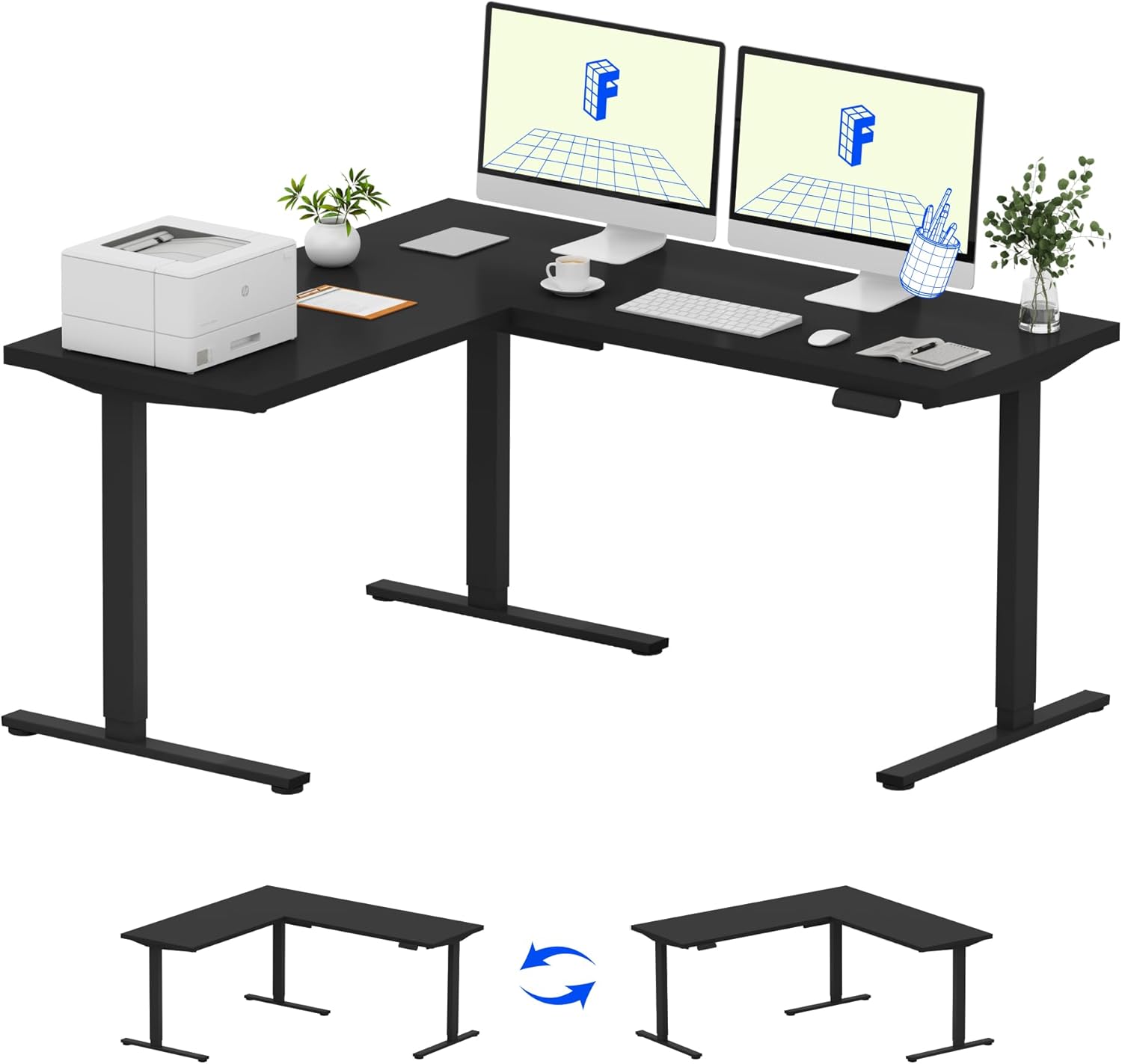
Image: Assembled FLEXISPOT L-Shaped Electric Standing Desk.
4.3 Desktop Attachment and Orientation
The expansive L-shaped desktop can be configured for either a left-hand or right-hand setup. Decide on your preferred orientation before attaching the desktop to the frame. The desktop is crafted from environmentally sourced splice board, measuring 63.0" x 55.1".

Image: Flexible right/left orientation options for the L-shaped desk.
4.4 Арганізацыя кабеляў
Utilize the included cable management tools to keep your workspace tidy and prevent cables from interfering with the desk's movement.

Image: The desk ships in two packages and has a 220 lbs weight capacity.
5. Інструкцыя па эксплуатацыі
Your FLEXISPOT L-Shaped Electric Standing Desk is equipped with an intuitive LED control panel for easy height adjustments and memory presets.
5.1 Adjusting Desk Height
- Выкарыстоўвайце Уверх (▲) і Уніз (▼) buttons on the control panel to manually adjust the desk to your desired height.
- The desk offers a large adjustable range, from a minimum height of 28.3 inches to a maximum height of 45.9 inches.

Image: Large adjustable height range of the desk.
5.2 Выкарыстанне прэсетаў памяці
The LED control panel allows you to save up to four preferred height settings for quick transitions.
- Адрэгулюйце вышыню стала на патрэбную вышыню з дапамогай кнопак «Уверх»/«Уніз».
- Націсніце M button (Memory) followed by one of the numbered preset buttons (1, 2, 3 або 4), каб захаваць бягучую вышыню.
- Каб выклікаць захаваную вышыню, проста націсніце адпаведную нумараваную кнопку загадзя ўсталяванай вышыні.

Image: Smart LED control panel with memory presets.
5.3 Функцыя прадухілення сутыкненняў
The desk is equipped with an anti-collision system. If the desk encounters an obstacle during height adjustment, it will automatically stop and rebound slightly to prevent damage or injury.

Image: Anti-collision feature in action.
6. Тэхнічнае абслугоўванне
Regular maintenance ensures the longevity and optimal performance of your standing desk.
- Уборка: Працярыце працоўны стол і рамку мяккай губкайamp тканінай. Пазбягайце выкарыстання агрэсіўных хімічных рэчываў або абразіўных ачышчальнікаў, якія могуць пашкодзіць пакрыццё.
- Інспекцыі: Перыядычна правярайце ўсе шрубы і балты, каб пераканацца, што яны зацягнуты. Пры неабходнасці падцягвайце.
- Кабельнае кіраванне: Ensure power cords and other cables are not pinched or tangled, especially during height adjustments.
- Ёмістасць вагі: Do not exceed the maximum weight capacity of 220 lbs to prevent strain on the motor and frame.
7. Выпраўленне непаладак
If you encounter issues with your FLEXISPOT L-Shaped Electric Standing Desk, refer to the following common troubleshooting steps:
- Стол не рухаецца:
- Check if the power cord is securely plugged into both the desk and a working power outlet.
- Пераканайцеся, што ніякія прадметы не перашкаджаюць руху стала.
- Try resetting the desk by unplugging it for 30 seconds and then plugging it back in.
- Uneven Movement/Wobbling:
- Праверце, ці зацягнуты ўсе шрубы зборкі.
- Ensure the desk is on a level surface. Adjust the leveling feet if necessary.
- Confirm that the weight distribution on the desktop is balanced and within the maximum capacity.
- Панэль кіравання не адказвае:
- Perform a power cycle (unplug and replug).
- Check for any visible damage to the control panel or its cable.
If these steps do not resolve the issue, please contact FLEXISPOT customer support.
8. Тэхнічныя характарыстыкі
| Марка | ФЛЕКСІСПОТ |
| мадэль | B0DV54QLX4 |
| Памеры прадукту | 55.1" Г x 63" Ш x 45.9" У |
| Колер | Black Frame + Black Top |
| стыль | Сучасны |
| Базавы матэрыял | Легаваная сталь |
| Верхні тып матэрыялу | Вуд |
| Таўшчыня стальніцы | 1 цалі |
| Мінімальная вышыня | 28 цалі |
| Максімальная вышыня | 45.9 цалі |
| Рэкамендацыя па максімальнай вазе | 220 фунта |
| Асаблівасць | Corded, Preset Controller, Anti-collision |
| Неабходная зборка | так |
| UPC | 840460438384 |
9. Гарантыя і падтрымка
9.1 Інфармацыя аб гарантыі
FLEXISPOT provides the following warranty coverage for your L-Shaped Electric Standing Desk:
- 5-гадовае пакрыццё: Applies to the desk frame and motor.
- 2-Year Protection: Applies to the control panel and electronics.
Please retain your proof of purchase for warranty claims. The warranty covers manufacturing defects under normal use.
9.2 Падтрымка кліентаў
For any questions, assistance with assembly, troubleshooting, or warranty inquiries, please contact FLEXISPOT customer support. You can find contact information on the official FLEXISPOT webсайт або праз вашу платформу для пакупак.