
Gravity C26
Gravity C26 Smartwatch User Manual
Мадэль: C26
Уводзіны
Welcome to the Gravity C26 Smartwatch user manual. This guide provides detailed instructions on how to set up, operate, and maintain your new smartwatch. The Gravity C26 features a 1.96-inch AMOLED display, Bluetooth calling, over 100 sports modes, comprehensive health monitoring, and an AI voice assistant. Its robust design ensures durability for various environments.
Змест пакета
Калі ласка, пастаўце галачку для наступных пунктаў:
- Gravity C26 Smartwatch
- Зарадны кабель
- Кіраўніцтва карыстальніка (гэты дакумент)
Прадукт скончаныview
Familiarize yourself with the components and key features of your Gravity C26 Smartwatch.

выява: Фронт view of the Gravity C26 Smartwatch, showcasing its square AMOLED display, two side buttons labeled "POWER" and "SPORT", and a durable black strap.
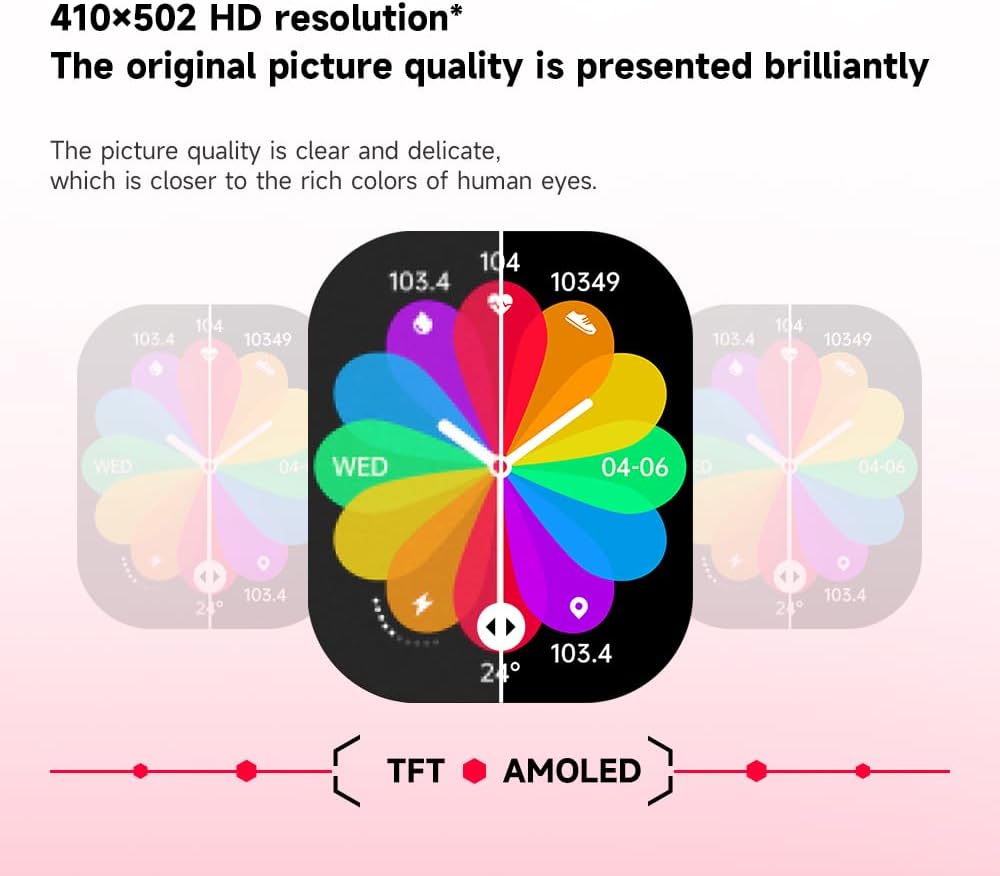
выява: Illustration demonstrating the superior visual quality of the 410x502 HD AMOLED display compared to a TFT screen, highlighting vibrant colors and clarity.

выява: Буйны план view of the 1.96-inch AMOLED screen, emphasizing its explosion-proof and drop-proof tempered glass, thermal shock resistance, anti-corrosion, and anti-scratch properties.
Настройка
1. Зарадка разумнага гадзінніка
Before first use, fully charge your Gravity C26 Smartwatch. Connect the magnetic charging cable to the charging points on the back of the watch and plug the USB end into a power adapter (not included) or a computer's USB port.
- Поўная зарадка звычайна займае каля 2 гадзін.
- The watch features a 350mAh battery, providing up to 25 days of standby time.

выява: Visual representation of the Gravity C26 Smartwatch's 350mAh battery, highlighting intelligent battery life upgrade, over-temperature protection, overvoltage protection, and intelligent optimization of application scenarios.
2. Pairing with Your Smartphone (FitCloudPro App)
To unlock the full potential of your Gravity C26, download and install the FitCloudPro app on your iOS or Android smartphone.
- Спампаваць прыкладанне: Пошук "FitCloudPro" in the Apple App Store (for iOS) or Google Play Store (for Android), or scan the QR code provided in the watch's quick start guide.
- Стварыць уліковы запіс: Адкрыйце праграму FitCloudPro і выконвайце інструкцыі на экране, каб стварыць уліковы запіс або ўвайсці ў сістэму.
- Уключыць Bluetooth: Пераканайцеся, што Bluetooth уключаны на вашым смартфоне.
- Дадаць прыладу: In the FitCloudPro app, navigate to the "Device" or "Add Device" section. The app will search for nearby smartwatches. Select "Gravity C26" from the list.
- Пацвердзіць спалучэнне: A pairing request will appear on both your phone and the smartwatch. Confirm the pairing on both devices.
- Дазволы: Allow necessary permissions (e.g., notifications, location, contacts) for the app to function correctly.
Once paired, the watch will synchronize data with your phone, and you can customize settings, view health data, and manage notifications through the app.
Інструкцыя па эксплуатацыі
1. Навігацыя па інтэрфейсе
The Gravity C26 features a touch-sensitive AMOLED display and two physical buttons for navigation.
- Сэнсарны экран: Правядзіце пальцам улева/управа, уверх/уніз, каб перамяшчацца па меню і віджэтах. Націсніце, каб выбраць опцыю.
- "POWER" Button (Top Right): Націсніце, каб абудзіць/перавесці экран у рэжым сну, вярнуцца да цыферблата гадзінніка, або доўга націсніце, каб атрымаць доступ да параметраў харчавання.
- "SPORT" Button (Bottom Right): Press to quickly access the sports modes menu.

выява: Display of four different menu styles available on the Gravity C26 Smartwatch, including grid views and list views for accessing various functions like settings, dialer, contacts, call records, and voice assistant.
2. Здзяйсненне і прыём званкоў
With Bluetooth calling enabled, you can manage calls directly from your wrist.
- Здзяйсненне званка: Каб пачаць званок, адкрыйце панэль набору нумара або спіс кантактаў на гадзінніку.
- Прыём званка: Пры паступленні званка гадзіннік адлюстроўвае ідэнтыфікатар абанента. Націсніце зялёны значок, каб адказаць, або чырвоны значок, каб адхіліць званок.

выява: Depiction of the Gravity C26 Smartwatch's Bluetooth calling feature showing an incoming call screen and message notifications. Also illustrates the AI voice assistant responding to commands like "How is the weather tomorrow?" and "Call my mom."
3. Using AI Voice Assistant
The built-in AI voice assistant allows for hands-free control. Simply raise your hand to activate the voice assistant and speak your commands.
- Актывацыя: Raise your wrist or use a specific gesture/button press (refer to app settings for customization).
- Каманды: Ask about weather, play music, set alarms, make calls, and more.
4. Tracking Sports Modes
The Gravity C26 supports over 100 sports modes for accurate workout tracking.
- Рэжымы доступу: Press the "SPORT" button or navigate through the menu to find the sports modes.
- Пачатак трэніроўкі: Select your desired activity (e.g., running, cycling, walking) and tap to start. The watch will track duration, heart rate, calories burned, and other relevant metrics.
- Завяршэнне трэніроўкі: Swipe or press the appropriate button to pause or end the workout. Data will be synced to the FitCloudPro app.

выява: Illustration showing the Gravity C26 Smartwatch tracking various sports activities such as walking, running, climbing, and cycling, with real-time data display for duration, heart rate, and calories.
5. Health Monitoring (Heart Rate, Sleep)
Разумны гадзіннік пастаянна адсочвае паказчыкі вашага здароўя.
- Частата сардэчных скарачэнняў: The watch automatically monitors your heart rate throughout the day. You can also initiate a manual measurement from the heart rate widget.
- Адсочванне сну: Wear the watch to bed for automatic sleep analysis, including sleep stagглыбокі, лёгкі, REM-фаза) і працягласць.
- Напаміны пра гідратацыю: Set up hydration reminders in the FitCloudPro app to ensure you stay hydrated.
6. Налада цыферблатаў гадзінніка
Personalize your smartwatch with over 200 cool visual watch faces available through the FitCloudPro app.
- Changing Faces: Open the FitCloudPro app, navigate to the watch face section, and select your preferred design. You can also long-press the watch face on the device to quickly switch between pre-loaded faces.
- Custom Faces: Some watch faces allow for customization with your own photos.

выява: A collage of various watch faces available for the Gravity C26 Smartwatch, demonstrating the wide range of visual styles and customization options.
Тэхнічнае абслугоўванне
1. Уборка
- Працярыце экран і корпус гадзінніка мяккай тканінай без ворса.
- Для раменьчыка выкарыстоўвайце рэкламуamp cloth and mild soap if necessary, then rinse thoroughly and dry completely before wearing.
- Пазбягайце выкарыстання агрэсіўных хімікатаў або абразіўных матэрыялаў.
2. Воданепранікальнасць
The Gravity C26 is 1 ATM waterproof, meaning it can withstand splashes, rain, and brief immersion in shallow water. It is suitable for daily use and light water activities.
- Do not use the watch for diving, hot showers, or saunas, as steam and hot water can compromise the seals.
- Пасля кантакту з вадой, асабліва салёнай, прамыйце гадзіннік прэснай вадой і старанна высушыце.
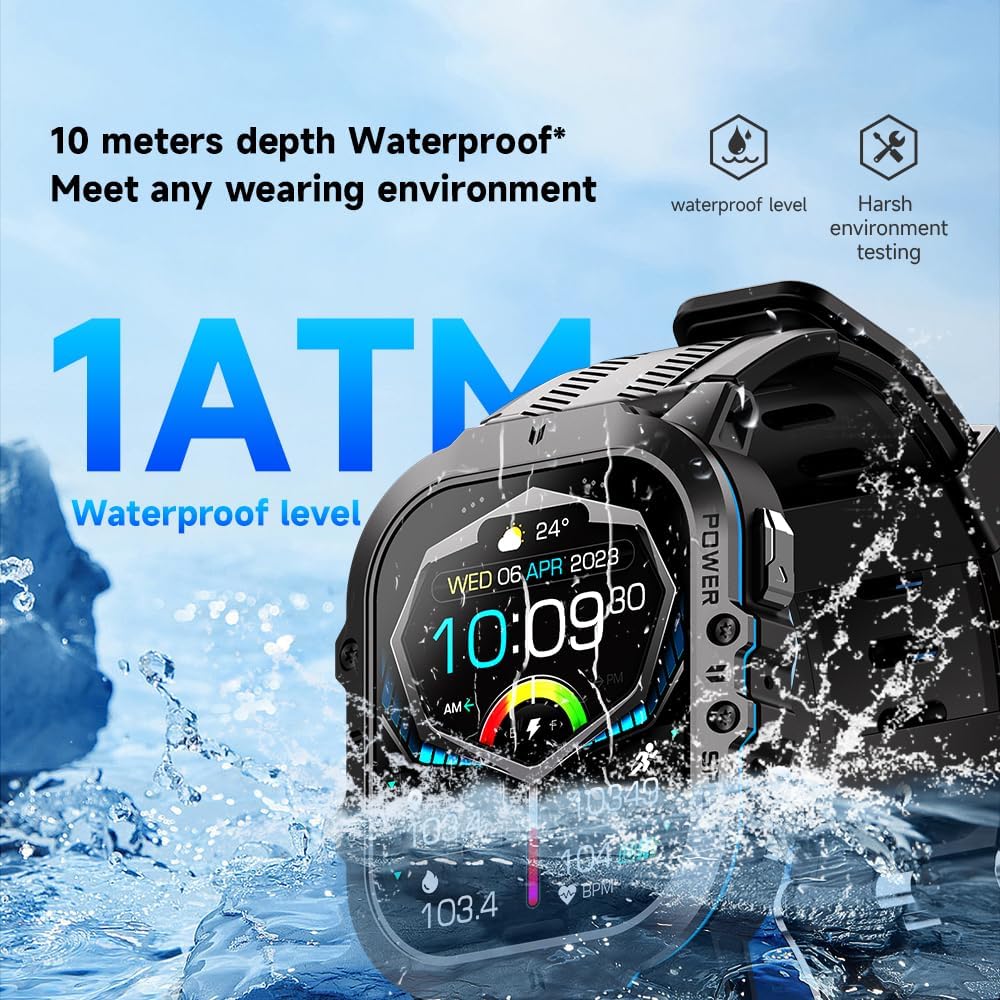
выява: The Gravity C26 Smartwatch partially submerged in water, illustrating its 1 ATM waterproof rating and ability to meet various wearing environments.
3. Сыход за батарэяй
- Avoid extreme temperatures (below -24°C or above 60°C) as they can affect battery life and performance.
- Charge the watch regularly, even if not in use, to maintain battery health.
Ліквідацыю непаладак
| праблема | Магчымае рашэнне |
|---|---|
| Гадзіннік не ўключаецца | Пераканайцеся, што гадзіннік цалкам зараджаны. Падключыце яго да зараднага кабеля і крыніцы харчавання як мінімум на 30 хвілін. |
| Немагчыма спалучыць прыладу са смартфонам |
|
| Апавяшчэнні не атрыманы |
|
| Недакладныя дадзеныя пра здароўе |
|
| Кароткі тэрмін службы батарэі |
|
Тэхнічныя характарыстыкі
| Асаблівасць | Дэталь |
|---|---|
| мадэль | C26 |
| Дысплей | 1.96-цалевы AMOLED, дазвол 410x502 |
| Ёмістасць батарэі | 350 мАг |
| Час чакання | Да 25 дзён |
| Воданепранікальнасць | 1 ATM (suitable for splashes, rain, brief immersion) |
| Сувязь | Bluetooth |
| Сумяшчальнасць | iOS and Android (via FitCloudPro app) |
| Працоўная тэмпература | -24°C да 60°C |
| Вага прадмета | 1 фунта |
| Памеры | 9 х 4 х 1 цаляў (памеры ўпакоўкі) |
Гарантыя і падтрымка
For warranty information and technical support, please refer to the official Gravity webсайт або звярніцеся да прадаўца. Захоўвайце чэк аб куплі як пацверджанне пакупкі.
For further assistance, you may also refer to the FitCloudPro app's help section or frequently asked questions.