
Прадукт скончаныview
The Gravity C28 Rugged Smartwatch is designed for durability and comprehensive health and fitness tracking. It features a 2.02-inch TFT high-resolution display, AI-generated watch faces, and over 100 sports modes. This device also includes Bluetooth calling, smart notifications, and robust water, shock, and dust resistance.

Выява: спераду view of the Gravity C28 Rugged Smartwatch, showcasinдзякуючы трывалай канструкцыі і лічбаваму дысплею.
Асноўныя характарыстыкі
- 2.02-цалевы HD-дысплей: Clear visuals with 320x390 resolution and customizable watch faces.
- Комплекснае адсочванне здароўя: Monitors heart rate, sleep patterns, step count, and calories.
- 100+ спартыўных рэжымаў: Tracks various activities including running, cycling, and hiking.
- Bluetooth Calling & Smart Alerts: Answer calls and receive notifications directly from the wrist.
- Трывалы і ўстойлівы да надвор'я: 1 ATM waterproof, shockproof, and dustproof design.
- Доўгі тэрмін службы батарэі: Up to 25 days standby time with a 410mAh battery.
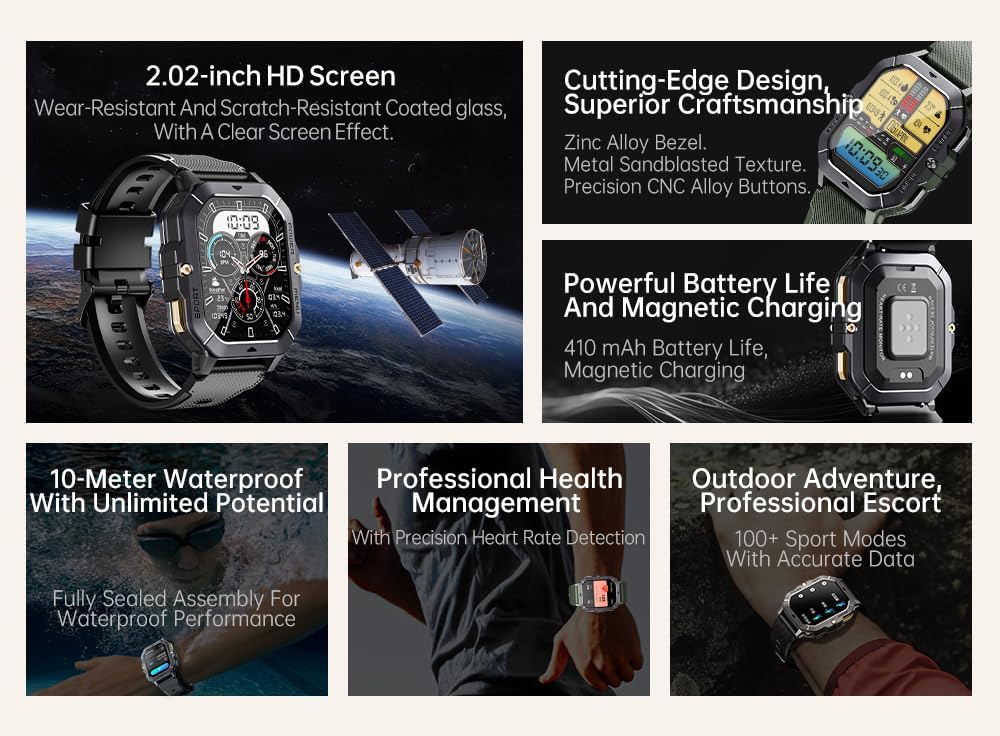
Image: Visual summary of the smartwatch's features, including HD screen, craftsmanship, battery life, waterproofing, health management, and sports modes.
Што ў скрынцы
Upon unboxing your Gravity C28 Smartwatch, please ensure all components are present:
- Gravity C28 Smartwatch
- Зарадны кабель
- Кіраўніцтва карыстальніка (гэты дакумент)
Настройка
1. Зарадка прылады
Before first use, fully charge your Gravity C28 Smartwatch. Connect the magnetic charging cable to the charging points on the back of the watch and plug the USB end into a compatible power adapter (not included) or a computer USB port.

Image: Close-up of the smartwatch's rear, showing the magnetic charging pins and the charging cable attached.
2. Уключэнне / выключэнне харчавання
- Уключэнне: Press and hold the 'POWER' button (typically the top right button) until the screen illuminates.
- Выключэнне: Press and hold the 'POWER' button, then select 'Power Off' on the screen, or continue holding until the device shuts down.
3. Усталёўка праграмы і спалучэнне
The Gravity C28 Smartwatch uses the Da Fit application for full functionality and data synchronization. The app is compatible with both Android and iOS devices.
- Download the 'Da Fit' app from your device's app store (Google Play Store for Android, Apple App Store for iOS).
- Адкрыйце праграму Da Fit і выконвайце інструкцыі на экране, каб стварыць уліковы запіс або ўвайсці ў сістэму.
- Пераканайцеся, што Bluetooth уключаны на вашым смартфоне.
- In the Da Fit app, navigate to 'Add Device' or 'Bind Device'.
- Select 'C28' from the list of available devices.
- Пацвердзіце запыт на спалучэнне як на смартфоне, так і на разумным гадзінніку.
Кіраванне разумным гадзіннікам
Навігацыя
- Сэнсарны экран: Swipe left, right, up, or down to navigate through menus and access different functions. Tap to select.
- Кнопка «ХАРЧАВАННЕ»: Short press to return to the watch face or wake the screen. Long press for power options.
- 'MENU' Button: Short press to access the main menu.
- Кнопка «СПОРТ»: Кароткае націсканне для хуткага доступу да спартыўных рэжымаў.

Малюнак: Examples of different menu display modes available on the smartwatch, such as Grid View, Surface, Parallel, and Helm.
Bluetooth Calling and Smart Alerts
Once paired with your smartphone, the Gravity C28 allows you to manage calls and notifications directly from your wrist.
- Адказ на званкі: Пры паступленні ўваходнага званка гадзіннік адлюстроўвае ідэнтыфікатар абанента. Націсніце на зялёны значок тэлефона, каб адказаць.
- Здзяйсненне званкоў: Access the dial pad or contact list through the watch's menu to initiate calls.
- Апавяшчэнні: Receive alerts for messages, social media, and other app notifications. Swipe down from the watch face to view нядаўнія апавяшчэнні.

Image: Two Gravity C28 smartwatches displaying an incoming call and a message alert, demonstrating the Bluetooth call and message alert features.
AI Watch Face and DA GPT
The smartwatch supports AI-generated watch faces for personalization and integrates with DA GPT for interactive features.
- AI Watch Face: Customize your watch face by providing text prompts to the AI, which will generate unique designs.
- DA GPT: Interact with the DA GPT feature to explore new ideas or learn new things directly from your watch.

Image: Diagram illustrating the DA GPT interaction flow and the AI Watch Face generation process, showing how users can request custom watch face backgrounds.
Спартыўныя рэжымы
The Gravity C28 offers over 100 sports modes to accurately track your physical activities. Access these modes via the 'SPORT' button or the main menu.
- Select your desired sport (e.g., running, cycling, swimming).
- The watch will begin tracking relevant metrics such as duration, distance, calories burned, and heart rate.
- End your workout by following the on-screen prompts. Data will sync with the Da Fit app.
Маніторынг здароўя
The smartwatch provides continuous monitoring of various health metrics.
- Частата сардэчных скарачэнняў: Маніторынг пульса ў рэжыме рэальнага часу.
- Маніторынг сну: Analyzes sleep patterns, including deep sleep, light sleep, and awake times.
- Step Counter & Calories: Tracks daily steps and estimated calories burned.
- SpO2, Blood Pressure, Stress: Provides readings for blood oxygen saturation, blood pressure, and stress levels.

Image: Screenshots of the smartwatch display showing various health metrics: Heart Rate, SpO2, Blood Pressure, Stress, Sleep, and Cycle Tracking.
Тэхнічнае абслугоўванне
Уборка
Regular cleaning helps maintain the smartwatch's appearance and functionality.
- Працярыце экран і корпус мяккай тканінай без ворса.
- Для ўстойлівага бруду злёгку ачысціцеampпрамыйце тканіну вадой. Пазбягайце агрэсіўных хімічных рэчываў або абразіўных матэрыялаў.
- Перад зарадкай пераканайцеся, што кантакты зараднай прылады чыстыя і сухія.
Воданепранікальнасць
The Gravity C28 is 1 ATM waterproof, meaning it can withstand splashes, rain, and brief immersion in shallow water. It is suitable for daily cleaning, sweating, and getting wet by rain.

Image: The smartwatch being used underwater, illustrating its 1 ATM waterproof capability for activities like snorkeling, and icons for daily cleaning, sweat, and rain resistance.
Важна: While waterproof, avoid prolonged exposure to hot water, steam, or high-pressure water jets. Do not operate buttons underwater.
Захоўванне
Store the smartwatch in a cool, dry place away from direct sunlight and extreme temperatures when not in use for extended periods.
Ліквідацыю непаладак
- Гадзіннік не ўключаецца: Пераканайцеся, што гадзіннік цалкам зараджаны. Падключыце яго да зараднай прылады як мінімум на 30 хвілін.
- Немагчыма спалучыць з тэлефонам:
- Пераканайцеся, што Bluetooth уключаны на вашым тэлефоне і гадзінніку.
- Пераканайцеся, што гадзіннік знаходзіцца ў зоне дзеяння Bluetooth (прыблізна 10 метраў).
- Перазагрузіце і гадзіннік, і тэлефон.
- Clear Bluetooth cache on your phone (Android) or forget the device and re-pair (iOS).
- Недакладныя дадзеныя пра здароўе:
- Пераканайцеся, што гадзіннік шчыльна прылягае да запясця, не занадта свабодна і не занадта туга.
- Ачысціце датчык на задняй панэлі гадзінніка.
- Пазбягайце празмерных рухаў падчас вымярэнняў.
- Апавяшчэнні не з'яўляюцца:
- Check notification permissions in the Da Fit app and your phone's settings.
- Ensure the Da Fit app is running in the background.
- Пераканайцеся, што гадзіннік падключаны праз Bluetooth.
- Кароткі тэрмін службы батарэі:
- Паменшыць яркасць экрана.
- Адключыце бесперапынны маніторынг пульса, калі ён не патрэбны.
- Абмежаваць колькасць актыўных апавяшчэнняў.
- Ensure background app refresh for Da Fit is enabled on your phone.
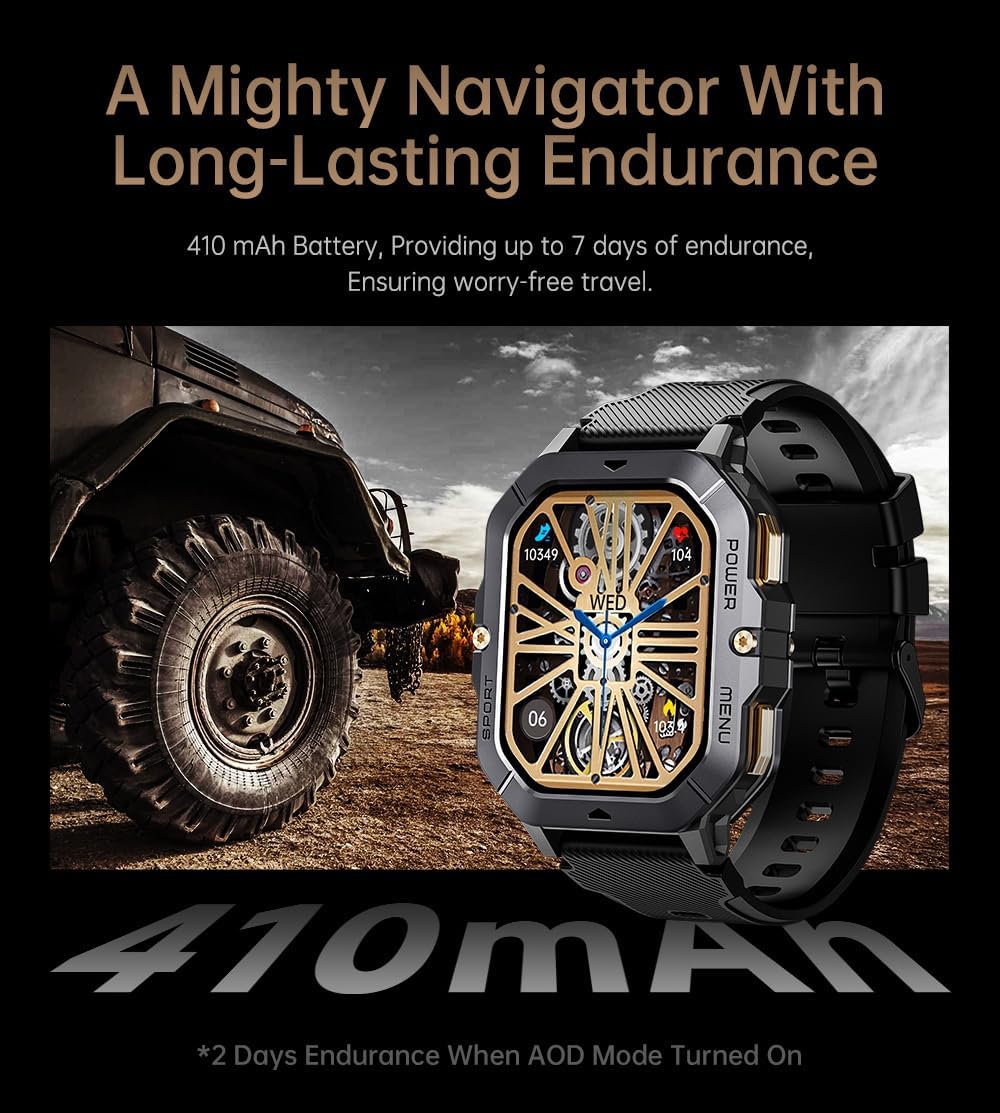
Image: The smartwatch displayed next to a large tire, emphasizing its ruggedness and long-lasting 410 mAh battery, providing up to 7 days of endurance (2 days with AOD mode).
Тэхнічныя характарыстыкі
| Асаблівасць | Дэталь |
|---|---|
| Нумар мадэлі | W4-C28 |
| Памер дысплея | 2.02-цалевы TFT-дысплей |
| Ёмістасць батарэі | 410 мАг |
| Аперацыйная сістэма | Android OS (compatible with Android & iOS via Da Fit app) |
| Сувязь | Bluetooth |
| Воданепранікальнасць | 1 банкаматаў |
| Вага прадмета | 1 фунта |
| Памеры | 9 х 4 х 1 цалі (упакоўка) |
| Тып батарэі | Літый-палімерны |
Гарантыя і падтрымка
Інфармацыя аб гарантыі
Warranty details for the Gravity C28 Smartwatch are typically provided with your purchase documentation. Please refer to the warranty card or contact your retailer for specific terms and conditions regarding coverage and duration.
Падтрымка кліентаў
For technical assistance, troubleshooting not covered in this manual, or inquiries regarding your device, please contact Gravity customer support through the contact information provided on the product packaging or the official Gravity webсайт.