
Strong Leap-UNA
STRONG Leap-UNA 2K Android TV Streaming Stick User Manual
Model: Leap-UNA
Марка: Strong
Уводзіны
The STRONG Leap-UNA TV Streaming Stick is a compact and powerful device designed to transform your television into a smart TV, providing instant access to a vast array of streaming content. Powered by Android TV 11, it offers seamless 2K resolution streaming with Wi-Fi 5 connectivity. This manual provides detailed instructions for setting up, operating, and maintaining your Leap-UNA streaming stick to ensure an optimal entertainment experience.
Інфармацыя па бяспецы
- Прачытайце ўсе інструкцыі перад выкарыстаннем прылады.
- Не падвяргайце прыладу ўздзеянню дажджу, вільгаці або экстрэмальных тэмператур.
- Забяспечце належную вентыляцыю вакол прылады, каб прадухіліць перагрэў.
- Выкарыстоўвайце толькі адаптар сілкавання, які пастаўляецца з прыладай.
- Не спрабуйце разбіраць або рамантаваць прыладу самастойна. Звяртайцеся да кваліфікаванага персаналу па любыя паслугі па абслугоўванні.
- Трымайце прыладу далей ад прамых сонечных прамянёў і крыніц цяпла.
Змест пакета
Калі ласка, праверце наяўнасць усіх прадметаў і іх стан:
- STRONG Leap-UNA 2K Android TV Streaming Stick
- Пульт дыстанцыйнага кіравання
- Power Adapter (or USB cable for power)
- HDMI Extender (if included)
- Кіраўніцтва карыстальніка (гэты дакумент)
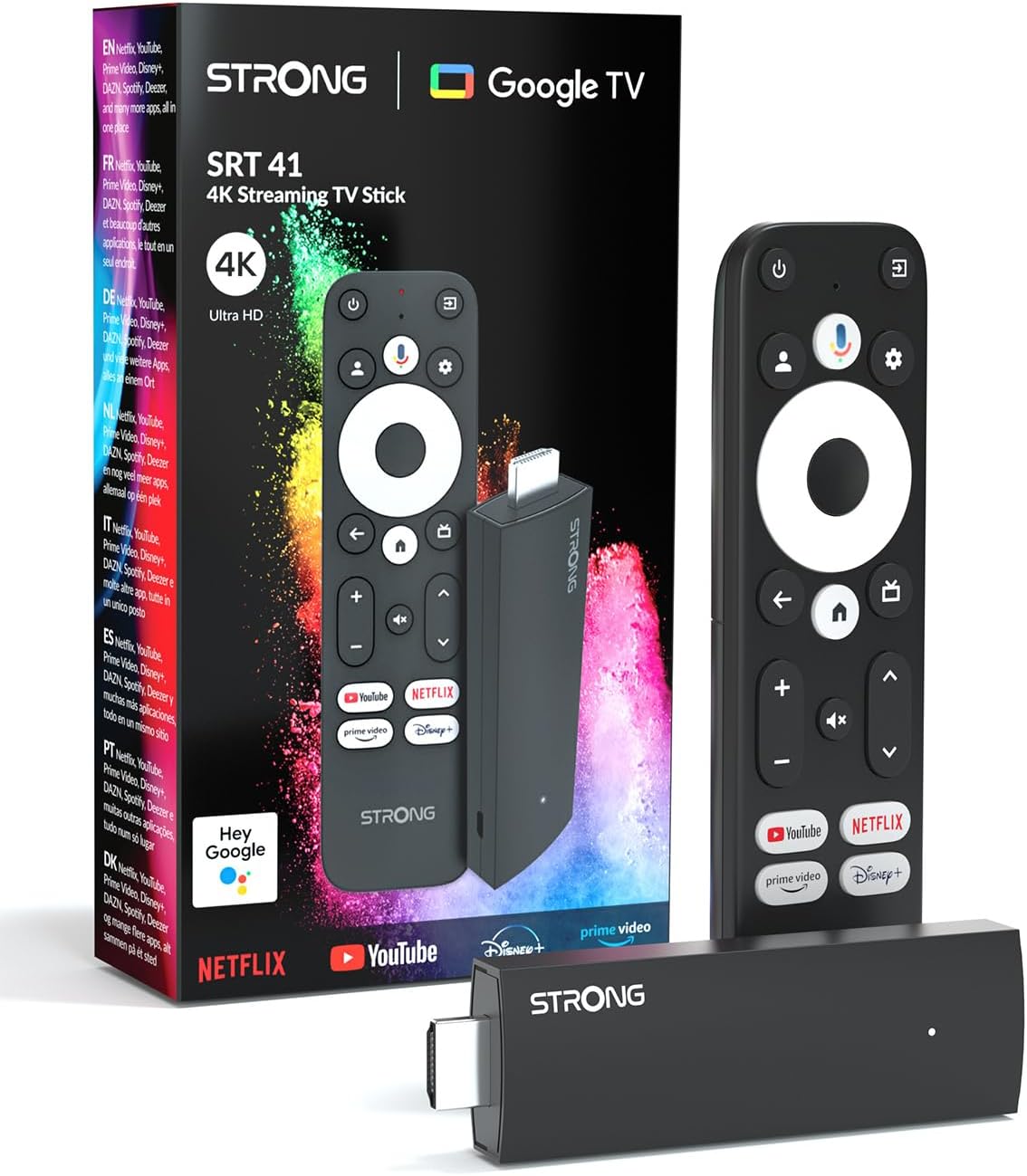
Image: The STRONG Leap-UNA streaming stick, its remote control, and the product packaging. This shows the main components included in the box.
Прадукт скончаныview
The Leap-UNA stick is designed for ease of use and portability. It connects directly to your TV's HDMI port.
Кампаненты прылады:
- Streaming Stick: Compact device with an HDMI connector for TV and a Micro USB port for power.
- Пульт дыстанцыйнага кіравання: Features dedicated buttons for power, navigation, volume, Google Assistant, and quick access to popular streaming services like Netflix and YouTube.

Image: A close-up of the STRONG Leap-UNA streaming stick, highlighting its compact design and connectivity options including HDMI and Micro USB ports.
Настройка
Follow these steps to set up your STRONG Leap-UNA streaming stick:
- Падключэнне да тэлевізара: Plug the STRONG Leap-UNA streaming stick directly into an available HDMI port on your television. If space is limited, use an HDMI extender (if provided).
- Уключэнне: Connect the power adapter to the Micro USB port on the streaming stick and then plug the adapter into a power outlet. The device will power on automatically.
- Выберыце ўваход HDMI: Use your TV's remote control to select the correct HDMI input source to which the Leap-UNA stick is connected.
- Спалучэнне пульта дыстанцыйнага кіравання: Follow the on-screen instructions to pair your remote control. This usually involves pressing and holding specific buttons on the remote close to the stick.
- Падключыцеся да Wi-Fi: On the screen, select your Wi-Fi network from the list and enter the password. Ensure you have a stable internet connection for optimal streaming.
- Настройка акаўнта Google: Sign in with your Google account. This is necessary to access the Google Play Store, Google Assistant, and other Google services. If you don't have one, you can create one.
- Усталяваць праграмы: After initial setup, you can download and install your favorite streaming applications like Netflix, Amazon Prime Video, YouTube, and Disney+ from the Google Play Store.

Image: Visual representation of the simple setup process: 1. Connect the stick to your TV. 2. Connect to your internet box (Wi-Fi). 3. Start streaming your content.
Інструкцыя па эксплуатацыі
Выкарыстанне пульта дыстанцыйнага кіравання:
The included remote control allows you to navigate the Android TV interface and control your streaming experience.
- Навігацыйная панэль: Выкарыстоўвайце круглую панэль для перамяшчэння па меню і выбару элементаў.
- Кнопка "Назад": Вяртае да папярэдняга экрана.
- Кнопка дадому: Вяртаецца на галоўны экран Android TV.
- Кнопка Памочніка Google: Націсніце, каб актываваць галасавыя каманды.
- Кнопкі гучнасці: Адрэгулюйце гучнасць тэлевізара.
- Спецыяльныя кнопкі праграмы: Quickly launch Netflix, YouTube, Prime Video, and Disney+ (if available).

Image: The remote control for the STRONG Leap-UNA, highlighting its dedicated app buttons and the wide range of applications available through Google Play.
Галасавое кіраванне з дапамогай Google Assistant:
The integrated Google Assistant allows you to control your device and search for content using your voice. Press the Google Assistant button on your remote and speak your command. Exampўключаюць у сябе:
- «Адкрыць Netflix»
- «Знайсці баевікі»
- «Прайграць [Назва фільма]»
- "What's the weather?"

Image: The STRONG Leap-UNA remote control positioned in front of a TV screen, illustrating the use of Google Assistant for voice commands, such as "Avvia Netflix" (Start Netflix).
Убудаваны Chromecast:
With Chromecast built-in, you can cast content directly from your smartphone, tablet, or computer to your TV. Simply open a compatible app on your mobile device and tap the Cast icon ▶ to send the content to your TV.

Image: A TV screen displaying content being cast via Google Cast, with a smartphone in the foreground demonstrating the casting functionality.
Тэхнічнае абслугоўванне
To ensure the longevity and optimal performance of your STRONG Leap-UNA streaming stick, follow these maintenance guidelines:
- Уборка: Для чысткі прылады выкарыстоўвайце мяккую сухую тканіну. Не выкарыстоўвайце вадкія ачышчальнікі або аэразолі.
- Вентыляцыя: Ensure the device is placed in a well-ventilated area and that its vents are not blocked.
- Абнаўленні праграмнага забеспячэння: The device may receive automatic software updates. Ensure it is connected to the internet to receive these updates, which improve performance and add new features.
- захоўванне: Калі прылада не выкарыстоўваецца працяглы час, захоўвайце яе ў прахалодным, сухім месцы.
Ліквідацыю непаладак
If you encounter issues with your STRONG Leap-UNA streaming stick, refer to the following common problems and solutions:
| праблема | Магчымая прычына | Рашэнне |
|---|---|---|
| Няма харчавання/Прылада не ўключаецца | Power cable not connected properly; Faulty power adapter; Power outlet issue. | Праверце ўсе падключэнні да сеткі. Паспрабуйце іншую разетку. Пераканайцеся, што адаптар сілкавання працуе. |
| Няма выявы на тэлевізары | Incorrect HDMI input selected; Loose HDMI connection; TV compatibility issue. | Ensure your TV is on the correct HDMI input. Reconnect the HDMI cable. Try a different HDMI port on your TV. |
| Пульт дыстанцыйнага кіравання не адказвае | Batteries are low or dead; Remote not paired; Obstruction between remote and stick. | Replace batteries. Re-pair the remote control (refer to Setup section). Ensure no obstructions. |
| Буферызацыя або нізкая якасць струменевай перадачы | Weak Wi-Fi signal; Internet speed issues; Network congestion. | Move the stick closer to your Wi-Fi router. Restart your router. Check your internet speed. Reduce other network activity. |
| Збоі або завісанні праграм | App error; Insufficient memory; Software glitch. | Restart the app. Clear the app's cache (Settings > Apps > [App Name] > Clear cache). Restart the streaming stick. |
Тэхнічныя характарыстыкі
| Асаблівасць | Дэталь |
|---|---|
| Марка | Моцны |
| Назва мадэлі | Leap-UNA |
| Аперацыйная сістэма | Android TV 11 |
| дазвол | 2K |
| Тэхналогія падлучэння | Bluetooth, HDMI, IR, Wi-Fi (Wi-Fi 5) |
| Падтрымліваюцца інтэрнэт-сэрвісы | Netflix, Amazon Prime Video, Disney+, YouTube |
| Памер аператыўнай памяці | 1 ГБ |
| Памеры | 9 Д х 3 Ш х 1.5 У сантыметраў |
| Сумяшчальныя прылады | TV, smartphone, tablet, personal computer, laptop |
| Колер | Чорны |
Гарантыя і падтрымка
STRONG products are designed for reliability and performance. For warranty information and technical support, please refer to the warranty card included with your product or visit the official STRONG website. You can also contact customer support through the details provided on the packaging or website for assistance with any issues not covered in this manual.
Каб атрымаць найноўшую інфармацыю і падтрымку, наведайце: www.strong.tv