
Уводзіны
This manual provides detailed instructions for the avedio links 4K and 8K HDMI Audio Extractor Splitters. These devices are designed to extract digital audio from an HDMI source and output it via optical SPDIF, coaxial, or L/R stereo audio, while simultaneously passing the original video/audio signal through to an HDMI output. This allows for flexible audio integration with various sound systems such as amplifiers, AV receivers, or soundbars.
Асноўныя характарыстыкі
- 4K HDMI Audio Extractor: Extracts audio from HDMI 1.4b sources up to 4K@30Hz, supporting HDCP 1.4, Full HD 1080P, 3D, and 36-bit deep color. Audio formats include DTS-HD, Dolby TrueHD, LPCM7.1, DTS, Dolby-AC3, and DSD.
- 8K HDMI Audio Extractor: Extracts audio from HDMI 2.1 sources up to 8K@60Hz, 4K@120Hz, 2K@144Hz, and 1080P@240Hz. Supports HDCP 2.3, 4K HDR ULTRAHD, VRR, and Chroma 4:2:0 / 4:2:2 / 4:4:4 with a max bandwidth of 48Gbps.
- Multiple Audio Outputs: Provides optical SPDIF, coaxial, and 3.5mm audio jack outputs for versatile connectivity to external audio devices.
- Audio Output Modes: Features PASS, 2.0CH, and 5.1CH modes for EDID switching, allowing selection of the desired audio output configuration.
- Supported Digital Audio Formats: Compatible with LPCM5.1/2.0, DTS-HD, Dolby-Digital, and Dolby-trueHD.
Прадукт скончаныview
4K HDMI Audio Extractor (HDMI 1.4b)

Выява: спераду і ззаду view of the avedio links 4K HDMI Audio Extractor. The top unit shows the DC 5V power input, PWR indicator, HDMI IN port, and audio mode switches (PASS, 2CH, 5.1CH). The bottom unit shows the HDMI OUT port, SPDIF optical output, Coaxial output, and L/R RCA audio outputs.
8K HDMI Audio Extractor (HDMI 2.1)
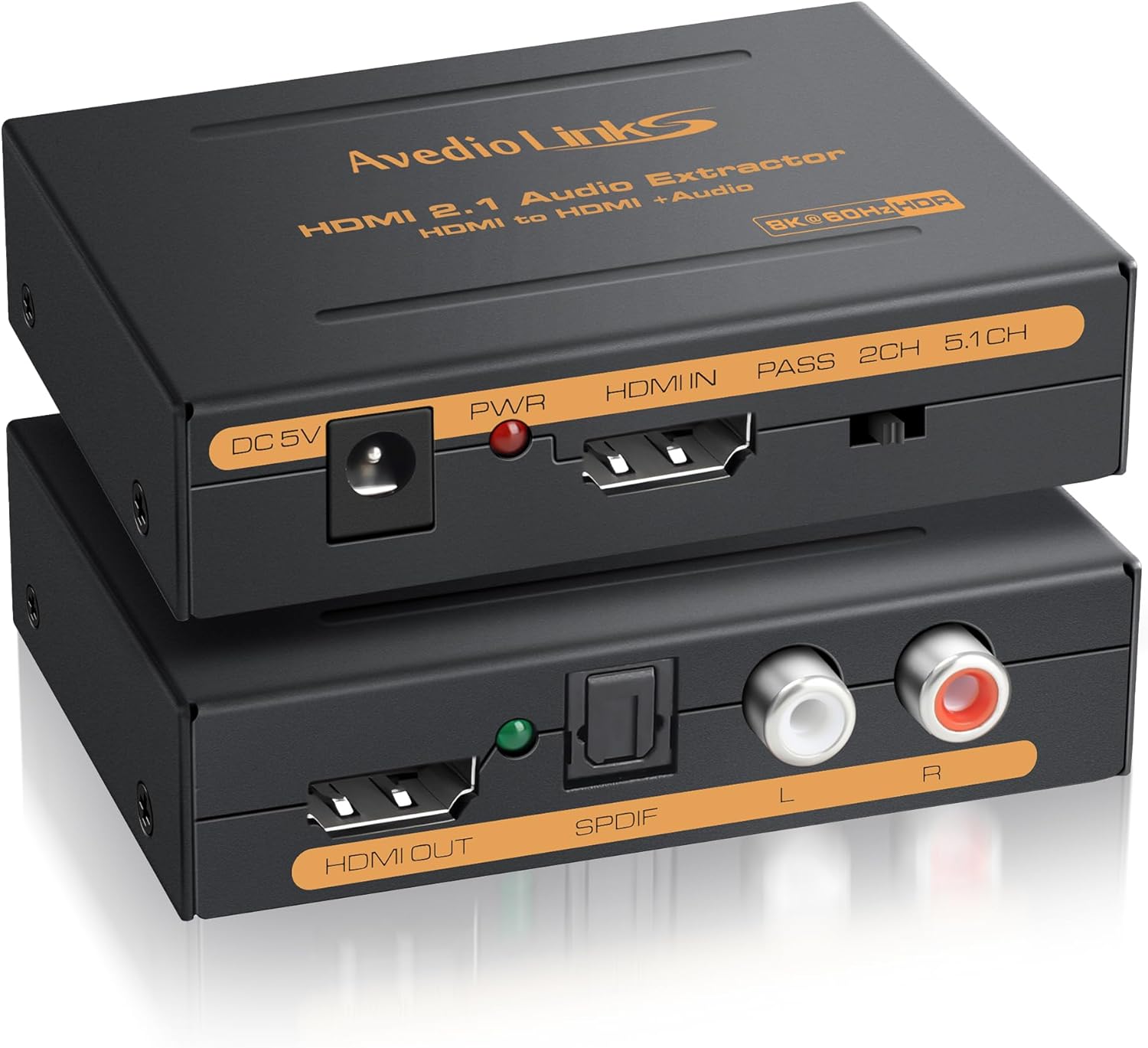
Выява: спераду і ззаду view of the avedio links 8K HDMI Audio Extractor. Similar to the 4K model, the top unit features DC 5V power, PWR indicator, HDMI IN, and audio mode switches. The bottom unit includes HDMI OUT, SPDIF optical, Coaxial, and L/R RCA audio outputs.
Настройка і падключэнне
Follow these steps to connect your HDMI Audio Extractor:
- Connect your HDMI source device (e.g., TV Box, DVD Player, Game Console) to the HDMI IN port of the extractor using an HDMI cable.
- Connect the HDMI OUT port of the extractor to your display device (e.g., HDTV, Projector) using an HDMI cable.
- Connect your desired audio output (SPDIF, Coaxial, or L/R RCA) from the extractor to your audio receiving device (e.g., amplifier, soundbar, headphones).
- Connect the provided USB power cable to the DC 5V port on the extractor and to a USB power source.
- Пераканайцеся, што выключальнік УКЛ./ВЫКЛ. знаходзіцца ў становішчы «УКЛ.».

Image: A setup diagram illustrating the 4K HDMI Audio Extractor connected to a TV for video output and to external speakers for audio output, enhancing the sound experience for gaming or movies.
Important Note: ARC Function Not Supported

Image: A diagram showing correct and incorrect usage scenarios. The top part shows a TV Box, DVD Player, or PS4/5 connected to the extractor, which then connects to an HDTV and speakers, indicating proper functionality. The bottom part shows an HDTV connected as an input source to the extractor, resulting in no sound output, clearly stating that the ARC function is not supported and a TV cannot be used as an input source device for audio extraction.
These HDMI Audio Extractor Splitters do not support the Audio Return Channel (ARC) function. Therefore, the TV cannot be used as an input source device for audio extraction. Ensure your source device is connected to the HDMI IN port.
Інструкцыя па эксплуатацыі
Рэжымы вываду гуку
The extractor features a switch to select between three audio output modes:

Image: A visual representation of the three audio output modes. 'PASS Mode' sends audio directly to HDTVs or projectors. '2CH' mode is for stereo speakers or headphones. '5.1CH' mode is for amplifiers or surround sound systems, with a note to set the input source audio format to LPCM/PCM when switching to 2CH/5.1CH.
- PASS Mode: The audio signal is passed through directly to the HDMI output without modification. This is suitable when your display device handles the audio.
- Рэжым 2.0CH: The audio is converted to 2-channel stereo output via SPDIF, Coaxial, or L/R RCA. Ideal for stereo speakers or headphones.
- Рэжым 5.1CH: The audio is output as 5.1 channel surround sound via SPDIF or Coaxial. This mode is suitable for compatible amplifiers or surround sound systems. Ensure the source audio is 5.1CH for optimal performance.
Заўвага: When switching to the "2CH" or "5.1CH" position, please set the audio output format of the input source to LPCM/PCM for proper functionality.
Адначасовы аўдыёвыхад
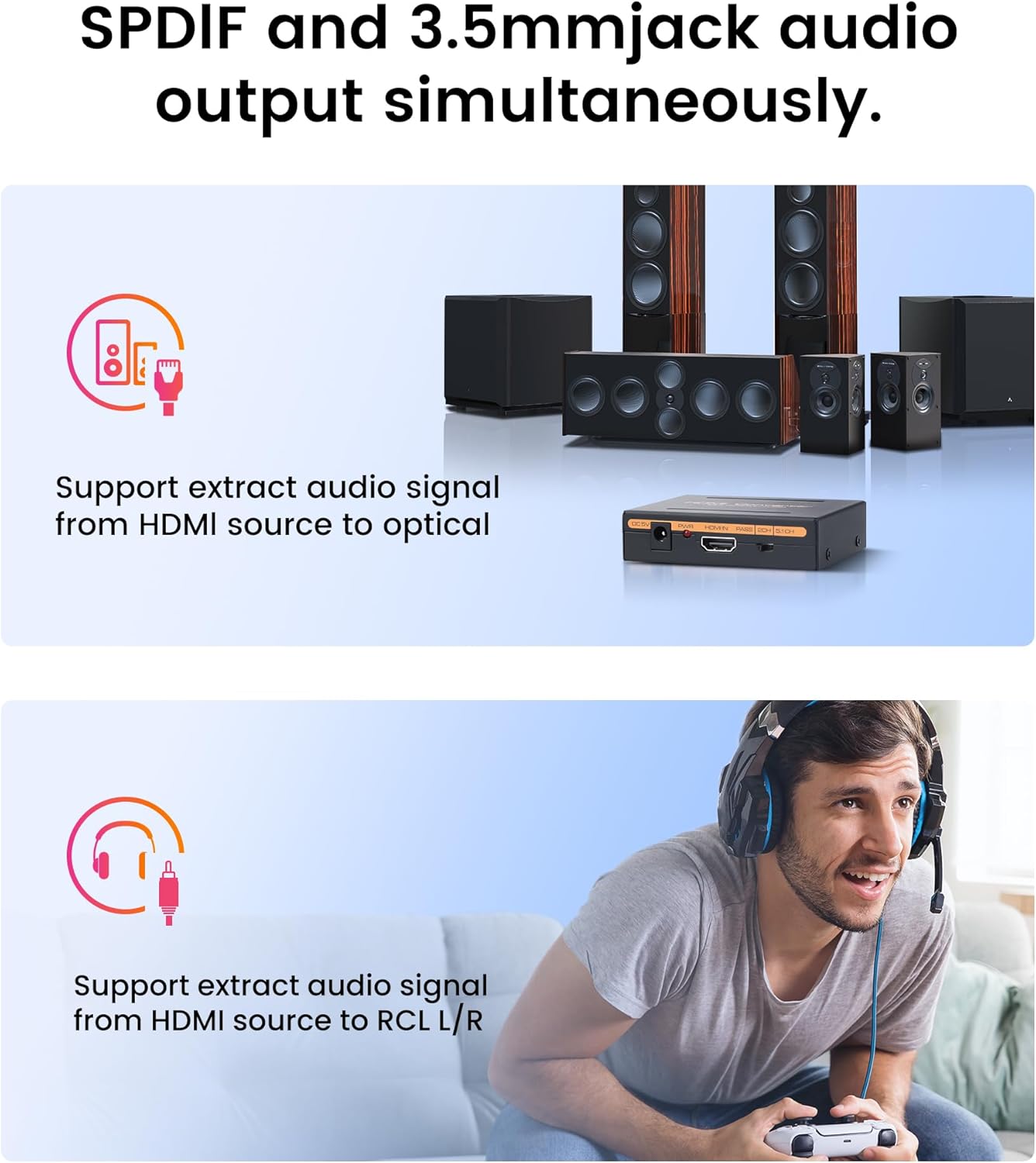
Image: Two illustrations demonstrating the audio extraction capabilities. The top image shows the extractor supporting audio signal extraction from an HDMI source to an optical output, connected to a multi-speaker home theater system. The bottom image shows the extractor supporting audio signal extraction from an HDMI source to an RCA L/R output, connected to headphones for personal listening.
The extractor supports simultaneous audio output through SPDIF, Coaxial, and L/R RCA ports, allowing connection to multiple audio devices if needed.
5.1CH Dolby Digital Support

Image: A graphic emphasizing support for 5.1CH Dolby Digital, with sound waves emanating from a soundbar and surrounding speakers, indicating an immersive audio experience for games, music, and movies. A note specifies that the source audio must be 5.1CH.
For an immersive audio experience, the 8K model supports 5.1CH Dolby Digital. Ensure your audio source is providing a 5.1CH signal for this feature to function correctly.
Тэхнічныя характарыстыкі
| Асаблівасць | 4K HDMI Audio Extractor (HDMI 1.4b) | 8K HDMI Audio Extractor (HDMI 2.1) |
|---|---|---|
| HDMI версія | HDMI 1.4b | HDMI 2.1 |
| Версія HDCP | HDCP 1.4 | HDCP 2.3 |
| Максімальная дазвол | 4K@30Hz, 1080P, 3D | 8K@60Hz, 4K@120Hz, 2K@144Hz, 1080P@240Hz |
| Глыбіня колеру | 36-бітны глыбокі колер | Chroma 4:2:0 / 4:2:2 / 4:4:4 |
| Максімальная прапускная здольнасць | Not specified (typical for HDMI 1.4b) | 48 Гбіт/с |
| Падтрымліваюцца аўдыяфарматы | DTS-HD, Dolby TrueHD, LPCM7.1, DTS, Dolby-AC3, DSD | LPCM5.1/2.0, DTS-HD, Dolby-Digital, Dolby-trueHD |
| Іншыя асаблівасці | HDR ULTRAHD, VRR | |
| Электразабеспячэнне | 5 В пастаяннага току | |
Заўвага: To achieve 8K resolution, an HDMI 2.1 cable within 10 feet is required.
Ліквідацыю непаладак
- Няма аўдыявыхаду:
- Пераканайцеся, што ўсе кабелі надзейна падключаны.
- Verify the power adapter is connected and the unit is powered on.
- Check the audio output mode switch (PASS, 2.0CH, 5.1CH) and ensure it matches your audio setup.
- Confirm the audio format setting on your source device is compatible with the selected output mode (e.g., LPCM/PCM for 2.0CH/5.1CH).
- Ensure your audio receiving device (amplifier, soundbar) is correctly configured and powered on.
- Няма відэавыхаду:
- Праверце ўсе падключэнні кабеля HDMI.
- Ensure the HDMI cables used are of sufficient quality and support the desired resolution (e.g., HDMI 2.1 for 8K).
- Try connecting the HDMI source directly to the display to rule out cable or source issues.
- Дрэнная якасць гуку:
- Ensure high-quality audio cables are used.
- Праверце наяўнасць перашкод ад іншых электронных прылад.
- Verify the audio settings on your source device and audio receiving device.
Дэманстрацыя відэа
Video: A demonstration of the HDMI ARC Audio Extractor, showcasing its features and connectivity options for RCA output. This video provides a visual guide to understanding the product's functionality.
Гарантыя і падтрымка
For warranty information or technical support, please refer to the product packaging or contact avedio links customer service directly. Keep your purchase receipt for warranty claims.