
ClokoWe T800
Кіраўніцтва карыстальніка міні-праектара ClokoWe T800
Мадэль: T800
1. Уводзіны
This manual provides detailed instructions for the safe and effective use of your ClokoWe Mini Projector T800. Please read this manual thoroughly before operating the device and retain it for future reference.
Інфармацыя па бяспецы
- Не глядзіце непасрэдна ў аб'ектыў праектара, калі ён уключаны.amp уключаны.
- Забяспечце належную вентыляцыю вакол праектара, каб прадухіліць перагрэў.
- Трымайце праектар далей ад вады або іншых вадкасцей.
- Выкарыстоўвайце толькі адаптар сілкавання, які пастаўляецца з прыладай.
- Do not attempt to disassemble or repair the projector yourself. Contact customer support for assistance.
2. Змесціва ўпакоўкі
Праверце наяўнасць усіх прадметаў у камплекце:
- ClokoWe Mini Projector T800
- Кабель HDMI
- Пульт дыстанцыйнага кіравання
- Шнур харчавання
- Кіраўніцтва карыстальніка (гэты дакумент)
3. Прадукт скончыўсяview
Familiarize yourself with the projector's components and features.
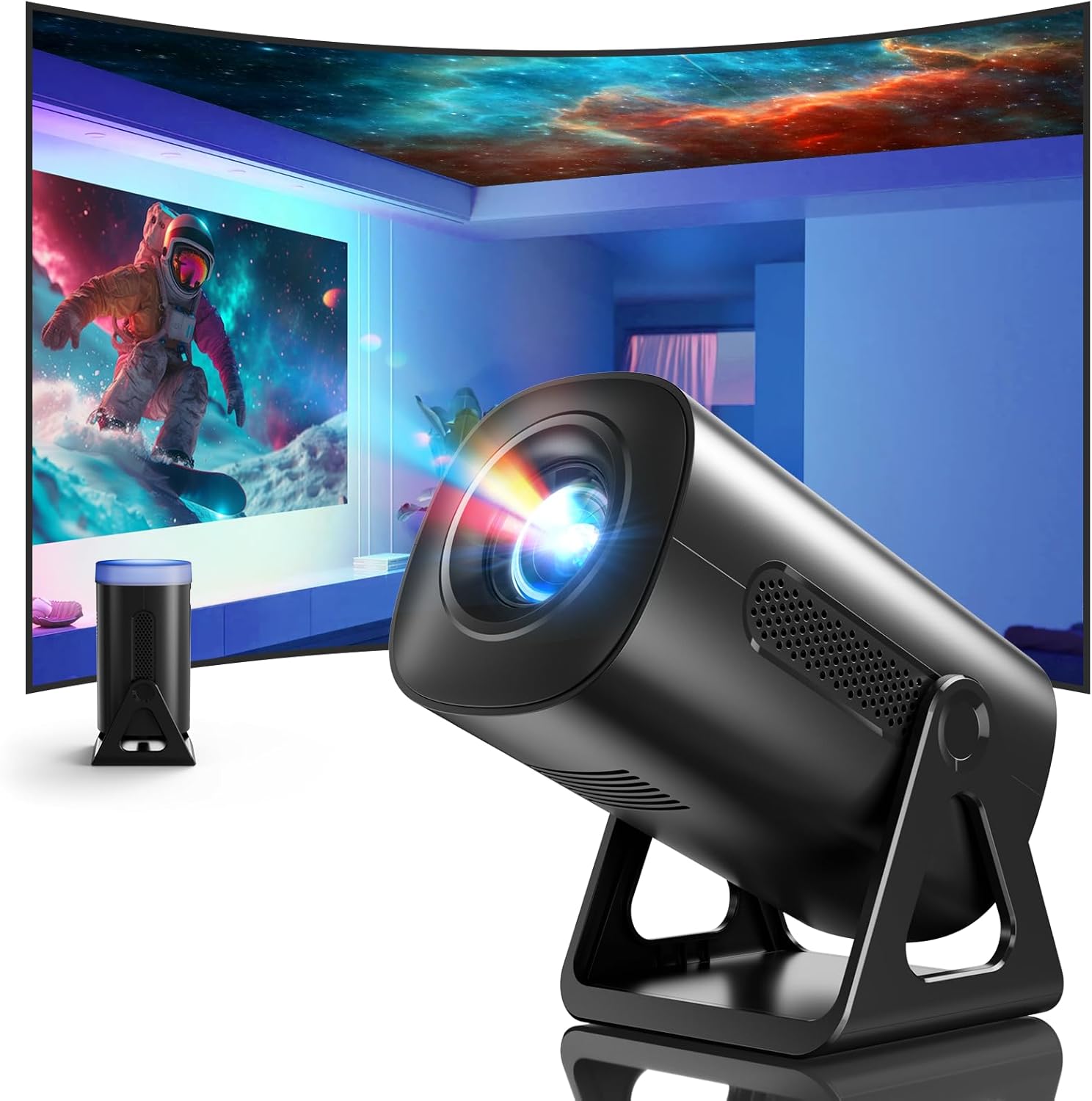
Выява 3.1: Спераду view of the ClokoWe Mini Projector T800, showcasing its compact design and projection capability.
Асноўныя характарыстыкі:
- Native 1080p Resolution with 4K Support
- 270° Rotatable Stand for flexible projection angles
- Integrated Star Projector with 6 Galaxy Projection Modes and 7 Ambient Night Light Colors
- Dual Band WiFi 6 (2.4G/5G) for stable wireless connectivity
- Bluetooth 5.2 HiFi Speaker for enhanced audio
- Automatic Keystone Correction and 50%-100% Zoom function
- Multiple connectivity options: USB, HDMI, AV, Audio

Image 3.2: Dimensions and weight of the projector, highlighting the 270-degree rotatable stand.
4. Настройка
4.1 Падключэнне харчавання
- Падключыце шнур харчавання да ўваходнага порта харчавання праектара.
- Падключыце другі канец шнура харчавання да звычайнай электрычнай разеткі.
- Загарыцца індыкатар харчавання.
4.2 Placement and Adjustment
The 270° rotatable stand allows for flexible placement and projection.

Image 4.1: The projector's 270-degree rotation feature, enabling projection onto walls, floors, or ceilings.
- пазіцыянаванне: Размясціце праектар на ўстойлівай, роўнай паверхні.
- Рэгуляванне кута: Rotate the projector body on its stand to achieve the desired projection angle (up to 270 degrees).
- Фокус: Use the focus ring on the projector lens to sharpen the image.
- Карэкцыя трапецеідальных скажэнняў: The projector features automatic keystone correction. If the image appears trapezoidal, the device will automatically adjust it to a rectangular shape. Manual adjustments may also be available in the settings menu.

Image 4.2: Demonstration of automatic keystone correction and image zoom capabilities.
5. Інструкцыя па эксплуатацыі
5.1 Першапачатковае ўключэнне
- Націсніце кнопку харчавання на праектары або пульце дыстанцыйнага кіравання.
- The projector will start up and display the main interface.
5.2 Падключэнне
The projector supports various input sources and wireless connections.

Выява 5.1: Канецview of supported device connections via HDMI, USB, and Audio interfaces.
5.2.1 WiFi Connection (Dual Band WiFi 6)
- Перайдзіце ў меню «Налады» на праектары.
- Выберыце «Сетка» або «Налады Wi-Fi».
- Choose your desired 2.4G or 5G WiFi network from the list.
- Увядзіце пароль і падключыцеся.

Image 5.2: Demonstrating Dual Band WiFi 6 connectivity and wired screen mirroring with a smartphone.
5.2.2 Падключэнне Bluetooth (Bluetooth 5.2)
- Перайдзіце ў «Налады» і абярыце «Bluetooth».
- Уключыце Bluetooth і знайдзіце даступныя прылады.
- Выберыце са спісу Bluetooth-калонку або навушнікі для спалучэння.

Image 5.3: The projector's Bluetooth 5.2 capability for connecting to external audio devices.
5.2.3 HDMI/USB/AV Connection
- Connect your device (e.g., laptop, TV stick, game console) to the corresponding HDMI, USB, or AV port on the projector.
- Select the correct input source from the projector's main menu using the remote control.
5.3 Projection Modes (Star Projector & Night Light)
The projector includes integrated ambient lighting features.

Image 5.4: The projector's ability to display 7 night light colors and 6 galaxy projection modes.
- Праекцыя Галактыкі: Access the 'Star Projector' or 'Galaxy Modes' option in the menu to select from 6 different galaxy patterns.
- Ambient Night Light: With the lens cover on, select from 7 ambient light colors to use the projector as a night light.
5.4 Налада відарыса
- Функцыя маштабавання: Adjust the projection size from 50% to 100% via the projector's menu settings.
- Якасць малюнка: The projector supports native 1080p resolution and 4K input. Ensure your source content is of high quality for the best viewвопыту.
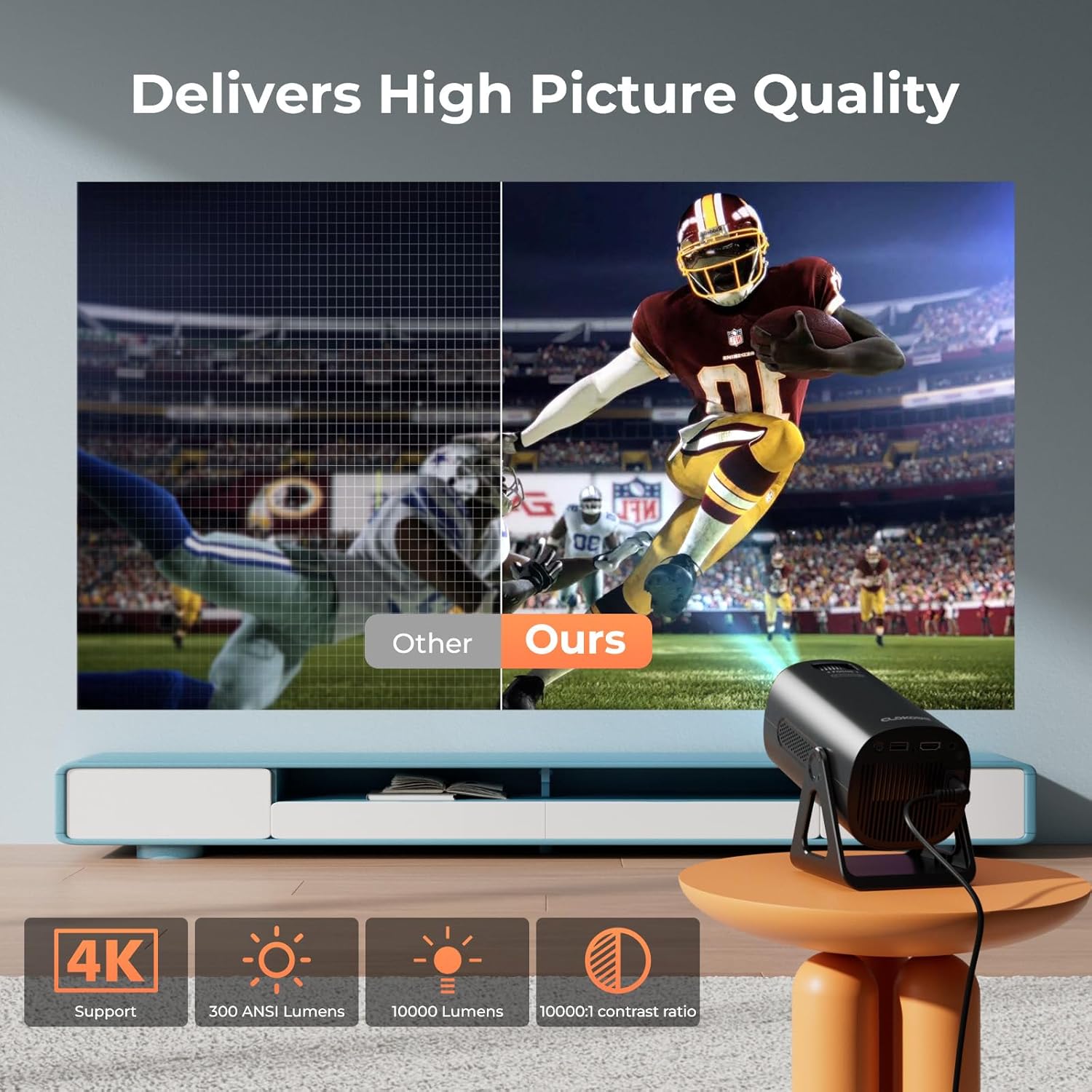
Image 5.5: Visual comparison of picture quality, emphasizing 4K support and brightness specifications.
6. Тэхнічнае абслугоўванне
- Ачыстка аб'ектыва: Выкарыстоўвайце мяккую тканіну без ворса, спецыяльна распрацаваную для аптычных лінзаў, каб акуратна працерці аб'ектыў праектара. Не выкарыстоўвайце абразіўныя ачышчальнікі.
- Выдаленне пылу: Regularly clean the projector's vents with a soft brush or compressed air to prevent dust buildup, which can affect performance and lifespan.
- захоўванне: Калі праектар не выкарыстоўваецца працяглы час, захоўвайце яго ў прахалодным, сухім месцы, пажадана ў арыгінальнай упакоўцы або ахоўным чахле.
- Выключэнне: Always power off the projector correctly and allow it to cool down before unplugging or moving it.
7. Выпраўленне непаладак
Агульныя праблемы і рашэнні:
- Няма харчавання:
• Ensure the power cord is securely connected to both the projector and the power outlet.
• Праверце, ці працуе разетка. - Няма выявы/сігналу:
• Verify that the correct input source (HDMI, USB, AV) is selected in the projector's menu.
• Check the connection cables between the projector and the source device.
• Ensure the source device is powered on and outputting a signal. - Размытая выява:
• Adjust the focus ring on the projector lens.
• Ensure the projection surface is flat and the projector is stable.
• Check if the lens is clean. - Выява мае трапецападобную форму:
• The automatic keystone correction should adjust this. If not, check for manual keystone adjustment options in the settings. - Няма гуку:
• Check the volume settings on both the projector and the source device.
• If using Bluetooth, ensure the external speaker/headphones are properly paired and connected.
• If using HDMI, ensure the audio output is correctly configured on the source device. - Праблемы з падключэннем Wi-Fi/Bluetooth:
• Ensure the projector is within range of the WiFi router or Bluetooth device.
• Restart the projector and the network device.
• Re-enter WiFi passwords carefully.
8. Тэхнічныя характарыстыкі
| Асаблівасць | Спецыфікацыя |
|---|---|
| Нумар мадэлі | Т800 |
| Дазвол дысплея | 1280 x 720 (Native 1080p, 4K Support) |
| Тэхналогія падлучэння | 3.5mm Jack, Bluetooth 5.2, HDMI, USB, Wi-Fi 6 (2.4G/5G) |
| Асаблівасць | Portable, 270° Rotatable Stand, Star Projector, Ambient Night Light, Auto Keystone Correction, Zoom |
| Рэкамендуемае выкарыстанне | Бізнес, адукацыя, гульні, хатні кінатэатр |
| Вага прадмета | 2.38 фунта |
| Памеры ўпакоўкі | 9.13 х 6.69 х 5.28 цалі |
9. Гарантыя і падтрымка
ClokoWe products are designed for reliability and performance. For warranty information, technical support, or service inquiries, please refer to the warranty card included in your package or visit the official ClokoWe website. Please have your model number (T800) and purchase details ready when contacting support.