
Уводзіны
This manual provides detailed instructions for the installation, operation, and maintenance of your LTS LTN8708D-P8N 8 Channel Power-over-Ethernet (PoE) Network Video Recorder (NVR). Please read this manual thoroughly before using the product to ensure proper and safe operation.
Прадукт скончаныview
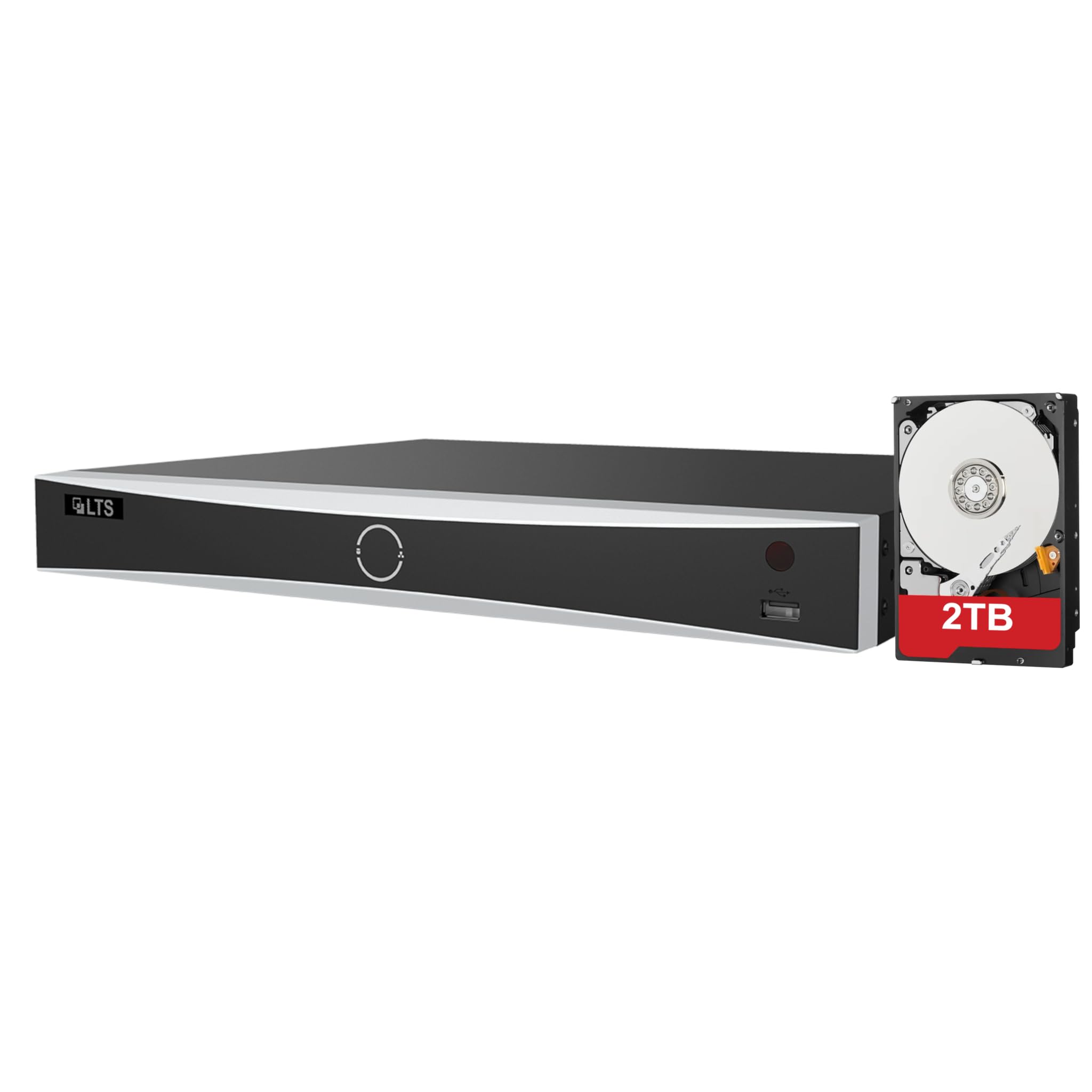
The LTS LTN8708D-P8N is an 8-channel PoE NVR designed for advanced surveillance systems, supporting up to 12MP resolution cameras. It features intelligent human and vehicle detection capabilities to enhance security monitoring.
Асноўныя характарыстыкі:
- Up to 8 IP camera input channels.
- Plug & play functionality with 8 power-over-Ethernet (PoE) interfaces.
- Supports H.264 / H.264+ / H.265 / H.265+ video compression formats.
- Decoding capacity: Up to 2 channels at 12 MP, 3 channels at 8 MP, 6 channels at 4 MP, or 12 channels at 1080p.
- Up to 80 Mbps incoming bandwidth.
- Provides MD 2.0 / VCA functions for intelligent detection.
- Includes a pre-installed 2TB hard drive for immediate recording.
- Equipped with 2 SATA interfaces for additional storage expansion.

This image displays the front and rear panels of the LTS LTN8708D-P8N NVR. The front panel typically includes status indicators and a USB port, while the rear panel features multiple PoE ports for camera connections, LAN port, audio input/output, HDMI, VGA, USB ports, and the power input.
Што ў скрынцы
Пасля распакавання пераканайцеся, што ўсе пералічаныя ніжэй прадметы наяўныя і знаходзяцца ў добрым стане:
- LTS LTN8708D-P8N NVR unit (with pre-installed 2TB hard drive)
- Адаптар сілкавання
- USB мыш
- Пульт дыстанцыйнага кіравання
- SATA Cables (for additional hard drives)
- Кабель Ethernet
- Mounting Screws for HDD

This image shows the accessories typically included with the NVR, which consist of a power adapter, mouse, remote control, SATA cables for additional hard drives, and an Ethernet cable.
Настройка
1. Распакаванне і праверка
Carefully remove the NVR and all accessories from the packaging. Inspect for any signs of damage. If any components are missing or damaged, contact your vendor immediately.
2. Hard Drive Installation (Optional)
Your NVR comes with a 2TB hard drive pre-installed. If you wish to install additional hard drives (up to two SATA drives supported), power off the NVR, open the casing, connect the SATA data and power cables to the new drive, and secure it with the provided screws. Close the casing before powering on.
3. Падключэнне перыферыйных прылад
- Камеры: Connect IP cameras to the NVR's PoE ports using Ethernet cables. The NVR will provide power and data.
- Манітор: Падключыце манітор да выхаднога порта HDMI або VGA відэарэгістратара.
- Сетка: Connect the NVR's LAN port to your network router or switch using an Ethernet cable for remote access and internet connectivity.
- Магутнасць: Connect the provided power adapter to the NVR's power input and then to a power outlet.
- USB прылады: Connect the USB mouse to a USB port for navigation.
4. Пачатковая канфігурацыя
Upon first power-on, the NVR will guide you through an initial setup wizard. Follow the on-screen prompts to set up administrator passwords, network settings, date/time, and hard drive initialization. Ensure you set a strong password for security.
Інструкцыя па эксплуатацыі
1. Навігацыя па інтэрфейсе карыстальніка
Выкарыстоўвайце падключаную мыш USB для навігацыі па графічным інтэрфейсе карыстальніка (GUI) відэарэгістратара. Пстрыкніце правай кнопкай мышы, каб адкрыць галоўнае меню, і левай кнопкай мышы, каб выбраць параметры або адкрыць падменю.
2. Жыць View і прайграванне
- жыць View: З галоўнага экрана вы можаце view live feeds from all connected cameras. Double-click a camera window to view гэта на ўвесь экран.
- Прайграванне: Access the 'Playback' menu to review запісана footage. Select the desired camera, date, and time to start playback.
3. Human and Vehicle Detection
The NVR's advanced MD 2.0 / VCA functions allow for intelligent detection of humans and vehicles, minimizing false alarms from environmental factors. Configure these settings in the 'Event' or 'Smart Analysis' menu.
This image illustrates the Human and Vehicle Detection feature, highlighting how the NVR can differentiate between humans, vehicles, and other movements like rain, leaves, or animals to reduce false alarms. Alerts are sent to a connected device, as shown by the smartphone notification.
4. Налады запісу
Customize recording schedules, motion detection areas, and recording quality in the 'Record' menu. You can set continuous recording, motion-triggered recording, or scheduled recording.
5. Доступ да сеткі
Configure network settings (IP address, port forwarding) in the 'Network' menu to enable remote viewing via a mobile app or web browser. Ensure your network is secure.
Тэхнічнае абслугоўванне
1. Кіраванне жорсткім дыскам
Regularly check the status of your hard drives in the 'HDD Management' menu. Format drives as needed, especially after initial installation or if issues arise. Ensure sufficient storage space for recordings.
2. Абнаўленне прашыўкі
Перыядычна правярайце інфармацыю вытворцы website for firmware updates. Updating the firmware can improve performance, add new features, and enhance security. Follow the provided instructions carefully during the update process.
3. System Backup and Restore
Regularly back up important configuration settings to a USB drive. This allows for quick restoration in case of system resets or failures. The 'Backup' and 'Restore' options are typically found in the 'System' menu.
Ліквідацыю непаладак
Агульныя праблемы і рашэнні
- Няма відэавыхаду: Check monitor connections, power supply, and ensure the correct input source is selected on the monitor. Verify NVR power status.
- Камеры не адлюстроўваюцца: Ensure cameras are properly connected to PoE ports and receiving power. Check camera IP addresses and network settings.
- Няма запісу: Verify hard drive status and ensure it is initialized. Check recording schedules and motion detection settings.
- Памылка аддаленага доступу: Confirm network connectivity, correct IP address/port forwarding settings, and firewall configurations. Ensure the mobile app or software is up to date.
- Забыты пароль: Refer to the manufacturer's official support resources for password reset procedures.
Тэхнічныя характарыстыкі
| Асаблівасць | Спецыфікацыя |
|---|---|
| Нумар мадэлі | LTN8708D-P8N |
| IP Camera Inputs | 8 каналаў |
| Інтэрфейсы PoE | 8 партоў |
| Максімальная дазвол | Да 12 MP |
| Кампрэсія відэа | Н.265 + / Н.265 / Н.264 + / Н.264 |
| Уваходная прапускная здольнасць | 80 Мбіт/с |
| Ёмістасць дэкадавання | 2-ch@12 MP, 3-ch@8 MP, 6-ch@4 MP, or 12-ch@1080p |
| Інтэрфейсы SATA | 2 (supports up to 10TB per interface) |
| Pre-installed HDD | 2 ТБ |
| Інтэлектуальныя функцыі | MD 2.0 / VCA (Human and Vehicle Detect) |
| Памеры прадукту | 15.2 х 12.4 х 2 цалі |
| Вага прадмета | 8 фунта |
| Тэхналогія падлучэння | Ethernet |
Гарантыя і падтрымка
For warranty information, technical support, and service inquiries, please refer to the official LTS Security website or contact your authorized vendor. Keep your purchase receipt and product serial number readily available for any warranty claims or support requests.