
1. Уводзіны
This manual provides essential information for setting up, operating, and maintaining your Beelink SER9 MAX Mini PC. Please read these instructions carefully before using the device to ensure optimal performance and longevity.
The Beelink SER9 MAX is a high-performance mini PC equipped with an AMD Ryzen 7 H 255 processor, 64GB DDR5 RAM, and a 1TB M.2 NVME SSD. It supports triple display output at 4K@240Hz, offering robust capabilities for various computing tasks.
2. Што ў скрынцы
Праверце наяўнасць усіх прадметаў у камплекце:
- 1 x Beelink SER9 MAX Mini PC
- 1 х кабель HDMI
- 1 х адаптар сілкавання
- 1 х Кіраўніцтва карыстальніка (гэты дакумент)
3. Кіраўніцтва па наладцы
- Падключэнне да сілкавання: Plug the power adapter into the DC-IN port on the mini PC, then connect it to a power outlet.
- Падключэнне да дысплея: Connect your monitor(s) to the mini PC using the HDMI, DisplayPort (DP), or USB4 (Type-C) ports. The device supports up to three displays simultaneously.
- Падключэнне перыферыйных прылад: Падключыце клавіятуру, мыш і іншыя прылады USB да даступных партоў USB.
- Падключэнне да сеткі: For wired internet, connect an Ethernet cable to the 10Gbps LAN port. For wireless internet, the device supports WiFi 6 (802.11ax) and Bluetooth 5.2.
- Уключэнне: Press the power button located on the front or side of the mini PC. The power indicator light will illuminate.
Upon first boot, the system will guide you through the Windows 11 Pro setup process. Follow the on-screen instructions to complete the initial configuration.
4. Інструкцыя па эксплуатацыі
4.1 Уключэнне/выключэнне сілкавання
- Каб уключыць: Націсніце кнопку харчавання.
- Каб выключыць: Націсніце кнопку «Пуск» у Windows, а затым выберыце «Харчаванне» > «Завяршыць працу».
- Каб перазапусціць: Націсніце кнопку «Пуск» у Windows, а затым выберыце «Харчаванне» > «Перазагрузка».
- Спаць: Націсніце кнопку «Пуск» у Windows, а затым выберыце «Харчаванне» > «Сон».
4.2 Initial Windows 11 Pro Configuration
The Beelink SER9 MAX comes pre-installed with Windows 11 Pro. During the first startup, you will be prompted to:
- Выберыце свой рэгіён і раскладку клавіятуры.
- Падключыцеся да сеткі (правадной або бесправадной).
- Увайдзіце з дапамогай уліковага запісу Microsoft або стварыце лакальны ўліковы запіс.
- Наладзьце параметры прыватнасці.
4.3 Вынікі звышview
The AMD Ryzen 7 H 255 processor (8 cores/16 threads, up to 4.9GHz) combined with the AMD Radeon 780M GPU (12 cores, 2600 MHz) provides strong performance for demanding applications, 4K video editing, and gaming.

Image: Beelink SER9 MAX Mini PC highlighting the AMD Ryzen 7 H 255 Processor for efficient work.

Image: Beelink SER9 MAX Mini PC showcasing the AMD Radeon 780M GPU for gaming performance.
5. Падключэнне і парты
The Beelink SER9 MAX offers a comprehensive range of ports for versatile connectivity:
- Ethernet: 1 x 10Gbps RJ-45 LAN port for high-speed wired network.
- Парты USB: 2 x USB 3.2 (10Gbps), 2 x USB 2.0.
- Відэа выхад: 1 x HDMI 2.1, 1 x DisplayPort 1.4, 1 x USB-C (USB4 40Gbps) for triple display support.
- USB-C: 1 x USB-C (USB4 40Gbps, full-featured), 1 x USB-C (10Gbps, data only).
- Аўдыё: 1 x 3.5mm Audio Jack (HP&MIC).
- Магутнасць: 1 x DC Jack.
- Бесправадная сувязь: Built-in WiFi 6 (802.11ax) and Bluetooth 5.2.

Выява: спераду і ззаду views of the Beelink SER9 MAX Mini PC, detailing all available ports and interfaces.
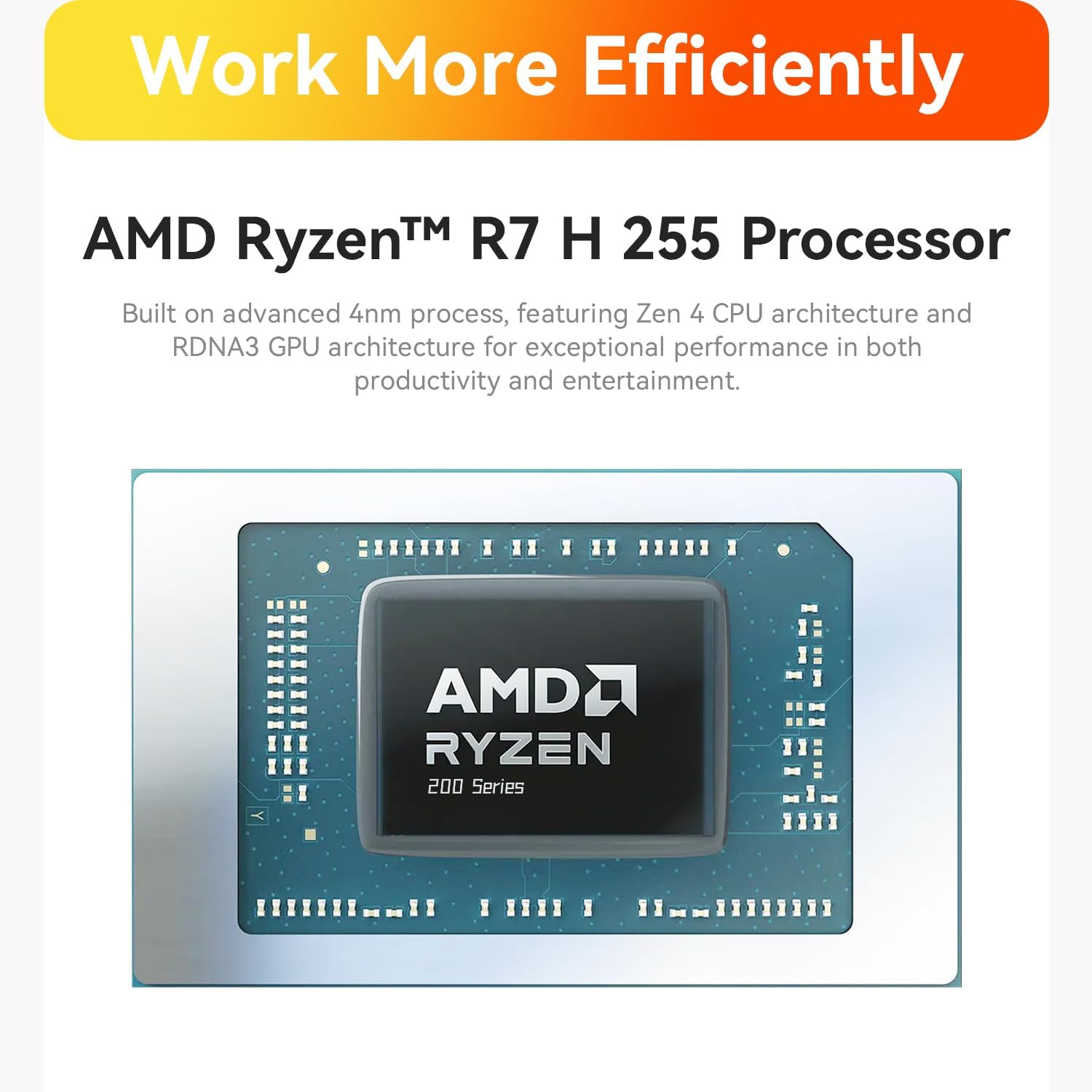
Image: Close-up of the 10Gbps Ethernet port on the Beelink SER9 MAX Mini PC, illustrating high-speed network capability.
6. Пашырэнне аб'ёму захоўвання і памяці
The Beelink SER9 MAX is equipped with 64GB DDR5 RAM and a 1TB M.2 NVME SSD. It offers expansion capabilities:
- Аператыўная памяць: The system features two DDR5 SO-DIMM slots, allowing for memory upgrades up to 256GB (2 x 128GB).
- SSD: Dual M.2 PCIe 4.0 x4 SSD slots are available, supporting up to 8TB of internal storage.

Выява: Унутраная view of the Beelink SER9 MAX Mini PC, highlighting the dual-channel DDR5 RAM and dual M.2 PCIe 4.0 SSD slots for storage expansion.
7. Канфігурацыя дысплея
The mini PC supports triple display output, allowing you to connect up to three monitors simultaneously for enhanced productivity or immersive experiences. It supports resolutions up to 4K at a refresh rate of 240Hz via HDMI and DisplayPort.
- HDMI 2.1: Connects to HDMI-compatible displays.
- DisplayPort 1.4: Connects to DisplayPort-compatible displays.
- USB4 (тыпу C): Full-featured USB-C port supporting video output.
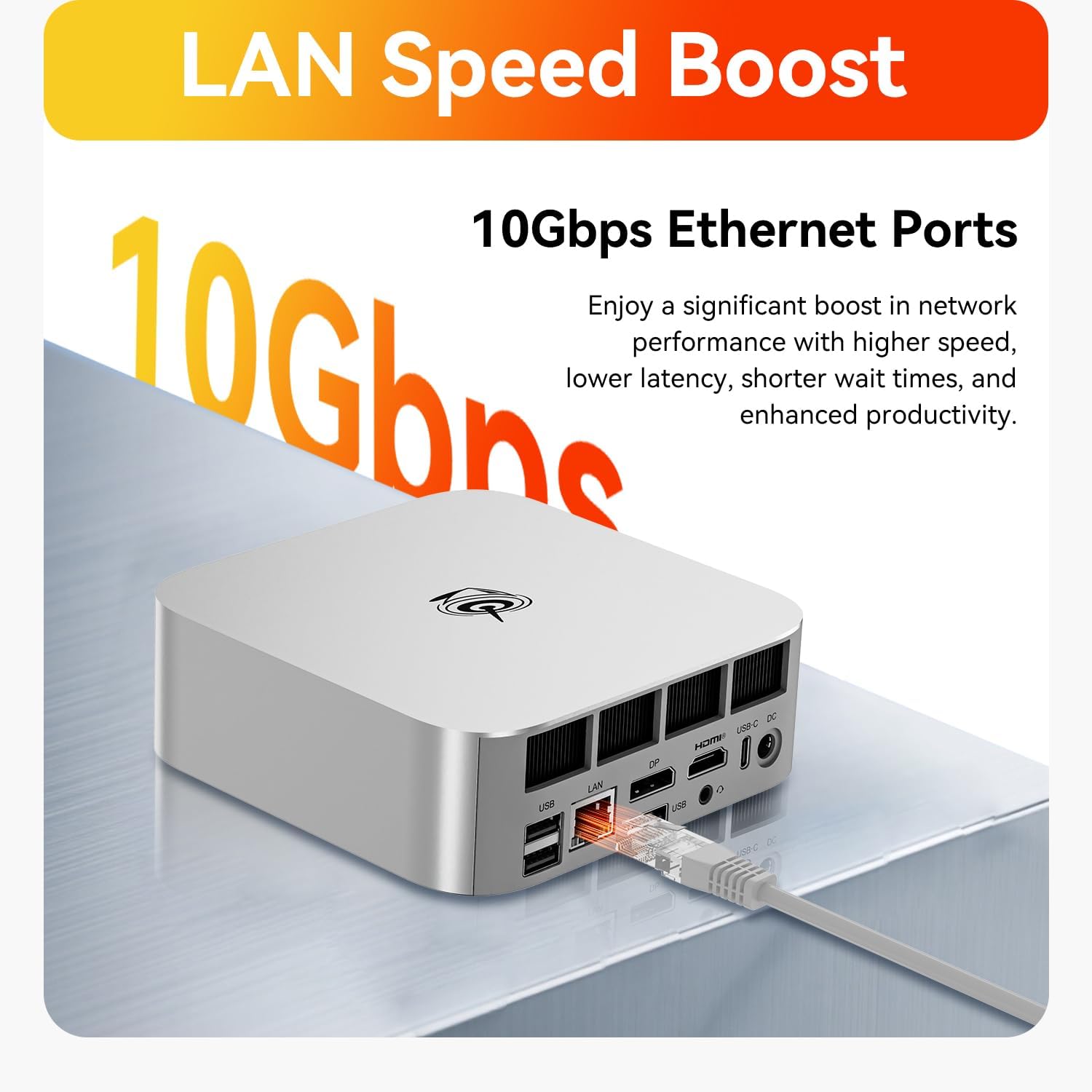
Image: The Beelink SER9 MAX Mini PC connected to three monitors, demonstrating its triple-display output capability at 4K 240Hz.
8. Сістэма астуджэння
The Beelink SER9 MAX features the MSC2.0 cooling system, designed for efficient heat dissipation and quiet operation. It incorporates a vapor chamber technology that absorbs and spreads CPU heat evenly, ensuring sustained peak performance.

Image: Diagram illustrating the vapor chamber technology within the Beelink SER9 MAX Mini PC's cooling system, designed for superior thermal dissipation.
9. Тэхнічныя характарыстыкі
| Асаблівасць | Спецыфікацыя |
|---|---|
| Марка | Білінк |
| Назва мадэлі | SER9 MAX |
| Мадэль працэсара | AMD Ryzen 7 H 255 (8C/16T, up to 4.9GHz) |
| Графічны супрацэсар | AMD Radeon 780M (12core 2600 MHz) |
| Памер усталяванай аператыўнай памяці | 64 ГБ DDR5 |
| Максімальны памер аператыўнай памяці | 256 ГБ |
| Апісанне жорсткага дыска | 1 TB M.2 NVME SSD |
| Аперацыйная сістэма | Windows 11 Pro |
| Відэавыхад | HDMI 2.1, DisplayPort 1.4, USB4 (Type-C) |
| Максімальнае дазвол дысплея | 3840x2160 Pixels (4K@240Hz) |
| Бесправоднае падключэнне | Wi-Fi 6 (802.11ax), Bluetooth 5.2 |
| Ethernet | 10Gbps LAN (RJ-45) |
| Парты USB | 2 x USB 3.2, 2 x USB 2.0, 1 x USB4 (Type-C), 1 x USB-C (10Gbps) |
| Аўдыёраз'ём | 1 x 3.5mm (HP&MIC) |
| Спосаб астуджэння | MSC2.0 Cooling System (Vapor Chamber) |
| Вага прадмета | 16 унцыі |
10. Выпраўленне непаладак
- Няма харчавання: Ensure the power adapter is securely connected to both the mini PC and a working power outlet. Check the power indicator light.
- Няма дысплея: Verify that the monitor is powered on and the video cable (HDMI, DP, or USB-C) is securely connected to both the mini PC and the monitor. Try a different video port or cable if available. Ensure the correct input source is selected on your monitor.
- Няма падключэння да Інтэрнэту: Для правадных падключэнняў праверце стан кабеля Ethernet і маршрутызатара. Для Wi-Fi пераканайцеся, што Wi-Fi уключаны ў наладах Windows, і вы падключаны да правільнай сеткі з правільным паролем.
- Нізкая прадукцыйнасць: Close unnecessary applications. Check for background processes consuming high CPU or RAM. Ensure the system has adequate ventilation.
- Перагрэў: Ensure the mini PC is placed in a well-ventilated area and that its vents are not obstructed. Avoid placing it on soft surfaces that can block airflow.
11. Тэхнічнае абслугоўванне
- Захоўваць у чысціні: Regularly clean the exterior of the mini PC with a soft, dry cloth. Use compressed air to gently clear dust from ventilation openings to maintain optimal airflow.
- Абнаўленні праграмнага забеспячэння: Keep your Windows operating system and drivers updated to ensure system stability, security, and performance.
- Рэзервовыя даныя: Перыядычна рабіце рэзервовыя копіі важных дадзеных на знешні дыск або ў воблачнае сховішча, каб прадухіліць іх страту.
- Правільнае выключэнне: Always shut down the mini PC properly through the operating system rather than simply unplugging it, to prevent data corruption.

Выява: Разабраная view of the Beelink SER9 MAX Mini PC, showing its internal structure including the metal case, vapor chamber, motherboard, and SSD heatsink.
12. Гарантыя і падтрымка
The Beelink SER9 MAX Mini PC comes with a Гарантыя 3 год. Beelink offers lifetime technical support and 24/7 after-sales service. For any questions or assistance, please contact Beelink customer support.
All Beelink products have passed strict inspections and obtained FCC, RoHS, and CE Certifications.