
Genérico KA-8673
Genérico KA-8673 Portable Bluetooth Speaker User Manual
Мадэль: KA-8673
1. Уводзіны
This manual provides detailed instructions for the safe and efficient operation of your Genérico KA-8673 Portable Bluetooth Speaker. Please read this manual thoroughly before using the product and retain it for future reference.
2. Прадукт скончыўсяview
2.1 Асноўныя магчымасці
- IPX6 Water and Dust Resistance: Прызначаны для выкарыстання на вуліцы, устойлівы да пырскаў вады і пылу.
- 85dB Audio Output: Provides clear and powerful sound.
- RGB LED асвятленне: Integrated lighting that can sync with music.
- Функцыя TWS: Allows connection of two speakers for stereo sound.
- Універсальнае падключэнне: Supports USB-C, 3.5mm (P2) auxiliary, USB-A, and TF card inputs.
- Партатыўны дызайн: Lightweight and ergonomic for easy transport.
- Трывалы акумулятар: 1200mAh battery for extended playtime.
2.2 Змест пакета
- Genérico KA-8673 Portable Bluetooth Speaker
- Зарадны кабель USB-C
- Дапаможны аўдыёкабель (3.5 мм)
- Кіраўніцтва карыстальніка
2.3 Кампаненты дынамікаў
Refer to the image below for an illustration of the speaker's components and controls.

Выява: Збоку view of the Genérico KA-8673 speaker, highlighting the USB-C, USB-A, 3.5mm auxiliary, and TF card ports. This image illustrates the various connectivity options available on the device.
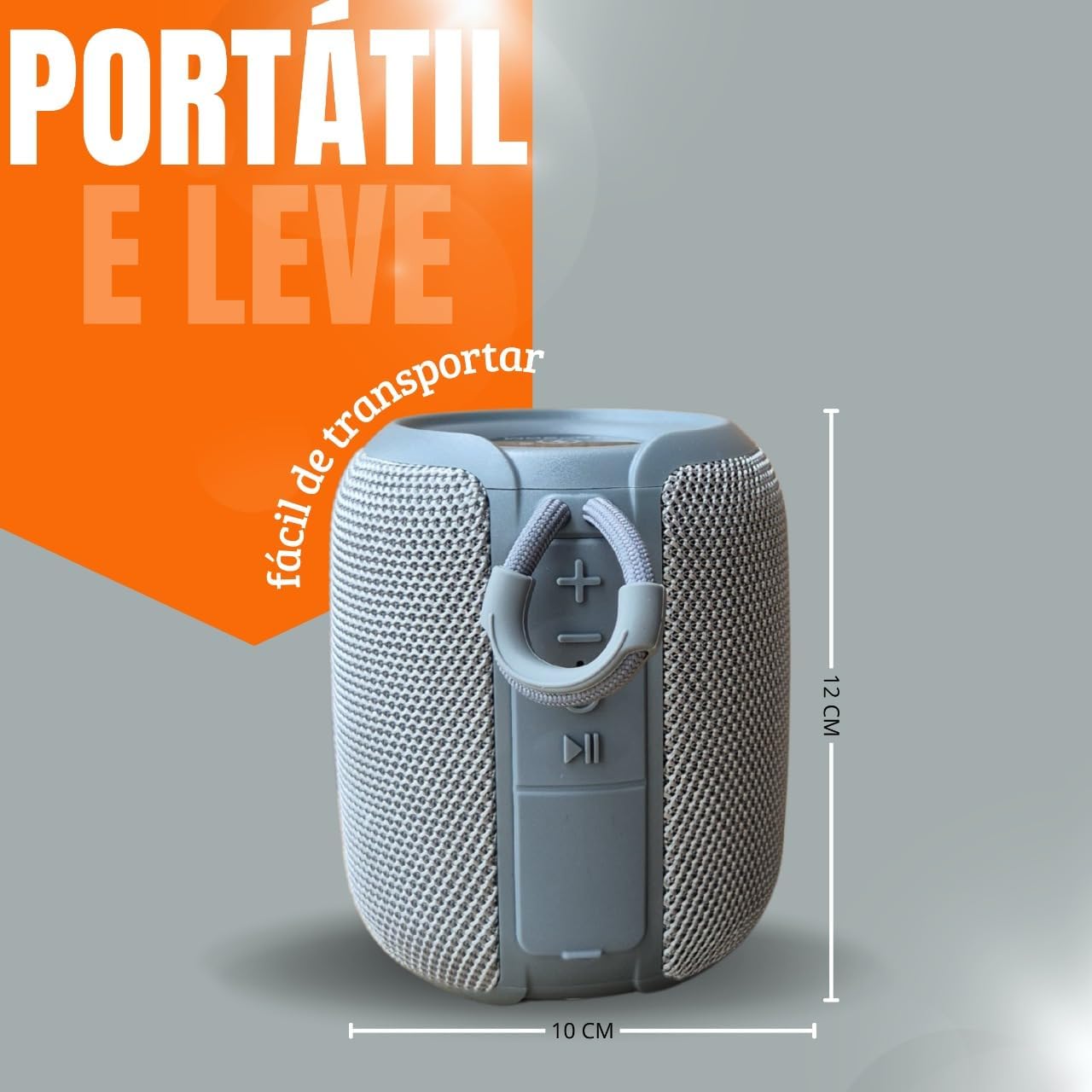
Выява: Збоку view of the Genérico KA-8673 speaker, showing the control buttons (volume up/next track, volume down/previous track, play/pause) and the integrated carry strap. Dimensions are indicated as approximately 12 cm height and 10 cm width.
3. Настройка
3.1 Зарадка дынаміка
- Падключыце зарадны кабель USB-C з камплекта да порта USB-C дынаміка.
- Падключыце другі канец кабеля да адаптара харчавання USB (не ўваходзіць у камплект) або да USB-порта кампутара.
- Святлодыёдны індыкатар будзе гарэць падчас зарадкі і выключацца або мяняць колер пры поўнай зарадцы.
- Поўная зарадка звычайна займае 2-3 гадзіны.
Note: For optimal battery life, fully charge the speaker before first use.
4. Інструкцыя па эксплуатацыі
4.1 Уключэнне/выключэнне сілкавання
- Каб уключыць прыладу, націсніце і ўтрымлівайце кнопку харчавання прыблізна 3 секунды.
- To power off, press and hold the Power button for approximately 3 seconds.
4.2 Спалучэнне па Bluetooth
- Пераканайцеся, што дынамік уключаны і знаходзіцца ў рэжыме спалучэння Bluetooth (гэта пазначана міргаючым святлодыёдам).
- На вашай прыладзе (смартфоне, планшэце, камп'ютары) уключыце Bluetooth і знайдзіце даступныя прылады.
- Select "KA-8673" from the list of devices.
- Пасля спалучэння святлодыёдны індыкатар перастане міргаць і будзе гарэць пастаянна.
4.3 Функцыя сапраўднага бесправаднога стэрэа (TWS)
The TWS function allows you to connect two KA-8673 speakers for a stereo audio experience.
- Пераканайцеся, што абодва дынамікі ўключаны і не падключаны да прылад Bluetooth.
- On one speaker (this will be the primary speaker), double-press the TWS button (often the Play/Pause button or a dedicated TWS button).
- Асноўны дынамік пачне шукаць другасны дынамік. Пасля падключэння вы пачуеце гукавое пацверджанне.
- Цяпер падключыце прыладу да асноўнага дынаміка праз Bluetooth, як апісана ў раздзеле 4.2.
- Цяпер гук будзе прайгравацца ў стэрэа рэжыме праз абодва дынамікі.
4.4 RGB LED Lighting Control
The speaker features integrated RGB LED lighting. Specific controls for changing light modes or turning them off may vary. Typically, a short press of a dedicated light button or the Play/Pause button can cycle through modes.
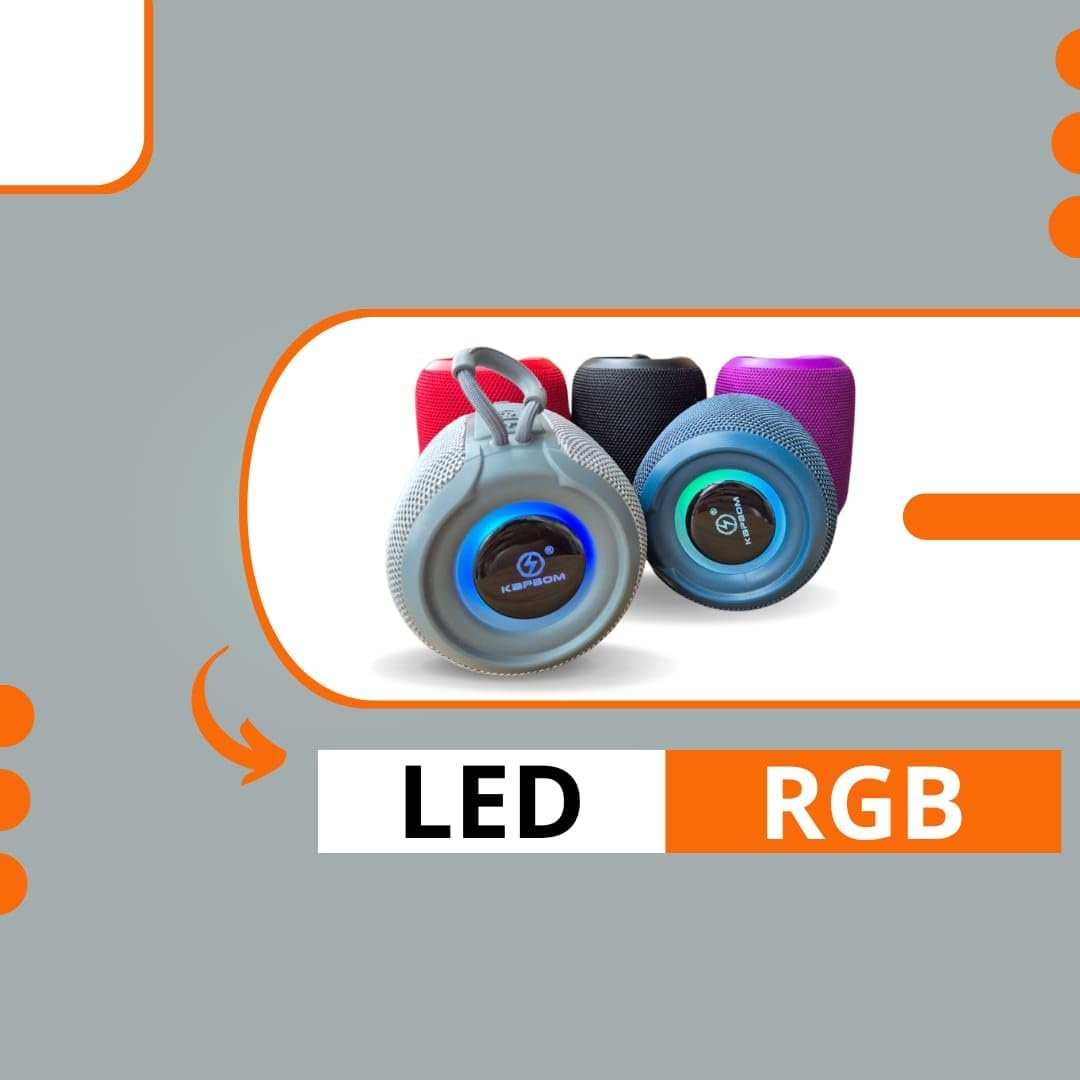
Image: Several Genérico KA-8673 speakers in different colors, each displaying illuminated RGB LED rings around the base. This illustrates the visual effect of the LED lighting feature.
4.5 Прайграванне аўдыя
- Рэжым Bluetooth: Once paired, play audio from your connected device. Use the speaker's Play/Pause button to control playback. Use the Volume Up/Down buttons for volume adjustment.
- Auxiliary (P2) Mode: Connect an audio source using the 3.5mm auxiliary cable to the speaker's P2 port. The speaker will automatically switch to auxiliary mode.
- USB-A Playback: Устаўце USB-назапашвальнік з аўдыя files into the USB-A port. The speaker will automatically detect and play audio files.
- Прайграванне карты TF: Устаўце карту TF (microSD), якая змяшчае аўдыё files into the TF card slot. The speaker will automatically detect and play audio files.
5. Тэхнічнае абслугоўванне
- Уборка: Працярыце дынамік мяккім, damp тканіна. Не выкарыстоўвайце абразіўныя ачышчальнікі або растваральнікі.
- захоўванне: Захоўвайце дынамік у прахалодным, сухім месцы, удалечыні ад прамых сонечных прамянёў і экстрэмальных тэмператур.
- Сыход за батарэяй: Каб падоўжыць тэрмін службы батарэі, пазбягайце частай поўнай разрадкі батарэі. Рэгулярна зараджайце дынамік, нават калі ён не выкарыстоўваецца працяглы час.
- Воданепранікальнасць: While IPX6 rated, avoid submerging the speaker in water. Ensure port covers are securely closed when exposed to water or dust.
6. Выпраўленне непаладак
| праблема | Магчымая прычына | Рашэнне |
|---|---|---|
| Дынамік не ўключаецца. | Нізкі акумулятар. | Зараджайце дынамік не менш за 30 хвілін. |
| Немагчыма падключыцца праз Bluetooth. | Дынамік не ў рэжыме спалучэння; Bluetooth прылады выключаны; занадта далёка ад дынаміка. | Ensure speaker is in pairing mode. Turn device Bluetooth on/off. Move device closer to speaker. |
| Няма гуку. | Занадта нізкая гучнасць; няправільны рэжым уводу; прылада не прайгравае. | Increase speaker and device volume. Check input mode (Bluetooth, Aux, USB, TF). Ensure audio is playing on the source device. |
| Памылка спалучэння TWS. | Дынамікі занадта далёка адзін ад аднаго; адзін дынамік ужо падключаны да прылады. | Ensure speakers are close to each other. Disconnect any Bluetooth devices from both speakers before initiating TWS pairing. |
7. Тэхнічныя характарыстыкі
| Асаблівасць | Дэталь |
|---|---|
| Назва мадэлі | КА-8673 |
| Марка | Genérico |
| Тэхналогія падлучэння | Bluetooth, Auxiliary (3.5mm), USB-A, TF Card |
| Рэжым выхаду гуку | Стэрэа (з TWS) |
| Тып дынаміка | Партатыўны дынамік |
| Асаблівасці | IPX6 Water/Dust Resistant, RGB LED, TWS Function |
| Сумяшчальныя прылады | Desktop, Laptop, Tablet, Television, Smartphones |
| Ёмістасць батарэі | 1200 мАг |
| Тэрмін службы батарэі | 2-3 hours (approximate, varies with usage) |
| Матэрыял | Plastic, Mesh Fabric |
| Аўдыёвыхад | 85 дБ |
8. Гарантыя і падтрымка
This product comes with a standard manufacturer's warranty. Please refer to the warranty card included in your package for specific terms and conditions. For technical support or warranty claims, please contact your retailer or the manufacturer's customer service department.
Захавайце пацвярджэнне пакупкі для пацверджання гарантыі.