
1. Уводзіны
Thank you for choosing the MUNBYN RW403B Thermal Label Printer. This device is designed to streamline your labeling tasks with its advanced features, including Bluetooth connectivity, high-precision DAC technology, and quiet operation. This manual will guide you through the installation, operation, and maintenance of your printer to ensure optimal performance.
Відэа: Скончанаview of the MUNBYN RW403B Thermal Label Printer, demonstrating its features and ease of use for various labeling needs.
2. Змесціва ўпакоўкі
Калі ласка, пераканайцеся, што ўсе прадметы прысутнічаюць у камплекце:
- Тэрмапрынтэр для этыкетак MUNBYN RW403B
- Адаптар сілкавання
- Кабель USB
- Кароткае кіраўніцтва
- Sampле Этыкеткі
3. Прынтар перакрытыview
Азнаёмцеся з асноўнымі кампанентамі вашага прынтара:
- Кнопка харчавання: Уключае/выключае прынтар.
- Светлавы індыкатар стану: Displays printer status (e.g., power on, error, printing).
- Выхадны слот для этыкеткі: Дзе з'яўляюцца друкаваныя этыкеткі.
- Label Roll Compartment: Holds the label roll.
- Порт USB: Для праваднога падлучэння да кампутараў.
- Порт харчавання: Для падлучэння адаптара сілкавання.

Image: The MUNBYN RW403B printer in operation, demonstrating its compact design and label output.
4. Настройка
4.1 Распакоўка і размяшчэнне
- Remove the printer and all accessories from the packaging.
- Размясціце прынтар на ўстойлівай, роўнай паверхні.
4.2 Падключэнне харчавання
- Падключыце адаптар сілкавання да порта сілкавання прынтара.
- Падключыце адаптар сілкавання да насценнай разеткі.
- Press the power button to turn on the printer. The status indicator light will illuminate.
4.3 Загрузка этыкетак
- Адкрыйце крышку прынтара.
- Place the label roll into the label compartment, ensuring the labels feed smoothly from the bottom.
- Adjust the label guides to fit the width of your labels snugly.
- Close the printer cover. The printer will automatically detect and calibrate the label size.

Image: The printer demonstrating its adjustable label guides, supporting label widths from 1.57 to 4.25 inches.
4.4 Усталёўка праграмнага забеспячэння і падключэнне
The MUNBYN RW403B supports both Bluetooth and USB connectivity across various operating systems.
- For Mobile Devices (iOS/Android): Download the "Munbyn Print" app from your device's app store. Follow the in-app instructions to connect via Bluetooth.
- For Desktop (Mac/Windows): For Bluetooth connectivity, ensure your computer's Bluetooth is enabled and pair with the printer. For USB connection, simply connect the printer to your computer using the provided USB cable. No driver installation is typically required for major shipping platforms.
- For Chrome OS: Utilize the "Munbyn Editor" web application for label design and printing.

Image: Illustration of the printer's versatile connectivity, supporting both wireless Bluetooth and wired USB connections for various devices.
5. Інструкцыя па эксплуатацыі
5.1 Printing Shipping Labels
The RW403B printer is compatible with major shipping platforms such as FedEx, UPS, USPS, Amazon, Shopify, Etsy, and eBay.
- Generate your shipping label from your preferred platform.
- Ensure the label size in your software settings matches the physical labels loaded in the printer (e.g., 4x6 inches).
- Select the MUNBYN RW403B as your printer and initiate the print command.

Image: Demonstrates the one-click wireless printing feature, allowing users to print shipping labels directly from their mobile devices or computers.
5.2 Designing and Printing Custom Labels
Utilize the "Munbyn Print" app (mobile) or "Munbyn Editor" (Chrome web application) to create custom labels.
- Open the Munbyn Print app or Munbyn Editor.
- Choose from over 2,000 templates and 3,500 pre-made design elements, or start from scratch.
- Customize your label with text (over 80 fonts available), images, OCR/voice recognition, and more.
- прэview your design and send it to the printer.
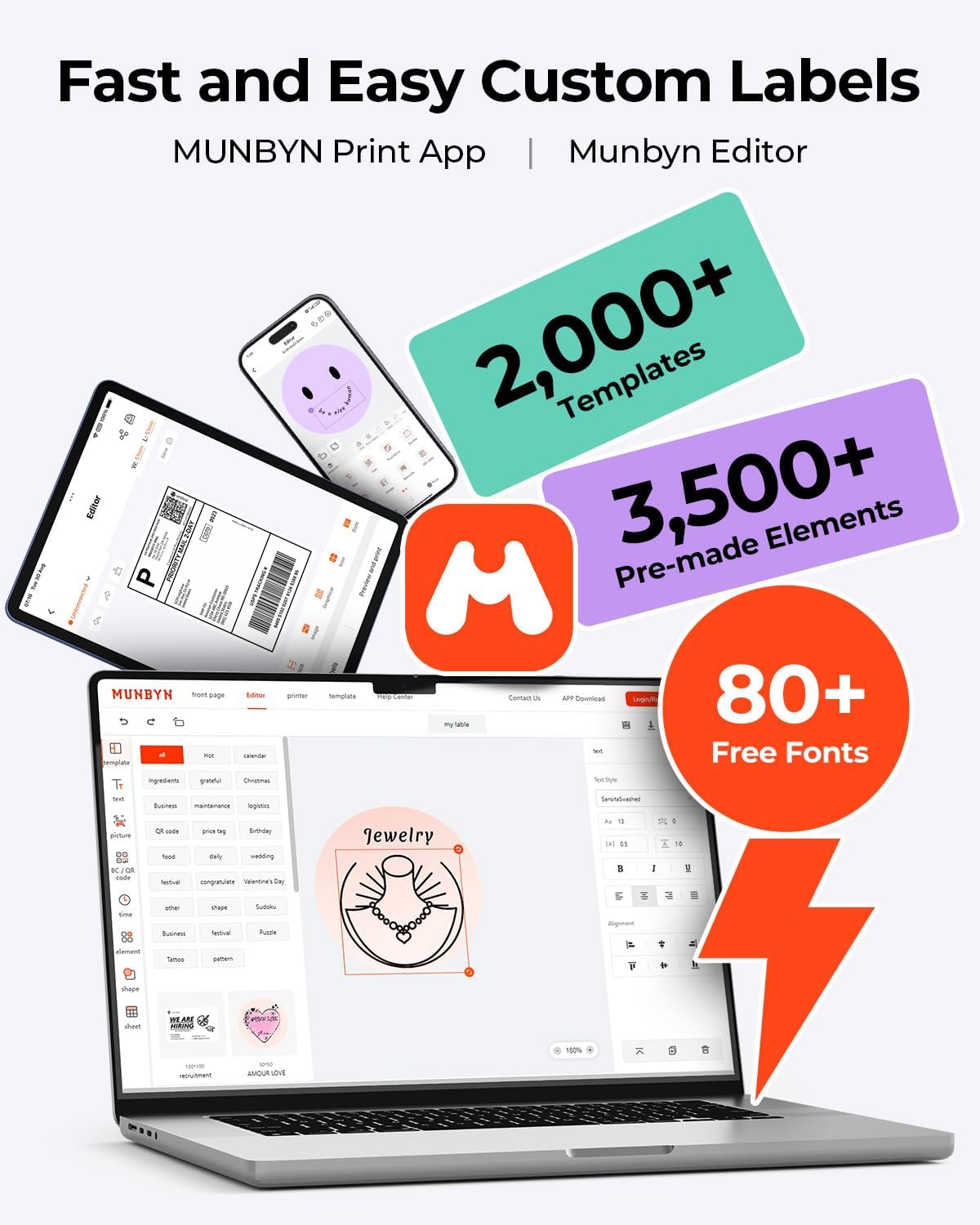
Image: The Munbyn Print App and Editor provide extensive tools for fast and easy custom label design, including templates, elements, and fonts.
6. Асноўныя магчымасці
- Advanced DAC Technology: The RW403B features a 4-inch DAC chip that automatically calibrates, eliminating 99.8% of label alignment defects and ensuring military-grade precision for flawless labels.
- Палепшаная выразнасць друку: Designed for professional-grade output, this printer ensures 0.1mm font readability, producing crisp monochrome labels for return slips, inventory, organization, and branding.
- Ціхая праца: Operating at only 60 dB, the printer is quieter than typing, allowing for focused work in home offices, libraries, or shared workspaces.
- Выключная трываласць: Engineered for longevity, the RW403B can print up to 970,000 labels, significantly outlasting many standard devices. Its professional-grade design minimizes paper jams to less than 0.01%.
- Універсальная падтрымка этыкетак: The printer supports a printable width of 1.57 to 4.25 inches, accommodating a wide range of label types and sizes for various applications.
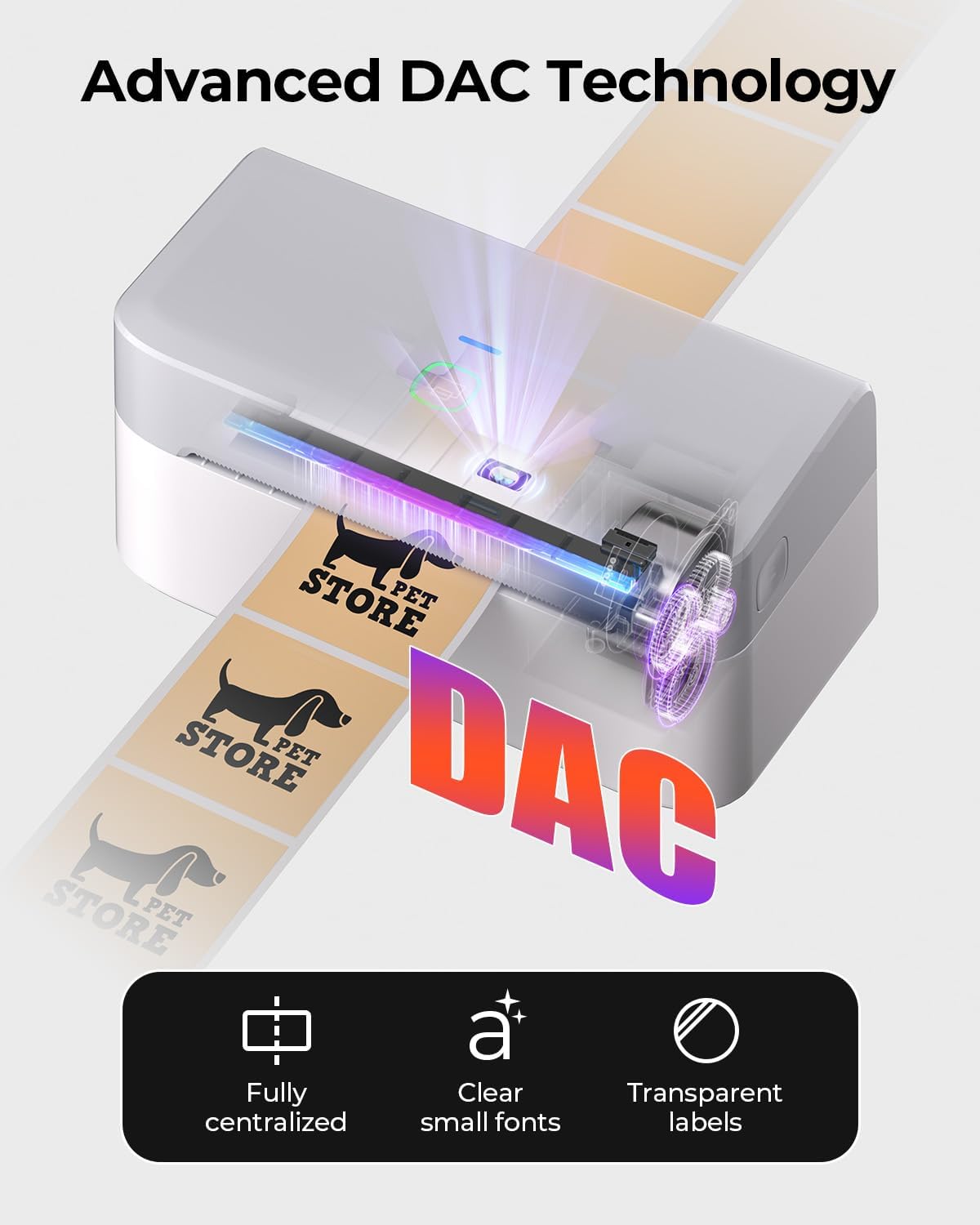
Image: Visual representation of the printer's DAC technology, ensuring precise alignment and clear printing on various label types.
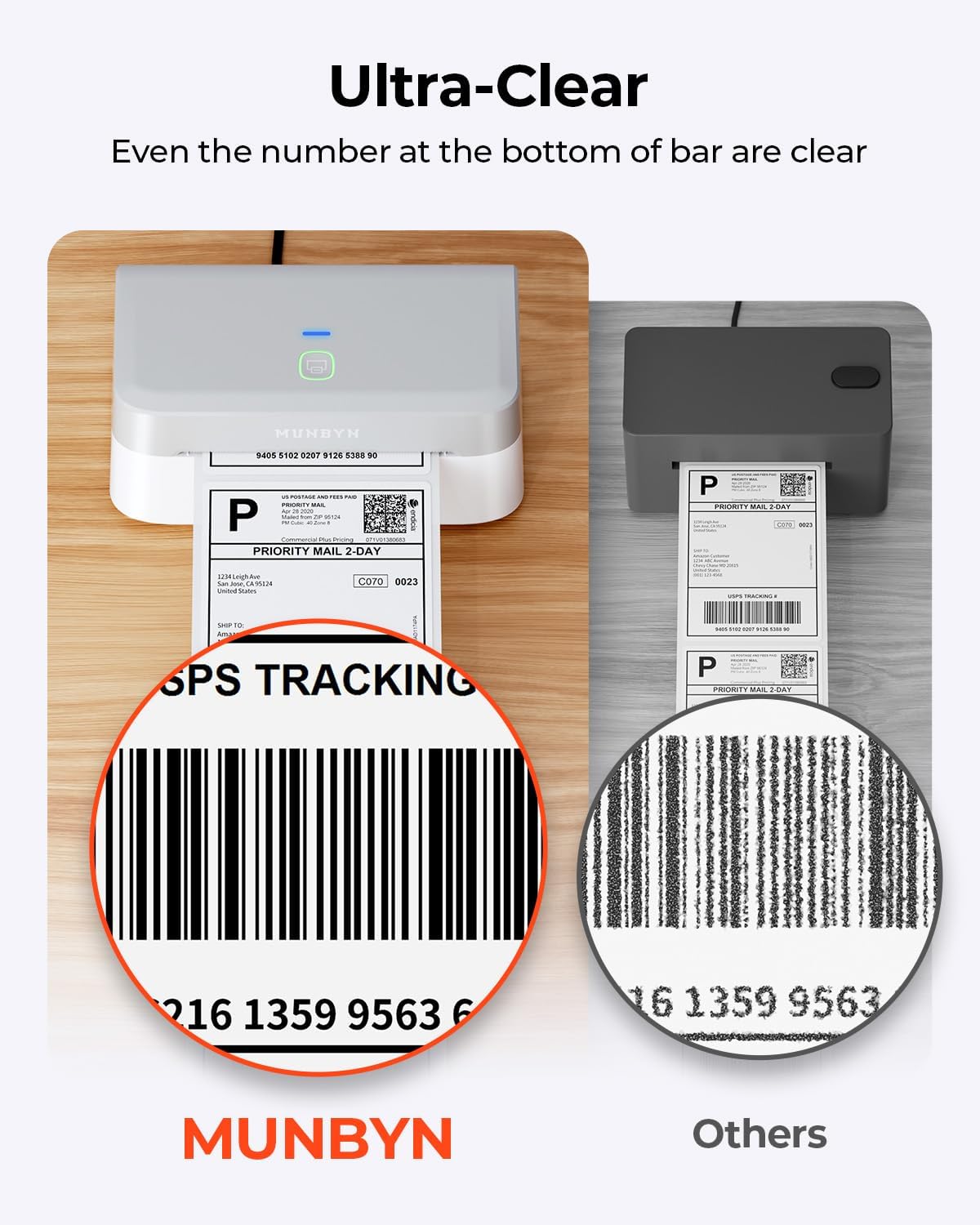
Image: A close-up comparison highlighting the superior clarity of labels printed with the MUNBYN RW403B, even for small details like barcode numbers.

Image: An illustration comparing the impressive lifespan of the MUNBYN RW403B, capable of printing up to 970,000 labels, six times more than typical printers.
7. Тэхнічнае абслугоўванне
7.1 Ачыстка друкавальнай галоўкі
Каб падтрымліваць якасць друку, рэгулярна чысціце друкавальную галоўку:
- Выключыце прынтэр і адключыце шнур сілкавання.
- Адкрыйце крышку прынтара.
- Gently wipe the print head with an alcohol swab or a soft, lint-free cloth dampз ізапрапілавым спіртам.
- Allow the print head to dry completely before closing the cover and turning the printer back on.
7.2 Агульны догляд
- Keep the printer free from dust and debris.
- Avoid exposing the printer to extreme temperatures or direct sunlight.
- Use only high-quality thermal labels to prevent damage to the print head and ensure optimal print results.
8. Выпраўленне непаладак
Калі ў вас узніклі праблемы з прынтарам MUNBYN RW403B, звярніцеся да наступных распаўсюджаных праблем і рашэнняў:
| праблема | Магчымая прычына | Рашэнне |
|---|---|---|
| Прынтар не адказвае | No power, incorrect connection, software issue. | Check power cable, verify USB/Bluetooth connection, restart printer and computer/app. |
| Дрэнная якасць друку | Dirty print head, low-quality labels, incorrect print density. | Clean the print head (Section 7.1), use recommended labels, adjust print density in software settings. |
| Этыкеткі падаюцца няправільна | Improperly loaded labels, label guides not adjusted. | Reload labels correctly, adjust label guides to fit snugly. |
| Праблемы з падключэннем Bluetooth | Bluetooth not enabled, pairing failed, interference. | Ensure Bluetooth is on for both devices, re-pair the printer, move closer to the printer, avoid other wireless devices. |
9. Тэхнічныя характарыстыкі
Detailed technical specifications for the MUNBYN RW403B Thermal Label Printer:
- Нумар мадэлі: RW403B
- Тэхналогія друку: Цеплавы
- Падключэнне: Bluetooth, USB
- Максімальны памер носьбіта: 4 х 6 цалі (10.16 см)
- Раздзяленне друку: 203 dpi
- Максімальная хуткасць друку (манахромны): 72 pages per minute (labels per minute)
- Сумяшчальныя прылады: Android, Mac, PC, iOS
- Вага прадмета: 1.3 кілаграма
- Памеры прадукту: 31P x 7.5L x 10H сантыметраў
- Асаблівасці: Automatic Document Feeder, Energy Star, Portable
10. Гарантыя і падтрымка
MUNBYN provides comprehensive support for your RW403B Thermal Label Printer:
- Гарантыя: Limited Warranty (details available upon product registration or contacting support).
- Тэхнічная падтрымка: Enjoy 24 months of technical assistance. For support, please visit the official MUNBYN webсайт або звярніцеся непасрэдна ў службу падтрымкі кліентаў.