
Уводзіны
Thank you for choosing the hOmeLabs 25 Pint Wi-Fi Dehumidifier. This manual provides essential information for the safe operation, maintenance, and troubleshooting of your new appliance. Designed for efficient moisture removal in spaces up to 3,500 sq ft, this dehumidifier features Wi-Fi smart control, quiet operation, and flexible drainage options to enhance your indoor environment.
Важныя інструкцыі па бяспецы
Please read all instructions carefully before using the dehumidifier. Failure to follow these instructions may result in electric shock, fire, or serious injury.
- Заўсёды падключайце асушальнік паветра да заземленай электрычнай разеткі.
- Не выкарыстоўвайце прыладу, калі шнур сілкавання або відэлец пашкоджаны.
- Пераканайцеся, што прылада размешчана на роўнай, устойлівай паверхні, каб прадухіліць перакульванне.
- Не блакуйце ўваходныя і выхадныя адтуліны для паветра. Пакіньце вакол прылады не менш за 8 см вольнай прасторы.
- Адключыце асушальнік паветра ад сеткі перад чысткай, перамяшчэннем або любым тэхнічным абслугоўваннем.
- Не выкарыстоўвайце прыладу ў месцах, дзе захоўваюцца лёгкаўзгаральныя вадкасці або газы.
- Гэты прыбор прызначаны толькі для выкарыстання ў жылых памяшканнях.
- Трымайце дзяцей і хатніх жывёл далей ад прылады падчас працы.
Прадукт скончаныview
Familiarize yourself with the components of your hOmeLabs dehumidifier.

The hOmeLabs 25 Pint Wi-Fi Dehumidifier shown alongside its blue and white product packaging, highlighting its compact design and brand.

An illustration showing the dimensions of the dehumidifier: 19.6 inches high, 12.2 inches wide, and 8.2 inches deep, emphasizing its compact form factor.

A close-up of the dehumidifier's control panel, displaying buttons for Wi-Fi, fan speed, timer, comfort mode, and indicators for tank full and filter status.

The dehumidifier positioned in a gym setting next to a yoga mat, illustrating its compact design and emphasizing its ultra-quiet operation at 47 dB.
Ключавыя кампаненты:
- Панэль кіравання: Лічбавы дысплей і кнопкі для налад.
- Уваход/выхад паветра: Where air enters and exits the unit.
- Рэзервуар для вады: Removable bucket for collected moisture.
- Выпуск бесперапыннага дрэнажу: Порт для падлучэння зліўнога шланга для бесперапыннай працы.
- Caster Wheels & Handle: Для зручнасці пераноскі.
- Мыйны фільтр: Located at the back for air purification.
Інструкцыя па наладзе
- Распакаванне: Асцярожна дастаньце асушальнік паветра з упакоўкі. Захавайце ўпаковачныя матэрыялы для наступнага захоўвання або транспарціроўкі.
- Размяшчэнне: Place the unit upright on a firm, level surface in the area where dehumidification is desired. Ensure there is at least 8 inches (20 cm) of space around all sides of the unit for proper airflow. Avoid placing it near heat sources or in direct sunlight.
- Падключэнне сілкавання: Plug the power cord into a grounded 110-120V/60Hz electrical outlet. The unit will beep once, and the display will light up.
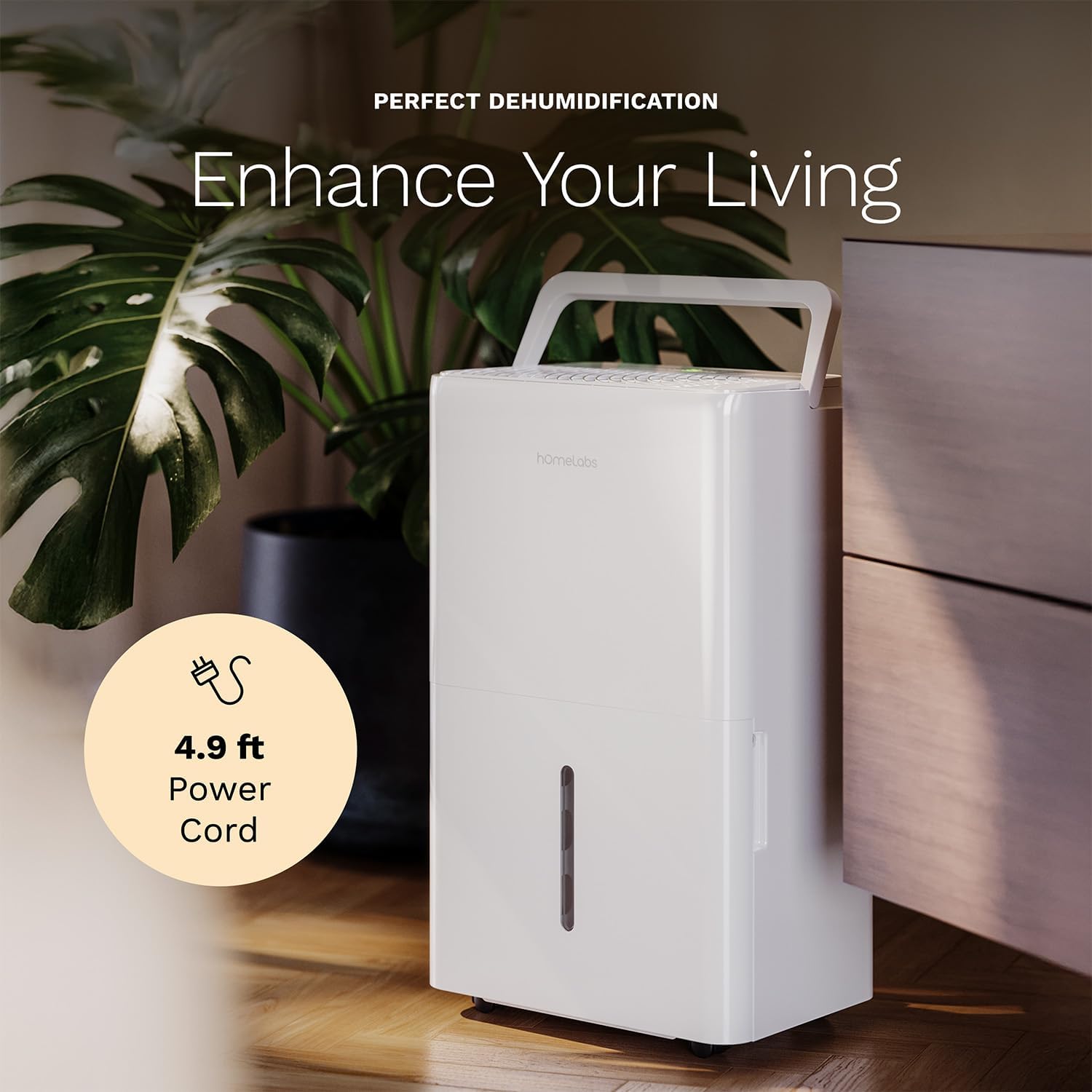
The dehumidifier positioned in a room, highlighting its 4.9 ft power cord for flexible placement.
- Drainage Option (Optional):

An image illustrating the two drainage options: using the built-in tank (manual emptying) or connecting a gravity drain hose for continuous drainage.
- Ручной дрэнаж: The unit will collect water in the internal tank. When the tank is full, the unit will automatically shut off and indicate "Tank Full". Empty the tank as described in the Maintenance section.
- Бесперапынны дрэнаж: For continuous operation without emptying the tank, attach the included drain hose to the continuous drain outlet. Ensure the hose is sloped downwards to a suitable drain (e.g., floor drain, large bucket) to allow gravity drainage.
Інструкцыя па эксплуатацыі
Функцыі панэлі кіравання:
- Кнопка харчавання: Націсніце, каб уключыць або выключыць прыладу.
- Кнопкі налады вільготнасці (+/-): Adjust the desired humidity level from 35% to 85% relative humidity (RH) in 5% increments.
- Кнопка хуткасці вентылятара: Cycle through High, Medium, and Low fan speeds.
- Кнопка таймера: Set a timer for automatic ON/OFF operation (1-24 hours).
- Comfort Mode Button: Activates a preset humidity level for optimal comfort.
- Кнопка Wi-Fi: Activates Wi-Fi pairing mode.
Wi-Fi Smart Control:
Your dehumidifier can be controlled remotely via Wi-Fi using a smartphone app, Google Assistant, or Alexa.

The dehumidifier shown with icons indicating compatibility with Google Home and Alexa, along with a smartphone icon representing app control for remote operation.
- Спампаваць прыкладанне: Download the hOmeLabs app from your smartphone's app store (iOS or Android).
- Спалучэнне: Follow the in-app instructions to pair your dehumidifier with your home Wi-Fi network. This typically involves pressing and holding the Wi-Fi button on the control panel until the indicator light flashes.
- Пульт дыстанцыйнага кіравання: Once paired, you can adjust settings, monitor humidity levels, and set schedules from anywhere using your smartphone.
Тэхнічнае абслугоўванне
Рэгулярнае тэхнічнае абслугоўванне забяспечвае аптымальную прадукцыйнасць і падаўжае тэрмін службы вашага асушальніка паветра.
Апаражненне рэзервуара для вады:
- When the water tank is full, the "Tank Full" indicator will illuminate, and the unit will stop operating.
- Асцярожна выміце рэзервуар для вады з пярэдняй часткі прылады.
- Зліце сабраную ваду ў ракавіну або каналізацыю.
- Устаўце пусты рэзервуар назад у прыладу да шчаўчка. Прылада аднавіць працу.
Ачыстка паветранага фільтра:
The "Filter" indicator light will illuminate after 250 hours of operation, reminding you to clean the filter. Clean the filter every two weeks or more frequently depending on usage and air quality.
- Выключыце асушальнік паветра і адключыце яго ад разеткі.
- Зніміце паветраны фільтр з задняй панэлі прылады.
- Памыйце фільтр цёплай вадой з мылам. Старанна прамыйце.
- Дайце фільтру цалкам высахнуць перад тым, як усталяваць яго назад. Не выкарыстоўвайце фен або прамое нагрэў.
- Once the filter is reinstalled, press and hold the "Filter" button for 3 seconds to reset the filter timer.
Генеральная ўборка:
- Працярыце вонкавую частку прылады мяккай, damp тканіна.
- Не выкарыстоўвайце агрэсіўныя хімікаты, абразіўныя рэчывы або растваральнікі.
- Рэгулярна чысціце рэзервуар для вады, каб прадухіліць з'яўленне цвілі і грыбка.
Ліквідацыю непаладак
Звярніцеся да гэтага раздзела, каб даведацца пра распаўсюджаныя праблемы і іх рашэнні.
| праблема | Магчымая прычына | Рашэнне |
|---|---|---|
| Асушальнік паветра не ўключаецца. | No power; Power cord not plugged in; Tank full. | Check power supply; Plug in power cord securely; Empty water tank. |
| Прылада працуе, але не набірае ваду. | Humidity setting too high; Room temperature too low; Air filter clogged. | Lower desired humidity setting; Ensure room temperature is above 41°F (5°C); Clean air filter. |
| Агрэгат шумны. | Unit not level; Air filter clogged; Fan obstruction. | Пастаўце на роўную паверхню; ачысціце паветраны фільтр; праверце наяўнасць перашкод у зоне вентылятара. |
| Праблемы з падключэннем да Wi-Fi. | Няправільны пароль Wi-Fi; маршрутызатар занадта далёка; праблемы з праграмай. | Verify Wi-Fi password; Move unit closer to router; Restart app/unit. |
Тэхнічныя характарыстыкі
| Асаблівасць | Дэталь |
|---|---|
| Марка | хатнія лабараторыі |
| Назва мадэлі | hOmelabs - Dehumidifier - 25 Pint - WIFI (HME0088) |
| Ёмістасць абязводжвання | 25 Pints per Day (at 80°F, 60%RH) / MAX 64 Pints (at 95°F, 90%RH) |
| Зона пакрыцця | Да 3,500 квадратных футаў |
| Аб'ём бака | 1 галона |
| Памеры прадукту (Д х Ш х У) | 8.2" Г x 12.2" Ш x 19.6" У |
| Вага прадмета | 27.1 фунта |
| Рэжым працы | Аўтаматычны |
| Асаблівасці | Adjustable Humidity Control, Automatic Defrost, Automatic Moisture Removal, Automatic Shutoff, Bucket Storage, Digital Display, Portable, Quiet Operation, Removable Tank, Timer, Washable Filter, Wi-Fi Enabled |
| Энергаэфектыўнасць | Energy Star Most Efficient 2024 Certified |
Гарантыя і падтрымка
Your hOmeLabs 25 Pint Wi-Fi Dehumidifier comes with a standard manufacturer's warranty. For detailed warranty information, please refer to the official warranty document provided with your purchase or visit the hOmeLabs webсайт.
Гарантыйны дакумент: Спампаваць гарантыйны дакумент (PDF)
For technical support, troubleshooting assistance, or to inquire about replacement parts, please contact hOmeLabs customer service. Contact information can typically be found on the hOmeLabs webна сайце або ва ўпакоўцы вашага прадукту.