Уводзіны
This manual provides detailed instructions for the installation, operation, and maintenance of your Generic HD 1080P Dash Cam. Please read this manual thoroughly before using the device to ensure proper functionality and safety.
Прадукт скончаныview
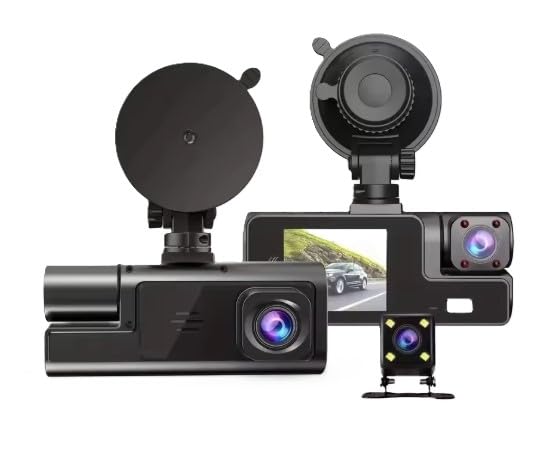
The Generic HD 1080P Dash Cam is an advanced dashboard camera system designed for comprehensive vehicle monitoring. It features a triple camera setup, including a front camera, an internal cabin camera, and a rear camera, providing wide-angle coverage and enhanced night vision capabilities.
Асноўныя характарыстыкі:
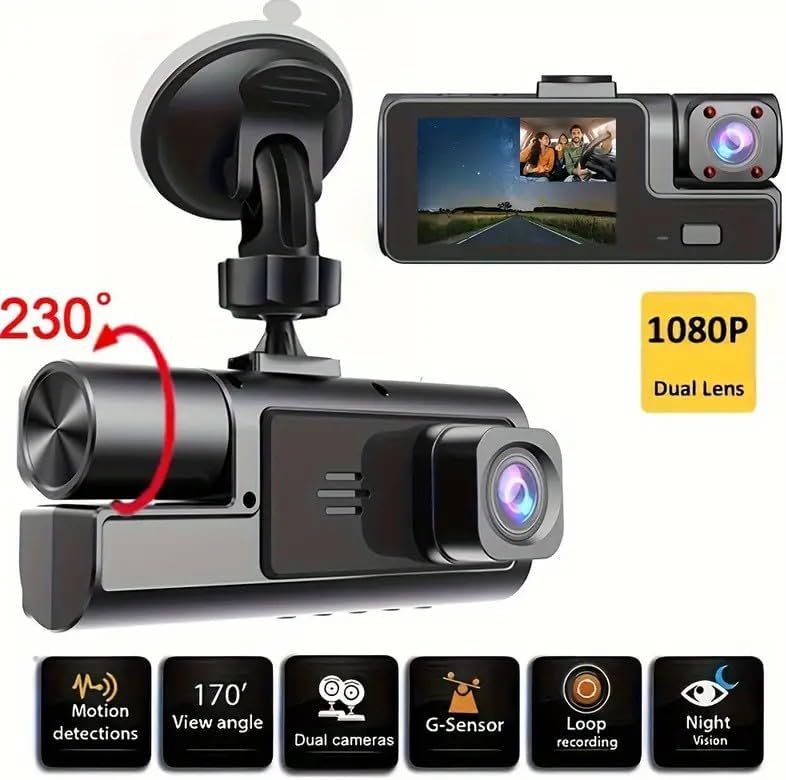
- Трайная сістэма камер: Front (1080P), Internal Cabin, and Rear cameras for full vehicle surveillance.
- Шырокавугольны аб'ектыў 170 градусаў: Maximizes road visibility for the front camera.
- Палепшанае начное бачанне: Ensures clear recordings in low-light conditions.
- G-сэнсар: Automatic accident detection and secure file захоўванне.
- цыклічны запіс: Optimizes storage space by overwriting older, unlocked files.
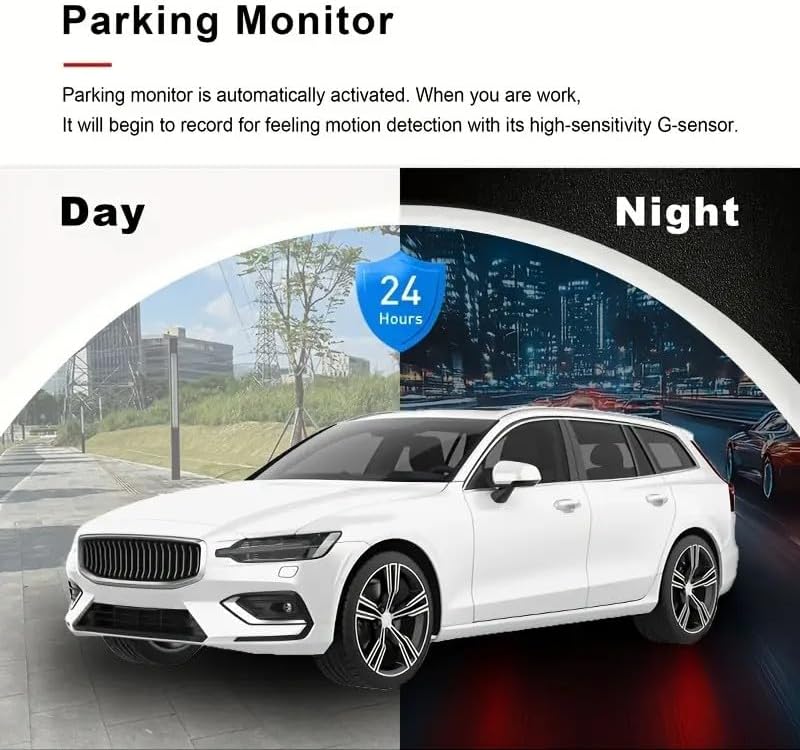
- Выяўленне руху: Enhances security when the vehicle is parked.
- Лёгкая ўстаноўка: Suction cup mount and adjustable bracket for quick setup.
- ВК-экран: Відэа ў рэжыме рэальнага часуview and easy menu navigation.
Уключаныя кампаненты:
- Блок відэарэгістратара
- Задняя камера
- Мацаванне прысоскі
- Сілавы кабель
Кіраўніцтва па ўстаноўцы
1. Падрыхтуйце карту Micro SD
Insert a Class 10 or higher Micro SD card (up to 32GB) into the dash cam's SD card slot. Format the card within the dash cam's settings menu before first use to ensure optimal performance.
2. Mount the Dash Cam
- Ачысціце лабавое шкло, дзе вы плануеце ўсталяваць відэарэгістратар.
- Прымацуйце прысоску да відэарэгістратара.
- Press the suction cup firmly against the windshield and flip the lever to secure it. Adjust the camera angle as needed.

3. Install the Rear Camera (Optional)
If your package includes a rear camera, mount it on the rear windshield or license plate area. Route the cable discreetly to the main dash cam unit and connect it to the designated port.
4. Падключэнне сілкавання
Connect the power cable to the dash cam and plug the other end into your vehicle's 12V power outlet (cigarette lighter socket). Route the cable along the windshield trim to avoid obstructing your view.
Інструкцыя па эксплуатацыі
Аўтаматычны запіс
The dash cam will automatically power on and begin recording when your vehicle's ignition is turned on. It will automatically power off when the ignition is turned off.
цыклічны запіс
The device records video in continuous loops. When the memory card is full, the oldest unlocked fileбудуць перазапісаны новымі запісамі. Гэта забяспечвае бесперапынны запіс без ручнога ўмяшання.
G-сенсор (экстраны запіс)
In the event of a sudden impact or collision, the built-in G-sensor will automatically detect the event and lock the current video segment, preventing it from being overwritten by loop recording. These fileзахоўваюцца ў асобнай тэчцы.
Дэтэктар руху
When enabled, the dash cam will automatically start recording if it detects motion in front of the camera while the vehicle is parked. This feature requires a continuous power supply (e.g., hardwire kit, not included) to function when the vehicle is off.

Начное бачанне
The dash cam is equipped with enhanced night vision technology to capture clear video footage even in low-light conditions, ensuring reliable monitoring around the clock.

Навігацыя па меню
Use the touch screen or physical buttons (if available) to navigate through the menu options. Adjust settings suchs as video resolution, loop recording duration, G-sensor sensitivity, and date/time.

Тэхнічнае абслугоўванне
- Ачысціце аб'ектыў: Рэгулярна працірайце аб'ектывы камеры мяккай тканінай без ворса, каб забяспечыць выразную якасць відэа.
- Фарматаваць SD-карту: Format the Micro SD card monthly to prevent data corruption and maintain optimal recording performance. Back up any important files перад фарматаваннем.
- Праверце злучэнні: Перыядычна правярайце ўсе кабельныя злучэнні, каб пераканацца ў іх надзейнасці.
- тэмпература: Avoid exposing the dash cam to extreme temperatures for extended periods, as this can affect battery life and device performance.
Ліквідацыю непаладак
| праблема | Рашэнне |
|---|---|
| Відэарэгістратар не ўключаецца. | Пераканайцеся, што кабель харчавання надзейна падключаны як да відэарэгістратара, так і да разеткі 12 В аўтамабіля. Праверце, ці працуе разетка аўтамабіля. |
| Запіс нечакана спыняецца. | Check if the Micro SD card is full. Format the SD card. Ensure you are using a Class 10 or higher SD card. |
| Відэа фуtagе размытае. | Clean the camera lens. Ensure the protective film (if any) has been removed from the lens. |
| G-сенсор занадта адчувальны/недастаткова адчувальны. | Адрэгулюйце адчувальнасць G-сенсара ў меню відэарэгістратара. |
| Date and time are incorrect. | Set the correct date and time in the dash cam's settings menu. |
Тэхнічныя характарыстыкі
| Асаблівасць | Дэталь |
|---|---|
| Марка | Радавыя |
| Назва мадэлі | Dash Cam HD 1080P |
| Дазвол відэазахопу | 1080P |
| Пярэдняя камера View Вугал | 170 градусаў |
| Унутраная камера View Вугал | 140 градусаў |
| Асаблівасці | Night Vision, Loop Recording, Continuous Recording, Motion Detection, G-Sensor |
| Тып дысплея | ВК |
| Памер экрана | 6.86 см |
| Тып флэш-памяці | SD-карта |
| Max Supported SD Card Size | 32 ГБ |
| Тып мацавання | Мацаванне прысоскі |
| Колер | Чорны |
| Метад кантролю | Дакранацца |
| Памеры прадукту (ДxШxВ) | 12 см х 12 см х 8 см |
| Батарэі ўваходзяць у камплект | няма |
| Вытворца | Zkcamspy |
Гарантыя і падтрымка
This product is manufactured by Zkcamspy. Spare parts availability in the EU is for 2 years. For technical support or warranty claims, please contact your retailer or the manufacturer directly.


