
1. Уводзіны
The MSXTTLY U2C-AIR Pro Wireless CarPlay Adapter converts your vehicle's existing wired CarPlay system into a wireless one. This allows for a seamless and automatic connection between your iPhone and your car's infotainment system, providing convenient access to navigation, music, calls, and messages without the need for cables.
2. Інфармацыя па бяспецы
- Не падвяргайце прыладу ўздзеянню экстрэмальных тэмператур, прамых сонечных прамянёў або вільгаці.
- Пазбягайце разборкі або мадыфікацыі прылады, бо гэта прывядзе да анулявання гарантыі і можа прывесці да пашкоджанняў.
- Трымайце прыладу далей ад моцных магнітных палёў.
- Ensure the device is securely placed to prevent it from interfering with driving.
3. Змесціва ўпакоўкі
Праверце, ці ёсць усе прадметы ў вашай упакоўцы:
- U2C-AIR Pro CarPlay Adapter (x1)
- USB A to C Cable (x1)
- USB A to A Cable (x1)
- Клейкая стужка 3M (x1)

Image: What's in the Box. This image displays the U2C-AIR Pro adapter, a USB-A to USB-C cable, a USB-A to USB-A cable, and a user manual.
4. Прадукт скончыўсяview
The U2C-AIR Pro Wireless CarPlay Adapter is designed for convenience and performance. It features a compact design and gold-plated connectors for enhanced durability and conductivity.

Image: MSXTTLY U2C-AIR Pro Wireless CarPlay Adapter. This image shows the compact design of the adapter with its gold-plated USB connector.
Асноўныя характарыстыкі:
- Бесправадны CarPlay: Converts wired CarPlay to wireless for seamless iPhone integration.
- Fast and Stable Connection: Equipped with a 5G chip, 5.8 GHz WiFi, and Bluetooth 5.3 for low-latency performance.
- Кампактны дызайн: Small and stylish, minimizing space usage in your car.
- Пазалочаныя раздымы: Enhances conductivity, reduces heat buildup, and boosts data speed.
- Некалькі варыянтаў падключэння: Compatible with various car ports using included USB A to C and USB A to A cables.
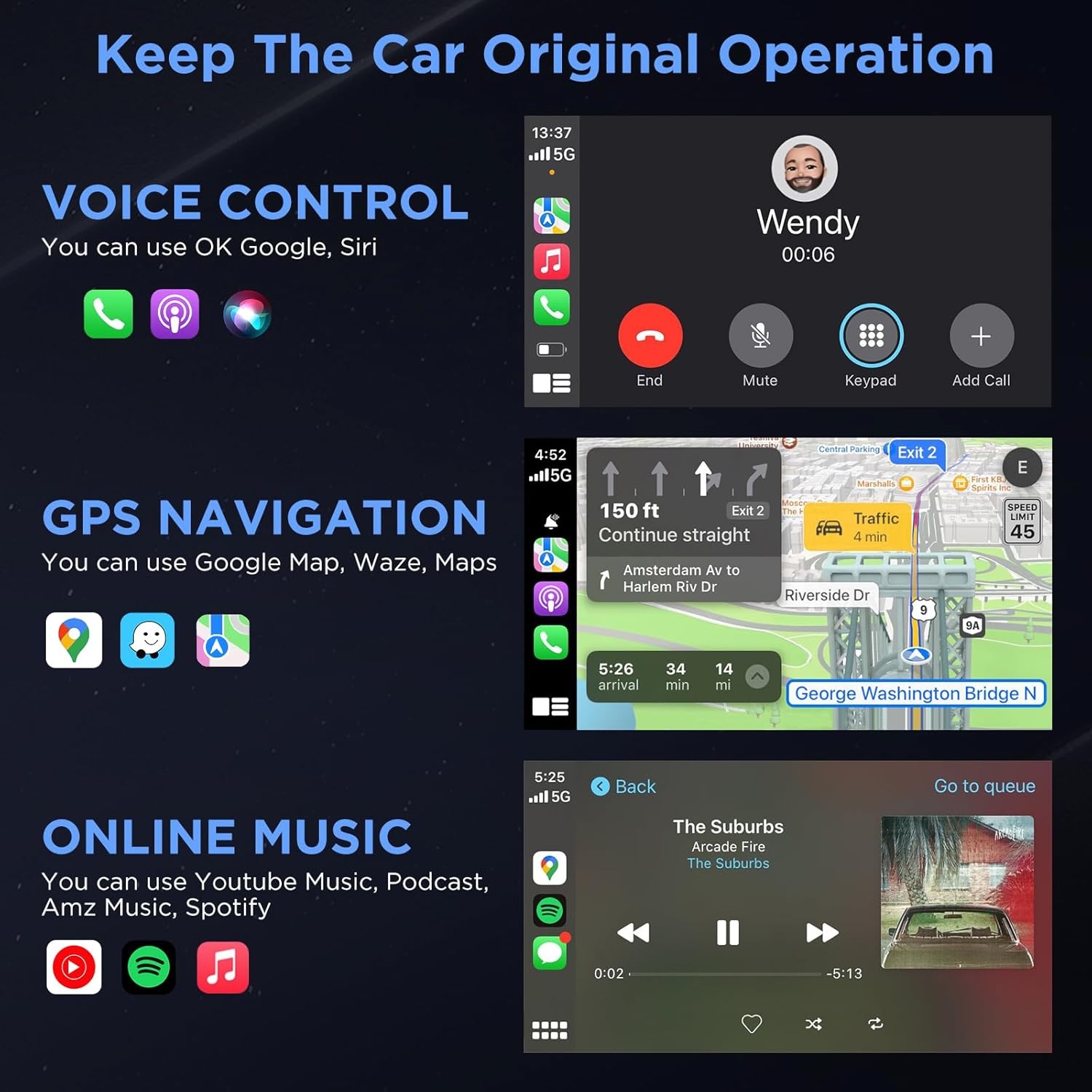
Image: Three Ways to Adapt to Car Various Ports. This image illustrates connecting the adapter via a built-in USB port, a USB-A to USB-C data cable, or a USB-A extension cable.

Image: Why Choose Gold-Plated Enclosure and Pins? This image explains the advantages of gold-plated connectors, including improved conductivity and durability.
5. Інструкцыі па ўсталёўцы
Follow these steps to connect your U2C-AIR Pro Wireless CarPlay Adapter:
- Падключыць: Connect the U2C-AIR Pro adapter to your car's USB port that supports wired CarPlay. Use the appropriate cable (USB A to C or USB A to A) if needed.
- Пара: На вашым iPhone уключыце Bluetooth і Wi-Fi. Пошук the adapter's Bluetooth name (e.g., "smartBox-XXXX") and pair with it. Confirm the CarPlay connection prompt on your iPhone.
- Use CarPlay: Once paired, CarPlay will automatically launch on your car's display. The adapter will automatically connect to your iPhone each time you start your car after the initial setup.

Image: Connection Method - Just 3 Steps. This image visually guides users through the plug-and-play setup process.
6. Інструкцыя па эксплуатацыі
Once connected, your car's display will show the CarPlay interface, allowing you to access various iPhone features safely while driving.
CarPlay Functions:
- Галасавое кіраванне: Use Siri for hands-free commands, such as making calls, sending messages, or getting directions.
- GPS-навігацыя: Utilize Apple Maps, Google Maps, Waze, or other compatible navigation apps directly on your car's screen.
- Online Music & Podcasts: Stream audio from Spotify, Apple Music, podcasts, and other supported applications.
- Званкі і паведамленні: Make and receive calls, and send/receive messages through the CarPlay interface.

Image: Keep The Car Original Operation. This image demonstrates the CarPlay interface with voice control, navigation, and music features.
Метады кантролю:
The adapter supports your car's original control systems:
- Сэнсарны экран: Interact directly with the CarPlay interface via your car's touchscreen.
- Ручка кіравання: Use your car's control knobs for navigation and selection.
- Кіраванне на рулі: Utilize steering wheel buttons for audio, calls, and voice commands.

Image: Support Automobile Control System 100%. This image illustrates the various ways to control CarPlay using your car's built-in controls.
7. Сумяшчальнасць
To ensure proper functionality, please check the following compatibility requirements:
- Сумяшчальнасць з аўтамабілем: Your car's OEM or aftermarket head unit must support правадной CarPlay. This adapter is designed for OEM wired car models from 2017 and newer.
- Сумяшчальнасць з тэлефонамі: Requires an iPhone running iOS 11 або вышэй.
- Несумяшчальнасць: Гэты адаптар ёсць НЕ сумяшчальны with BMW or electric vehicles. It does not support video streaming applications.

Image: How to Check if Your Device is Compatible with This Product? This image provides a quick guide to verify car and iPhone compatibility.

Image: Car Compatible. This image provides a comprehensive list of car models and years that are compatible with the adapter.
8. Выпраўленне непаладак
If you encounter issues with your U2C-AIR Pro adapter, consider the following:
- Праблемы з падключэннем: Ensure your car's USB port supports wired CarPlay. Try disconnecting and reconnecting the adapter. Verify Bluetooth and Wi-Fi are enabled on your iPhone.
- Затрымкі або абрывы сувязі: Wireless CarPlay may experience slight latency (0 to 1.5 seconds) depending on signal strength and usage. If disconnections are frequent, ensure no other devices are interfering with the Bluetooth or Wi-Fi signal.
- Абнаўленні прашыўкі: The adapter supports online reporting and OTA (Over-The-Air) updates. Regularly check for and install updates to ensure optimal performance and resolve potential bugs.
- Сумяшчальнасць з аўтамабілем: Double-check your vehicle's compatibility with the adapter. Refer to the compatibility section or the detailed list provided.
9. Тэхнічныя характарыстыкі
| Асаблівасць | Дэталь |
|---|---|
| Нумар мадэлі | RE-CP-US-219 |
| Версія Bluetooth | 5.3 |
| Частата Wi-Fi | 5.8 ГГц |
| Набор мікрасхем | 5G Chip |
| Памеры ўпакоўкі | 5.31 х 3.58 х 0.75 цалі |
| Вага прадмета | 2.08 унцыі |
10. Тэхнічнае абслугоўванне
To ensure the longevity and optimal performance of your U2C-AIR Pro adapter:
- Трымайце прыладу ў чысціні, праціраючы яе мяккай сухой тканінай.
- Пазбягайце выкарыстання агрэсіўных хімікатаў або абразіўных ачышчальнікаў.
- Калі прылада не выкарыстоўваецца, захоўвайце яе ў прахалодным сухім месцы.
- Ensure the USB ports are free from dust and debris.
11. Гарантыя і падтрымка
MSXTTLY is committed to providing excellent customer service and product reliability.
- Гарантыя: The U2C-AIR Pro CarPlay Adapter comes with a 12-month warranty from the date of purchase.
- Тэхнічная падтрымка: We offer 24/7 professional technical support to assist you with any questions or issues.
- Пажыццёвая тэхнічная падтрымка: Карыстайцеся пажыццёвай тэхнічнай падтрымкай вашага прадукту.
For support, please refer to the contact information provided in your product packaging or visit the official MSXTTLY webсайт.

Image: Peace of Mind Service. This image highlights the warranty and support services offered by MSXTTLY.


