
Уводзіны
The VTech Dora Got Your Back Learning Backpack is an interactive bilingual toy designed to engage children aged 3 years and up in educational activities. This manual provides essential information for setting up, operating, maintaining, and troubleshooting your learning backpack. It features 12 interactive games and quizzes in both English and Spanish, focusing on key learning milestones such as letter writing, shape drawing, emotions, numbers, and words.
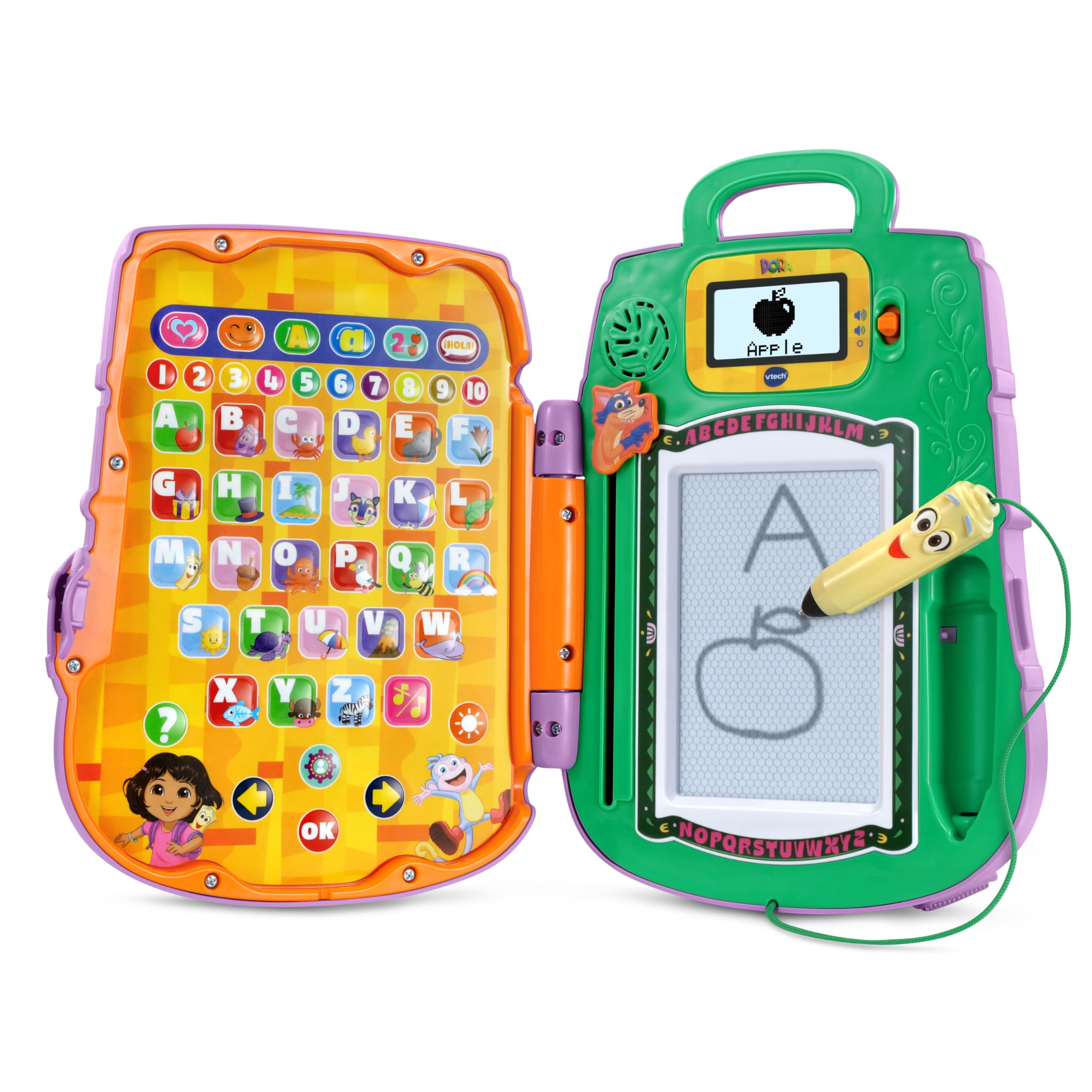
Image: The VTech Dora Got Your Back Learning Backpack in its closed, backpack form.
Што ўключана
Пасля адкрыцця ўпакоўкі пераканайцеся ў наяўнасці ўсіх кампанентаў:
- 1 x Dora Got Your Back Learning Backpack
- 1 х Кароткае кіраўніцтва

Image: The learning backpack opened, showing the interactive button panel on the left and the drawing board with screen on the right.
Настройка
- Ўстаноўка батарэі: The toy requires 2 AA batteries. Batteries are included for demonstration purposes only. For regular use, new batteries are recommended. To install, locate the battery compartment on the back of the unit, open it with a screwdriver, insert the batteries according to the polarity markings, and close the compartment securely.
- Attaching Straps: The backpack straps are typically included separately in the packaging. Attach them to the designated loops on the top and bottom of the backpack to enable wearing the toy.
- Першапачатковае ўключэнне: Націсніце кнопку харчавання, каб уключыць прыладу.
- персаналізацыя: The toy allows for personalization. Follow the on-screen prompts or refer to the Quick Start Guide to enter a child's name. This enables personalized greetings from Dora's friends during play.

Image: The toy's screen displaying a prompt to enter a name for personalization.
Інструкцыя па эксплуатацыі
The Dora Got Your Back Learning Backpack features two main interactive areas when opened: a button panel on the left and a drawing board with a small screen on the right.
- Уключэнне/выключэнне харчавання: Press the orange power button located on the right side of the unit to turn the toy on or off.
- Рэгулятар гучнасці: Use the volume buttons (usually located near the screen) to adjust the sound level.
- Выбар мовы: The toy supports both English and Spanish. Look for a dedicated language button or follow initial setup prompts to select your preferred language.
- Выбар дзейнасці: The left panel contains various buttons representing different games and learning activities. Press a button to select an activity.
- Stylus Usage: The Map-shaped stylus is attached to the unit by a string. Use it to interact with the drawing board for writing and drawing activities.
- Swiper Eraser: To clear the drawing board, slide the Swiper character down the designated slot.

Image: A child actively engaging with the open learning backpack, pressing buttons on the left panel and using the stylus on the right drawing board.
Games and Activities
The learning backpack offers 12 interactive games and quizzes designed to promote early learning skills:
- Напісанне ліста: Follow step-by-step animations on the screen to practice writing uppercase and lowercase letters using the stylus.
- Shape Drawing: Learn to draw various shapes by tracing guided animations.
- Распазнаванне лікаў: Identify and learn numbers through interactive games.
- Object Identification: Match objects with their corresponding letters or words.
- Emotion Exploration: Learn about different emotions through engaging activities.
- Bilingual Quizzes: Participate in quizzes that reinforce learning in both English and Spanish.

Image: A child using the stylus to draw on the learning backpack's screen, following animated instructions.

Image: A child operating the Swiper slider to clear the drawing board, preparing for a new activity.
Video: An official VTech video demonstrating the features and interactive play of the Dora Got Your Back Learning Backpack.
Тэхнічнае абслугоўванне
- Уборка: Працярыце цацку злёгкуamp тканіна. Не апускайце ў ваду і не выкарыстоўвайце рэзкія мыйныя сродкі.
- захоўванне: Захоўвайце цацку ў прахалодным сухім месцы, удалечыні ад прамых сонечных прамянёў, калі яна не выкарыстоўваецца.
- Сыход за батарэяй: Выміце батарэйкі, калі цацка не будзе выкарыстоўвацца на працягу доўгага часу, каб прадухіліць уцечку.
Ліквідацыю непаладак
| праблема | Рашэнне |
|---|---|
| Цацка не ўключаецца. | Check battery installation. Ensure batteries are new and correctly inserted. |
| Гук не працуе або занадта ціхі. | Adjust the volume using the volume buttons. Replace batteries if sound remains low or absent. |
| Drawing board is not clearing. | Ensure the Swiper eraser is slid completely across the board. |
| Stylus is not making marks. | Ensure the stylus tip is making firm contact with the drawing surface. The drawing board is magnetic, not electronic. |
Тэхнічныя характарыстыкі
- Памеры прадукту: 11.02 х 8.27 х 2.8 цалі
- Вага прадмета: 1.7 фунта
- Нумар мадэлі тавару: 80-573300
- Рэкамендаваны вытворцам узрост: 3 гады і вышэй
- батарэі: 2 AA batteries required (included for demo purposes)
- вытворца: VTech
- Дата выпуску: 5 чэрвеня 2025 г
Гарантыя і падтрымка
For warranty information, product support, or to purchase replacement parts, please visit the official VTech website or contact their customer service department. Details can typically be found in the Quick Start Guide or on the VTech product page.