
TABWEE T20 Tablet Tabwee
TABWEE T20 Tablet User Manual
Model: T20 Tablet Tabwee
Brand: TABWEE
Уводзіны
Thank you for choosing the TABWEE T20 Tablet. This manual provides essential information for setting up, operating, and maintaining your device. The T20 Tablet is designed for versatile use, featuring the latest Android 15 with Gemini AI, a powerful Octa-Core processor, and a comprehensive accessory kit for enhanced productivity and entertainment.
Што ў скрынцы
Калі ласка, праверце змесціва вашай упакоўкі. Калі якія-небудзь прадметы адсутнічаюць або пашкоджаныя, звярніцеся ў службу падтрымкі кліентаў.
- TABWEE T20 Tablet
- Клавіятура
- Мышка
- Стылус
- Ахоўны футляр
- Падстаўка для планшэта
- Пратэктар экрана
- Зарадная прылада
- Кабель USB
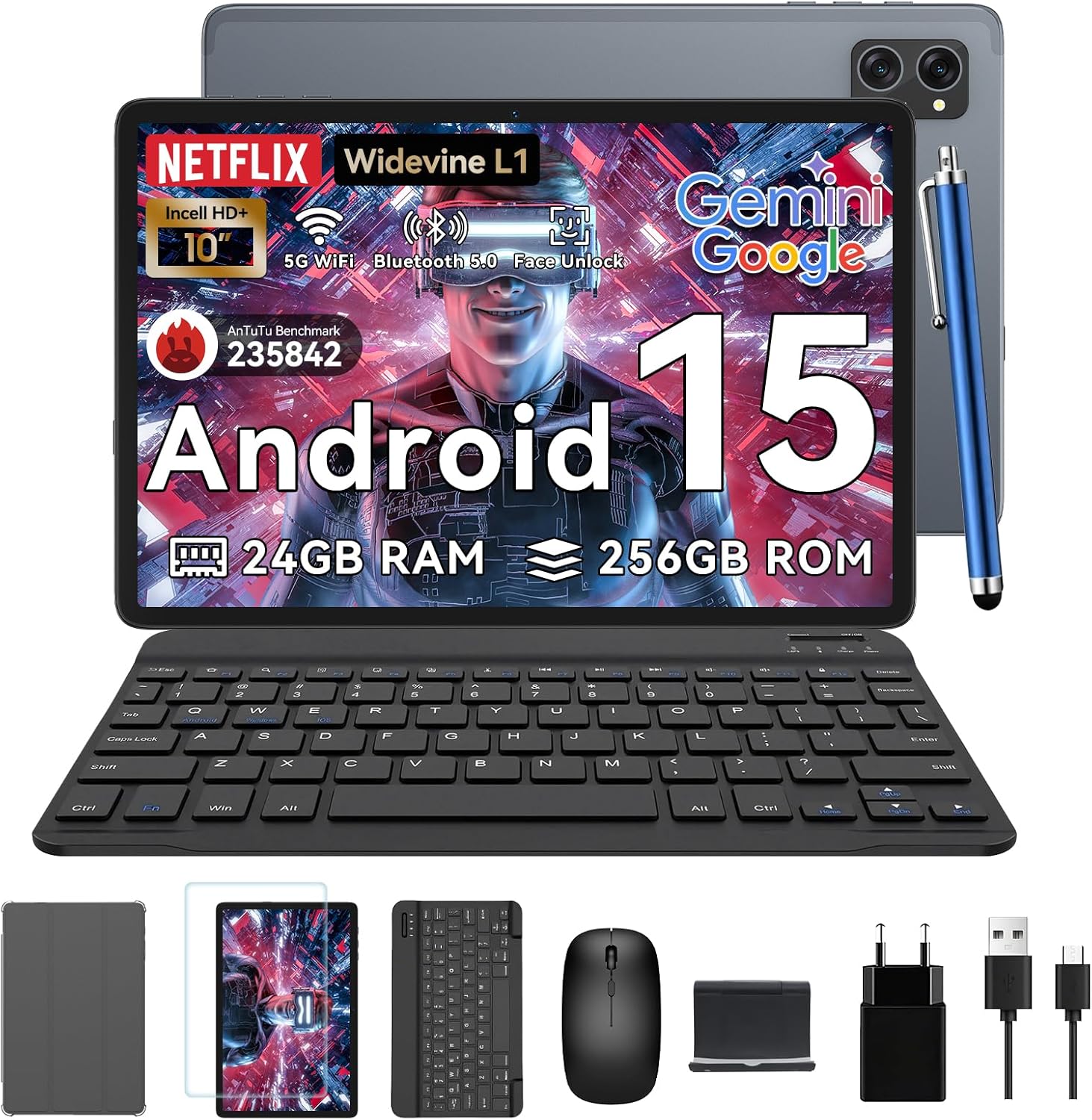
Image: All items included in the TABWEE T20 Tablet package, neatly arranged.
Прадукт скончаныview
Familiarize yourself with the physical components of your TABWEE T20 Tablet.

Выява: спераду і ззаду view of the TABWEE T20 Tablet, showing the display and camera module.
Ключавыя кампаненты:
- 10.1-цалевы дысплей Full HD: Main screen for interaction and content viewінж.
- Пярэдняя камера (8 Мп): Located on the top bezel for video calls and selfies.
- Rear Camera (8MP AI): Located on the back for high-quality photos and Smart Scan functions.
- Кнопка харчавання: Typically on the side, used to turn the tablet on/off or wake/sleep.
- Кнопкі гучнасці: Адрэгулюйце ўзровень гуку.
- Порт USB-C: Для зарадкі і перадачы дадзеных.
- Рашоткі дынамікаў: Dual Smart-K BOX speakers for immersive audio.
- Слот для карты MicroSD: For storage expansion up to 2TB.
Пачатковая налада
- Зарадка планшэта:
Connect the provided charger and USB cable to the tablet's USB-C port. Plug the charger into a power outlet. The battery indicator will show charging status. Fully charge the tablet before first use.
- Уключэнне/выключэнне:
Press and hold the Power button until the TABWEE logo appears to turn on. To turn off, press and hold the Power button, then select "Power off" from the options.
- Першапачатковая канфігурацыя:
Upon first power-on, follow the on-screen prompts to select your language, connect to a Wi-Fi network, sign in with your Google account, and set up security features like Face Unlock.
- Inserting a MicroSD Card (Optional):
Locate the MicroSD card slot. Gently insert a compatible MicroSD card (up to 2TB) until it clicks into place. This expands your tablet's storage capacity.
Кіраванне вашым планшэтам
Android 15 with Gemini AI
Your TABWEE T20 runs on Android 15, enhanced with Gemini AI for an intuitive and efficient experience. Features include real-time language translation, intelligent task management, and personalized widget previews.

Image: Visual representation of Android 15 features, including app management and connectivity options.

Выява: Зверхуview of Gemini AI 2.0 experimental features, including voice control and smart assistance.
Дысплей і аўдыё
The 10.1-inch Full HD display with Widevine L1 certification provides vibrant 1080p visuals. Enjoy immersive sound with the Smart-K dual BOX speakers.
- Уайдвайн L1: Enables high-definition streaming from platforms like Netflix, Prime Video, and Hulu.
- Рэжымы, бяспечныя для вачэй: Access Reading Mode, Night Light, and Dark Mode in display settings for comfortable viewінж.

Image: The tablet display showcasing Widevine L1 certification and different eye-friendly viewрэжымы.

Image: Illustration of the tablet's dual Smart-K Box speakers, emphasizing sound quality.
Функцыі камеры
The tablet features 8MP front and rear AI cameras. Utilize the Smart Scan camera for efficient document scanning.
- Разумнае сканаванне: Automatically detects and enhances documents, receipts, or whiteboards.
- Інтэграцыя з Google Lens: Use Google Lens for smart scanning, searching, and exploring.

Image: The tablet's camera system, highlighting 5MP front and 8MP rear AI cameras, along with Google Lens and Face Unlock capabilities.
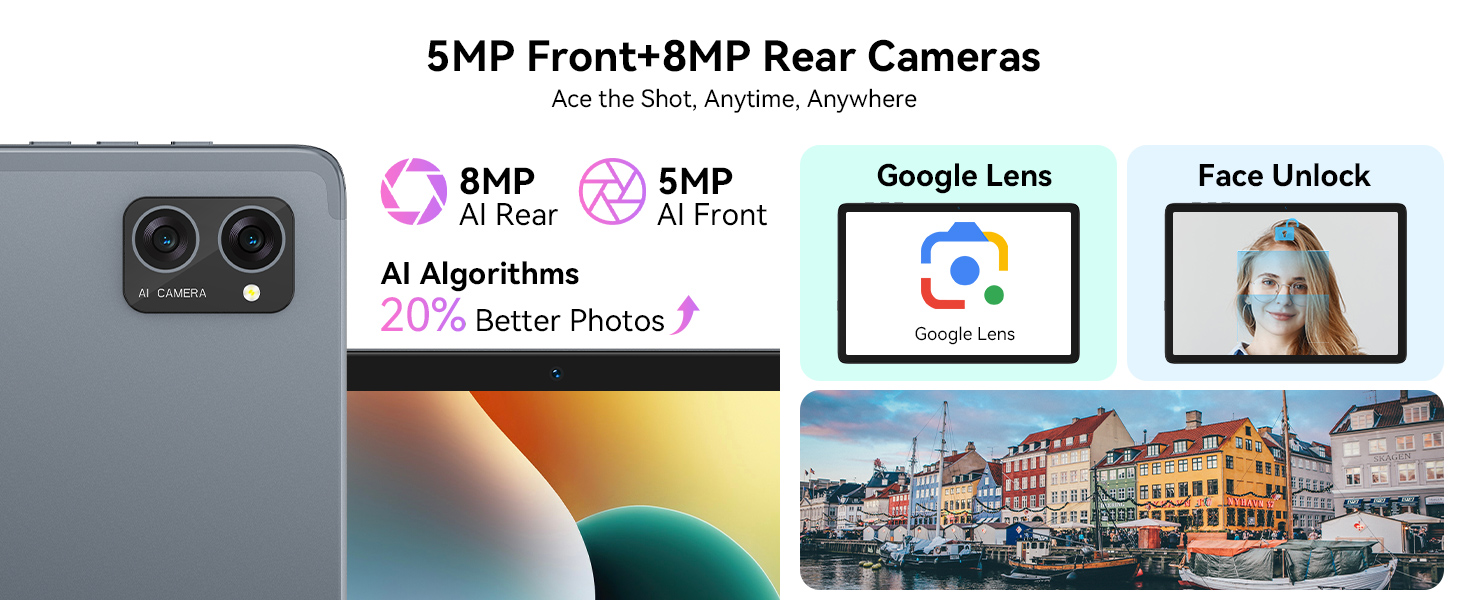
Image: Various applications of Smart Google Lens for scanning, searching, and exploring.
Сувязь
- 5G Dual-Band WiFi: Connect to high-speed wireless networks for fast browsing and streaming.
- Bluetooth 5.0: Падключайцеся да бесправадных навушнікаў, дынамікаў і іншых прылад з падтрымкай Bluetooth.

Image: The tablet demonstrating fast WiFi 5 connectivity, shown with connected keyboard and mouse.

Image: A user enjoying audio content with wireless earbuds connected to the tablet via Bluetooth 5.0.
Using Included Accessories
The TABWEE T20 Tablet comes with a suite of accessories to enhance your experience.
- Клавіятура: Connect the keyboard via Bluetooth. Refer to the keyboard's specific instructions for pairing. It transforms your tablet into a mini-laptop for typing.
- Мыш: Connect the mouse via Bluetooth. This provides precise navigation, similar to a desktop computer.
- Стылус: Use the stylus for precise input, drawing, or note-taking on the touchscreen. No pairing required for basic touch functionality.
- Protective Case & Tablet Stand: The case provides protection, and the integrated stand allows for comfortable viewing angles for media consumption or typing.
- Пратэктар экрана: Apply the screen protector to guard against scratches and minor impacts. Follow the instructions provided with the screen protector for proper application.

Image: The TABWEE T20 Tablet configured with its keyboard and mouse, demonstrating its 2-in-1 versatility.
Догляд і абслугоўванне
- Уборка: Для чысткі экрана і корпуса выкарыстоўвайце мяккую тканіну без ворса. Для выдалення ўстойлівых плям злёгкуampпрацярыце тканіну вадой або сродкам для чысткі экранаў. Пазбягайце агрэсіўных хімічных рэчываў.
- Сыход за батарэяй: To prolong battery life, avoid extreme temperatures. Do not let the battery fully drain frequently. For long-term storage, charge the tablet to about 50% and power it off.
- Абнаўленні праграмнага забеспячэння: Рэгулярна правярайце наяўнасць абнаўленняў сістэмы і ўсталёўвайце іх, каб забяспечыць аптымальную прадукцыйнасць і бяспеку. Перайдзіце ў Налады > Сістэма > Абнаўленне сістэмы.
- Кіраванне сховішчам: Перыядычна чысціце непатрэбнае files and apps to maintain performance. Utilize the 2TB expandable storage for large media files.

Image: The tablet's internal battery, illustrating its 5000mAh capacity and estimated usage durations.
Ліквідацыю непаладак
| праблема | Магчымае рашэнне |
|---|---|
| Планшэт не ўключаецца. | Ensure the tablet is charged. Connect to charger for at least 30 minutes. Try holding the Power button for 10-15 seconds. |
| Праблемы з падключэннем да Wi-Fi. | Restart the tablet and your Wi-Fi router. Forget the network and reconnect. Ensure you are within range. |
| Планшэт павольны або не рэагуе. | Close unused apps. Clear cache. Restart the tablet. Check for available system updates. |
| Аксесуары (клавіятура/мыш) не падключаюцца. | Ensure Bluetooth is enabled on the tablet. Put the accessory in pairing mode. Check battery levels of accessories. |
| Праграмы часта выходзяць з ладу. | Clear the app's cache and data (Settings > Apps > [App Name] > Storage). Reinstall the app. Ensure sufficient storage space. |
Тэхнічныя характарыстыкі
| Асаблівасць | Дэталь |
|---|---|
| мадэль | T20 Tablet Tabwee |
| Аперацыйная сістэма | Android 15 (with Gemini AI) |
| Працэсар | UNISOC T606 Octa-Core (2 GHz) |
| АЗП | 24GB (8GB base + 16GB expansion) |
| Унутраная памяць | 256 ГБ |
| Сховішча з магчымасцю пашырэння | Да 2 ТБ праз карту MicroSD |
| Памер дысплея | 10.1 цалі |
| Дазвол дысплея | 1280 x 800 Pixels (Full HD, Widevine L1) |
| Задняя камера | 8-мегапіксельная камера са штучным інтэлектам |
| Пярэдняя камера | 8 МП |
| акумулятар | 5000mAh літый-палімер |
| Сувязь | 5G Dual-Band Wi-Fi (802.11ac), Bluetooth 5.0 |
| Памеры | 24.64 х 15.49 х 0.76 см |
| Вага | 500 г |

Image: Internal memory architecture of the TABWEE T20 Tablet, detailing RAM and ROM capacities.

Image: The Unisoc T606 Octa-Core processor, highlighting its core configuration and GPU.
Гарантыя і падтрымка
Your TABWEE T20 Tablet comes with a 2-year UK warranty, ensuring peace of mind. TABWEE is committed to quality and customer satisfaction.
- 24-Month Free Repair Warranty: Covers manufacturing defects and ensures free repairs for two years from the date of purchase.
- Пажыццёвая тэхнічная падтрымка: Expert assistance is available whenever you need it.
- Hassle-Free Service: Support is provided through the TABWEE Official Flagship Store.
For technical support, warranty claims, or general inquiries, please contact TABWEE customer service through the official channels provided at the point of purchase or on the TABWEE brand webсайт.

Image: Information regarding TABWEE's 2-year warranty and lifetime customer support.