
1. Уводзіны
Welcome to the Xega 4G LTE Cellular Security Camera XG-19 user manual. This guide provides detailed instructions for setting up, operating, and maintaining your camera. Please read this manual thoroughly before use to ensure proper functionality and safety.
2. Што ў скрынцы
Праверце наяўнасць усіх кампанентаў у камплекце:
- 1 x Xega 4G Indoor Camera
- 1 x Nano SIM Card (built-in)
- 1 х кабель падключэння
- 1 х Кіраўніцтва карыстальніка
3. Прадукт скончыўсяview
Кампаненты камеры
Малюнак 3.1: Фронт view of the Xega 4G LTE Cellular Security Camera, highlighting its compact design and indicating 4G data plan requirements.
- Аб'ектыў камеры: Captures 2K HD video.
- Infrared/White Lights: For night vision and illumination.
- Мікрафон: Запісвае гук для двухбаковай сувязі.
- Дакладчык: Выводзіць гук для двухбаковай сувязі.
- Светлавы індыкатар стану: Shows camera status (e.g., charging, connected).
- Порт для зарадкі USB-C: Для падводу магутнасці.
- Кнопка скіду: Выкарыстоўваецца для скіду камеры да заводскіх налад.
- Слот TF карты: Supports local storage up to 128GB (TF card not included).
- Built-in SIM Card: Provides 4G LTE connectivity (non-replaceable).
Асноўныя характарыстыкі
- Падключэнне 4G LTE: Operates on 4G LTE networks, no Wi-Fi required. Includes a built-in, non-replaceable SIM card.
- 6000mAh Built-in Battery: Provides portable, wireless operation.
- Разрозненне 2K HD: Delivers clear video quality.
- Паварот на 355° і нахіл на 60°: Offers wide area coverage via app control.
- PIR & Human Detection: Advanced motion detection with instant notifications.
- Двухбаковы аўдыё: Allows real-time communication through the camera.
- Color/Infrared Night Vision: Provides clear visibility up to 15 meters in low light.
- Гнуткае захоўванне: Supports local TF card storage (up to 128GB) and optional cloud storage.
4. Настройка
4.1 Першапачатковая зарадка
Before first use, fully charge the camera using the provided USB connection cable. The status indicator light will show charging progress.

Малюнак 4.1: The Xega camera with an overlay indicating its 6000mAh rechargeable battery capacity.
4.2 Activating the SIM Card and Data Plan
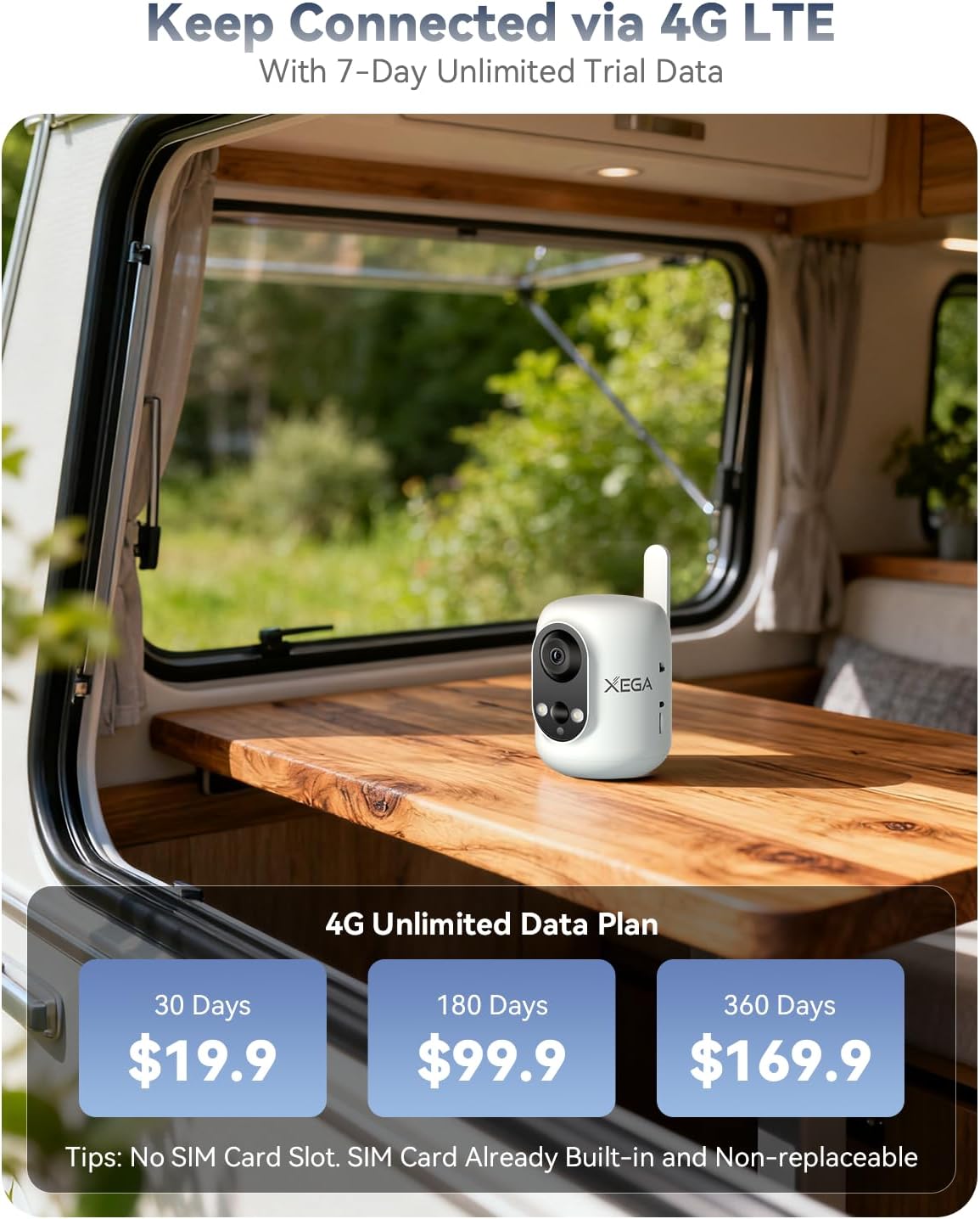
The camera comes with a built-in Nano SIM card. A 4G data subscription is required for operation. You will receive a 7-day unlimited trial data period upon activation. After the trial, data can be replenished easily via the Ubox app.
4.3 Усталёўка прыкладання
Спампаваць Ubox app from your device's app store (iOS/Android) or by scanning the QR code provided in the quick start guide.
4.4 Спалучэнне камеры
Follow the in-app instructions to pair your camera. This typically involves creating an account, adding a device, and scanning a QR code displayed by the app with the camera lens.
Відэа 4.1: An instructional video demonstrating the setup process for the Xega 4G Cellular Security Camera, including SIM card activation and app pairing.
5. Інструкцыя па эксплуатацыі
5.1 Pan and Tilt Functionality
Control the camera's horizontal (355°) and vertical (60°) movement directly from the Ubox app. Swipe on the live view screen to adjust the camera's angle and monitor different areas of your space. Note that auto-tracking is not supported.

Малюнак 5.1: The Xega camera demonstrating its 355° pan and 60° tilt capabilities, controlled via a smartphone app.
5.2 Двухбаковае аўдыё
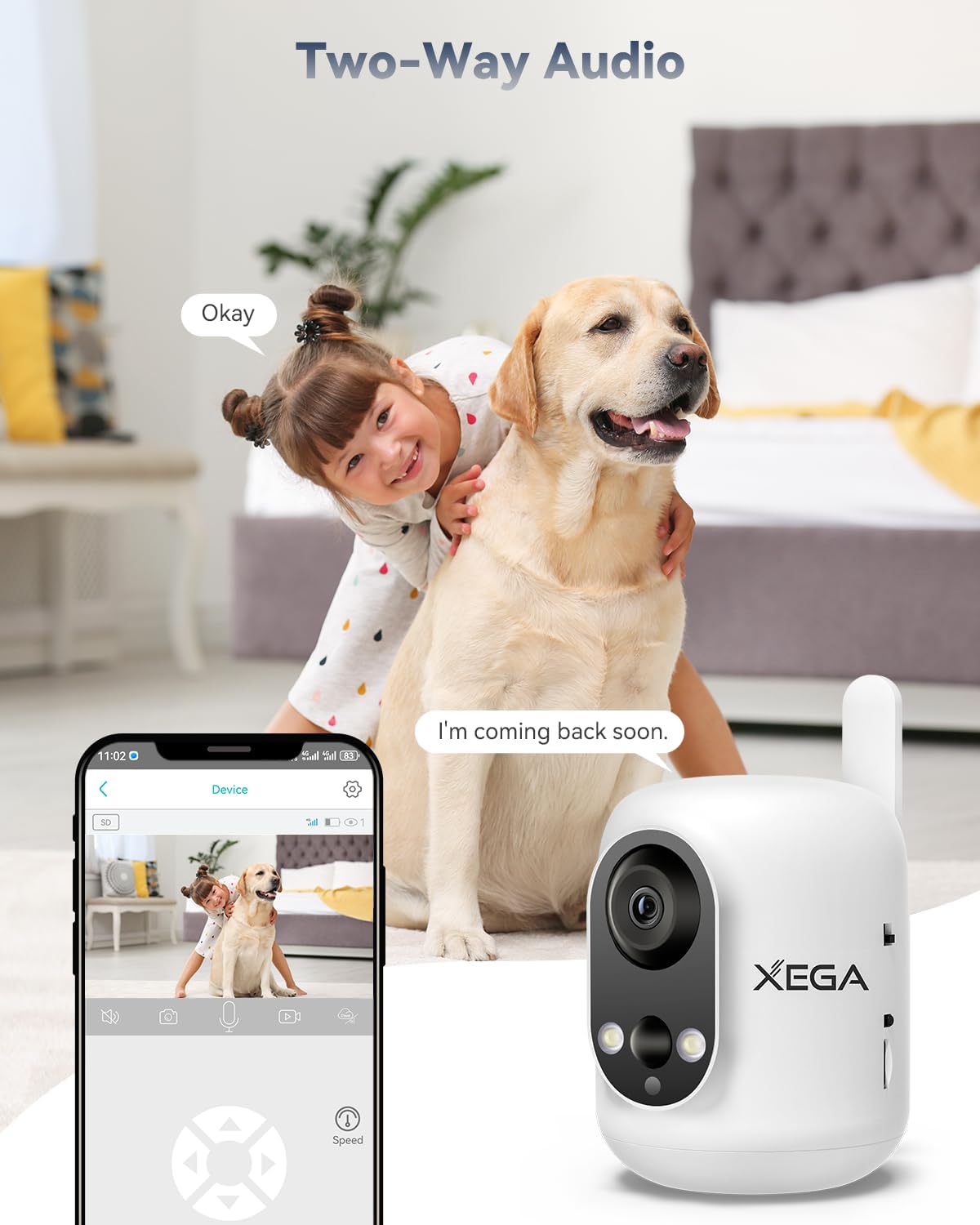
Utilize the built-in microphone and speaker for two-way communication. Tap the microphone icon in the Ubox app to speak, and the camera will transmit your voice. You can also hear audio from the camera's location.

Малюнак 5.2: A visual representation of the camera's two-way audio function, allowing communication between the app user and the camera's environment.
5.3 Выяўленне руху і апавяшчэнні
The camera features PIR (Passive Infrared) and human detection to identify moving objects. When motion is detected, you will receive instant push notifications on your iOS/Android phone via the Ubox app. You can adjust detection sensitivity and customize activity zones to reduce false alarms.

Малюнак 5.3: The camera's PIR motion detection feature, showing a detected activity zone and an alert notification on a smartphone.
5.4 Начное бачанне
The camera offers both color and infrared night vision, providing clear surveillance up to 15 meters (49 feet) in low-light conditions. You can switch between modes via the Ubox app.
Малюнак 5.4: Comparison of standard and 2K color night vision from the Xega camera, illustrating enhanced visibility in darkness.
6. Data Plan Information
The Xega XG-19 camera operates exclusively on a 4G LTE cellular network and does not support Wi-Fi. A data plan subscription is required after the initial 7-day trial period. Data plans can be managed and purchased directly through the Ubox app.

Малюнак 6.1: The Xega camera displayed with information regarding its 4G LTE connectivity and available data plan options.
7. Параметры захоўвання
Камера прапануе два спосабы захоўвання відэа:
7.1 TF Card Storage
Insert a TF (microSD) card into the designated slot for local video storage. The camera supports cards up to 128GB (not included). Recorded footage can be accessed and downloaded via the Ubox app.
7.2 Воблачнае сховішча
An optional cloud storage service is available, offering a 30-day free trial. A subscription is required after the trial period. Cloud storage provides secure, remote access to your recordings.

Малюнак 7.1: The Xega camera illustrating its support for both local TF card storage and optional cloud storage solutions.
8. Тэхнічнае абслугоўванне
To ensure optimal performance and longevity of your Xega XG-19 camera:
- Уборка: Gently wipe the camera lens and body with a soft, dry cloth. Avoid using liquid cleaners or abrasive materials.
- Сыход за батарэяй: Recharge the camera regularly. Avoid fully discharging the battery frequently to prolong its lifespan.
- Размяшчэнне: Position the camera in a stable, indoor environment. Avoid direct sunlight, extreme temperatures, and high humidity. This camera is not waterproof.
- Абнаўленні праграмнага забеспячэння: Keep the Ubox app updated to the latest version for new features and improved security.
9. Выпраўленне непаладак
If you encounter issues with your Xega XG-19 camera, refer to the following table for common problems and solutions:
| праблема | Рашэнне |
|---|---|
| Камера не ўключаецца. | Ensure the camera is fully charged. Connect it to a power source using the provided cable. |
| No 4G network connection. | Check if your data plan is active and has sufficient data. Ensure the camera is in an area with 4G coverage. Restart the camera. |
| Cannot pair camera with app. | Ensure the camera is powered on and the status light indicates pairing mode. Re-scan the QR code in the Ubox app. Reset the camera if necessary. |
| Частыя ілжывыя сігналы аб руху. | Adjust the motion detection sensitivity in the Ubox app. Define specific activity zones to exclude irrelevant areas. |
| Якасць відэа дрэнная. | Ensure the camera lens is clean. Check your 4G signal strength; a weak signal can affect streaming quality. |
10. Тэхнічныя характарыстыкі
Detailed technical specifications for the Xega XG-19 camera:
| Асаблівасць | Дэталь |
|---|---|
| Назва мадэлі | XG-19 |
| Тэхналогія падлучэння | Бесправадная сувязь (сотавая сувязь 4G LTE) |
| Выкарыстанне ў памяшканні/на вуліцы | У памяшканні |
| Крыніца харчавання | Battery Powered (6000mAh built-in) |
| Дазвол відэазахопу | 1296p (2K HD) |
| Дыяпазон павароту/нахілу | 355° па гарызанталі, 60° па вертыкалі |
| Дыяпазон начнога бачання | 15 метра (49 футаў) |
| Параметры захоўвання | TF Card (Max 128GB), Cloud Storage (Optional) |
| Дэтэктар руху | PIR & Human Detection |
| Двухбаковае аўдыё | так |
| Сумяшчальныя прылады | Android & iOS (via Ubox App) |
| Памеры прадукту | 3.94 х 5.51 х 7.09 цалі |
| Вага прадмета | 1.15 фунта |
11. Гарантыя і падтрымка
11.1 Інфармацыя аб гарантыі
The Xega XG-19 camera comes with a 2-Year Limited Coverage warranty. Please retain your proof of purchase for warranty claims.
11.2 Падтрымка кліентаў
For any issues during installation, connection, or use, please contact Xega customer support. Our dedicated team is available to assist you within 24 hours.
- электронная пошта: Refer to the official Xega website or packaging for the support email address.
- Amazon: Contact us through the Amazon messaging system.
- Ubox App: Access support options directly within the Ubox application.