
1. Уводзіны
This manual provides detailed instructions for the setup, operation, and maintenance of your ATTACK SHARK MAMBASNAKE X60 HE Mechanical Gaming Keyboard. Please read this manual thoroughly to ensure optimal performance and longevity of your device.
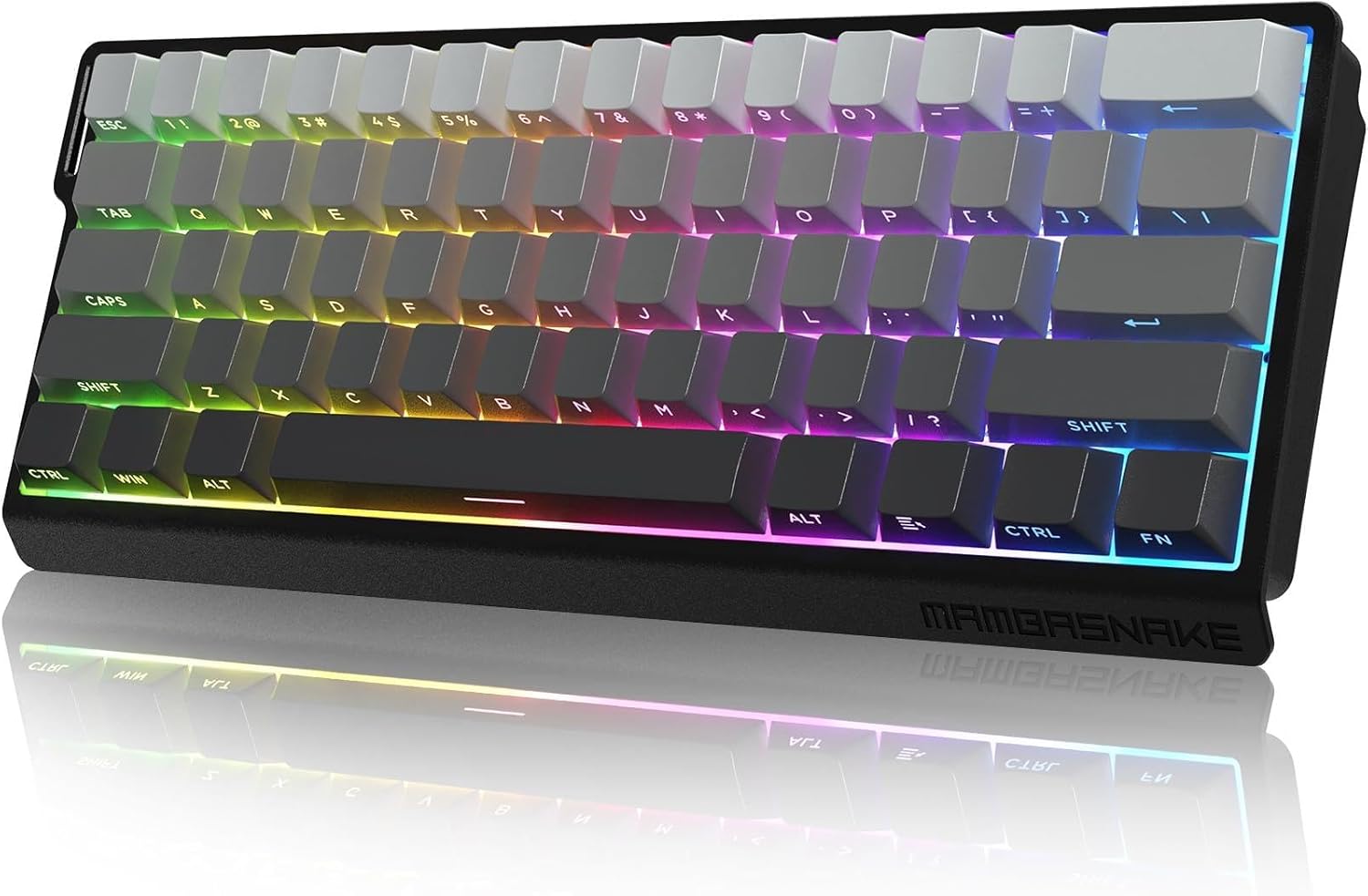
Image 1.1: The ATTACK SHARK MAMBASNAKE X60 HE Mechanical Gaming Keyboard, showcasinдзякуючы кампактнаму макету (60%) і яркай RGB-падсветцы.
2. Налада і падключэнне
The MAMBASNAKE X60 HE keyboard supports three connection modes: wired, 2.4GHz wireless, and Bluetooth. Choose the mode that best suits your needs.
2.1 Змест пакета
- ATTACK SHARK MAMBASNAKE X60 HE Keyboard
- Кабель USB-C да USB-A
- USB-прыёмнік 2.4 ГГц
- Keycap / Switch Pulling Tool
- Кіраўніцтва карыстальніка (гэты дакумент)
2.2 Triple Mode Connection
Your keyboard offers versatile connectivity options:
- Правадной рэжым: Connect the keyboard directly to your computer using the provided USB-C cable. This mode offers an 8000Hz polling rate and 0.1ms latency for competitive gaming.
- Бесправадны рэжым 2.4 ГГц: Insert the 2.4GHz USB receiver into an available USB port on your computer. The keyboard will automatically connect. This mode provides a 1000Hz polling rate.
- Рэжым Bluetooth: The keyboard can pair with up to three Bluetooth-enabled devices simultaneously. Refer to the operating instructions for pairing details. This mode also provides a 1000Hz polling rate.
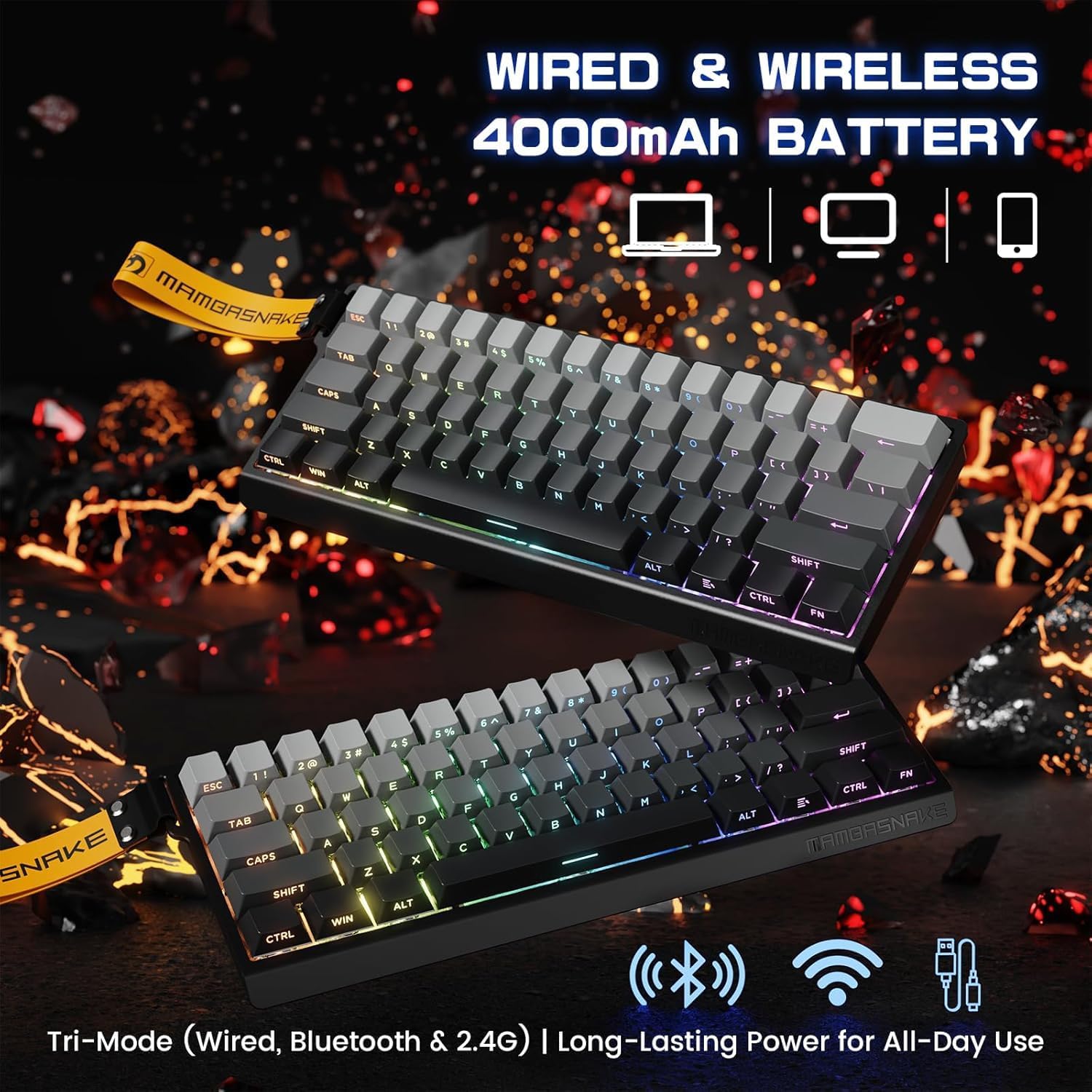
Image 2.1: Illustration of the keyboard's triple-mode connectivity, highlighting wired, 2.4G wireless, and Bluetooth options.
2.3 Web Ўстаноўка драйвера
For advanced customization, access the web кіроўца ст qmk.top. No software download is required. This web-based tool allows you to configure key functions, macros, RGB lighting, and more.
3. Інструкцыя па эксплуатацыі
3.1 Асноўныя функцыі клавіш
The X60 HE features a compact 61-key ANSI layout. Many functions are accessed via the FN ключ у спалучэнні з іншымі ключамі.
- FN + TAB: Toggles between function key mode (F1-F12) and numpad mode for the number row.
- FN + правая клавіша Ctrl: Правярае бягучы ўзровень зарада батарэі.
- Other FN combinations for multimedia, lighting, and system controls are detailed in the web інтэрфейс драйвера.
3.2 Advanced Customization (Web кіроўца)
The web кіроўца ст qmk.top provides extensive customization options:
- Пераназначэнне клавіш: Reassign individual keys to different functions.
- Макрасы: Ствараць і прызначаць складаныя паслядоўнасці націсканняў клавіш.
- RGB асвятленне: Customize the 16.8 million color RGB lighting, including 21 backlit modes and 9 light colors.
- Дынамічнае націсканне клавішы (DKS): Assign multiple functions to a single key based on press duration.
- Мод-Тэп (MT): Allows a key to act as a modifier when held and a regular key when tapped.
- Toggle (TGL): Toggles a function on or off with a single key press.
- Ключ Snap: Advanced key behavior for rapid input.

Малюнак 3.1: web driver interface, demonstrating options for key remapping, macros, and advanced settings like DKS and Snap Key.
3.3 Хуткі спуск і рэгуляванае прывядзенне ў дзеянне
The keyboard features Hall Effect Magnetic Switches with Rapid Trigger technology, allowing for precise and immediate key response.
- 0.01mm RT Accuracy: Eliminates physical input delay for ultra-fast reactions.
- Рэгуляваны прывад: Customize the actuation point of each switch from 0.1mm to 3.4mm via the web driver to match your preferred typing or gaming style.

Малюнак 3.2: Падрабязны view of the magnetic switch mechanism, illustrating the adjustable actuation range and key specifications.
3.4 Polling Rate and Latency
- Правадной рэжым: 8000Hz polling rate, 0.1ms latency.
- Wireless Modes (2.4GHz & Bluetooth): Частата апытання 1000 Гц.

Image 3.3: Visual representation of the keyboard's high performance metrics, including 0.1ms wired latency and 128K ultra-high scanning.
4. Тэхнічнае абслугоўванне
4.1 Кіраванне батарэяй
Клавіятура абсталявана акумулятарам вялікай ёмістасці 4000 мАг для працяглага выкарыстання.
- Праверка батарэі: Прэса FN + Ctrl направа каб праверыць бягучы ўзровень батарэі.
- Індыкатар разраду батарэі: The space bar will flash when the battery is low, indicating it's time to recharge.
- Разумны рэжым сну: The keyboard features a smart sleep mode to conserve power. The sleep time can be adjusted via the web кіроўца.
- Зарадка: Connect the keyboard via the USB-C cable to charge.
4.2 Чыстка і догляд
- Выкарыстоўвайце мяккую, сухую тканіну для чысткі паверхні клавіятуры.
- For deeper cleaning, use the provided keycap puller to remove keycaps and clean underneath.
- Пазбягайце выкарыстання агрэсіўных хімікатаў або абразіўных матэрыялаў.
4.3 Construction and Sound DampСінга
The keyboard is built with a durable metal positioning plate, double PO cotton, and a thick silicone bottom to provide a stable and acoustically pleasing typing experience, minimizing hollow echoes.

Image 4.1: An exploded diagram illustrating the internal components of the keyboard, including the PBT keycaps, aluminum alloy plate, PORON foam, PCB, and battery.
5. Выпраўленне непаладак
5.1 Праблемы з падключэннем
- Бесправадная сувязь 2.4 ГГц: Ensure the USB receiver is securely plugged in and the keyboard is in 2.4GHz mode.
- Bluetooth: Verify Bluetooth is enabled on your device and the keyboard is in pairing mode. Try re-pairing if connection is lost.
- Wired: Check the USB-C cable connection at both ends. Try a different USB port or cable if necessary.
5.2 Polling Rate Discrepancy
Note that the 8000Hz polling rate is only available in wired mode. In 2.4GHz wireless and Bluetooth modes, the polling rate is 1000Hz. This is expected behavior and not a malfunction.
5.3 Клавіятура не рэагуе
- Check battery level (FN + Right Ctrl). Recharge if low.
- Ensure the correct connection mode is selected.
- Перазагрузіце кампутар і клавіятуру.
6. Тэхнічныя характарыстыкі
| Асаблівасць | Дэталь |
|---|---|
| мадэль | MAMBASNAKE X60 HE |
| Тып клавіятуры | 60% Mechanical Gaming Keyboard |
| Выключальнікі | Магнітныя перамыкачы на эфекте Хола |
| Сувязь | USB-C Wired, 2.4GHz Wireless, Bluetooth (Triple Mode) |
| Стаўка апытання | 8000Hz (Wired), 1000Hz (Wireless/Bluetooth) |
| Actuation Accuracy | 0.01mm RT Accuracy |
| Рэгуляваны прывад | 0.1 мм - 3.4 мм |
| Затрымка | 0.1ms (Wired) |
| Падсвятленне | RGB (16.8 million colors, 21 modes, 9 colors) |
| Клавішы | PBT, Side-Printed Luminous Letters |
| Ёмістасць батарэі | 4000 мАг |
| Сумяшчальныя прылады | ПК/Mac/ноўтбук |
| Памеры | 13.11 х 6.65 х 2.17 цалі |
| Вага прадмета | 2.03 фунта |
| Матэрыял | Metal, Cotton |
7. Прадукт скончыўсяview Відэа
Відэа 7.1: Чыноўнік скончыўview of the ATTACK SHARK MAMBASNAKE X60 HE RT Mechanical Gaming Keyboard, highlighting its key features and performance capabilities.