
1. Уводзіны
The SEUNKWANG EWEADN X23Pro is a versatile wireless gaming mouse designed for optimal performance and comfort. It features a lightweight design, multiple connectivity options, adjustable DPI settings, and programmable buttons to enhance your gaming and productivity experience.

Выява: Зверхуview of the X23Pro Wireless Gaming Mouse highlighting its main features.
2. Што ў скрынцы
Праверце наяўнасць усіх прадметаў у камплекце:
- Гульнявая мыш
- Кабель USB
- Кіраўніцтва па эксплуатацыі
- Non-slip stickers (6 Pcs)
3. Прадукт скончыўсяview
The X23Pro mouse is engineered for precision and comfort. Key features include:
- Трохрэжымнае падключэнне: Supports 2.4G wireless, BT5.0 wireless, and USB-C wired connections.
- Працяглая батарэя: Built-in 800mAh rechargeable battery provides extended usage.
- Лёгкі дызайн: Важыць прыблізна 49 г для памяншэння стомленасці рук.
- Рэгуляваны DPI: 6 levels of DPI (800-1600-2400-3200-6400-12,000) for precise control.
- Рэгуляваная частата апытання: 4 polling rates (125Hz-250Hz-500Hz-1000Hz) for responsive tracking.
- Праграмуемыя кнопкі: 6 customizable buttons for macro programming.
- Эрганамічны дызайн: Designed to fit various grip styles (palm, fingertip, claw).

Image: Multi-function buttons diagram.
4. Інструкцыі па ўсталёўцы
4.1. Tri-Mode Connection
The X23Pro mouse offers three connection methods: 2.4G wireless, Bluetooth 5.0, and USB-C wired. You can switch between modes using the switch button located on the bottom of the mouse.

Image: Tri-Mode Gaming Mouse connection overview.
4.2. Бесправадны рэжым 2.4G
- Знайдзіце USB-прыёмнік, які знаходзіцца ў адсеку ў ніжняй частцы мышы.
- Падключыце USB-прыёмнік да вольнага порта USB на вашым кампутары.
- Перасуньце перамыкач у ніжняй частцы мышы ў становішча «2.4G».
- Long press the 'Code Key' button on the bottom of the mouse. The top indicator light will flash green, indicating pairing mode.
- Мышка павінна аўтаматычна падключыцца да вашай прылады.
4.3. Рэжым Bluetooth 5.0
- Перасуньце перамыкач унізе мышы ў становішча «BT».
- Long press the 'Code Key' button on the bottom of the mouse. The top indicator light will flash blue, indicating pairing mode.
- On your device (PC, laptop, Mac, Android), go to Bluetooth settings and search for 'X23Pro'.
- Выберыце мыш для спалучэння.
4.4. Правадны рэжым USB-C
- Падключыце кабель USB-C з камплекта да пярэдняга порта мышы.
- Падключыце іншы канец кабеля USB-C да вольнага порта USB на вашым кампутары.
- Мыш аўтаматычна пераключыцца ў правадны рэжым і пачне зараджацца.

Image: How to connect the mouse in different modes.
Video: Demonstrates the tri-mode connection, showing the USB receiver, USB-C cable, and DPI adjustment on the white X23Pro mouse.
5. Інструкцыя па эксплуатацыі
5.1. Рэгуляванне DPI
The mouse features 6 adjustable DPI levels: 800, 1600 (default), 2400, 3200, 6400, and 12,000. To change the DPI:
- Press the 'DPI' toggle button located on the bottom of the mouse to cycle through the preset DPI levels.
- For custom DPI values, use the dedicated driver software (refer to the manual for download instructions).

Image: Six speed DPI change illustration.
5.2. Карэкцыя частаты апытання
The mouse supports 4 adjustable polling rates: 125Hz, 250Hz, 500Hz, and 1000Hz. These can be adjusted via the driver software to optimize response time.
5.3. Праграмуемыя кнопкі
The 6-button configuration can be customized using the driver software. Each button supports macro programming, allowing you to assign complex commands for gaming or office tasks.
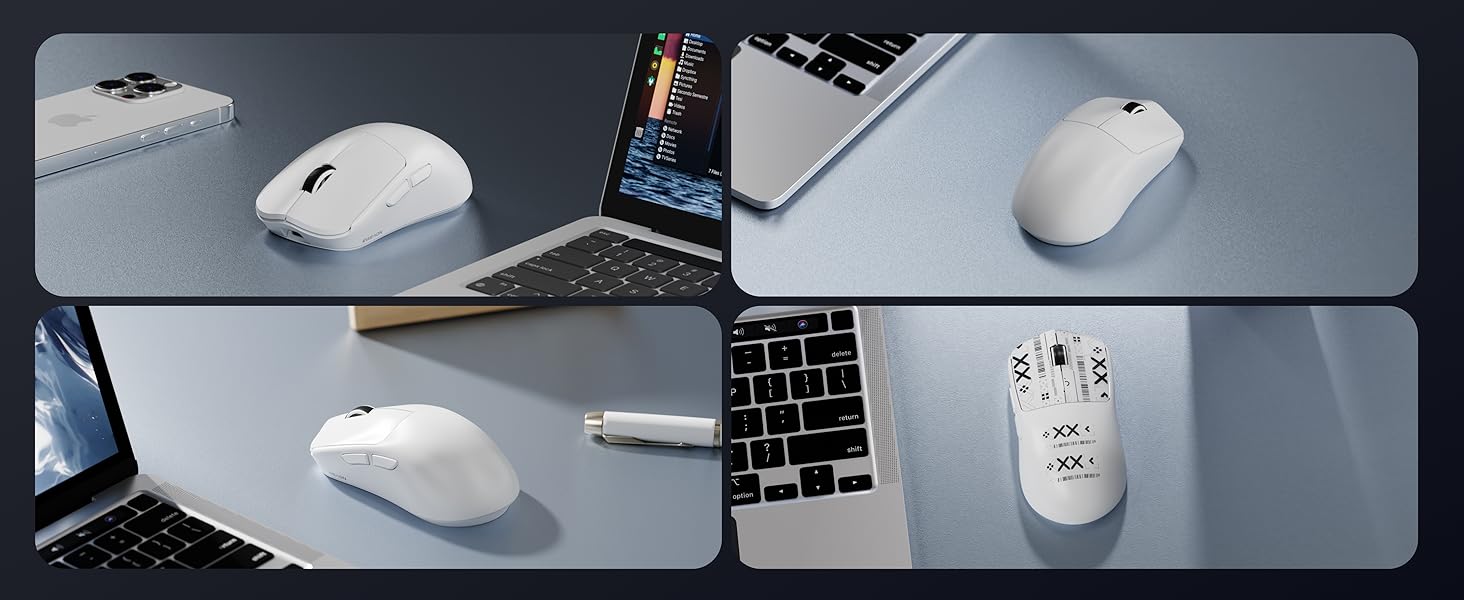
Image: Additional features including receiver storage and anti-slip tape.
6. Зарадка мышы
The X23Pro mouse has a built-in 800mAh rechargeable battery. To charge:
- Connect the provided USB-C cable to the charging port on the front of the mouse.
- Plug the USB-A end of the cable into a power source (e.g., computer USB port, USB wall adapter).
- Мыш можна выкарыстоўваць у правадным рэжыме падчас зарадкі.
The mouse enters a primary sleep mode after 1 minute of inactivity to conserve battery. It supports button and movement wake-up.

Image: 800mAh High Capacity Battery feature.
7. Тэхнічнае абслугоўванне
- Трымайце мыш у чысціні, праціраючы яе мяккай сухой тканінай.
- Avoid exposing the mouse to extreme temperatures or humidity.
- Не разбірайце мыш, бо гэта можа прывесці да анулявання гарантыі.
- Use the provided non-slip stickers to maintain grip and prevent wear.
8. Выпраўленне непаладак
8.1. Мыш не рэагуе
- Ensure the mouse is charged. Connect it via USB-C cable to charge.
- Check the connection mode switch on the bottom of the mouse (2.4G, BT, or OFF). Ensure it is set to the desired mode.
- For 2.4G mode, ensure the USB receiver is securely plugged into your device.
- For Bluetooth mode, ensure Bluetooth is enabled on your device and the mouse is paired.
- Паспрабуйце перазагрузіць камп'ютар або прыладу.
8.2. Затрымка або перарывістае падключэнне
- Ensure the mouse is within the effective range of your device (for wireless modes).
- Мінімізуйце перашкоды ад іншых бесправадных прылад.
- Ensure the battery is sufficiently charged. Low battery can affect wireless performance.
- Consider using the USB-C wired connection for a stable connection.
8.3. DPI не змяняецца
- Ensure you are pressing the correct 'DPI' toggle button on the bottom of the mouse.
- Калі выкарыстоўваюцца карыстальніцкія налады DPI, праверце налады ў праграмным забеспячэнні драйвера.
Video: Demonstrates the lightweight design and various features of the X23Pro mouse, including its bottom panel and USB receiver.
9. Тэхнічныя характарыстыкі
| Асаблівасць | Дэталь |
|---|---|
| Памеры прадукту | 4.6 х 2.4 х 0.04 цалі |
| Вага прадмета | 2.08 унцый (прыблізна 59 г) |
| Нумар мадэлі тавару | X23Pro |
| Тэхналогія падлучэння | 2.4GHz, Bluetooth 5.0, USB-C Wired |
| Тэхналогія выяўлення руху | Аптычны (датчык PAW3311) |
| Ўзроўні DPI | 800-1600-2400-3200-6400-12,000 |
| Стаўка апытання | 125 Гц-250 Гц-500 Гц-1000 Гц |
| Ёмістасць батарэі | 800mAh Акумулятарная |
| Асаблівасці | Portable, Rechargeable, Soundless, Touch Scroll, Programmable Buttons |
| Сумяшчальнасць | Windows 7/8/10/XP/Vista, Mac OS, Linux, Android |
10. Гарантыя і падтрымка
For any inquiries, technical support, or warranty claims, please contact EWEADN customer service:
- Падтрымка па электроннай пошце: eweadnkeyboard@outlook.com
Additional support resources may be available through the seller's Amazon store page.

Image: After-sales support information.