
1. Уводзіны
Thank you for choosing the Inwa MZ-320 Outdoor Bluetooth Speakers. This manual provides essential information for the safe and efficient use of your speakers. Please read it thoroughly before operation and retain it for future reference.
The Inwa MZ-320 speakers are designed for outdoor use, featuring IPX5 waterproofing, beat-driven light shows, and the ability to link up to 100 speakers wirelessly for an immersive audio experience.

Image 1.1: Two Inwa MZ-320 Outdoor Bluetooth Speakers.
2. Змесціва ўпакоўкі
Калі ласка, праверце ўпакоўку на наяўнасць наступных прадметаў:
- Inwa MZ-320 Outdoor Bluetooth Speaker (2 units)
- Power Cable (2 units)
- Кіраўніцтва карыстальніка (гэты дакумент)
3. Прадукт скончыўсяview
The Inwa MZ-320 features a robust design suitable for various environments. Key components include:
- Full-range Drivers: Two 3-inch drivers for clear audio output.
- Bass Radiators: Two passive bass radiators for enhanced low-frequency sound.
- Панэль кіравання: Located at the base for power, Bluetooth, light, and volume adjustments.
- Порт AUX IN: Для правадных аўдыёзлучэнняў.
- Убудаваная ручка: Для партатыўнасці.

Image 3.1: Internal speaker components, including drivers and bass radiators.

Image 3.2: Sound output and bass radiation plate design.
Функцыі панэлі кіравання

Малюнак 3.3: Падрабязны view of the control panel with button descriptions.
- Кнопка харчавання: Націсніце і ўтрымлівайце, каб уключыць або выключыць дынамік.
- Bluetooth/Connect Button: Press to enter Bluetooth pairing mode. Press and hold to disconnect current Bluetooth device.
- Кнопка асвятлення: Націсніце, каб пераключацца паміж рэжымамі асвятлення.
- Color Timer Button: Press to set light duration (2H, 4H, 6H, 8H).
- Set Up the Host (TWS Pairing) Button: Used for linking multiple speakers.
- Кнопкі рэгулявання гучнасці (+/-): Націсніце, каб наладзіць гучнасць.
4. Настройка
4.1 Зарадка дынаміка
Before first use, fully charge the speaker. Connect the provided power cable to the speaker's charging port and a suitable power source. The charging indicator will show the charging status.
4.2 Уключэнне/выключэнне сілкавання
- Каб уключыць: Націсніце і ўтрымлівайце кнопку харчавання, пакуль не загарыцца індыкатар.
- Каб выключыць: Націсніце і ўтрымлівайце кнопку харчавання, пакуль не пагасне індыкатар.
4.3 Спалучэнне па Bluetooth
- Пераканайцеся, што дынамік уключаны.
- Press the Bluetooth/Connect button to enter pairing mode. The Bluetooth indicator will flash.
- На вашай прыладзе (смартфоне, планшэце і г.д.) уключыце Bluetooth і знайдзіце даступныя прылады.
- Select "Inwa MZ-320" from the list.
- Пасля падключэння індыкатар Bluetooth перастане міргаць і будзе гарэць пастаянна.
4.4 Linking Multiple Speakers (TWS Function)
The Inwa MZ-320 speakers support wireless linking for a stereo or multi-speaker setup.

Image 4.1: Multiple speakers linked for an outdoor audio system.
- Power on all speakers you wish to link.
- Pair one speaker to your Bluetooth device as described in section 4.3. This will be the primary speaker.
- On the primary speaker, press the "Set Up the Host" button.
- On the secondary speakers, press the "Set Up the Host" button. They will automatically search for and connect to the primary speaker.
- Once connected, all linked speakers will play audio from your device.
5. Аперацыя
5.1 Прайграванне аўдыя
After successful Bluetooth pairing, play audio from your connected device. Use the volume buttons on the speaker or your device to adjust the sound level.
5.2 Light Show Functions
The speakers feature a beat-driven light show.
- Націсніце Загарацца button to cycle through various light modes and colors.
- Націсніце Color Timer button to set a timer for the lights (e.g., 2 hours, 4 hours).

Image 5.1: Speaker displaying dynamic light effects during use.
5.3 AUX ўваход
For devices without Bluetooth, use the AUX IN port.

Image 5.2: Connecting an audio device via AUX IN port.
- Connect one end of a 3.5mm audio cable (not included) to the speaker's AUX IN port.
- Падключыце другі канец да аўдыёвыхаду вашай прылады.
- Дынамік аўтаматычна пераключыцца ў рэжым AUX-уваходу.
6. Тэхнічнае абслугоўванне
6.1 Гідраізаляцыя
The Inwa MZ-320 speakers are IPX5 waterproof, meaning they are protected against low-pressure water jets from any direction. They are suitable for outdoor use in light rain or splash environments.
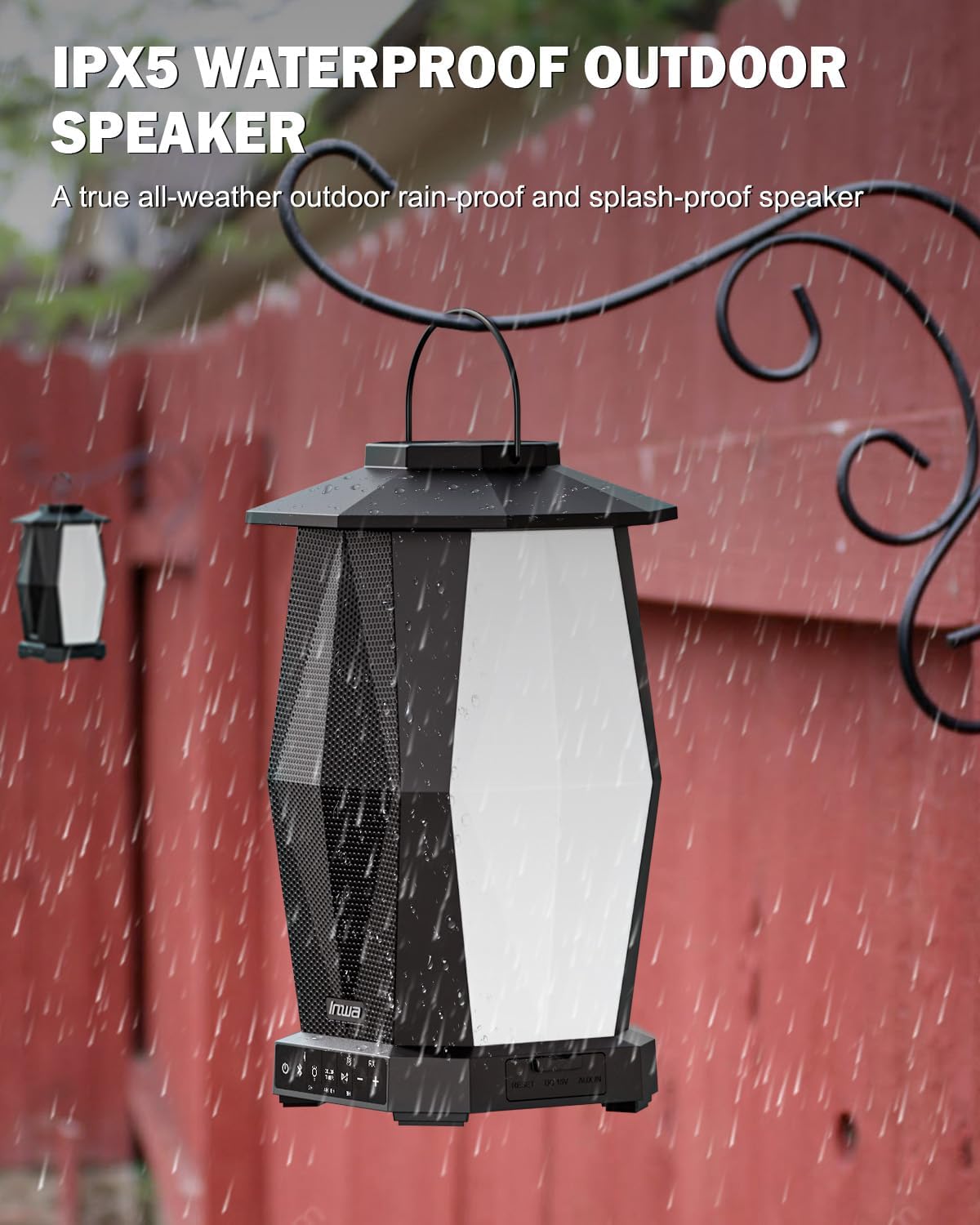
Image 6.1: Speaker in a rain environment, highlighting its waterproof feature.
Важна:
- Не апускайце дынамік у ваду.
- Ensure the charging port and AUX IN port covers are securely closed when exposed to water.
6.2 Ачыстка
Працярыце дынамік мяккім, damp тканіна. Не выкарыстоўвайце абразіўныя ачышчальнікі або растваральнікі.
6.3 Захоўванне
Захоўвайце дынамік у прахалодным, сухім месцы, удалечыні ад прамых сонечных прамянёў і экстрэмальных тэмператур, калі ён не выкарыстоўваецца працяглы час.
7. Выпраўленне непаладак
| праблема | Магчымая прычына | Рашэнне |
|---|---|---|
| Дынамік не ўключаецца. | Нізкі акумулятар. | Зараджайце дынамік з дапамогай прыкладанага кабеля харчавання. |
| Немагчыма падключыцца праз Bluetooth. | Дынамік не ў рэжыме спалучэння; Bluetooth прылады выключаны; занадта далёка ад дынаміка. | Ensure speaker is in pairing mode (flashing indicator). Turn on device Bluetooth. Move device closer to speaker (within 33 feet/10 meters). |
| Няма гуку. | Занадта нізкая гучнасць; няправільны рэжым уводу; прылада не прайгравае аўдыё. | Increase speaker and device volume. Ensure correct input (Bluetooth or AUX). Verify audio is playing on the connected device. |
| Multiple speakers not linking. | Няправільная працэдура спалучэння TWS. | Follow the TWS linking steps in section 4.4 carefully. Ensure only one speaker is paired to your device initially. |
8. Тэхнічныя характарыстыкі
| Асаблівасць | Спецыфікацыя |
|---|---|
| Назва мадэлі | MZ320 |
| Тып дынаміка | Адкрыты дынамік Bluetooth |
| Тэхналогія падлучэння | Bluetooth |
| Тэхналогія бесправадной сувязі | Бесправадны Bluetooth |
| Узровень воданепранікальнасці | IPX5 (воданепранікальны) |
| Крыніца харчавання | Харчаванне ад батарэі |
| Тып батарэі | 1 літый-іённы акумулятар (у камплекце) |
| Ёмістасць батарэі | 6600 Міліamp Гадзіны |
| Максімальная выхадная магутнасць дынаміка | 25 ват |
| Тып аўдыё драйвера | Дынамічны драйвер |
| Памеры прадукту | 7.1" Г x 7.1" Ш x 11.4" У |
| Вага прадмета | 12 фунтаў (за пару) |
| Метад кантролю | Кнопка |
| Уключаныя кампаненты | Manual, Power Cable |
9. Гарантыя і падтрымка
9.1 Інфармацыя аб гарантыі
The Inwa MZ-320 speakers come with a Гарантыя 1 год з даты пакупкі. Гэтая гарантыя распаўсюджваецца на вытворчыя дэфекты пры нармальным выкарыстанні. Яна не распаўсюджваецца на пашкоджанні, выкліканыя няправільным выкарыстаннем, аварыямі, несанкцыянаванымі мадыфікацыямі або звычайным зносам.
9.2 Падтрымка кліентаў
For technical assistance, warranty claims, or any questions regarding your Inwa MZ-320 speakers, please contact Inwa customer support through the retailer's platform or the official Inwa webсайт.