
Уводзіны
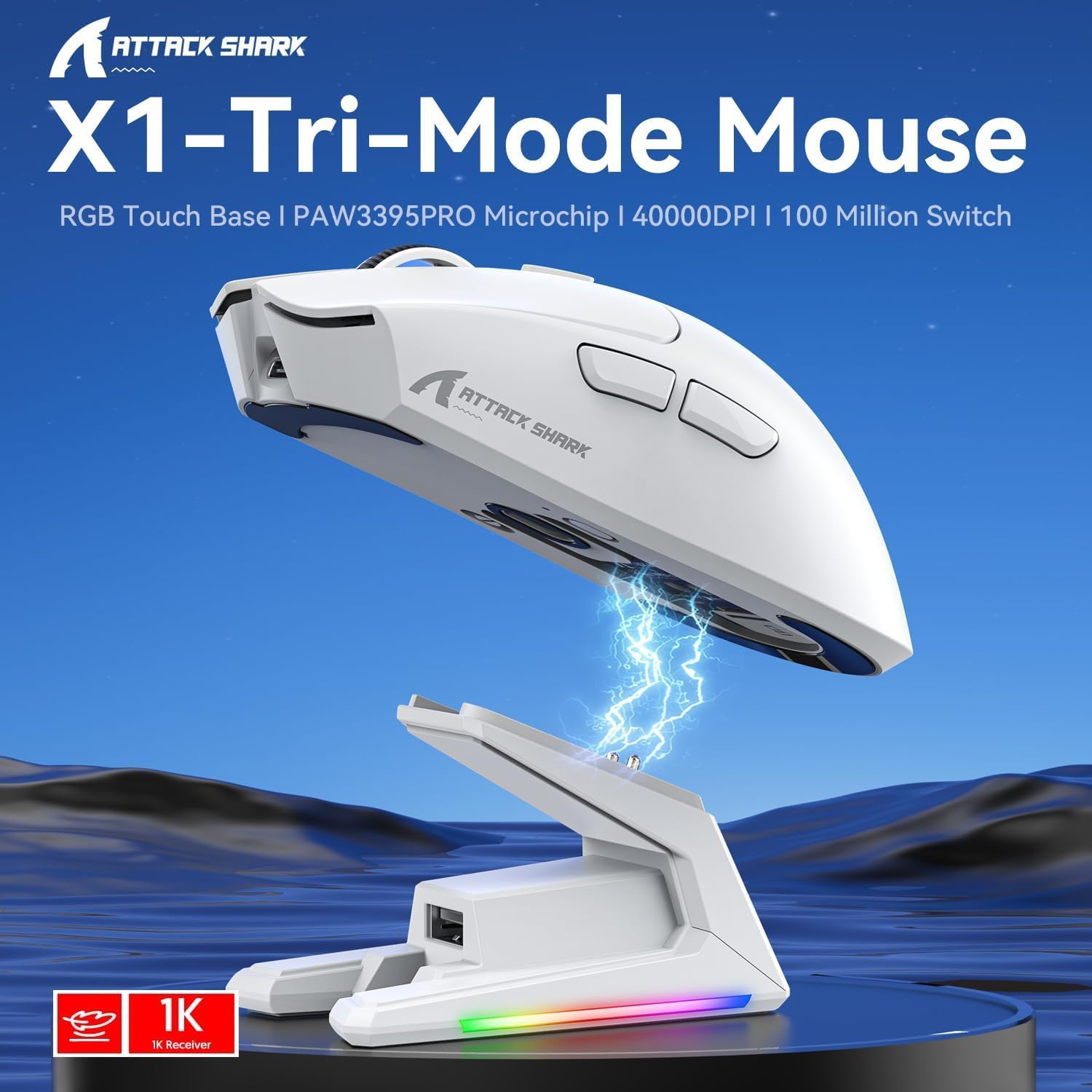
The ATTACK SHARK X1 Superlight Wireless Gaming Mouse is engineered for high-performance gaming and versatile daily use. Featuring a PAW3395PRO gaming sensor, tri-mode connectivity (2.4G wireless, Bluetooth, and wired USB-C), and an innovative magnetic charging dock with RGB lighting, the X1 mouse provides precision, speed, and convenience. Its ultra-lightweight design and durable switches ensure comfort and longevity for extended use.
Змест пакета
- ATTACK SHARK X1 Superlight Wireless Gaming Mouse
- Магнітная зарадная док-станцыя RGB
- Кабель USB-C да USB-A
- 2.4GHz Wireless Receiver (Nano Dongle)
- Кіраўніцтва карыстальніка (гэты дакумент)

Image: The ATTACK SHARK X1 mouse shown alongside its magnetic charging dock.
Прадукт скончаныview
The X1 mouse features a lightweight ergonomic design with programmable buttons and a high-precision optical sensor. The accompanying magnetic charging dock provides convenient charging and also houses the 2.4GHz wireless receiver.
Выява: Зверхуview of the X1 Tri-Mode Mouse highlighting its key features.
Кампаненты мышы:
- Левая/правая кнопкі мышы: Standard mouse buttons with durable OMRON switches.
- Кола пракруткі: Для вертыкальнай пракруткі і функцыі сярэдняй кнопкі мышы.
- Кнопка DPI: Located on top for quick sensitivity adjustments.
- Бакавыя кнопкі: Two programmable buttons on the left side for forward/backward navigation or custom macros.
- Порт USB-C: Для праваднога падключэння і зарадкі.
- Перамыкач харчавання/рэжыму: Located on the bottom, allows switching between OFF, 2.4G, and Bluetooth modes.
- PAW3395PRO Sensor: High-performance optical sensor for precise tracking.
Charging Dock Components:
- Magnetic Charging Pins: Align with the mouse for effortless charging.
- RGB Lighting Strip: Наладжвальныя светлавыя эфекты.
- Сэнсарная панэль: For controlling RGB lighting on the dock.
- Порт USB-A: For connecting the 2.4GHz wireless receiver.
- Порт для зарадкі USB-C: For powering the dock.

Выява: Крупны план view of the charging dock's USB data interface for the 2.4G receiver and the Type-C charging interface.
Настройка
1. Правадное злучэнне:
- Connect the USB-C end of the provided cable to the mouse's USB-C port.
- Падключыце канец кабеля USB-A да даступнага порта USB на вашым кампутары.
- Ensure the power/mode switch on the bottom of the mouse is set to the 'OFF' position. The mouse will function in wired mode and charge simultaneously.

Image: The X1 mouse connected to a laptop via its USB-C cable, demonstrating wired mode and charging capability.
2. Бесправадное злучэнне 2.4 ГГц:
- Plug the 2.4GHz wireless receiver into an available USB-A port on your computer or into the USB-A port on the charging dock.
- Set the power/mode switch on the bottom of the mouse to the '2.4G' position.
- Мыш павінна аўтаматычна падключыцца да прымача.
3. Злучэнне Bluetooth:
- Set the power/mode switch on the bottom of the mouse to the 'BT' position.
- The mouse will enter pairing mode (indicator light may flash).
- На вашым камп'ютары або прыладзе перайдзіце ў налады Bluetooth і знайдзіце новыя прылады.
- Select 'ATTACK SHARK X1' (or similar name) from the list of available devices to pair. The mouse supports memory for up to 3 Bluetooth devices.
Інструкцыя па эксплуатацыі
Рэгуляванне DPI:
The X1 mouse features a dedicated DPI button on its top surface. Press this button to cycle through the preset DPI levels. The mouse supports up to 40,000 DPI with 6 programmable sensitivity presets. The current DPI level may be indicated by an LED color change (refer to the Web Cloud Driver for specific indications).

Выява: Падрабязная view of the PAW3395PRO gaming sensor, emphasizing its high precision.
Web Cloud Driver Software:
The ATTACK SHARK X1 utilizes an innovative web-based cloud driver for customization, eliminating the need for software installation. Access the driver through your web browser to configure advanced functions such as:
- DPI adjustment and custom profiles
- Налады хуткасці апытання
- Competitive mode activation
- Custom button assignments
- Macro recording and personalized key mapping
The open-source driver automatically identifies your computer system. Refer to the product packaging or official webсайт для спец URL каб атрымаць доступ да Web Cloud Driver.

Image: Screenshot of the X1 Web Cloud Driver interface, showing options for key settings, macros, and other functions.
RGB Lighting Customization (Dock):
The magnetic charging dock features an integrated touch-sensitive panel that allows you to customize its RGB lighting effects. Tap the panel to cycle through different lighting modes. Press and hold the panel to turn the RGB lighting on or off.
Зарадка і тэрмін службы батарэі
The X1 mouse can be charged via the included USB-C cable or by placing it on the magnetic charging dock. The dock provides effortless charging; simply align the mouse with the charging pins for instant power-up. A full charge typically takes approximately 2 hours and provides up to 65 hours of continuous working time.

Image: The X1 mouse magnetically docked for charging, showcasing the RGB lighting of the dock.

Image: An illustration depicting the optimized battery life of the X1 mouse, indicating efficient power usage.
Тэхнічнае абслугоўванне
To ensure the longevity and optimal performance of your ATTACK SHARK X1 mouse and charging dock, follow these maintenance guidelines:
- Уборка: Use a soft, dry cloth to wipe down the mouse and dock. For stubborn dirt, a slightly damp cloth can be used, but ensure no moisture enters the internal components or charging pins. Avoid harsh chemicals or abrasive materials.
- Сыход за датчыкам: Keep the optical sensor on the bottom of the mouse clean and free of dust or debris to maintain accurate tracking.
- захоўванне: When not in use for extended periods, store the mouse and dock in a cool, dry place away from direct sunlight and extreme temperatures.
- Штыфты для зарадкі: Periodically inspect the charging pins on the dock and the corresponding contacts on the mouse for any residue or corrosion. Clean gently with a cotton swab if necessary.
Ліквідацыю непаладак
If you encounter issues with your ATTACK SHARK X1 mouse, refer to the following common troubleshooting steps:
- Мышка не рэагуе:
- Пераканайцеся, што мыш зараджана.
- Check the power/mode switch on the bottom of the mouse is set to the correct connection mode (2.4G, BT, or OFF for wired).
- For 2.4G wireless, ensure the receiver is properly plugged into a USB port. Try a different USB port.
- For Bluetooth, ensure Bluetooth is enabled on your device and the mouse is paired. Try re-pairing the mouse.
- Паспрабуйце падключыць мыш праз кабель USB-C, каб праверыць, ці працуе яна ў правадным рэжыме.
- Inconsistent Tracking or Cursor Lag:
- Ачысціце аптычны датчык у ніжняй частцы мышы.
- Пераканайцеся, што вы карыстаецеся мышшу на адпаведнай паверхні (напрыклад, кілімку для мышы).
- Check for interference in 2.4G wireless mode (e.g., other wireless devices).
- Adjust DPI settings using the DPI button or Web Cloud Driver.
- Праблемы з зарадкай:
- Ensure the USB-C cable is securely connected to the charging dock and a power source.
- Verify the mouse is correctly seated on the magnetic charging dock, ensuring the pins make proper contact.
- Try charging directly via the USB-C cable connected to the mouse.
- Web Cloud Driver Not Accessible:
- Пераканайцеся, што ваш камп'ютар мае актыўнае падключэнне да Інтэрнэту.
- Праверце URL для Web Cloud Driver is entered correctly.
- Паспрабуйце іншае web браўзер.
Тэхнічныя характарыстыкі
| Асаблівасць | Апісанне |
|---|---|
| мадэль | X1 |
| Сувязь | Tri-Mode: 2.4G Wireless, Bluetooth 5.2, Wired USB-C |
| Датчык | PixArt PAW3395PRO Optical Gaming Sensor |
| Дыяпазон DPI | Up to 40,000 DPI (6 programmable presets) |
| IPS | IPS 650 |
| Паскарэнне | 50G |
| Выключальнікі | OMRON Mechanical Switches (100 Million Clicks lifespan) |
| Вага | Approx. 53g (Ultra-light) |
| Тэрмін службы батарэі | Да 65 гадзін (бесперапыннае выкарыстанне) |
| Зарадка | Magnetic Charging Dock / USB-C Wired |
| Стаўка апытання | 1000Hz (1ms response) |
| Памеры (пакет) | 7.09 х 4.53 х 2.17 цалі |
| Item Weight (Packaged) | 7.7 унцыі |
Гарантыя і падтрымка
For warranty information and technical support, please refer to the official ATTACK SHARK webсайт або звярніцеся непасрэдна ў службу падтрымкі кліентаў. Захоўвайце чэк аб куплі як пацвярджэнне пакупкі для любых гарантыйных прэтэнзій.
Для атрымання дадатковай дапамогі наведайце ATTACK SHARK Store on Amazon.