
1. Уводзіны
The MEETION DirectorD-KB is a wireless ergonomic keyboard designed for comfortable and natural typing. It features a scientific wave key design and a built-in firm wrist rest to support your hands during extended use. This keyboard offers broad compatibility with Windows and macOS devices through a 2.4GHz wireless connection.

Image: The MEETION DirectorD-KB Wireless Ergonomic Keyboard positioned on a wooden desk, showcasing its wave-curved design and integrated wrist rest.
2. Змесціва ўпакоўкі
Пераканайцеся, што ўсе прадметы прысутнічаюць у пасылцы:
- 1 x MEETION DirectorD-KB Wireless Ergonomic Keyboard
- 1 х Кіраўніцтва карыстальніка
- 1 x USB-A 2.4GHz Wireless Receiver
- 1 х USB-C адаптар
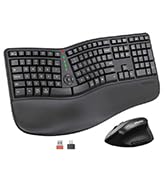
Image: Contents of the MEETION DirectorD-KB package, including the keyboard, user manual, USB-A receiver, and USB-C adapter.
3. Інструкцыі па ўсталёўцы
3.1. Устаноўка батарэі
- Знайдзіце адсек для батарэек на ніжняй панэлі клавіятуры.
- Адкрыйце крышку батарэйнага адсека.
- Insert two AAA batteries (not included) into the compartment, ensuring correct polarity.
- Надзейна зачыніце крышку батарэйнага адсека.

Image: The underside of the keyboard showing the battery compartment for two AAA batteries and details on power saving features.
3.2. Падключэнне рэсівера
- Locate the USB-A 2.4GHz wireless receiver, typically found in the slot inside the keyboard's battery compartment or in the accessory pouch.
- For devices with a USB-A port: Plug the USB-A receiver directly into an available USB-A port on your computer.
- For devices with a USB-C port: Attach the provided USB-C adapter to the USB-A receiver, then plug the combined unit into an available USB-C port on your computer.
- The keyboard is plug-and-play and should connect automatically.
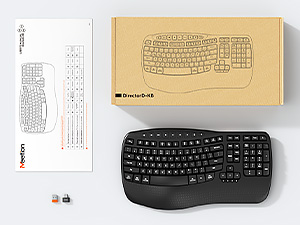
Image: Step-by-step guide on connecting the USB-A receiver with the USB-C adapter to a computer's USB-C port.
3.3. Уключэнне
After installing batteries and connecting the receiver, slide the power switch on the keyboard to the 'ON' position. The keyboard is now ready for use.
4. Інструкцыя па эксплуатацыі
4.1. Ergonomic Design and Wrist Rest
The keyboard features a wave-shaped key layout and a firm, integrated wrist rest. This design guides your hands and wrists into a natural, relaxed typing position, reducing strain during long typing sessions.

Image: A user's hands resting comfortably on the integrated wrist rest while typing on the ergonomic keyboard.
4.2. Рэгуляваны нахіл
Utilize the adjustable tilt legs on the underside of the keyboard to find your preferred typing angle. Different angles can further enhance comfort and reduce wrist fatigue.

Выява: Side profiles of the keyboard demonstrating three different adjustable tilt angles for personalized comfort.
4.3. Dual System Layout (Windows/macOS)
The keyboard supports both Windows and macOS layouts. To switch between operating systems:
- Прэса FN + Q для раскладкі windows.
- Прэса FN + W для макета macOS.
4.4. Мультымедыйныя клавішы
The keyboard includes dedicated and combined multimedia keys for quick access to functions like volume control, media playback, and more.
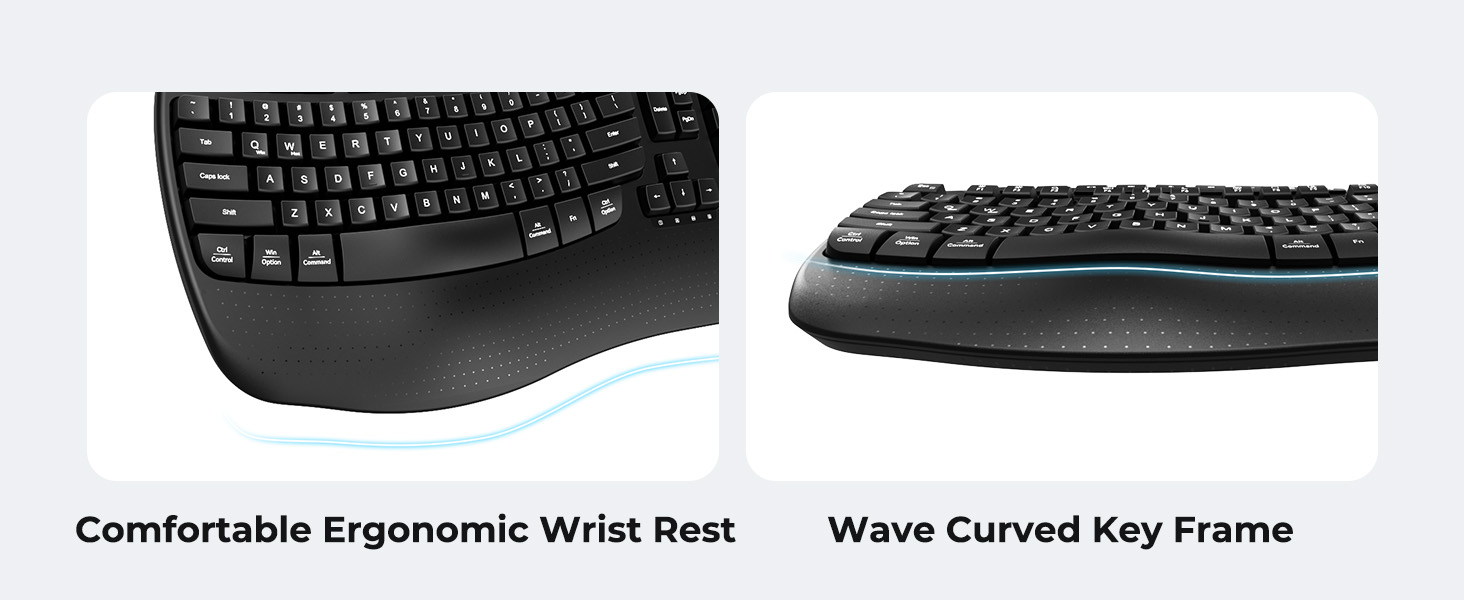
Image: A visual representation of the independent and combined multimedia keys available on the keyboard.
4.5. Інтэлектуальнае энергазберажэнне
The keyboard features an auto-sleep mode to conserve battery life. After 20 minutes of inactivity, it will enter hibernation. To wake it up, simply press any key.

Image: Close-up of the keyboard's indicator lights, showing status for Num Lock, Caps Lock, FN Lock, and low battery warning.
5. Тэхнічнае абслугоўванне
Каб забяспечыць даўгавечнасць і аптымальную прадукцыйнасць вашай клавіятуры, выконвайце наступныя рэкамендацыі па абслугоўванні:
- Уборка: Выкарыстоўвайце мяккую сухую тканіну для працірання паверхні клавіятуры. Для больш глыбокай чысткі злёгкуamp cloth with mild soap can be used, ensuring no liquid enters the keycaps or internal components.
- Пазбягайце вадкасці: Do not expose the keyboard to excessive moisture or spill liquids on it.
- захоўванне: Захоўвайце клавіятуру ў прахалодным, сухім месцы, удалечыні ад прамых сонечных прамянёў і экстрэмальных тэмператур.
- Замена батарэі: Replace batteries promptly when the low battery indicator appears to maintain consistent performance.
6. Выпраўленне непаладак
If you encounter issues with your MEETION DirectorD-KB keyboard, refer to the following common solutions:
- Клавіятура не рэагуе:
- Праверце, ці ўключана клавіятура.
- Пераканайцеся, што батарэйкі ўсталяваны правільна і не разраджаны. Пры неабходнасці заменіце іх.
- Verify that the USB receiver is securely plugged into your computer's USB port (or via the USB-C adapter).
- Паспрабуйце падключыць прыёмнік да іншага USB-порта.
- Перазагрузіце кампутар.
- Затрымка або перарывістае падключэнне:
- Ensure the keyboard is within the effective range of the receiver (typically up to 10 meters).
- Minimize interference from other wireless devices by moving them further away.
- Avoid placing the receiver near large metal objects.
- Клавішы працуюць няправільна:
- Праверце наяўнасць фізічных перашкод пад клавішамі.
- Ensure the correct operating system layout (Windows/macOS) is selected using FN+Q or FN+W.
7. Тэхнічныя характарыстыкі
| Асаблівасць | Дэталь |
|---|---|
| Марка | СУСТРЭЧА |
| Нумар мадэлі | DirectorD-KB |
| Тэхналогія падлучэння | 2.4G Wireless (USB-A, USB-C Adapter) |
| Сумяшчальныя прылады | Laptop, PC (Windows XP/7/8/10/11 & macOS X 10.6 or later) |
| Раскладка клавіятуры | QWERTY |
| Колькасць ключоў | 113 |
| Асаблівасці | Ergonomic, Hotkeys and Media Keys, Integrated Stand, Wave Keys, Wrist Rest |
| Памеры прадукту (Д х Ш х У) | 17.39" x 9.43" x 1.81" |
| Матэрыял | Пластыкавыя |
| Крыніца харчавання | Працуе з батарэйкамі (2 х AAA, не ўключаны ў камплект) |
8. Афіцыйнае відэа прадукту
Відэа: Афіцыйная відэапрэзентацыя прадуктуasing the features and ergonomic design of the MEETION DirectorD-KB Wave Ergonomic Wireless Keyboard. (Duration: 0:39)
9. Гарантыя і падтрымка
This MEETION DirectorD-KB Wireless Ergonomic Keyboard comes with a 1-year manufacturer's warranty.
For further assistance, troubleshooting, or warranty claims, please visit the official MEETION store or contact customer support.
Official MEETION Store: MEETION Store on Amazon