
DOQAUS Life 4
Кіраўніцтва карыстальніка для Bluetooth-навушнікаў DOQAUS Life 4
Мадэль: Life 4
1. Уводзіны
Thank you for choosing DOQAUS Life 4 Bluetooth Headphones. This manual provides instructions for the proper setup, operation, and maintenance of your headphones. Please read this manual thoroughly before use to ensure optimal performance and longevity of your device.
Змест пакета
- DOQAUS Life 4 Bluetooth Headphones
- Зарадны кабель USB-C
- Аўдыёкабель 3.5 мм
- Кіраўніцтва карыстальніка
2. Інфармацыя па бяспецы
To prevent damage to your headphones or injury to yourself, please observe the following safety precautions:
- Не падвяргайце навушнікі ўздзеянню экстрэмальных тэмператур, вільготнасці або агрэсіўнага асяроддзя.
- Пазбягайце падзення навушнікаў і моцных удараў.
- Не разбірайце і не спрабуйце рамантаваць навушнікі самастойна. Гэта прывядзе да анулявання гарантыі.
- Clean the headphones with a soft, dry cloth only. Do not use liquid cleaners.
- Працяглае праслухоўванне на высокім узроўні гучнасці можа пашкодзіць слых. Адрэгулюйце гучнасць да бяспечнага ўзроўню.
- Захоўваць у месцах, недаступных дзецям.
3. Прадукт скончыўсяview
The DOQAUS Life 4 headphones are designed for comfort and high-quality audio. They feature 40mm drivers for clear sound and Bluetooth 5.4 technology for stable wireless connectivity.
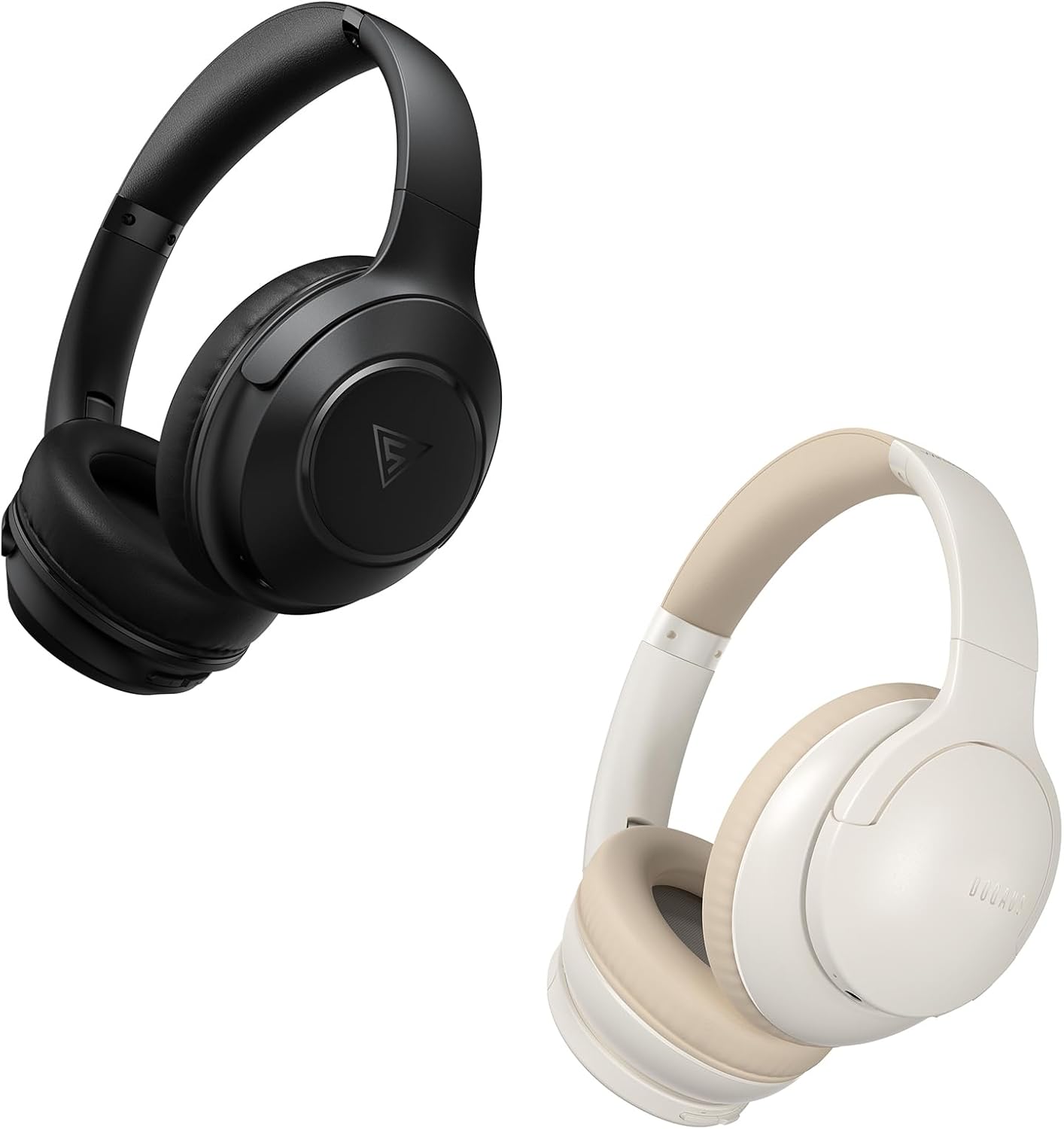
Image: DOQAUS Life 4 Bluetooth Headphones, showing both black and white color variants. These over-ear headphones feature soft earcups and an adjustable headband for comfortable wear.

Выява: Унутраная view of the DOQAUS Life 4 headphone, highlighting the advanced Bluetooth 5.4 wireless technology chip for stable and fast connections.

Image: A close-up of the DOQAUS Life 4 headphone earcup, illustrating the 40mm large-aperture driver responsible for powerful HD sound quality.

Image: A person wearing the DOQAUS Life 4 headphones, illustrating their comfortable design suitable for all-day wear.
4. Настройка
4.1 Першапачатковая зарадка
Before first use, fully charge your headphones. Connect the USB-C charging cable to the charging port on the headphones and the other end to a USB power source (e.g., computer, wall adapter). The LED indicator will show charging status.
- A full charge provides up to 90 hours of playtime in Bluetooth mode.
- A quick 10-minute charge can provide approximately 5 hours of listening time.

Image: The DOQAUS Life 4 headphones displayed with text indicating "90-HOURS PLAYTIME" and "10 minutes of charging for 5 hours of listening," highlighting the extended battery life.
4.2 Спалучэнне па Bluetooth
- Пераканайцеся, што навушнікі выключаны.
- Націсніце і ўтрымлівайце кнопку харчавання, пакуль святлодыёдны індыкатар не пачне міргаць па чарзе сінім і чырвоным колерамі, што паказвае на рэжым спалучэння.
- На вашай прыладзе (смартфоне, планшэце, камп'ютары) уключыце Bluetooth і знайдзіце даступныя прылады.
- Select "DOQAUS Life 4" from the list of found devices.
- Once connected, the LED indicator will slowly flash blue.
Шматкропкавае падключэнне: The DOQAUS Life 4 headphones support connecting to two Bluetooth devices simultaneously. After connecting to the first device, disable Bluetooth on that device, then pair with the second device. Re-enable Bluetooth on the first device, and the headphones should connect to both.
4.3 Правадное злучэнне (рэжым AUX)
To use the headphones in wired mode, connect one end of the 3.5mm audio cable to the AUX port on the headphones and the other end to your audio source. The headphones will automatically switch to wired mode, and Bluetooth functionality will be disabled.

Image: The DOQAUS Life 4 headphones demonstrating both wireless Bluetooth connectivity with a smartphone and a wired connection using a 3.5mm audio cable, illustrating versatile connection options.
5. Інструкцыя па эксплуатацыі
5.1 Асноўныя элементы кіравання
- Уключэнне/выключэнне харчавання: Націсніце і ўтрымлівайце кнопку харчавання на працягу 3 секунд.
- Прайграванне/Паўза: Націсніце шматфункцыянальную кнопку адзін раз.
- Павялічыць гучнасць: Націсніце кнопку «+».
- Паменшыць гучнасць: Націсніце кнопку «-».
- Наступны трэк: Press and hold the "+" button for 2 seconds.
- Папярэдні трэк: Press and hold the "-" button for 2 seconds.
- Адказ/завяршэнне выкліку: Націсніце шматфункцыянальную кнопку адзін раз.
- Адхіліць выклік: Націсніце і ўтрымлівайце шматфункцыянальную кнопку на працягу 2 секунд.
- Актываваць галасавы памочнік: Двойчы націсніце шматфункцыянальную кнопку.
5.2 рэжыму эквалайзера
The DOQAUS Life 4 headphones feature three equalizer (EQ) modes to optimize your listening experience for different music styles. Press the EQ button to cycle through the modes:
- Рэжым цяжкага баса: Enhances low-frequency sounds for a deeper bass experience.
- Вакальны рэжым: Optimizes mid-range frequencies for clearer vocals.
- Збалансаваны рэжым: Забяспечвае нейтральны гук, прафесійныfile suitable for various genres.

Image: A collage demonstrating the three EQ music modes of the DOQAUS Life 4 headphones: Heavy Bass, Vocal, and Balanced. The image shows the headphones and individuals enjoying music, indicating the versatility of sound profiles.
6. Тэхнічнае абслугоўванне
6.1 Ачыстка
- Працірайце навушнікі мяккай, сухой тканінай без ворса.
- Не выкарыстоўвайце абразіўныя ачышчальнікі, спірт або хімічныя растваральнікі.
- Ensure charging ports and audio jacks are free of dust and debris.
6.2 Захоўванне
- Захоўвайце навушнікі ў прахалодным, сухім месцы, удалечыні ад прамых сонечных прамянёў і экстрэмальных тэмператур.
- If storing for an extended period, charge the headphones periodically to maintain battery health.
7. Выпраўленне непаладак
| праблема | Магчымая прычына | Рашэнне |
|---|---|---|
| Навушнікі не ўключаюцься. | Нізкі акумулятар. | Поўнасцю зарадзіце навушнікі. |
| Немагчыма спалучыць прыладу. | Навушнікі не ў рэжыме спалучэння; Bluetooth адключаны на прыладзе; прылада знаходзіцца занадта далёка. | Ensure headphones are in pairing mode (flashing blue/red). Enable Bluetooth on your device. Move device closer to headphones. |
| Няма гуку. | Занадта нізкі гук; навушнікі не падключаны; няправільная крыніца гуку. | Increase volume. Verify Bluetooth connection or 3.5mm cable connection. Check audio output settings on your device. |
| Якасць гуку дрэнная. | Weak Bluetooth signal; incorrect EQ mode. | Move closer to your device. Try switching EQ modes. |
8. Тэхнічныя характарыстыкі
- мадэль: Жыццё 4
- Версія Bluetooth: 5.4
- Памер драйвера: 40 мм
- Час гульні: Up to 90 hours (Bluetooth mode)
- Хуткая зарадка: 10 хвілін зарадкі, 5 гадзіны прайгравання
- Падтрымліваюцца аўдыяфарматы: A2DP, AVRCP, HSP, HFP, SBC, AAC
- Падключэнне: Bluetooth, 3.5 мм AUX
9. Гарантыя і падтрымка
DOQAUS Life 4 headphones come with a 30-day return policy and an 18-month replacement warranty. For any inquiries or support needs, please contact our customer service team. All inquiries are typically processed within 24 hours.
For further assistance, please refer to the contact information provided with your purchase or visit the official DOQAUS webсайт.
Ask a question about this manual
Ask about setup, troubleshooting, compatibility, parts, safety, or missing instructions. Manuals+ will review the question and use this page’s manual context to help answer it.