Уводзіны
The Oraimo Spacebuds Z (OTW-625) are premium wireless Bluetooth earbuds designed for immersive sound and daily comfort. They feature advanced Active Noise Cancellation (ANC) up to 35dB, providing a distraction-free listening experience. With a 4-microphone noise cancellation system, crystal-clear call quality is ensured. The earbuds deliver rich, deep sound through 360 Spatial Sound and HavyBass™ technology with 10mm dynamic drivers. Enjoy up to 38 hours of total playtime, AniFast™ fast charging, Bluetooth 5.4 connectivity with low-latency game mode, IPX5 water resistance, and full customization via the Oraimo Sound App. These features make the Spacebuds Z ideal for music, calls, gaming, and everyday use.
Што ў скрынцы
Carefully unpack your Oraimo Spacebuds Z. The package should contain the following items:
- Oraimo Spacebuds Z Earbuds (Pair)
- Чахол для бесправадной зарадкі
- Зарадны кабель USB-C
- Розныя памеры сіліконавых амбушюраў
- Кіраўніцтва карыстальніка

Image: Oraimo Spacebuds Z earbuds and charging case, illustrating up to 38 hours of total playtime.
Настройка
Follow these steps for initial setup and pairing:
- Зарадка навушнікаў: Before first use, place both earbuds into the charging case and connect the case to a power source using the provided USB-C cable. Ensure the earbuds and case are fully charged.
- Уключэнне: Open the charging case. The earbuds will automatically power on and enter pairing mode. The indicator lights on the earbuds will flash.
- Спалучэнне з вашай прыладай:
- На смартфоне, планшэце або іншай прыладзе з падтрымкай Bluetooth перайдзіце ў налады Bluetooth.
- Пошук available devices and select "Oraimo Spacebuds Z" from the list.
- Once connected, you will hear a confirmation tone, and the earbud indicator lights will stop flashing.
- Fit the Earbuds: Choose the ear tips that provide the most comfortable and secure fit for optimal sound quality and noise cancellation. Insert the earbuds into your ears and gently twist them to lock them in place.
Video: This video demonstrates the unboxing of the Oraimo Spacebuds Z, showing how to open the charging case, remove the earbuds, and the included accessories like the charging cable and ear tips. It also shows a user placing the earbuds in their ears.
Інструкцыя па эксплуатацыі
Сэнсарныя элементы кіравання
The Oraimo Spacebuds Z feature touch controls for easy management of audio and calls. The specific functions can be customized via the Oraimo Sound App.
| Дзеянне | Левы навушнік | Правая ўкладыш |
|---|---|---|
| Прайграванне/Паўза | Адзін націск | Адзін націск |
| Наступны трэк | Двайны дотык | Двайны дотык |
| Папярэдні трэк | Трайны кран | Трайны кран |
| Адказаць/завяршыць выклік | Адзін націск | Адзін націск |
| Адхіліць выклік | Доўгі націск (2 с) | Доўгі націск (2 с) |
| Актывуйце галасавой памочнік | Доўгі націск (2 с) | Доўгі націск (2 с) |
| Пераключэнне рэжыму ANC/празрыстасці | Доўгі націск (3 с) | Доўгі націск (3 с) |
| Павялічыць гучнасць | Н/Д | Націсніце і ўтрымлівайце |
| Памяншэнне гучнасці | Націсніце і ўтрымлівайце | Н/Д |
Актыўнае шумапрыглушэнне (ANC) і рэжым празрыстасці
The Spacebuds Z offer advanced ANC to reduce ambient noise and a Transparency Mode to stay aware of your surroundings.
- Актываваць/дэактываваць: Long press either earbud for 3 seconds to cycle through ANC On, Transparency Mode, and ANC Off.
- ANC: Reduces external noise by up to 35dB, ideal for travel or noisy environments.
- Рэжым празрыстасці: Дазваляе выразна чуць навакольнае асяроддзе, не здымаючы навушнікі.

Image: A person wearing an Oraimo Spacebuds Z earbud, with sound waves illustrating active noise cancellation.
Кіраванне званкамі
The 4 AI noise-cancelling microphones ensure clear communication during calls.
- Адказ / завяршэнне званка: Адно націсканне на любы навушнік.
- Адхіленне званкоў: Доўгі націск на любы навушнік на працягу 2 секунд.

Image: Diagram of Oraimo Spacebuds Z earbuds highlighting the FF (Feed-Forward) and Talk microphones for 4-mic AI noise cancellation.
Гульнявы рэжым з нізкай затрымкай
For an optimized gaming experience, activate the low-latency game mode to ensure seamless synchronization between audio and visuals. This mode can typically be toggled via the Oraimo Sound App or a specific touch gesture (refer to app for details).
Падключэнне падвойнага прылады
The earbuds support connecting to two devices simultaneously. To switch between devices, simply pause playback on one device and start playback on the other. The earbuds will automatically switch audio sources.
Зарадка
The Oraimo Spacebuds Z offer extended battery life and fast charging capabilities.
- Час прайгравання навушнікаў: Да 10 гадзін на адной зарадцы.
- Агульны час прайгравання (з зарадным чахлом): Да 38 гадзін.
- Зарадка кейса: Connect the charging case to a USB power adapter using the provided USB-C cable. The indicator light on the case will show charging status.
- AniFast™ Fast Charging: A quick 10-minute charge provides up to 180 minutes of playback.
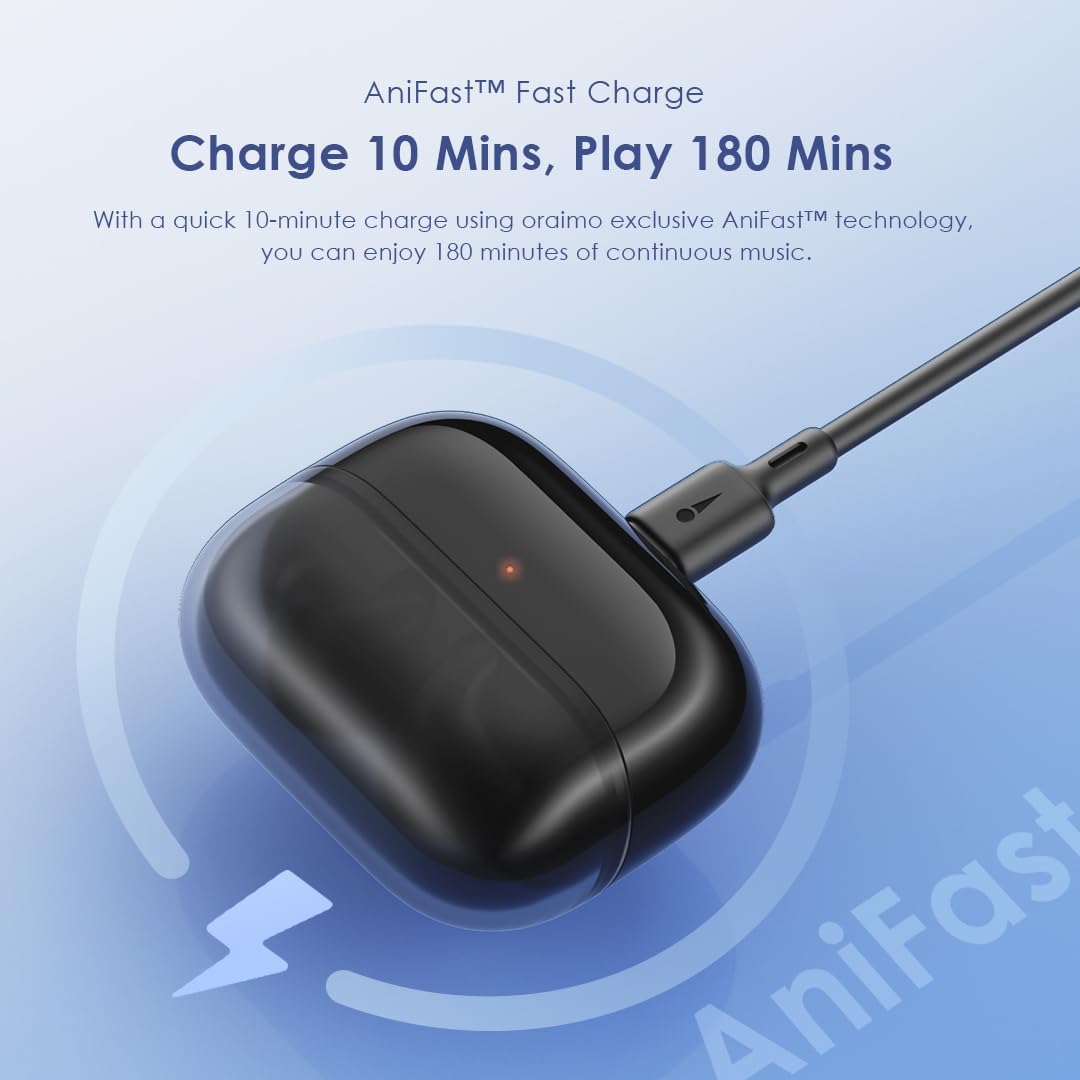
Image: Oraimo Spacebuds Z charging case connected via USB-C cable, demonstrating AniFast™ fast charging.
Тэхнічнае абслугоўванне
To ensure the longevity and optimal performance of your earbuds, follow these maintenance guidelines:
- Уборка: Рэгулярна працірайце навушнікі і зарадны футляр мяккай, сухой тканінай без ворса. Не выкарыстоўвайце агрэсіўныя хімічныя рэчывы або абразіўныя матэрыялы.
- Парады для вушэй: Remove and clean the silicone ear tips with mild soap and water, then dry them thoroughly before reattaching.
- Парты для зарадкі: Трымайце зарадны порт USB-C чысцінёй ад пылу і смецця.
- захоўванне: Калі навушнікі не выкарыстоўваюцца, захоўвайце іх у зарадным чахле, каб абараніць і падтрымліваць зараджанасць.
- Воданепранікальнасць: The earbuds are IPX5 water-resistant, meaning they can withstand splashes and sweat. Do not submerge them in water or expose them to heavy rain. Dry them completely before placing them back in the charging case.
Ліквідацыю непаладак
If you encounter issues with your Oraimo Spacebuds Z, refer to the following common solutions:
- Навушнікі не спалучаюцца:
- Пераканайцеся, што абодва навушнікі зараджаны.
- Змясціце навушнікі назад у чахол, зачыніце вечка, пачакайце некалькі секунд, а затым зноў адкрыйце яго, каб зноў увайсці ў рэжым спалучэння.
- On your device, forget the "Oraimo Spacebuds Z" from your Bluetooth settings and try pairing again.
- Працуе толькі адзін навушнік:
- Пераканайцеся, што абодва навушнікі зараджаны.
- Place both earbuds in the charging case, close the lid, and then open it again. This often re-syncs them.
- Ачысціце зарадныя кантакты на абодвух навушніках і ўнутры кейса.
- Дрэнная якасць гуку:
- Ensure earbuds are properly seated in your ears with the correct size ear tips.
- Ачысціце вушныя ўкладышы ад вушной серы або смецця.
- Try moving closer to your connected device to avoid interference.
- Праблемы з зарадкай:
- Праверце кабель USB-C і адаптар харчавання на наяўнасць пашкоджанняў.
- Пераканайцеся, што зарадны порт на корпусе чысты.
- Праверце, ці правільна размешчаны навушнікі ў зарадным чахле.
Калі гэтыя дзеянні не вырашаць праблему, звярніцеся ў службу падтрымкі кліентаў.
Тэхнічныя характарыстыкі
| Асаблівасць | Дэталь |
|---|---|
| Нумар мадэлі | OTW-625 |
| Тэхналогія падлучэння | Bluetooth |
| Версія Bluetooth | 5.4 |
| Кантроль шуму | Active Noise Cancellation (ANC) up to 35dB |
| Вадзіцелі | 10mm Dynamic Drivers with HavyBass™ Technology |
| Мікрафоны | 4 AI Noise-Cancelling Microphones |
| Агульны час гульні | Да 38 гадзін (10 гадзін з навушнікамі + 28 гадзін з кейсам) |
| Хуткая зарадка | AniFast™ (10 min charge for 180 min playtime) |
| Воданепранікальнасць | IPX5 |
| Тып кіравання | Сэнсарнае кіраванне |
| Сумяшчальныя прылады | Smartphones, tablets, laptops, desktop computers |
| Тып матэрыялу | Premium ABS plastic, Silicone ear tips, Stainless steel details, Rubberized charging case |
| Вага прадмета | 50 грамаў |
| Памеры прадукту | 4.2 х 14.1 х 16.7 см |
| Імпеданс | 24 Ом |
| АЧХ | 48 кГц |
Інфармацыя па бяспецы
Калі ласка, прачытайце і выконвайце гэтыя рэкамендацыі па бяспецы, каб пазбегнуць пашкоджання прылады або траўмаў:
- Не разбірайце, не рамантуйце і не мадыфікуйце прадукт.
- Трымайце выраб далей ад экстрэмальных тэмператур, вільготнасці і агрэсіўных рэчываў.
- Пазбягайце працяглага ўздзеяння на прадукт прамых сонечных прамянёў.
- Do not use the product at high volume for prolonged periods to prevent hearing damage.
- Exercise caution when using earbuds in situations requiring awareness of your surroundings (e.g., driving, cycling, walking in traffic).
- Keep out of reach of children and pets to prevent accidental ingestion of small parts.
- Выкарыстоўвайце толькі зарадны кабель, які ўваходзіць у камплект, або яго сертыфікаваны эквівалент.
Гарантыя і падтрымка
Your Oraimo Spacebuds Z are covered by a manufacturer's warranty. For specific warranty terms and conditions, please refer to the warranty card included in your product packaging or visit the official Oraimo webсайт.
For technical support, troubleshooting assistance, or warranty claims, please contact Oraimo customer service through their official channels. You may also find additional resources and FAQs on the Oraimo webсайт.