
DARAN NEO
DARAN Portable Power Station User Manual
Model: NEO
Уводзіны
This manual provides essential information for the safe and efficient operation of your DARAN Portable Power Station. Please read it thoroughly before use and retain it for future reference. This power station is designed to provide reliable power for various applications, including outdoor activities, RV use, and emergency home backup.
1. Настройка
1.1 Змест пакета
Праверце наяўнасць усіх прадметаў у камплекце:
- 1 × NEOS Power Station
- 1 × AC Charging Cable
- 1 × Кіраўніцтва карыстальніка
1.2 Першапачатковая зарадка
Before first use, it is recommended to fully charge the power station. The unit supports multiple charging methods:
- Разетка пераменнага току: Connect the provided AC charging cable to the power station's AC input port and then to a standard wall outlet. The unit can recharge to 80% in approximately 2 hours.
- Сонечная панэль (неабавязкова): Connect a compatible solar panel (not included) to the DC input port. The power station supports solar input for charging.
- Аўтамабільная зарадная прылада (дадаткова): The unit can be charged via a car charging cable (not included) through the DC input port.
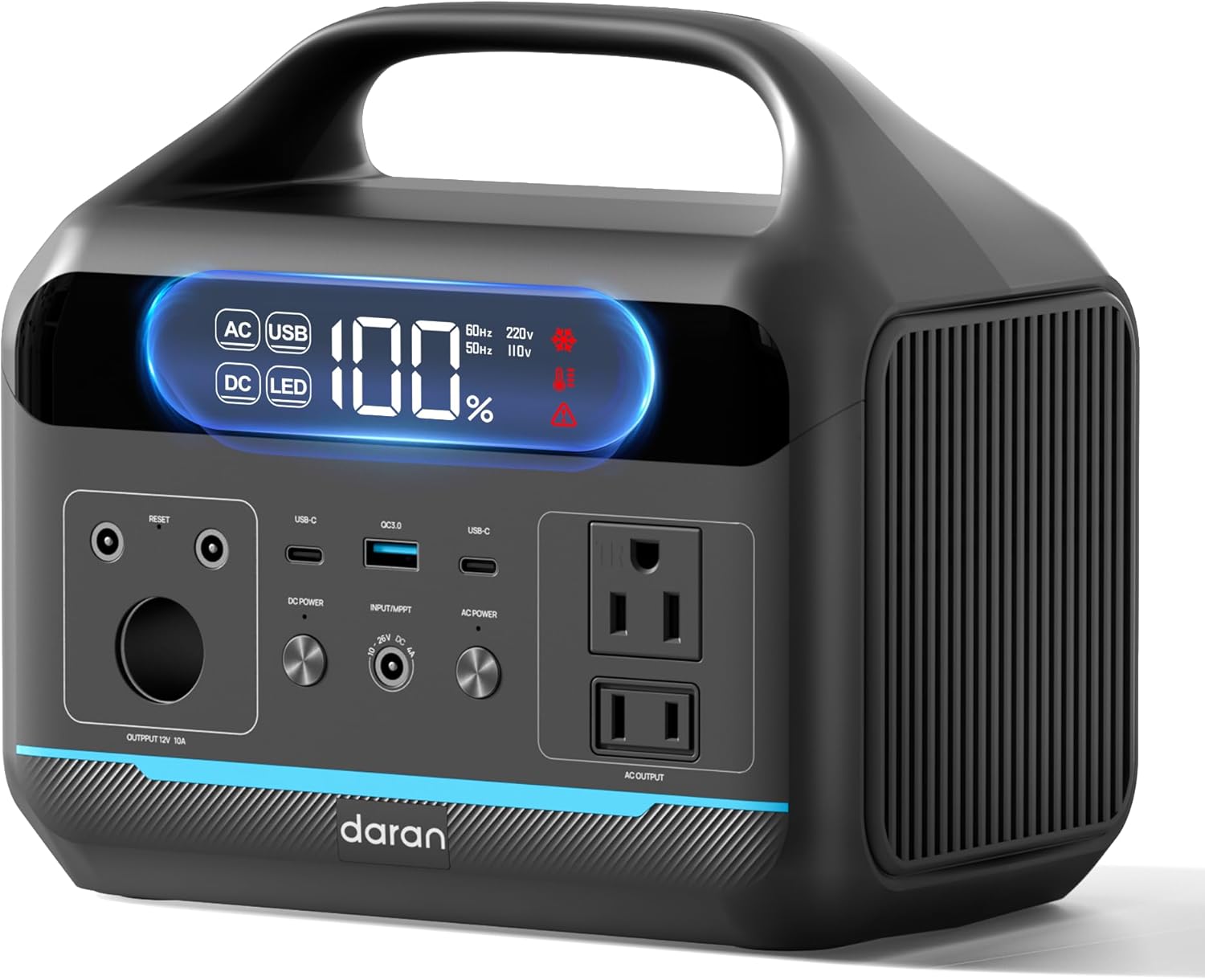
Малюнак 1: Спераду view of the DARAN Portable Power Station NEO, showing the display and various output ports.
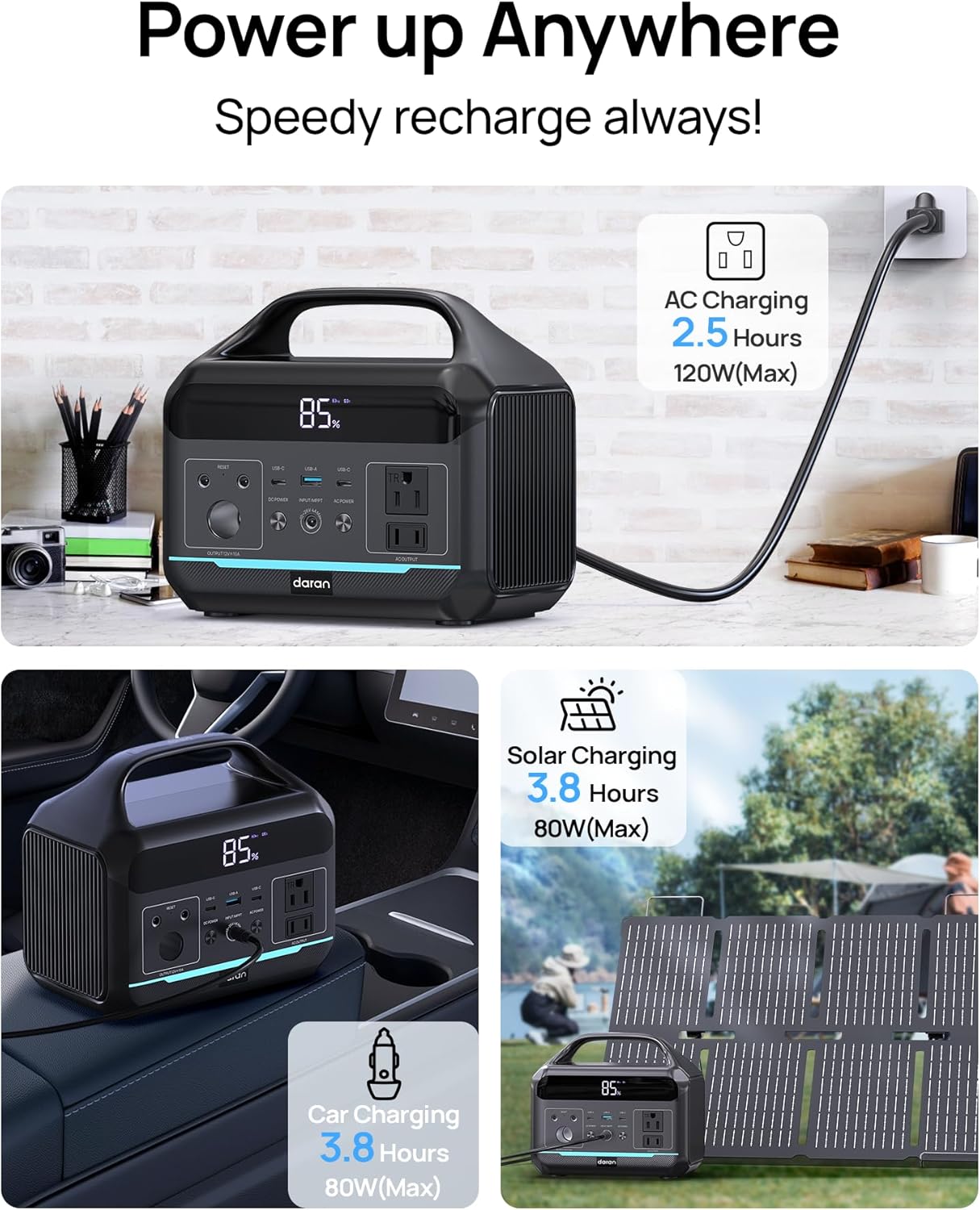
Figure 2: Illustration of the various charging methods for the power station, including AC wall charging, solar charging, and car charging.
2. Аперацыя
2.1 Уключэнне/выключэнне
To power on the unit, press and hold the main power button. The digital display will illuminate, showing the battery status and output information. To power off, press and hold the main power button again.
2.2 выхадных партоў
The DARAN Portable Power Station features multiple output ports to power various devices:
- Разеткі пераменнага току (x2): Provides 600W continuous power (1200W surge). Suitable for appliances like car refrigerators and CPAP machines.
- USB-C PD60W (x1): Для хуткай зарадкі прылад, сумяшчальных з USB-C.
- USB-A (x2): Provides 18W output for charging smartphones, tablets, and other USB-powered devices.
- Выход пастаяннага току: For devices requiring DC power.
Заўвага: Ensure that the total power consumption of connected devices does not exceed 600W to prevent overload.

Figure 3: The power station connected to various devices, demonstrating its multi-port functionality for campі для вонкавага выкарыстання.
2.3 Інтэграваная святлодыёдная лямпа
Электрастанцыя мае ўбудаваную святлодыёдную лямпу з некалькімі рэжымамі:
- Normal Illumination: Provides steady light for general use.
- Рэжым SOS: Activates a flashing SOS signal for emergency situations.
To activate the LED light, press the dedicated LED button. Press again to cycle through modes or turn off.
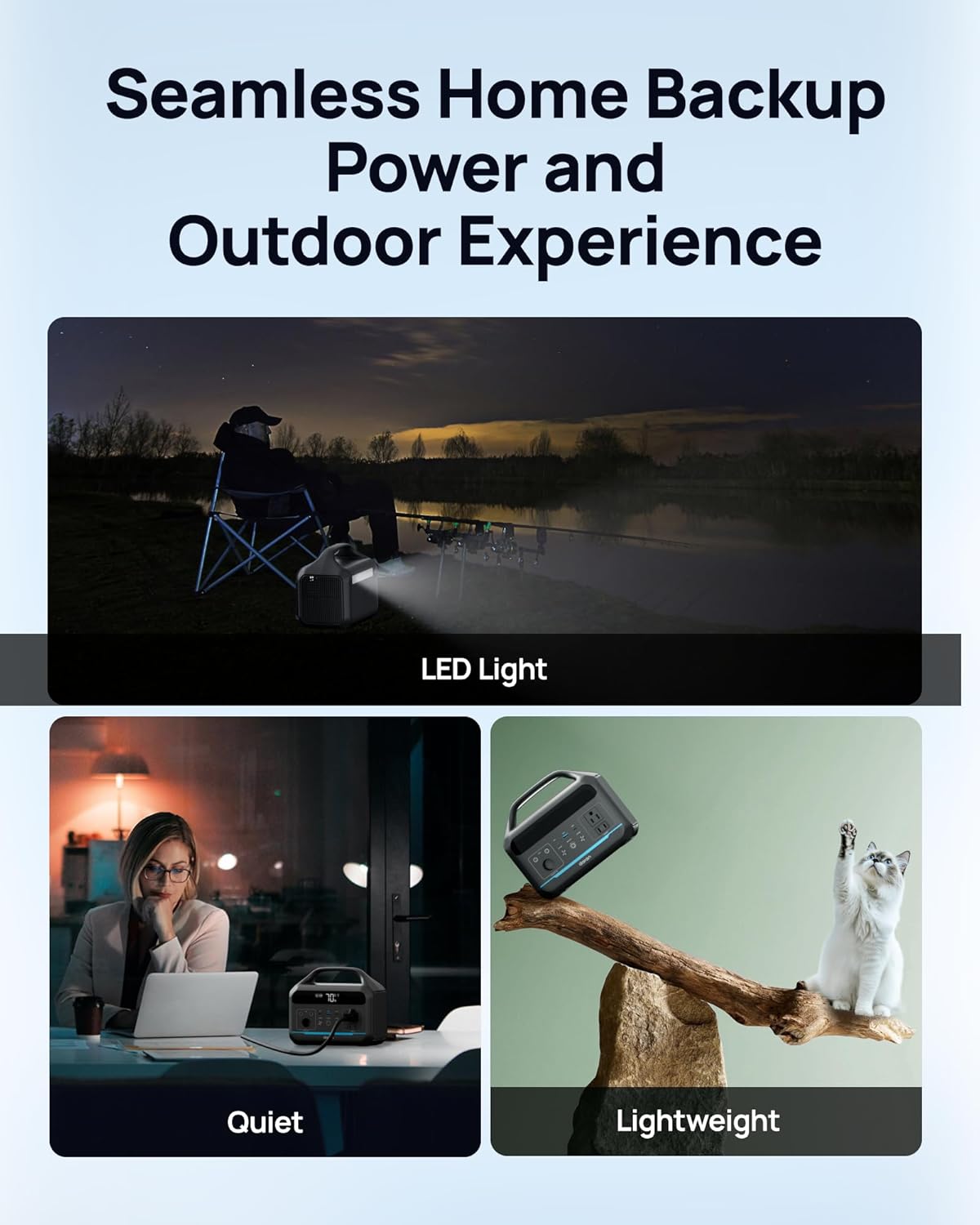
Figure 4: The power station providing illumination via its integrated LED light during an outdoor evening setting.
3. Тэхнічнае абслугоўванне
3.1 Сыход за акумулятарам
The power station uses a LiFePO4 battery, known for its long lifespan and safety. It is designed for 3500+ charge cycles, maintaining approximately 80% of its original capacity after this period.
- For optimal battery health, avoid completely draining the battery frequently.
- Захоўвайце прыладу ў прахалодным, сухім месцы, удалечыні ад прамых сонечных прамянёў і экстрэмальных тэмператур.
- Пры працяглым захоўванні зараджайце акумулятар прыкладна да 50-80% кожныя 3-6 месяцы.

Малюнак 5: Унутраны view illustration highlighting the LiFePO4 battery technology and its long cycle life.
3.2 Ачыстка
Выкарыстоўвайце мяккую сухую тканіну для чысткі знешніх паверхняў электрастанцыі. Не выкарыстоўвайце абразіўныя ачышчальнікі і не апускайце прыладу ў ваду.
4. Выпраўленне непаладак
4.1 Агульныя праблемы
- Прылада не ўключаецца:
Ensure the battery is charged. Connect to an AC outlet for at least 30 minutes to see if it powers on.
- AC Output Not Working:
If the battery level is below 10%, the AC port will automatically turn off to prevent battery damage. DC/USB ports will remain available. Check if the connected device exceeds the 600W output limit.
- Павольная зарадка:
Ensure the charging cable is securely connected. If using solar, verify the solar panel is in direct sunlight and correctly oriented. Check the input wattage адлюстроўваецца на экране.
- Абарона ад перагрузкі:
The unit has built-in overload protection. If an overload occurs, the unit may shut down. Disconnect the overloaded device, wait a few minutes, and then restart the power station.
4.2 Звярнуцца ў службу падтрымкі
If you encounter issues not covered in this section, or if troubleshooting steps do not resolve the problem, please contact DARAN customer service for assistance. Refer to the "Warranty & Support" section for contact information.
5. Тэхнічныя характарыстыкі
| Асаблівасць | Дэталь |
|---|---|
| Нумар мадэлі | NEO |
| Ёмістасць | 288 Вт·гадз (90,000 мАг, 3.2 В) |
| Выхад пераменнага току | 600 Вт (перанапружанне 1200 Вт) |
| Тып батарэі | LiFePO4 (фасфат літый-жалеза) |
| Цыкл жыцця | 3500+ цыклаў да 80% ёмістасці |
| Памеры прадукту | 8 х 3 х 12 цалі |
| Вага прадмета | 13.77 фунта |
| Час зарадкі (пераменны ток) | Прыблізна 2 гадзіны да 80% |
| Вытворца | Dongguan Menche Electronics Co., Ltd. |
| Дата першай даступнасці | 28 ліпеня 2025 г |
6. Гарантыя і падтрымка
6.1 Інфармацыя аб гарантыі
For detailed warranty terms and conditions, please refer to the warranty card included with your product or visit the official DARAN webсайт. Гарантыя звычайна распаўсюджваецца на вытворчыя дэфекты і няспраўнасці пры нармальным выкарыстанні.
6.2 Падтрымка кліентаў
If you have any questions, require technical assistance, or need to report an issue, please contact DARAN customer service. Contact information can typically be found on the product packaging, the official DARAN webна сайце або ў прыкладзенай дакументацыі.
When contacting support, please have your product model number (NEO) and purchase date available.
Ask a question about this manual
Ask about setup, troubleshooting, compatibility, parts, safety, or missing instructions. Manuals+ will review the question and use this page’s manual context to help answer it.