
Уводзіны
Thank you for choosing the Csasan T70 Smart Watch. This manual provides essential information for setting up, operating, and maintaining your device. The T70 Smart Watch features a 1.91-inch HD display, Bluetooth calling capabilities, over 110 sports modes, 24/7 health monitoring, and IP68 water resistance. Please read this manual thoroughly to ensure optimal performance and longevity of your smartwatch.

Image: Csasan T70 Smart Watch highlighting key features.
Што ў скрынцы
Праверце, ці ёсць усе прадметы ў вашай упакоўцы:
- Разумныя гадзіны x1
- Магнітная зарадная прылада x1
- Кіраўніцтва карыстальніка x1

Image: Illustration of the Csasan T70 Smart Watch package contents.
Настройка
1. Зарадка разумнага гадзінніка
Before first use, fully charge your Csasan T70 Smart Watch. Connect the magnetic charger to the charging points on the back of the watch and plug the USB end into a power adapter (not included) or a computer's USB port. A full charge typically takes approximately 2 hours.

Image: Smartwatch charging process and battery life details.
2. Усталёўка прыкладання
To unlock all features and synchronize data, download and install the Глорыфіт дадатак на вашым смартфоне. Пошук "Gloryfit" in the Apple App Store (for iOS devices) or Google Play Store (for Android devices).
3. Спалучэнне са смартфонам
- Пераканайцеся, што Bluetooth уключаны на вашым смартфоне.
- Open the Gloryfit app and follow the on-screen instructions to create an account or log in.
- У дадатку перайдзіце ў раздзел прылад і абярыце «Дадаць прыладу» або падобную опцыю.
- The app will search for available devices. Select "T70" or the corresponding device name when it appears.
- Пацвердзіце запыт на спалучэнне як на гадзінніку, так і на смартфоне.
Інструкцыя па эксплуатацыі
Базавая навігацыя
- Сэнсарны экран: Правядзіце пальцам улева, управа, уверх або ўніз, каб перамяшчацца па меню і функцыях. Націсніце, каб выбраць.
- Экран абуджэння: Падніміце запясце або націсніце бакавую кнопку, каб уключыць экран.
- Карыстальніцкія цыферблаты: Customize your watch face through the Gloryfit app using personal photos or pre-set designs.

Image: Customizable watch faces on the 1.91-inch HD screen.
Wireless Calls and Message Push
Once paired with your smartphone, the T70 Smart Watch allows you to manage calls and notifications directly from your wrist.
- Адказваць/здзяйсняць званкі: Use the watch to answer incoming calls or dial numbers. The watch syncs with your mobile contacts.
- Апавяшчэнні аб паведамленнях: Receive notifications from various apps including Instagram, YouTube, Messenger, Gmail, Snapchat, Facebook, Twitter, and WhatsApp. Note: The watch does not support replying to messages.

Image: Smartwatch displaying Bluetooth call functionality.

Image: Smartwatch showing notifications and other features like drink water reminder, sedentary reminder, weather, and alarm clock.
Спартыўныя рэжымы і адсочванне актыўнасці
The watch offers over 110 sports modes to track your physical activities. It records steps, distance, calories burned, and more.
- Access Sports Modes: Swipe on the watch face to find the sports mode menu and select your desired activity.
- Дадзеныя аб дзейнасці: View real-time data during your workout and detailed summaries in the Gloryfit app.

Image: Smartwatch displaying various sports modes and activity metrics.
Маніторынг здароўя
The T70 Smart Watch includes sensors for continuous health monitoring.
- Манітор сардэчнага рытму: Monitors your heart rate 24/7. Data is for reference and not for medical diagnosis.
- Адсочванне сну: Automatically tracks your sleep patterns, including awake, light, and deep sleep stages. Review sleep data in the Gloryfit app to adjust habits.
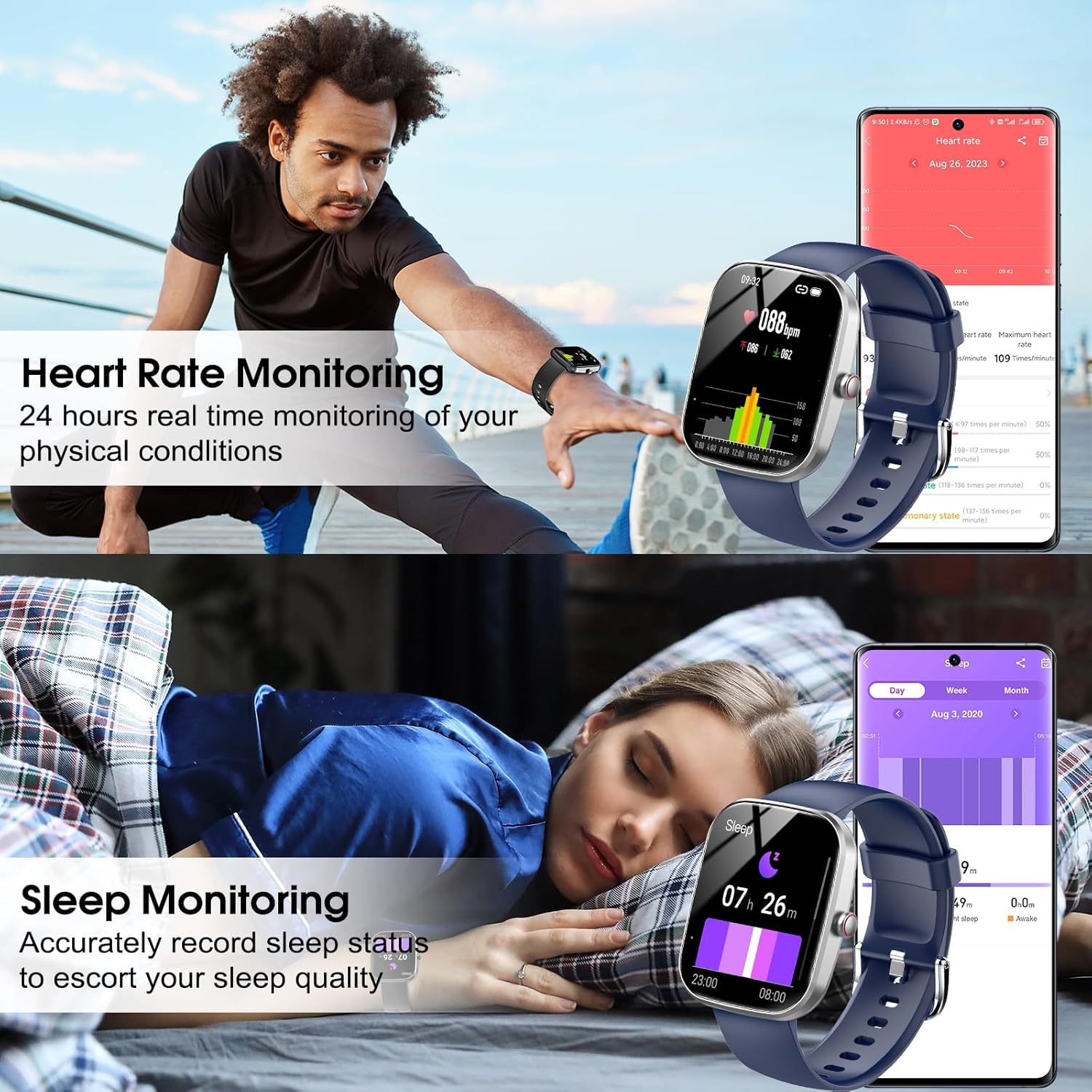
Image: Smartwatch displaying heart rate and sleep monitoring functions.
Кіраванне музыкай
Кіруйце прайграваннем музыкі на смартфоне непасрэдна з гадзінніка.
- Кіраванне прайграваннем: Play, pause, skip tracks, and adjust volume without needing to access your phone.

Image: Smartwatch demonstrating music control functionality.
Пульт дыстанцыйнага кіравання камерай
Выкарыстоўвайце свой разумны гадзіннік як пульт дыстанцыйнага кіравання затворам для камеры вашага смартфона.
- Дыстанцыйны затвор: Open the camera function in the Gloryfit app and use your watch to trigger photos.
Іншыя функцыі
The Csasan T70 Smart Watch includes several other useful features:
- Прагноз надвор'я
- Сядзячы напамін
- Секундамер
- Будзільнік
- Таймер
- Адсочванне жаночага цыклу
- Знайдзіце тэлефон
Тэхнічнае абслугоўванне
Воданепранікальнасць (IP68)
The Csasan T70 Smart Watch is IP68 waterproof, meaning it is resistant to dust and can withstand immersion in water up to 1.5 meters for 30 minutes. It is suitable for daily activities like washing hands or exercising in the rain.
Важная заўвага:
- Do not use the watch in hot water, saunas, or steam rooms.
- Avoid prolonged soaking in water, as this can affect the waterproof seal over time.
- Воданепранікальнасць не з'яўляецца пастаянным станам і можа змяншацца з цягам часу пры нармальным зносе.

Image: Smartwatch demonstrating IP68 water resistance.
Чыстка і догляд
- Рэгулярна працірайце гадзіннік мяккай сухой тканінай.
- Пазбягайце выкарыстання агрэсіўных хімікатаў або абразіўных матэрыялаў.
- Для забеспячэння належнай зарадкі падтрымлівайце зарадныя кантакты чыстымі і сухімі.
Тэрмін службы батарэі
The Csasan T70 Smart Watch offers:
- Да 30 дзён у рэжыме чакання.
- 5-7 days of average usage, depending on feature usage.
Ліквідацыю непаладак
If you encounter issues with your Csasan T70 Smart Watch, refer to the following common solutions:
| праблема | Магчымае рашэнне |
|---|---|
| Гадзіннік не ўключаецца | Пераканайцеся, што гадзіннік цалкам зараджаны. Падключыце яго да магнітнай зараднай прылады не менш за 30 хвілін. |
| Немагчыма спалучыць прыладу з тэлефонам | Make sure Bluetooth is on, the Gloryfit app is open, and the watch is within range. Restart both the watch and phone. |
| Апавяшчэнні не атрыманы | Check app permissions for Gloryfit on your phone. Ensure notifications are enabled within the Gloryfit app settings for specific applications. Verify the watch is connected via Bluetooth. |
| Недакладны падлік крокаў | Ensure the watch is worn snugly on your wrist. Arm movements without actual steps (e.g., pushing a stroller) may not be accurately counted. |
| Heart rate/sleep data incorrect | Ensure the watch is worn correctly and snugly. Clean the sensor on the back of the watch. Note that data is for reference only. |
| Кароткі тэрмін службы батарэі | Reduce screen brightness, disable continuous heart rate monitoring if not needed, and limit frequent notifications. |
Тэхнічныя характарыстыкі
| Асаблівасць | Дэталь |
|---|---|
| Назва мадэлі | Т70 |
| Марка | Csasan |
| Памер экрана | 1.91 цалі |
| Форма | Прамавугольны |
| GPS | Няма GPS |
| Склад батарэі | Літый-палімерны |
| Стандарт бесправадной сувязі | Bluetooth |
| Тэхналогія падлучэння | Bluetooth |
| Асаблівасць | Адсочванне актыўнасці |
| Аперацыйная сістэма | Android (compatible with Android 5.0+ and iOS 9.0+) |
| Вага прадмета | 0.09 кілаграма (3.2 унцыі) |
| Вытворца | Csasan |
| Рэйтынг воданепранікальнасці | IP68 |
Гарантыя і падтрымка
Інфармацыя аб гарантыі
The Csasan T70 Smart Watch comes with a 2-гадовая гарантыя бясплатнай замены з даты пакупкі, пакрываючы вытворчыя дэфекты.
Падтрымка кліентаў
Csasan provides пажыццёвая падтрымка for its products. For any inquiries, technical assistance, or warranty claims, please contact our customer service team. We offer 24-hour quick service via email.
Please refer to the contact information provided in your product packaging or on the official Csasan webсайт для падрабязнай інфармацыі аб падтрымцы.