
1. Прадукт скончыўсяview
The WVX Gaming Laptop R9-6900HX (Model A02) is a high-performance portable computer designed for demanding tasks such as gaming, content creation, and multitasking. It features an AMD Ryzen 9 6900HX processor, AMD Radeon 680M integrated graphics, and fast DDR5 memory.
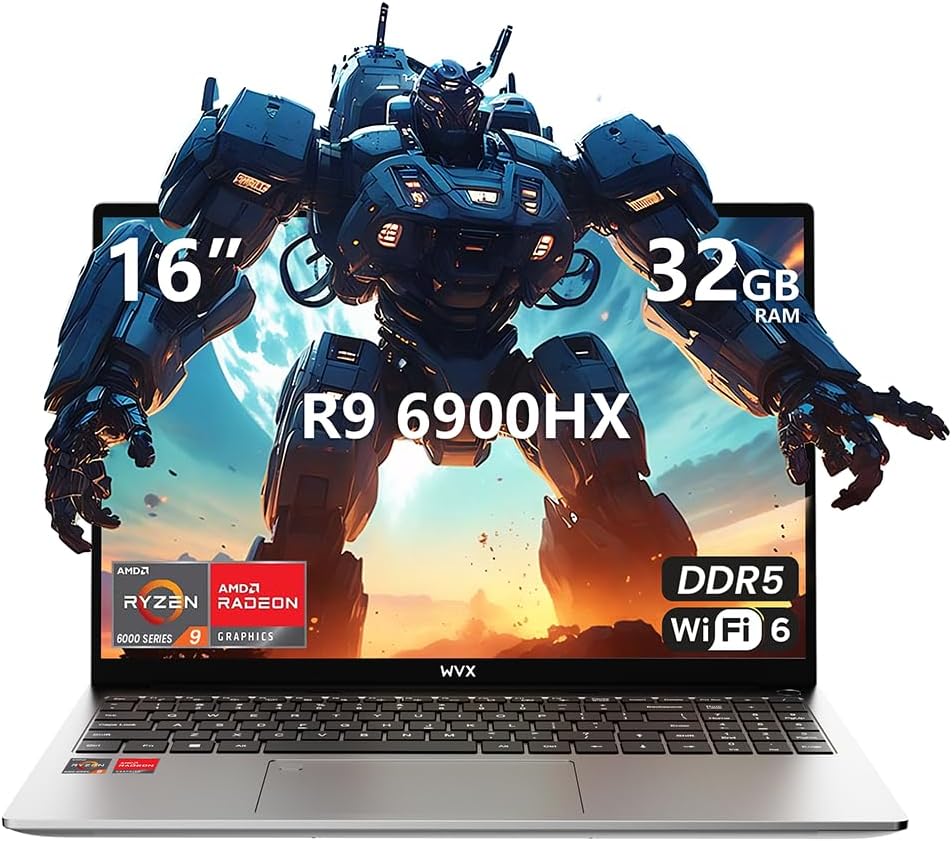
Image 1.1: WVX Gaming Laptop R9-6900HX
Асноўныя характарыстыкі:
- High-Performance CPU: AMD Ryzen 9 6900HX with 8 cores and 16 threads, up to 4.9 GHz.
- Убудаваная графіка: AMD Radeon 680M, delivering strong visual performance.
- Fast Memory: 32GB DDR5 RAM, expandable up to 64GB.
- AmpЗахоўванне: 512GB SSD, expandable up to 2TB.
- Яркі дысплей: 16-inch Full HD (1920x1200) screen.
- Пашыраныя магчымасці падлучэння: Wi-Fi 6 and Bluetooth 5.2.
- Аперацыйная сістэма: Папярэдне ўсталяваная аперацыйная сістэма Windows 11 Pro.
2. Настройка
2.1 Распакоўка і першапачатковы агляд
Carefully remove the laptop and its accessories from the packaging. Ensure all components listed in the 'What's in the Box' section are present and undamaged.
- R9-6900HX laptop
- PD100W adapter (charger)
2.2 Падключэнне адаптара сілкавання
Connect the PD100W adapter to the laptop's power input port and then plug it into a power outlet. It is recommended to fully charge the laptop before its first use.
2.3 Пачатковая загрузка і ўстаноўка Windows
Press the power button located on the laptop. The system will guide you through the initial Windows 11 Pro setup process. Follow the on-screen instructions to configure your language, region, network, and user account.
3. Інструкцыя па эксплуатацыі
3.1 Клавіятура і сэнсарная панэль
The laptop features a full-size keyboard with a numeric keypad and a responsive touchpad. The keyboard is backlit for comfortable use in low-light conditions. The touchpad supports multi-touch gestures for enhanced navigation.

Image 3.1: Laptop keyboard and touchpad layout.
3.2 Дысплей і графіка
The 16-inch FHD display offers a resolution of 1920x1200 pixels, providing clear and vibrant visuals. The AMD Radeon 680M graphics processor handles demanding visual tasks efficiently.

Image 3.2: Display features including 300 nits brightness, IPS, and low blue light.
3.3 Парты і падключэнне
Ноўтбук абсталяваны рознымі партамі для падключэння знешніх прылад:
- 4 порта USB 3.0
- Порт HDMI
- Full-function Type-C Port (supports charging, data transfer, external 4K monitor)
- 3.5-міліметровы раз'ём для навушнікаў
- Счытвальнік SD карт
For wireless connectivity, the laptop supports Wi-Fi 6 for high-speed internet and Bluetooth 5.2 for connecting peripherals.
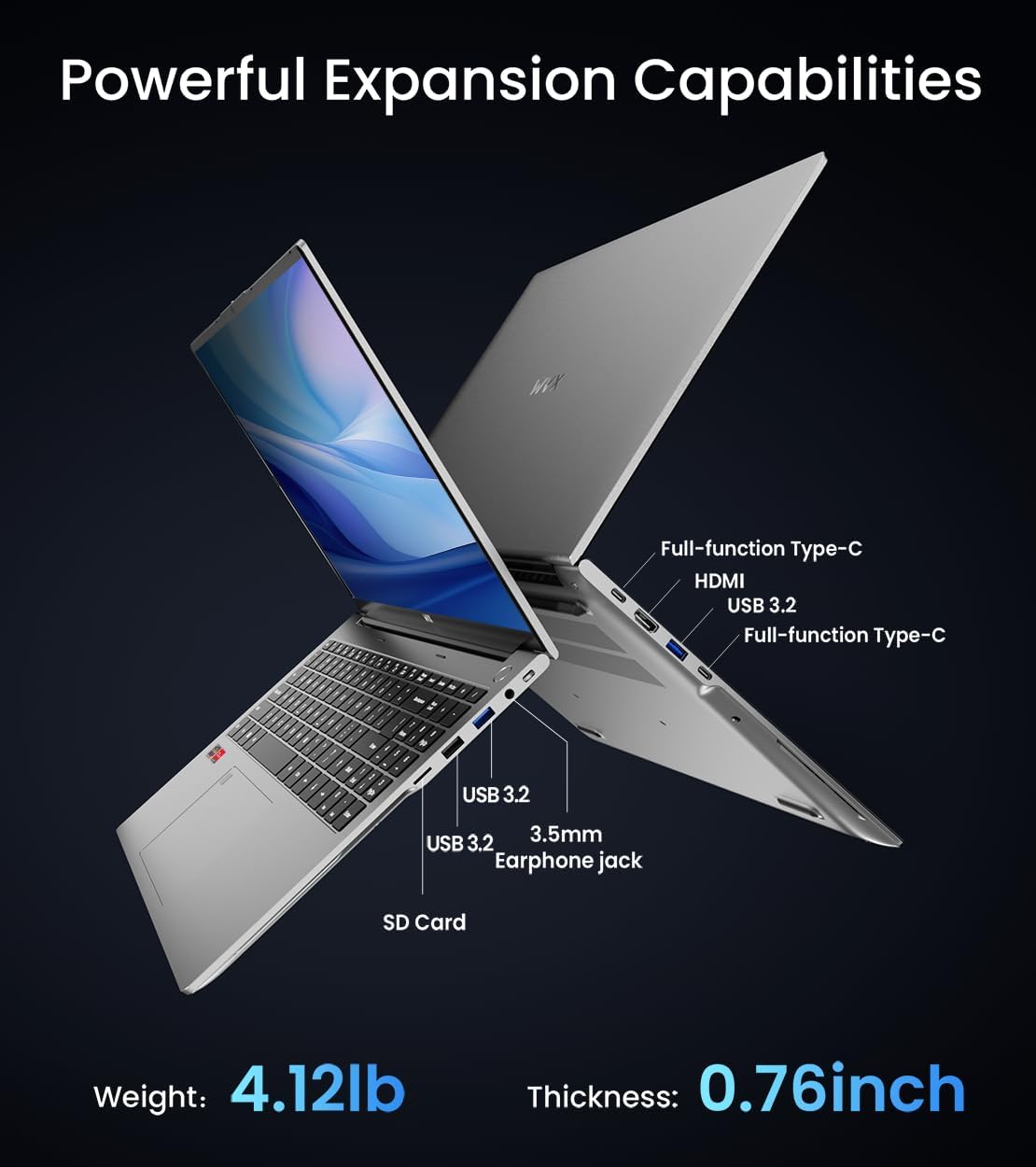
Выява 3.3: Канецview of available ports and physical dimensions.
4. Тэхнічнае абслугоўванне
4.1 Ачыстка
To maintain optimal performance and appearance, regularly clean your laptop. Use a soft, lint-free cloth for the screen and exterior. For stubborn smudges, a slightly dampМожна выкарыстоўваць чыстую тканіну з вадой або спецыяльны сродак для чысткі экранаў. Пазбягайце агрэсіўных хімічных рэчываў.
4.2 Абнаўленне праграмнага забеспячэння
Regularly update your Windows operating system and drivers to ensure system stability, security, and optimal performance. Windows Update can be accessed through the Settings menu.
4.3 Пашырэнне аб'ёму захоўвання дадзеных і памяці
The laptop's RAM can be upgraded to a maximum of 64GB, and the SSD storage can be expanded up to 2TB. Consult a qualified technician for hardware upgrades to avoid voiding your warranty.

Image 4.1: Illustration of memory and storage upgrade capabilities.
5. Выпраўленне непаладак
5.1 Праблемы з харчаваннем
- Ноўтбук не ўключаецца: Пераканайцеся, што адаптар сілкавання надзейна падключаны, а акумулятар дастаткова зараджаны. Паспрабуйце іншую разетку.
- Акумулятар не зараджаецца: Verify the power adapter is functioning correctly. Check the charging port for any obstructions.
5.2 Праблемы з дысплеем
- Пусты экран: Connect an external monitor to check if the issue is with the laptop's display. Restart the laptop.
- Мігценне экрана: Абнавіце драйверы відэакарты. Адрэгулюйце частату абнаўлення дысплея ў наладах Windows.
5.3 Праблемы з прадукцыйнасцю
- Павольная прадукцыйнасць: Зачыніце непатрэбныя праграмы. Праверце на наяўнасць шкоднасных праграм. Забяспечце дастаткова вольнага месца для захоўвання.
- Перагрэў: Ensure ventilation vents are clear. Consider using a cooling pad.

Image 5.1: Illustration of the laptop's cooling system with pure copper heat pipes and fan speed.
6. Тэхнічныя характарыстыкі
| Асаблівасць | Спецыфікацыя |
|---|---|
| Марка | WVX |
| Назва мадэлі | R9-6900HX (A02) |
| Працэсар | AMD Ryzen 9 6900HX (4.9 GHz, 8 Cores, 16 Threads) |
| Графічны супрацэсар | AMD Radeon 680M |
| АЗП | 32 ГБ DDR5 (макс. 64 ГБ) |
| Жорсткі дыск | 512 GB SSD (Max 2TB) |
| Памер экрана | 16 цалі |
| Максімальны дазвол экрана | 1920x1200 пікселяў |
| Аперацыйная сістэма | Windows 11 Pro |
| Бесправадны тып | 802.11ax (Wi-Fi 6) |
| Bluetooth | 5.2 |
| Колькасць партоў USB 3.0 | 4 |
| Памеры прадукту | 14 х 9.7 х 0.78 цалі |
| Вага прадмета | 5.89 фунта |
| акумулятар | 58 Вт-гадз |
| Асаблівасці | Backlit Keyboard, Fingerprint Reader, HD Audio |
7. Гарантыя і падтрымка
WVX offers comprehensive support for your laptop:
- Тэхнічная падтрымка: Enjoy unlimited technical support.
- Служба рамонту: 12 months of repair service for all customers.
- Час водгуку: Online connection within 24 hours for inquiries.
For any questions or concerns, please reach out to the WVX support team.

Выява 7.1: Канецview of WVX customer support services.
8. Афіцыйнае відэа прадукту
Відэа 8.1: Афіцыйная відэапрэзентацыяasing the WVX R9 6900HX Laptop, highlighting its features and design.