
1. Уводзіны
This manual provides instructions for the safe and effective operation of the Landtek MILA48500 Digital Illuminance Lux Light Meter Datalogger. This device is designed for measuring illuminance (brightness) in various environments, offering a wide measurement range, data logging capabilities, and Bluetooth connectivity for real-time monitoring.
Калі ласка, уважліва прачытайце гэтую інструкцыю перад выкарыстаннем прылады, каб забяспечыць яе належную працаздольнасць і пазбегнуць пашкоджанняў.
2. Інфармацыя па бяспецы
- Не спрабуйце адкрываць або мадыфікаваць прыладу. Звяртайцеся па ўсё абслугоўванне да кваліфікаванага персаналу.
- Трымайце прыладу далей ад вады, вільгаці і экстрэмальных тэмператур.
- Выміце батарэйкі, калі прылада не будзе выкарыстоўвацца працяглы час, каб прадухіліць іх уцечку.
- Утылізуйце батарэйкі і прыладу ў адпаведнасці з мясцовымі правіламі.
- Avoid pointing the light sensor directly at extremely bright light sources for prolonged periods, as this may affect sensor longevity.
3. Змесціва ўпакоўкі
Пераканайцеся, што ўсе прадметы наяўныя пры распакаванні:
- Digital Illuminance Lux Light Meter Datalogger (MILA48500)
- Сумка для пераноскі
- Інструкцыя па англійскай мове
- 2 x 1.5V AAA Batteries (pre-installed or included separately)

Малюнак 3.1: The Landtek MILA48500 Lux Meter package contents, showing the meter, a black protective pouch, and the instruction manual.
4. Прылада скончанаview
Familiarize yourself with the components of the Landtek MILA48500 Lux Meter:

Малюнак 4.1: Спераду і ззаду view of the Landtek MILA48500 Lux Meter with labeled components. Key parts include the light sensor, LCD screen, various function buttons (MAX/MIN, HOLD, UNIT, Power), and the battery compartment.
- Датчык святла: Detects ambient light.
- ВК-экран: Displays measurement readings, units, and status indicators. Features a backlight for low-light conditions.
- Кнопка MAX/MIN: Toggles between maximum and minimum recorded values.
- Кнопка HOLD: Freezes the current reading on the display. Also activates Bluetooth when pressed for 2 seconds.
- Кнопка UNIT: Switches between LUX and FC measurement units. Also activates the backlight when pressed for 2 seconds.
- Кнопка харчавання: Уключае або выключае прыладу.
- Батарэйны адсек: Located on the rear, houses two AAA batteries.
5. Настройка
5.1 Устаноўка батарэі
- Знайдзіце вечка батарэйнага адсека на задняй панэлі прылады.
- Зрушыце або адшчэпіце вечка, каб адкрыць яго.
- Insert two 1.5V AAA batteries, ensuring correct polarity (+/-) as indicated inside the compartment.
- Надзейна заменіце крышку батарэйнага адсека.
5.2 Уключэнне/выключэнне
- Каб уключыць: Націсніце Кнопка харчавання (). The LCD screen will illuminate.
- Каб выключыць: Націсніце Кнопка харчавання again. The device also features an automatic power-off function to conserve battery life.
6. Інструкцыя па эксплуатацыі
6.1 Асноўныя вымярэнні
After powering on, the device will immediately begin measuring illuminance. Point the light sensor towards the light source or area you wish to measure.
6.2 Unit Selection (LUX / FC)
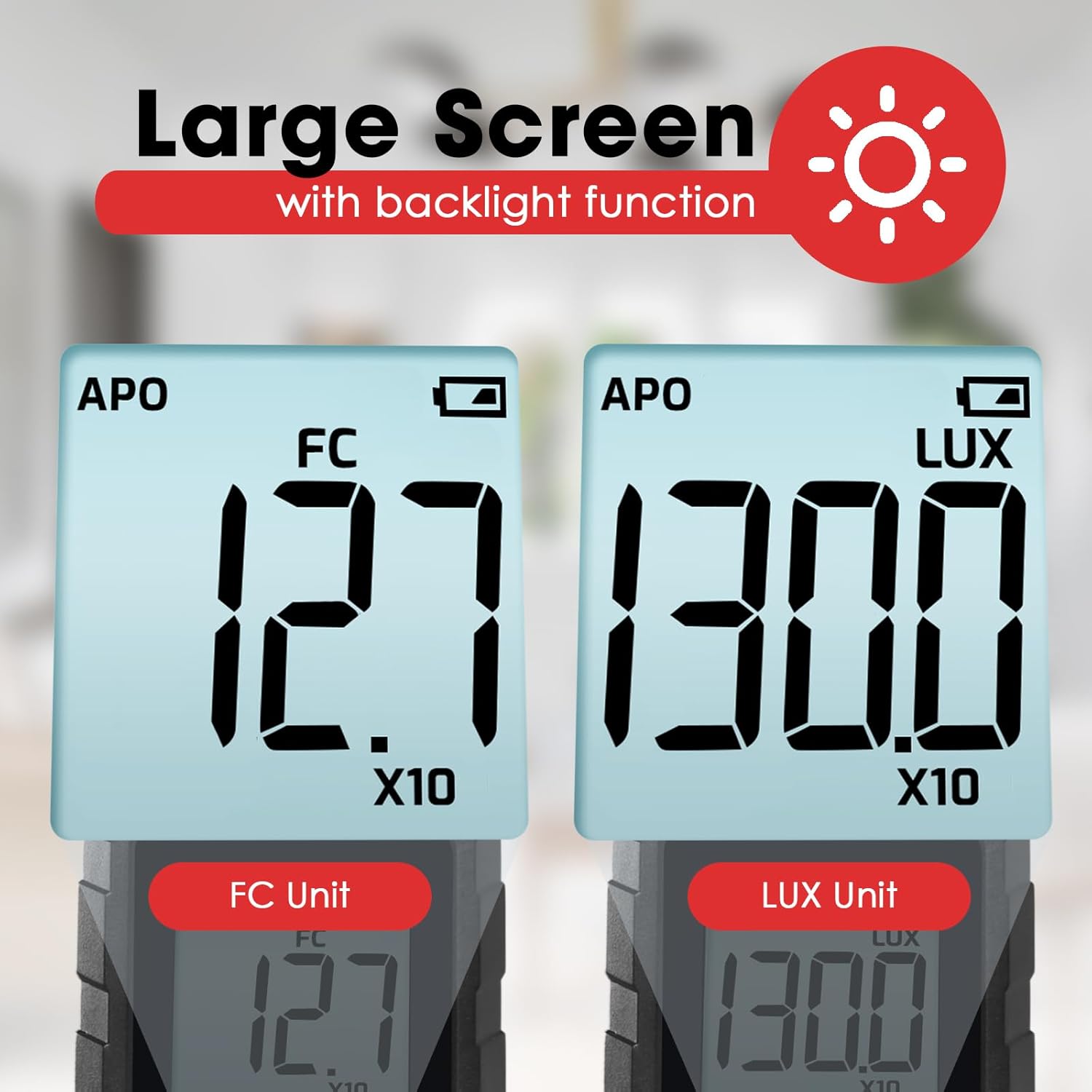
Націсніце Кнопка UNIT to toggle between LUX (lux) and FC (foot-candle) measurement units. The selected unit will be displayed on the LCD screen.

Малюнак 6.1: The meter's display showing measurements in FC (left) and LUX (right) units.
6.3 Функцыя ўтрымання дадзеных
Націсніце Кнопка HOLD briefly to freeze the current reading on the display. Press it again to release the hold and resume live measurement.
6.4 MAX / MIN Display
Націсніце Кнопка MAX/MIN to cycle through the maximum, minimum, and current readings recorded since the device was powered on or the function was reset. The display will indicate 'MAX' or 'MIN' accordingly.
6.5 Функцыя падсветкі
Націсніце і ўтрымлівайце Кнопка UNIT for approximately 2 seconds to turn the LCD backlight on or off.
6.6 Measurement Range Multipliers
The meter automatically adjusts its measurement range. When 'X10' or 'X100' appears on the display, the displayed reading must be multiplied by that factor to obtain the actual illuminance value.
Малюнак 6.2: Explanation of how to interpret readings when 'X10' or 'X100' multipliers are active on the display.
- If 'X10' is displayed, multiply the reading by 10. For example, a display of 16.47 with 'X10' means 164.7 LUX.
- If 'X100' is displayed, multiply the reading by 100. For example, a display of 16.47 with 'X100' means 1647 LUX.
6.7 Bluetooth Connectivity and Data Logging
The device supports Bluetooth connectivity for real-time monitoring and data logging via a compatible smartphone application.
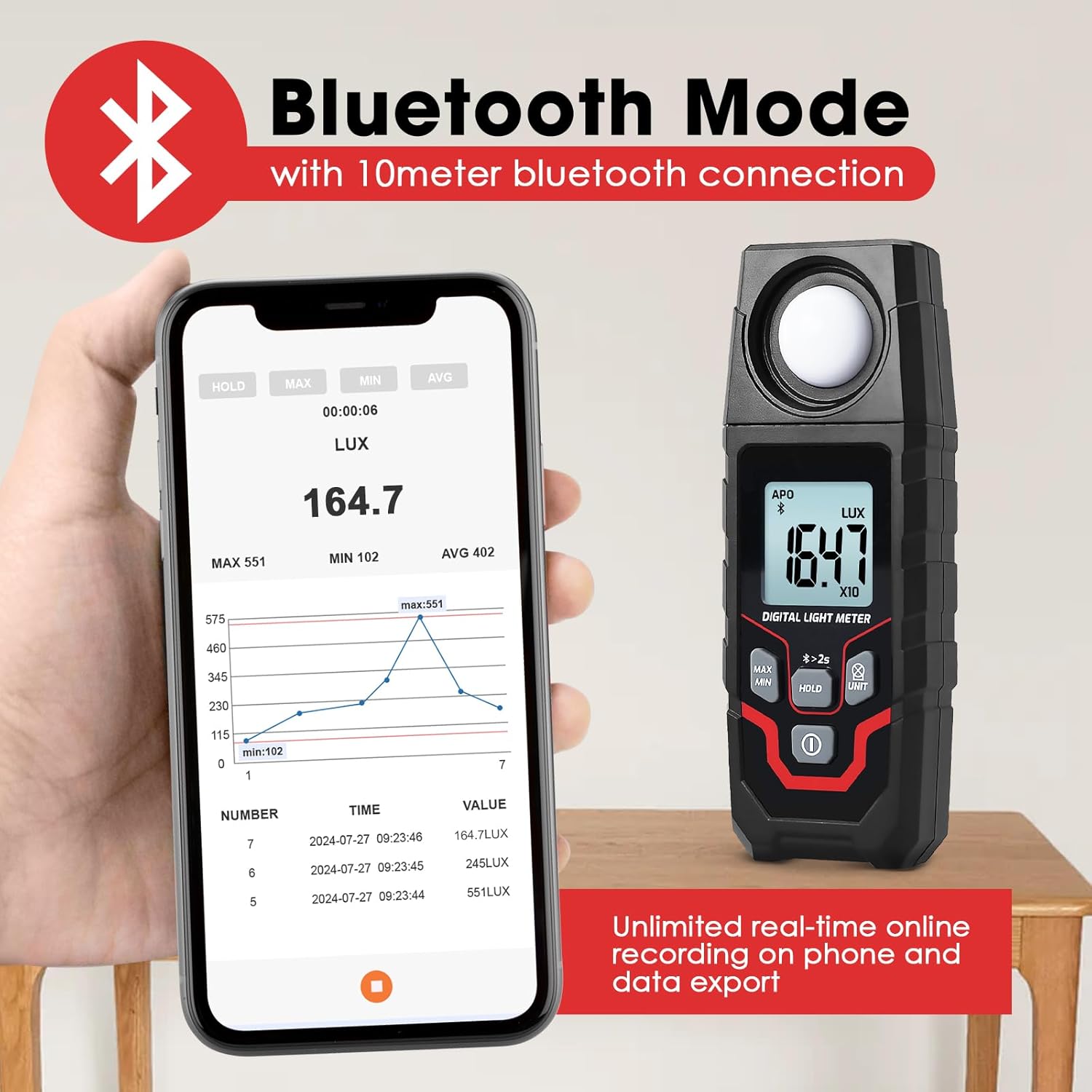
Малюнак 6.3: The Lux Meter connected to a smartphone via Bluetooth, displaying real-time data and a historical graph.
- Актываваць Bluetooth: Націсніце і ўтрымлівайце Кнопка HOLD for approximately 2 seconds. A Bluetooth icon will appear on the meter's display.
- Спампаваць прыкладанне: Download the official Landtek application from your smartphone's app store.
- Падключыць: Open the app on your smartphone and follow the instructions to pair with the MILA48500 device. The Bluetooth range is up to 10 meters.
- Рэгістрацыя даных: The app allows for unlimited real-time online recording and data export. The meter can also store up to 2000 groups of data for offline recording, which can be downloaded to the app later.
7. Тэхнічнае абслугоўванне
- Уборка: Use a soft, dry cloth to clean the device. Do not use abrasive cleaners or solvents. Ensure the light sensor is kept clean and free of dust.
- захоўванне: Store the device in a cool, dry place, away from direct sunlight and extreme temperatures. If storing for an extended period, remove the batteries.
- Замена батарэі: Замяняйце батарэйкі, калі на дысплеі з'яўляецца індыкатар нізкага зараду батарэек, каб забяспечыць дакладныя паказанні.
8. Выпраўленне непаладак
| праблема | Магчымая прычына | Рашэнне |
|---|---|---|
| Прылада не ўключаецца. | Разраджаныя або няправільна ўсталяваныя батарэйкі. | Праверце палярнасць батарэек. Заменіце новымі батарэйкамі тыпу AAA. |
| Няправільныя паказанні. | Dirty light sensor; low battery; incorrect unit/multiplier interpretation. | Clean the light sensor. Replace batteries. Ensure correct interpretation of LUX/FC units and X10/X100 multipliers. |
| Збой злучэння Bluetooth. | Bluetooth not activated on meter; app issue; out of range. | Press and hold HOLD button for 2s to activate Bluetooth. Restart app/phone. Ensure meter is within 10m of phone. |
| Дысплей цьмяны або мігціць. | Нізкі акумулятар. | Заменіце батарэі. |
9. Тэхнічныя характарыстыкі
| Асаблівасць | Спецыфікацыя |
|---|---|
| Метад вымярэння | Інтэгральны тып |
| Дыяпазон | 0.1~200000 LUX / 0.01~20000 FC |
| Measuring Levels (LUX) | 200/2,000/20,000/200,000 |
| Measuring Levels (FC) | 20/200/2,000/20,000 |
| Дакладнасць | ±(4% + 10 digits) (calibrated under standard incandescent lamp 2856°К) |
| Resolution (LUX) | <200: 0.1; ≥200: 1 |
| Resolution (FC) | <20: 0.01; 20≤FC<200: 0.1; ≥200: 1 |
| Дысплей | 4-digit LCD, max 1999 |
| Памер экрана | 34 х 31 мм |
| Датчык святла | Крамянёвы фотадыёд з фільтрам |
| Sampлінг -стаўка | Прыбл. 2 разы на секунду |
| Incident Angle | 120° |
| Repeatability Deviation | ±2% |
| Спектральны дыяпазон | 400~700 нм |
| Дыяпазон Bluetooth | Up to 10 meters proximity |
| Умовы эксплуатацыі | -10~50°C, максімальная адносная вільготнасць 80%, вышыня ў памяшканні <2000 м |
| Умовы захоўвання | -10~50°C, max 70% RH (with battery removed) |
| Электразабеспячэнне | 2 батарэйкі 1.5 В ААА |
| Памеры | 150 х 56 х 28 мм |
| Вага | Прыблізна 150 г (без батарэек) |

Малюнак 9.1: Physical dimensions and weight of the Landtek MILA48500 Lux Meter.
10. Гарантыя і падтрымка
This product is covered by a manufacturer's warranty. Please refer to the warranty card included in your package or contact Landtek customer support for detailed warranty terms and conditions.
For technical assistance, troubleshooting, or service inquiries, please contact your local distributor or the manufacturer directly. Contact information can typically be found on the manufacturer's webсайце або на ўпакоўцы прадукту.